"With this feature, I could probably do that." Ideas to spark that thought, grouped by department and situation.
Pick a situationStart with the chapter for your department or the problem you have. You can also filter by the feature you want to use
Paste the requestPaste the example request from the idea as is, or put it in your own words
The agent finishes itIt picks the features it needs, does the work, and returns the result to the conversation
Answer a few questions to find your idea
Each yes or no narrows the ideas down. Press an earlier branch to choose again from there.
Sales
1Summarize a prospect's recent moves on one page before the meeting
It searches the web and picks up press releases, job postings, and earnings news, with sources. You get it trimmed to something you can read in the 5 minutes before you meet.
"Summarize the past six months of moves at Company A, which I'm visiting tomorrow, on one page with sources"
Web research
2Turn 5 competitors' prices and plans into a comparison table
It reads each company's public pages and builds a table that lines them up on the same criteria. Take it as Excel or CSV and paste it straight into internal documents.
"Look up the pricing plans of our 5 competitors and make a comparison table in Excel"
Web research
Files
3Build a first draft of a proposal deck in one go
Hand over your discovery notes and it decides the structure and assembles the slides. Open them in the artifact panel, edit, and save as pptx.
"From these discovery notes, make a 10-slide proposal deck for Company A"
Images & slides
Research first, then turn the results into slides
4Pull just the decisions and action items from a sales call recording
Attach the recording and it transcribes it and writes minutes in meeting format. Decisions and the next action items come first.
"Make minutes from this sales call recording, with action items listing owner and due date"
Files
5Pull business card contacts from Sansan into your meeting notes
With Sansan connected, it searches business cards by company name and shows who met whom and when. Handy when deciding who to address or CC on notes.
"Find Company A's business cards in Sansan and list their departments and titles"
Sansan
Connectors
6Filter a prospect list by criteria and keep it as a ledger
Import a CSV of business cards collected at a trade show into a database table. Filter by industry or size to get this week's call list.
"Turn this CSV into a prospect table and show only manufacturers with 100 or more employees"
Database
Files
Keep a table and you can total and update it from a conversation
7Check HubSpot or Salesforce deals from a conversation
Ask about this month's expected closes or stalled deals without opening the CRM. Requires the CRM to be connected.
"Show deals expected to close this month that haven't moved in 2 weeks"
HubSpot
Salesforce
Connectors
8Draft a thank-you email from meeting notes
Hand over minutes or bullet points and it drafts an email with thanks and a proposal for the next meeting. "Open in Email" on the card takes you straight to the send screen.
"Draft a thank-you email for today's meeting, with candidate dates for the next one"
Conversation
9Issue quotes as PDFs in your set format
Give it the items, quantities, and unit prices and it makes the quote as a PDF. Your company's format can be taught as a skill.
"Make a PDF quote for Company A with these 3 items"
Files
Skills
10Fill your company's details into a client's application PDF
If the PDF has form fields, it fills them. Even for a PDF without fields, such as a scanned image, it makes a new PDF with text written at the positions you specify. The original PDF is kept.
"Fill in our company name, address, and contact person on this application form"
Files
11Make a screen for writing daily sales reports from a phone in 1 minute
Build the daily report form as an app and share it with the team. Reports land in the database, so weekly totals take no extra work.
"Make an input screen for daily sales reports. I want fields for the visited company, result, and next action"
Apps
Database
12Sort inquiries arriving in Gmail by how likely they are to buy
Connect Gmail and register a trigger, and each time an email arrives it reads it, judges whether it is urgent and which product it is about, and records that in a table.
"When an inquiry email arrives, judge whether it's urgent and add it to the prospect table"
Gmail
Automation
Connectors
Calculate & decide
13Total last week's orders every Monday morning and post them to Slack
Register the totals as a scheduled run and pick a Slack destination for the results. Each run leaves a conversation, so you can trace where the numbers came from later.
"Every Monday at 9:00, total last week's orders and post them to the sales channel"
Slack
Automation
Database
Register a request and it runs on its own at that time
14Get travel routes and fares from your visit schedule
Routes, fares, and travel times to the station nearest a client come from the Ekispert connection. You can use them directly in an expense draft.
"Look up the route and fare from Shinjuku to the station nearest Company A"
Ekispert
Connectors
15Set up a help desk that answers common product questions from internal documents
Put product documents into knowledge and build an inquiry desk. When a junior rep at a client asks "how did this work again?", the answer comes back with sources.
"Make an internal inquiry desk that answers from our product documents"
Apps
Search
16Get a list of customers with contracts up for renewal at the start of each month
Keep the contract ledger in the database, and a scheduled run at the start of the month pulls customers whose renewal month is near. It can email them split by owner.
"On the 1st of every month, email each owner the customers renewing in the month after next"
Automation
Database
17Tally trade show visitor surveys on the spot
Build the survey screen as an app and have visitors answer on a device at the booth. After the show closes, total "the products with the most interest" in a conversation.
"Make a survey screen for the trade show. I want to ask which products they're interested in and whether we can contact them"
Apps
Database
Ask, and it finds a matching skill and follows its steps
18Reread a year of lost-deal reasons and summarize the trends
With deal records in the database, it reads the lost-deal reasons, classifies them, and sorts them by frequency. You can see whether it was about discounts or features.
"Classify last year's lost-deal reasons and show the reasons and counts, most frequent first"
Database
Calculate & decide
19Research new Salesforce leads and draft a first email
An hourly scheduled run checks Salesforce for new leads and researches each company's business and recent announcements on the web. It drafts a first email suited to the industry and notifies the owner in Slack. A person decides whether to send it.
"Every hour, check Salesforce for new leads, research the company, then draft a first email. Let me know in Slack when it's ready"
Salesforce
Slack
Automation
Connectors
Web research
20Turn portal inquiry emails into customer table rows and reply drafts
It runs when an inquiry email arrives from a real estate or job portal. It pulls the name, contact details, and requirements into the customer table, and drafts a reply with listings or jobs that match.
"When a portal inquiry email arrives, add it to the customer table and draft a reply"
Automation
Connectors
Database
21Get the deals to focus on and the next move every Monday
It re-sorts Salesforce or HubSpot deals by amount, expected close date, and last contact date. It sends each owner a summary of stalled deals and the moves to make this week.
"Every Monday morning, look at the deals and summarize focus deals and next moves for each owner"
Salesforce
HubSpot
Automation
Connectors
Calculate & decide
22Find customers quiet for six months and draft re-engagement emails
It picks customers from the customer table whose last deal or inquiry was more than six months ago. It drafts a re-engagement email for each company that mentions the last topic discussed, and hands the list to the owner.
"Every week, find customers we haven't contacted in six months and draft emails that mention what we last talked about"
Automation
Database
Connectors
23Register business card photos in the customer table and draft thank-you emails too
Photograph the business cards you received at a trade show with your phone and attach them to the conversation. It reads the company, department, title, and email address, adds them to the customer table, and drafts a thank-you email that mentions where you met.
"Register these 12 business cards in the customer table. Also draft thank-you emails for meeting at the trade show"
Files
Database
24Require a manager's approval before sending a quote
It makes the quote as a PDF in your set format and asks a manager for approval only when the discount rate exceeds the threshold. Once approved, it sends the quote to the client through Gmail.
"Make a quote for Company A. If the discount is over 15%, get the department head's approval before sending it"
Gmail
Files
Approvals
Connectors
25Fill in Salesforce deal notes from a sales call recording
Attach the call recording and it picks up the challenge, budget, decision maker, and timeline as far as they came up, and writes them into the Salesforce deal fields. Fields not covered are left as items to confirm next time.
"From this call recording, write the challenge, budget, and decision maker into Company A's deal in Salesforce"
Salesforce
Files
Connectors
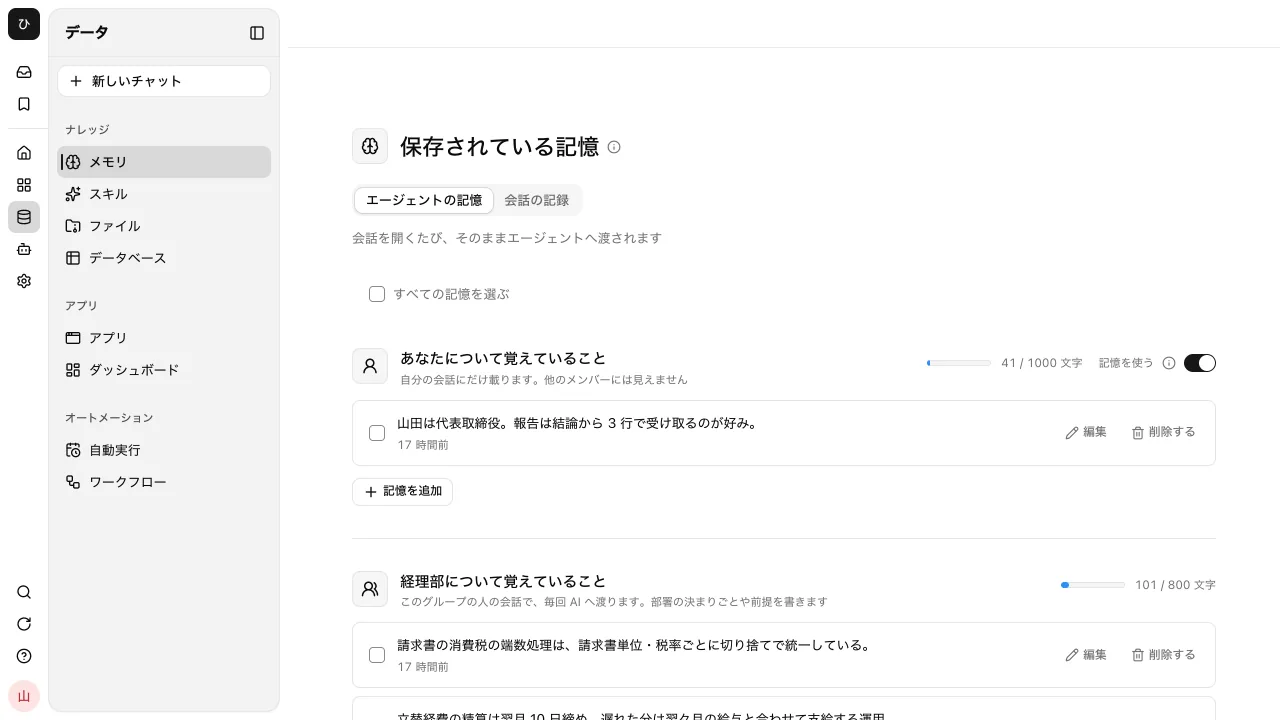
26Lay out the onboarding tasks for a won deal on a board
When it hears a deal was won, it lays out onboarding tasks such as the kickoff, account setup, initial configuration, and training on the task board, with owners and due dates.
"We won Company A. Put the tasks through onboarding on the board with owners and due dates"
SIROE
27Research the company when a meeting is booked in Calendly
Connect Calendly and register a booking trigger, and each time a meeting is booked it researches the company on the web and prepares a briefing note to read before you meet.
"When a sales meeting is booked in Calendly, research the company and make a briefing note"
Calendly
Automation
Connectors
Web research
28Prepare the next document when a HubSpot deal advances
When a deal's stage changes in HubSpot, it drafts the document that stage needs: a proposal deck at the proposal stage, a quote at the quote stage.
"When a deal in HubSpot moves to the proposal stage, make a first draft of the proposal deck"
HubSpot
Automation
Connectors
Images & slides
29Log key points per deal from Dialpad calls into the CRM
With Dialpad connected, it can pull call transcripts. It condenses a day's calls into key points and next action items per deal and records them in the CRM.
"From today's Dialpad calls, log key points and next action items for each deal in the CRM"
Dialpad
Connectors
30Turn a trade show exhibitor list straight into a prospect table
Even for exhibitor lists that need paging or clicking to open, it opens each company in the browser, extracts industry, location, and what they exhibit, and puts it in a database table.
"Open every exhibitor page for this trade show and make a table with industry and location"
Browser control
Database
31Check bid listing sites every morning and flag only the bids that fit you
It opens bid and public tender sites in the browser at a set time, picks only the new listings that match your company's strengths, and notifies you with their deadlines.
"Every morning, check the bid listing site for new IT listings and tell me only the ones that look like a fit"
Browser control
Automation
32Check a client's public records through the gBizINFO API
Store the token issued by gBizINFO as a secret, and it can look up public records such as subsidy awards, commendations, and filings directly through the API by corporate number.
"Look up Company A's subsidy and certification history in gBizINFO"
Connectors
33Order next week's client visits by shortest travel
With Google Maps connected, it measures travel time between stops and decides the order to visit them. Clients with fixed appointment times stay fixed.
"Order next week's 8 client visits by shortest travel. Company B is fixed at 14:00"
Google Maps
Connectors
34Set up a meeting with a client from a conversation
Ask in a conversation, and after the approval card it creates a meeting and returns a join link. Your members and the client join from the same link; the client requests entry and waits.
"Set up a meeting with Company A next Tuesday from 14:00"
Meetings
Conversation
35Get minutes with decisions at the top when a sales meeting ends
Set the minutes format to "Meeting" and minutes are created automatically when it ends, with decisions, action items, and open items first. The minutes and transcript are also kept as files.
"Show me the minutes of yesterday's meeting with Company A"
Meetings
Files
36Give the client only the meeting minutes through a public URL
Make a meeting public from "Share" and you can show just the parts you choose, out of the minutes, transcript, and recording, at a URL that opens without signing in. The meeting analysis is not published.
On the meeting screen, choose public sharing under "Share" and include only the minutes
Meetings
37Invite outside participants to an event through Google Calendar
Calendar events can include outside email addresses as guests. Invitations are delivered only when export to Google Calendar or Outlook is turned on.
Open the event in the calendar and enter the client's email address in "Add Guests"
Google Calendar
Outlook
Calendar
38Find a time when both you and a colleague joining the visit are free
The calendar can overlay up to 16 members' schedules, and other people's events show only as "Busy." Ask in a conversation and it lists the open times.
"When are Tanaka and I both free next week?"
Calendar
39Record Google Meet or Zoom sales calls with the meeting notes extension
Install the "Meeting Notes Extension" in Chrome and it records the audio of Google Meet or Zoom opened in the browser along with your mic, transcribes it, and saves it to a meeting.
Install and connect the extension from "Meeting Notes Extension" in the meeting list
Meetings
40Read client Slack and email in one place, opening what needs a reply first
Connect Slack, Chatwork, Gmail, and other rooms to channels, and about 1 minute after a new message the AI labels it "Needs Action," "Awaiting Reply," or "FYI Only." You can open the clients who need a reply first.
Connect Slack and Gmail with "Connect Your Account" in channels, and open rooms labeled "Needs Action" first
Slack
Gmail
Channels
41Choose per client whether AI replies are drafted or sent automatically
Under the room's "..." menu, "AI Replies" offers three options: label only, create drafts, or send automatically. In a group room, you can also set it per sender.
For important clients' rooms, set "..." then "AI Replies" to "Create Drafts"
Channels
42Match AI reply drafts to your usual tone
Drafts are written to match the tone of your own messages in that room. You can also add rules such as "polite and short" in the instructions field.
In the "AI Replies" instructions field, write "If asked about delivery dates, say the account owner will get back to them"
Channels
43Ask in an ordinary conversation what's been discussed in the sales room
Slack and email rooms connected to channels can also be read from your own conversations. Only rooms with AI access turned on can be read.
"What's been discussed recently in the sales room of the unified channels?"
Channels
Conversation
44Have AI propose in-person meeting times with travel time included
In the calendar's "Suggest Times with AI," choose the participants, length, and whether it is in person or online. For in person, it allows for travel time and offers up to 5 slots when everyone is free, with reasons.
In the calendar's "Suggest Times with AI," choose in person with 30 minutes of travel, then press "Show Options"
Calendar
45Record visit travel costs as "Travel" on the event
Under "Add Travel" on an event, you can enter the mode, origin, destination, amount, and a photo of the receipt. Each attendee's travel is listed in the event details.
Open the visit event and use "Add Travel" to enter train, round trip, the amount, and a receipt photo
Calendar
46Attach the proposal to the sales meeting event
Whoever created the event can attach up to 10 documents with "Attach Files." Anyone who can open the event can open the documents from there.
From "Edit Event" on the sales meeting, attach the proposal with "Attach Files"
Calendar
Files
47Have SINOBI get ahead on prep for today's and tomorrow's external meetings
SINOBI's rounds also read today's and tomorrow's events in calendars connected to channels. If a meeting includes outside people, it suggests prep on a card.
Open SINOBI and ask for meeting prep from the rounds card
Google Calendar
SINOBI
Calendar
48Reply in the client's Teams channel with images of the proposal
In Teams, Slack, and Chatwork rooms connected to channels, you can attach up to 5 files per message. Choose files from your own PC or from within the app.
In the Teams room, pick the proposal images from the paperclip button and send with Cmd+Enter
Microsoft Teams
Channels
Files
49Answer a client's Chatwork message as a reply or a quote
Messages in Chatwork rooms have "Reply" and "Quote." Your answer arrives in a form that shows on the Chatwork side which message it responds to.
In the Chatwork room, press "Reply" on the other person's message, then write and send
Chatwork
Channels
Marketing & PR
50Make campaign banners with Japanese headlines
Give it the size and content and it makes a banner with the headline. Also works for headers, OGP images, and announcement images.
"Make a 1200x630 banner for the fall campaign. Headline: 'No setup fee, for a limited time'"
Images & slides
51Line up several logo ideas for a new service and compare them
Describe the concept and it makes logo ideas as transparent PNG and single-color SVG. If you like one, it can make color variations of it.
"Make 3 logo ideas for our new service 'Hakobun.' I want it to feel like logistics"
Images & slides
52Write a blog draft from internal case studies
It searches case studies and minutes in knowledge and turns them into a draft article. You can see where each source is, so you can fact-check as you edit.
"Find 3 internal case studies and use them to write a blog draft"
Search
53Write press releases in your past style
Hand over a few past releases and have it learn their style as a skill. From then on, just hand over the material and you get the same format.
"Learn the style of our past releases so you can write in the same format from now on"
Skills
54Get a summary of competitors' new product news every morning
Every morning it searches the web and sends a short summary of only the new items. It also catches small announcements that are easy to miss.
"Every morning at 8:00, look up new announcements from our 3 competitors and send me just the key points"
Automation
Web research
55Turn one article into 5 social media post ideas
Hand over an article or release and it lists short post ideas from different angles. Tell it the character limit and it keeps to it.
"From this article, write 5 post ideas for X, each from a different angle"
Conversation
56Turn the script for a trade show video into narration audio
It makes an audio file of the script read aloud. Check the timing with the temporary audio before moving on to the real recording.
"Read this script aloud and make it into narration audio"
Images & slides
57Make illustrations and featured images from an article's content
Give it the article's key points and it makes illustrations or photo-style images. It can also do explanatory graphics like infographics.
"Make a featured image for this article in a soft illustration style"
Images & slides
58Build a campaign entry form and publish it outside the company
Build the entry form as an app and publish it to people without accounts. You can also embed it in your website with a single script tag.
"Make a giveaway entry form and make it publishable outside the company"
Apps
People without an account can use it too
59Make the ad performance report in the same format every week
It pulls last week's numbers from Google Ads and Google Analytics and puts them in a fixed report format. The format can be kept as a skill.
"Summarize last week's ad performance in the usual report format"
Google Ads
Google Analytics
Connectors
Skills
60Turn market research into a report with sources
Give it a topic and it researches the web and compiles the result in Word, PDF, Excel, or PowerPoint. It can also make comparison tables.
"Research Japan's attendance management service market and summarize it in Word with a comparison table of the top 10 companies"
Web research
Files
61Come up with newsletter subject lines based on past open rates
With delivery results in a table, it reads the patterns in subject lines with high open rates and suggests new ones.
"From past delivery results, show the patterns in subject lines with high open rates, and give me 5 subject line ideas for this one"
Database
Calculate & decide
62Create everything from a webinar announcement to the day-of script in one conversation
It works through the announcement, sign-up form, day-of script, and slides in order in one conversation. Intermediate outputs stay in the conversation.
"Make next month's webinar announcement, script, and slides, in that order"
Images & slides
Apps
63Read your website's articles regularly and keep them in knowledge
Set up import from your company website and it crawls the pages into knowledge. Your inquiry desk can then answer with the site's latest content.
Under "Knowledge" in files, press "Add" and set up import from a website
Search
64Run campaign prep on a task board
Set up a task board in SIROE and lay out prep tasks as cards. Switch to the Gantt view and you can see at a glance where things are stuck.
"List the prep tasks for the year-end campaign and make a task board"
SIROE
The columns show how far each item has moved
65Have brainstorm sticky notes put on a canvas
Have it lay out ideas as sticky notes on a SIROE canvas. People move the notes to sort them, then ask for more.
"Put 10 name ideas for the new product on the canvas as sticky notes"
SIROE
66Shape an interview transcript into a readable article
Hand over the interview recording and it transcribes it and turns spoken language into written prose. It can also propose a structure that reorders what was said.
"Transcribe this interview recording and shape it into a feature article"
Files
67Break down English materials for internal readers in Japanese
It reads overseas reports and articles and summarizes the key points in Japanese. Jargon is rephrased in plain terms.
"Summarize this English report on one page in Japanese for internal readers"
Files
68Match form leads against existing customers before adding them to the table
It matches inquiry form leads to existing customers by variations in company name spelling and email domain. Duplicates are merged into the existing row, and only new ones are added.
"Match this month's form leads against existing customers before adding them to the table. Show me the list of duplicates too"
Apps
Database
Calculate & decide
69Classify free-text answers from a post-seminar survey by satisfaction and topic
It reads each free-text answer and tags it as positive, complaint, or request, plus a topic category. It builds a summary with counts per category and 3 representative comments each.
"Classify the free-text answers from the seminar survey by satisfaction and topic, and tally them"
Database
Calculate & decide
70Send a product name and selling point, get back 3 first-draft ad copies
Call it in the ad channel in Slack. Write the product name, the audience, and what to push, and it returns 3 headline and description pairs within the character limits.
"New expense plan, for accounting staff, push the reduced manual entry. 3 ad copy options"
Slack
External chat
Images & slides
71Get 3 seeds of campaign ideas from chosen topics every morning
Every morning it researches new topics around keywords tied to your industry or customers, and sends 3 ideas for articles, seminars, or campaigns you could run from them, with sources.
"Every morning at 8:00, research back-office topics for small and midsize businesses and send me 3 idea seeds with sources"
Automation
Web research
72Make an English version and a Japanese-English PDF from a Japanese announcement
Hand over the Japanese draft of a disclosure or press release and it makes two PDFs: an English version, and a version with Japanese and English side by side for each paragraph. Proper nouns are translated as you specify.
"Make PDFs of an English version of this announcement and a side-by-side Japanese-English version. Use Samurai Inc. for the company name"
Files
73Draft separate thank-you emails for webinar attendees and no-shows
It matches the registrant table against the day's attendance record, then drafts emails with materials and next steps for attendees, and with the recording for those who missed it.
"Split yesterday's webinar registrants into attendees and no-shows, and draft a thank-you email for each"
Database
Connectors
74Announce a campaign by AI phone call to customers who consented
With Retell AI or ElevenLabs connected, it can place calls with a voice agent you built beforehand. It picks numbers from the table of customers who agreed to be contacted, and gets a manager's approval before calling. Call results go back into the table.
"Among customers who consented, call those who didn't visit last month about the fall campaign. Get the department head's approval before calling"
Retell AI
ElevenLabs
Connectors
Database
Approvals
75Send tailored messages from your LINE Official Account based on visit history
With LINE connected, it can send messages to each customer. It splits the table by number of visits or last visit date and sends different wording to each group.
"Send customers who visited last month a thank-you and a coupon for next time on LINE, tailored to each group"
LINE
Connectors
Database
76Spot ads whose cost per acquisition jumped and send a pause proposal for approval
It reads Meta Ads numbers every morning and lists ads whose cost per acquisition suddenly rose, with possible reasons. Whether to pause is decided by approval, and once approved it pauses delivery.
"Every morning, check Meta Ads and send the department head a proposal to pause ads whose cost per acquisition has doubled"
Meta Ads
Automation
Connectors
Approvals
77List articles that dropped in search rankings once a week, with fix suggestions
It compares Google Search Console impressions and rankings week over week, and lists articles that dropped along with suggested missing headings and keywords.
"Every Monday, check Search Console and show articles that dropped in ranking with suggested fixes"
Google Search Console
Automation
Connectors
78Write an article from interview notes and save it to Webflow as a draft
With Webflow connected, it can register articles in the CMS as drafts. A person presses the publish button, so you can check headings and images before publishing.
"Write a blog article from these interview notes and save it to Webflow as a draft"
Webflow
Connectors
79Make a new product video with a HeyGen avatar
With HeyGen connected, it can make a video of an avatar speaking from a script. You can leave it everything from cutting the product description down to a 1-minute script.
"From this new product description, make a 1-minute intro video with HeyGen"
HeyGen
Connectors
Images & slides
80Create a new menu item's image and caption, then post to Instagram after you check
It makes the image, adds a caption, and shows them in the conversation first. Only after you say OK does it post to the connected Instagram business account.
"Make an image of the new menu item and show it with an Instagram caption. Post it once I say OK"
Instagram
Images & slides
Connectors
81Classify and collect requests each time a Typeform survey comes in
Triggered by a Typeform response, it reads the free-text answer, decides the type of request, and adds a row to the survey table. Month-end totals come from that table.
"When a Typeform response arrives, classify the request and add it to the survey table"
Typeform
Automation
Connectors
Database
Calculate & decide
82Dub a product video into English and Chinese with ElevenLabs
With ElevenLabs connected, Japanese video or audio can be dubbed into voices in other languages. Use it for overseas trade shows or e-commerce product pages.
"Dub this product video into English and Chinese with ElevenLabs"
ElevenLabs
Connectors
83Promote a webinar viewing page with a link and QR code
Choose "Webinar" under "New Meeting" and you get a viewing link and QR code. Viewers join with just a name and no sign-in, and can rewind even while the stream is live.
Choose "Webinar" under "New Meeting" and put the viewing link in the announcement
Meetings
84Survey viewers after a webinar ends
Prepare a post-event survey and it appears on the viewing page once the stream ends. You can build up to 20 questions with free text, multiple choice, and 5-point ratings, and export answers as CSV.
Create questions in the webinar's "Survey" tab and turn on the setting to show it after the event
Meetings
85Play an intro video before a webinar starts and background music during it
An mp4 or webm added to "Pre-Start Video" loops on the viewing page until the stream starts. Tracks added to "Background Music" play only during the stream and are not included in the call or the recording.
Add the files you want to play in the webinar's "Pre-Start Video" and "Background Music" tabs
Meetings
86Build a campaign landing page as a single, well-designed HTML file
It builds an HTML page with colors, typefaces, and components chosen to fit the subject, then fixes only the parts you ask about. The saved file displays right in the conversation.
"Build a landing page for the fall campaign in HTML"
Images & slides
Skills
87Blur faces in event photos for social media
Open an image with "Edit" and press "Faces" under "AI Mosaic," and areas to hide are listed as candidates. Remove wrong candidates, add any missed areas by hand, then save.
"Blur the faces in this photo"
Files
88Check your own note articles and drafts in a conversation
Enable note in external service connections and you can work with articles, creators, your own articles, and drafts from a conversation. It does not use an official note API, so it may stop working if note changes something on its side.
"List my drafts on note and tell me which ones aren't published yet"
Connectors
89Hand campaign video assets to an outside production company by URL
With file transfer, you can send large files with a single URL. The recipient needs no account, and you can add a password and a download limit.
In file transfer, choose the video, add a password, and press "Send"
File transfer
90Turn an Excel file of ad numbers straight into a dashboard
"Create from Excel/CSV" in dashboards imports the file as a table and opens a dashboard on top of it. It starts with a summary request already in the input field.
In dashboards, use "Create from Excel/CSV" and choose the ad report Excel file
Dashboards
91Send dashboard panels to your agency as Excel
Dashboard panels can be exported as CSV or Excel. The recipient can open and read them in their usual spreadsheet app.
Export to Excel from the dashboard panel's menu
Dashboards
Files
92Share logins for official social media accounts across the team
Put them in a shared password vault and only the people it's shared with can open them. Store the authenticator key too, and two-factor authentication won't block you when the owner changes.
Create a shared vault in passwords and add the social media logins and authenticator keys
Passwords
93Start a rough plan from a blank slide deck
From "New" in files, you can create a blank deck on the spot. Open it and edit by hand, and ask in a conversation for any slides you still need.
In files, choose "New" then "New Slides" to create a blank deck
Files
Images & slides
94React to Slack community messages with emoji
In Slack rooms connected to channels, you can add emoji reactions to messages. Reactions added on the Slack side also show on this screen.
Pick an emoji from the smiley button on a message in the Slack room
Slack
Channels
Accounting & finance
95Turn a stack of receipts into a table with account titles
Attach photos of receipts and it reads them and builds a table sorted by account title and consumption tax category.
"Read these 20 receipts and make a table with account titles and tax categories"
Files
96Find payment matching candidates from bank statements and the invoice list
It compares bank statements against the invoice list. It also lists candidates where the company name is spelled differently, a transfer fee makes the amount differ, or a payment is split or combined.
"Compare this bank statement with the invoice list and give me candidates for matching payments"
Files
Calculate & decide
97Create a PDF invoice that meets the qualified invoice requirements
Give it the client and the items, and it creates an A4 invoice with every item a qualified invoice (Japan's invoice system) requires. Payment notices and receipts can be made in the same format.
"Create a PDF invoice to Company A for September's maintenance fee"
Files
98Check figures in freee or Money Forward from a conversation
If your accounting service is connected, you can ask for the trial balance or account balances without opening its screens.
"Show me this month's SG&A trend in Money Forward"
freee
Money Forward
Connectors
99When an invoice email arrives, read it and add it to a table
Register a trigger on incoming Gmail, and it reads the attached invoice and adds the vendor, amount, and payment due date to the ledger.
"When an invoice email arrives, add the vendor, amount, and due date to the payment schedule table"
Gmail
Automation
Connectors
Database
100Fetch the monthly invoice PDFs from vendors' sites
It operates a browser to download invoices, even from vendor portals that require sign-in. The sign-in state can be kept in browser authentication.
"Download this month's invoice PDF from the vendor's site"
Browser control
101Check expense claim status in Jobcan or Concur
See unapproved claims and this month's expenses in a conversation, without hunting through screens. Jobcan Expense and SAP Concur are supported.
"Show me the expense claims that were sent back in Jobcan"
Jobcan Expense
SAP Concur
Connectors
102Get your manager's approval by email before a payment
When you send an approval request, your manager gets an approval link by email. They can decide without signing in, and the work continues once they approve.
"Get the department head to approve this payment. Once approved, update the payment schedule table"
Approvals
103Write the month-end close steps as a page and reread them every month
Write the closing steps on a SIROE page and the agent can read them too. Ask it to "follow the closing steps," and it reads that page and acts on it.
"Read the month-end closing steps and run this month's close from the start"
SIROE
Ask while looking at the page, and what you asked for stays on the page
104Have it enter data into the accounting software on your PC through the screen
Even desktop accounting software with no API can be used: connect your own PC, and it enters data while looking at the screen. It asks you to confirm before every action.
"Enter this journal entry table into the accounting software on my PC"
Your PC
105Run Excel macros on your own PC
Excel macros that only run on your own PC can be run from a conversation once the machine is connected.
"Run the macro in the monthly summary Excel file on my PC and show me the result"
Your PC
106Find accounts with large budget-to-actual gaps, with possible reasons
Give it the budget and actuals table, and it lists the accounts with large gaps and suggests possible reasons from the line items. It makes a first draft for the monthly report.
"Compare budget and actuals, and list accounts off by more than 10% with possible reasons"
Files
Calculate & decide
107Put CSVs from several banks into one format
It takes CSVs whose column order differs by bank, puts them into one format, and combines them. Date and amount formats are made consistent too.
"Put these 3 banks' CSVs into the same date, description, and amount format and combine them into one"
Files
Calculate & decide
108Create Misoca invoices from a conversation
Just give the client and the items, and the invoice is created in Misoca. You can also check whether the client is registered.
"Create this month's invoice to Company B in Misoca"
Misoca
Connectors
109Get a heads-up at the start of each week on bills due soon
A scheduled run reads the payment schedule table, picks out what is due this week, and lets you know. It helps prevent missed payments.
"Every Monday, send me a list of bills due this week"
Automation
Database
110Check new tax rules with sources
It researches changes to the qualified invoice system or the Electronic Bookkeeping Act on the web and summarizes them with sources. It also works as a draft explanation for staff.
"Summarize the recent changes to the qualified invoice system, with sources"
Web research
111Build a help desk that answers questions about expense rules
Put the expense policy into knowledge and build a help desk, and it answers "What's the per diem for this business trip?" with the relevant section of the policy. Accounting staff no longer lose time answering the same questions.
"Build an internal help desk that answers questions about the expense policy"
Apps
Search
112Flag expense items that may break the policy
Give it the expense details and the expense policy, and it lists items over the limit or that look like uses the policy does not allow, with the relevant section of the policy.
"Check these expense details against the policy and list anything that looks out of line"
Files
Search
113Match journal entries to supporting documents at month-end and report only mismatches
It compares journal entries exported from your accounting software with the invoices and receipts in the supporting documents folder by date, amount, and vendor. It reports a list of only the entries with no supporting document and the rows whose amounts do not match.
"At month-end, compare the journal entries with the supporting documents folder and list only the rows that don't match"
Automation
Files
Calculate & decide
114Paste a receipt photo and register it as an expense in freee
Paste receipt photos into a conversation, and it reads the date, payee, amount, and tax rate, assigns an account title, and registers it as an expense in freee. If it is unsure about a field it read, it asks before registering.
"Register these 5 receipts as expenses in freee"
freee
Files
Connectors
115Check incoming invoices against purchase records and report only mismatches
When an invoice email arrives, it reads the amounts and items from the attached PDF and checks them against the purchase order table. It notifies Slack only when the quantity or unit price differs from the order.
"When an invoice email arrives, check it against the purchase order table and notify me on Slack only if something differs"
Slack
Automation
Connectors
Database
116Draft reminder emails to clients past their payment due date
Every morning it checks the accounts receivable table and picks out clients who have not paid by the due date. It drafts a polite reminder email with the invoice number and amount, and asks the person in charge to review it.
"Every morning, find clients who haven't paid by the due date and draft reminder emails"
Automation
Database
Connectors
117Check expense claims against the policy and send only likely exceptions for approval
It checks claim details against the expense policy and sends only the likely exceptions, such as lodging over the limit or entertainment costs with no receipt, to the manager for approval. Claims that pass are recorded in the ledger as they are.
"Check this month's expense claims against the policy and request the department head's approval only for likely exceptions"
Files
Approvals
118Create purchase orders in your set format and send them to the vendor once approved
Give it the items, quantities, unit prices, and delivery date, and it creates a PDF purchase order in your company's format. It requests approval based on the amount, and once approved, emails it to the vendor.
"I want to order 200 parts from Company B. Create the purchase order and send it once it's approved"
Files
Approvals
Connectors
119Read delivery and inspection slips and mark orders "Inspected"
It reads the order number, items, and quantities from PDFs or photos of delivery and inspection slips, and changes the status of the matching rows in the purchase order table to "Inspected." Rows with short quantities are left as they are and reported.
"Read these 8 delivery slips and mark the matching rows in the purchase order table as inspected"
Files
Database
120Get a Chatwork message every morning on unpaid bills due soon
From the accounts payable table, it picks out unpaid bills due within 3 business days and posts the vendor, amount, and due date to the accounting group in Chatwork every morning.
"Every morning, post unpaid bills due within 3 business days to the accounting group in Chatwork"
Chatwork
Automation
Connectors
121Put the figures from withholding tax slips and salary payment reports into one table
It reads paper or PDF withholding tax slips and salary payment reports and lists name, amount paid, withholding tax, and social insurance premiums in one table. It marks any whose totals don't add up.
"Read these 30 withholding tax slips and make a table of amounts paid and tax"
Files
Database
122Verify invoice registration numbers on the National Tax Agency's public site
Store the application ID issued by the National Tax Agency as a secret, and it can verify registration numbers read from invoices directly through the public site's API. It lists only invalid or expired numbers.
"Verify the registration numbers on this month's invoices on the National Tax Agency's public site and list only the invalid ones"
Connectors
Files
123Draft a notice email to customers whose Stripe payment failed
Triggered by a failed payment event in Stripe, it reads that customer's contract and amount and drafts an email asking them to update their card.
"When a Stripe payment fails, draft a notice email to that customer"
Stripe
Automation
Connectors
124Download bank statements in your own browser and check them against receivables
Even for sites you can only reach from your own PC, such as online banking, it downloads the statements in the connected machine's browser and checks them against the accounts receivable table. It asks you to confirm before each action.
"Download this month's bank statement in my browser and check it against the accounts receivable table"
Your PC
Browser control
Files
125Make expense claims a workflow that an approver decides on
Put an approver in a workflow's "Wait for Approval or Input" step, and an approval request arrives by email; the workflow does not move on until a decision is made. If you allow sending back, the approver can return it with a reason.
On the workflow screen, choose an approver in the "Wait for Approval or Input" step
Workflows
Approvals
126Run invoice processing through the same set steps every time
A workflow runs the steps you set in the order you set, so the procedure stays the same even when the person in charge changes. Right after you create it, its visibility is "Only Me."
"Run the invoice workflow"
Workflows
127Discuss a range you selected in Excel directly in a conversation
Open an Excel file on the Files screen, select cells, and press "Send Selection to Conversation," and that range is quoted in the conversation. You can ask questions while looking at the numbers.
Open an Excel file on the Files screen, select a range, and press "Send Selection to Conversation"
Files
Conversation
128Before settling expenses, find trips you forgot to enter an amount for
Switch the calendar to month view, and the count and total of "Travel This Month" appear on the right. If any trip has no amount, it shows "N without amount."
Switch the calendar to month view and check the trips without amounts under "Travel This Month"
Calendar
129Share sign-ins to accounting systems with view-only access
Vault members are added with a chosen role. A "Viewer" can only read and copy, and cannot change items.
In the accounting vault's "Members," add the new staff member as a "Viewer"
Passwords
130Store a corporate card number as a card item
Vault items can be a "Login," "Note," or "Card." A card holds the cardholder name and card number, and the number stays hidden until you press it.
In the vault's "New Item," choose "Card" and enter the cardholder name and card number
Passwords
131Fix Excel charts right on the sheet view
Charts in xlsx files are drawn as they are on the sheet view. Select a chart and fix it from "Edit Chart," and drag to change its position and size.
Open the Excel file, select the chart, and press "Edit Chart"
Files
132Open old .xls forms and check what's inside
Even old-format Excel (.xls) files open read-only in the artifact panel. You can look at the contents first without bothering to convert them.
"Open this .xls form and pull out just the total rows"
Files
133Sync an Excel sheet on OneDrive to a table
You can create a table from an Excel online sheet and sync it, just as with Google Sheets. Choose a sync interval of 1 hour, 6 hours, or 1 day.
"Create a table from the expense list sheet on OneDrive and sync it daily"
Database
Connectors
134Hand the full set of monthly documents to your tax accountant with an expiring URL
Choose a retention period of 1, 3, 7, 14, or 30 days; files are deleted automatically after it passes. If an upload stops partway, choose the same files again within 24 hours and it resumes where it left off.
In file transfer, select the documents together, set the retention period to 7 days, and send
File transfer
135Check the expense workflow with a test before changing it
"Create Test" from a successful run, and its input and each step's answers become a test. Send and save steps do not really run during a test.
On a successful run's screen, press "Create Test," then "Run Test" after making your changes
Workflows
HR & labor
136See who is in each department in Kaonavi
If Kaonavi is connected, you can search employees by department or title. It helps with groundwork for transfers or picking people for a project.
"Show me the people in the sales department in Kaonavi"
Kaonavi
Connectors
137Answer questions about the work rules by citing the articles
Put your work rules into knowledge, and it answers "How does paid leave carry over?" by citing the relevant article. HR staff don't have to answer the same question again and again.
"What do the work rules say about carrying over paid leave?"
Search
138Make evaluation notes from a recorded job interview
Give it the interview recording, and it writes minutes in the job interview format. The candidate's answers and the points the interviewer wants to check are listed separately.
"Make minutes in the job interview format from this interview recording"
Files
139Keep 1-on-1 records with topics for next time
From a 1-on-1 recording or notes, it summarizes what was discussed, what was promised, and what to ask next time. The format can be chosen in the form before sending.
"Summarize this 1-on-1 record and list what to ask next time"
Files
140Write job postings in the style suited to each role
Give it the job requirements, and it turns them into an easy-to-read job posting. You can also ask for versions that fit each job site's character limit.
"Write a job posting for engineers from these job requirements"
Conversation
141Run an onboarding checklist for each new hire
Set up a task board in SIROE and create a card for each new hire. What's left is visible in either the table or the kanban view.
"Create an onboarding board for the 3 people joining next month"
SIROE
See who is on which row
142Search SmartHR employee information from a conversation
If SmartHR is connected, you can search employees by department or hire date. If Kaonavi is connected, it can also show who is in each department.
"Show me the people in the sales department who joined this year in SmartHR"
SmartHR
Kaonavi
Connectors
143Clock in and out from a conversation
If HRMOS Kintai is connected, you can clock in and out from a conversation. No need to hunt for the screen while you're out.
"Clock me in on HRMOS Kintai"
HRMOS Kintai
Connectors
144Create an internal survey and leave the tallying to it
Build the survey screen as an app and share it internally. Responses collect in a database, and you can ask for tallies and summaries of comments.
"Build a work-style survey screen, and after the deadline, tally it and summarize the free-text answers"
Apps
Database
145Turn training materials into slides and a quiz
Give it a manual, and it creates training slides and questions to check understanding. Make the questions an app, and people can answer on the spot.
"From this manual, create new-hire training slides and a 10-question quiz"
Images & slides
Apps
146Have it interview new people about how they work and remember it
For first-time users, it asks their reply language, how to address them, the tools they use often, and their duties, and saves these to memory. From the next conversation on, it answers with that in mind.
"I'd like to do the initial setup"
Memory
147Take stock of a department's tasks and suggest candidates for automation
Give it the department and roles, and it lists the likely tasks in a table with frequency, time required, and how easy each is to automate.
"Take stock of the HR department's tasks and sort them by how easy they are to automate"
Skills
148Look back on a year of notes before a performance review
It finds what was said about that person in past conversations and pinned messages. Less work gathering material for the review.
"Look back on what I discussed with B in this year's 1-on-1s and summarize it"
Search
149Track amendments to labor laws in a table
It lists amendments to laws that affect your business and makes a table of whether each was amended, the promulgation date, the effective date, and the impact. Run it every month and fewer amendments slip by.
"List this year's amendments to labor laws and make a table of effective dates and impact"
Web research
Check law amendments every week, down to a comparison table of old and new text
150Put the employee help desk in Slack or Teams
Connect an external chat, and just mentioning it in Slack or Teams gets answers about internal rules. Employees don't have to learn a new screen.
Connect Slack or Teams on the External Chat screen
Slack
Microsoft Teams
External chat
Search
151Keep the shift schedule as a table and build it in a conversation
Put the shift schedule in a database and ask, "Who can work next Saturday?" You can also build a form for entering shift preferences as an app.
"Show me who can work shifts next weekend and tell me which slots are short"
Database
152Save the offboarding procedure so nothing gets missed
Have it learn an offboarding procedure you have done once as a skill. Next time, ask it to "follow the usual steps," and it proceeds in the same order.
"Remember the offboarding steps we just went through as a skill"
Skills
153Turn a department list into an org chart
Give it a list of departments and members, and it draws an org chart. Business flow diagrams and system architecture diagrams can be drawn the same way.
"Draw an org chart from this department list"
Images & slides
154Create an employment contract from a template for each new hire
Give it a table of each hire's name, start date, salary, and work location, and it fills in your company's employment contract template to make one PDF per person. After sending, you can check signing status in CloudSign.
"Create employment contracts for these 5 people from the template"
CloudSign
Files
155Lay out the preparations up to a new hire's first day on a task board
It looks at upcoming hires in SmartHR and lays out preparations such as issuing accounts, setting up a PC, assigning a seat, and booking training on a task board, per person, with an owner and a deadline.
"Pull next month's upcoming hires from SmartHR and lay out the preparations up to their first day on the board"
SmartHR
SIROE
Connectors
156Read a batch of resume PDFs and make an applicant list
It reads the resumes and career histories received and lists each applicant's name, years of experience, most recent role, certifications, and preferred work location in one row of a table. It sorts them starting with those who best meet the job requirements.
"Read these 20 resumes and make a list. Put people with 3+ years of sales experience at the top"
Files
Database
157Before an interview, put the application's key points and questions to ask on one page
It reads the application documents and job requirements and puts the career highlights, evidence for strengths, and points to check on one page for the interviewer. It also suggests questions about gaps in the work history or short stints.
"Read the documents for tomorrow's interviewee and put the key points and questions to ask on one page"
Files
158Set the order of topics for a 1-on-1 from the pre-meeting answers
It reads the updates and concerns the team member wrote in advance and makes an agenda listing the order of topics and good questions for the manager to ask on each. It also keeps in mind following up on what was promised last time.
"From these pre-meeting answers, set the order of topics and questions for tomorrow's 1-on-1"
Conversation
159List people who need a follow-up exam from health checkup results
It reads health checkup result PDFs and puts the people judged as needing a re-examination or a detailed examination, and the items, into a table. It also drafts a notice to each person for each item.
"Read the health checkup results and list the people who need a re-examination and the items"
Files
Database
160When a leave request is posted, add it to the team calendar
When something is posted to the leave notice channel in Slack, it reads who is off and when, and adds it to the team's shared calendar as an all-day event.
"When something is posted to the leave notice channel, add it to the team calendar"
Slack
Automation
Connectors
161Tell the team about missed clock-ins every Monday
It checks last week's time records in HRMOS Kintai and picks out, per person, days with only a clock-in or only a clock-out. It posts the list to the team's channel so each person can fix theirs.
"Every Monday, pick out last week's missed clock-ins from HRMOS Kintai and post them to the team"
HRMOS Kintai
Automation
Connectors
162Keep residence card and certification expiry dates in a ledger and get notified before they lapse
It reads the number and expiry date from photos of residence cards or certificates needed for the job and enters them in a ledger. Three months before expiry, it notifies the person and the HR staff member in charge.
"Enter the expiry dates from these residence card photos into the ledger and notify me 3 months before"
Files
Database
Automation
163Send candidates an SMS reminder the day before their interview
Store your Twilio credentials as a secret, and it can call the Twilio API directly to send SMS. It picks up the next day's interviews from the calendar and sends the time and place.
"Send tomorrow's interview candidates the time and place by SMS"
Twilio
Automation
Connectors
164Make an avatar explainer video from the first-day guide
It turns the guide in SIROE into a script and has a HeyGen avatar speak it. It gets across more easily than reading text, and nobody has to give the same explanation every time.
"Make an explainer video in HeyGen from the first-day guide in SIROE"
HeyGen
SIROE
Connectors
165Enter job ads as drafts in a job site's admin screen
Even on job sites with no API, it signs in to the admin screen in a browser, fills in the ad's fields, and saves it as a draft. A person presses the publish button.
"Enter this job ad as a draft in the job site's admin screen"
Browser control
166When an interview recording is uploaded to Zoom, draft the evaluation sheet
Triggered by a Zoom recording becoming available, it reads the transcript, picks out remarks for each evaluation criterion, and makes a draft evaluation sheet for the interviewer to complete.
"When an interview recording is uploaded to Zoom, draft the evaluation sheet"
Zoom
Automation
Connectors
Files
167Keep job interview records as interview-style minutes
Set the minutes format to "Job Interview," and minutes in that format are created automatically after the interview ends. Interviewers can look at the same record and discuss it.
When creating a meeting, set the minutes format to "Job Interview"
Meetings
168Sort 1-on-1 action items by importance and urgency
Set the minutes format to "1-on-1" and turn on meeting analysis, and an action item map appears in the Analysis tab, sorted by importance and urgency. It makes it easier to decide what to tackle first.
Turn on meeting analysis in the meeting's "Settings," and open the Analysis tab after it ends
Meetings
169Add weekly training as a recurring event
Calendar events can "Repeat" daily, weekly, monthly, and so on, and you can set the number of times or an end date. Recurring events are created on the screen.
Create an event in the calendar and set "Repeat" to "Weekly on Weekdays"
Calendar
170Attach a meeting to an interview event
Press "Add Meeting" when creating an event in the calendar, and the event and meeting are linked. Participants join from the event with the same link.
Create the interview event in the calendar and press "Add Meeting"
Calendar
Meetings
171Add new hires to the password vault all at once
You can add all the members of a group to a vault at once. No need to add people one by one each time someone joins.
In the vault's "Members," add the new hires' group all at once
Passwords
172Remove a departing employee from the vault and change the passwords they had access to
"Remove X" stops the vault reaching that person, but values they saw before may still be on their device. After removing them, change that vault's passwords in each service.
In the vault's "Members," remove the departing employee, then change the passwords of the remaining logins one by one
Passwords
173Have AI find interview times from every interviewer's free time
Choose the interviewers and press "Suggest Times," and AI lists the times everyone is free on weekdays, excluding weekends and holidays, in recommended order. Each option comes with a reason, such as no events before or after.
In the calendar's "Suggest Times with AI," choose 3 interviewers and 1 hour, then press "Suggest Times"
Calendar
174Check outside participants on interview events from Google Calendar
In events imported from Google, participants who are not members are added as external guests. Expected participants also appear on meetings linked to the calendar.
Open the meeting for the interview event and check that the candidate is among the expected participants
Google Calendar
Meetings
Calendar
175See who is working right now on the Office screen
The Office shows employees sitting at desks and AI that appears only while it is working. The top shows how many are working, present, and away.
Open "Office" in the sidebar and check the numbers working, present, and away
Office
176Have the document bot write training guides
The standard document bot can also use the guide, minutes, and 3D skills. Give it a description of the steps, and it turns it into a guide new hires can follow in order.
Choose the document bot with /, and ask for a guide for new hires from the description of the steps
Bots
177Put the employee help desk in a LINE WORKS bot
LINE WORKS can be chosen as an external chat service. In any talk room the bot has been added to, anyone can call the agent.
Choose LINE WORKS when registering an external chat, and enter the bot details from the Developer Console
External chat
178Tell interviews and 1-on-1s apart by category color
Events can have a category, which AI picks automatically from the title. A color legend for each category appears on the right of the calendar.
"Add next week's 1-on-1s with categories"
Calendar
General affairs & legal
179Find past approval requests in SmartDB from a conversation
Searches SmartDB for records of past approval requests, so you can first check how similar cases were decided.
"Find last year's approval requests for advertising spend in SmartDB"
SmartDB
Connectors
180Review a contract point by point
Hand over one contract and it reviews it point by point and builds an issues table. It can go as far as a summary for the approval request and a draft of proposed changes for the other party.
"Review this outsourcing agreement and draft an issues table and proposed changes"
Files
181Read an NDA by how it differs from your template
Hand over the NDA you received and your own template, and it lists where they differ and which clauses are unfavorable to you. That sets the order in which to check.
"Compare this NDA with our template and list the differences, most unfavorable first"
Files
182Build an approval authority table from your delegation of authority rules
Reads your delegation of authority rules and approval rules and builds a table in the database of who can approve what, and up to how much.
"Build an approval authority table from these delegation of authority rules"
Database
Files
183Check an issue against the authority table to see whose approval is needed
With an approval authority table in place, it checks the issue against it, picks the approver, and even drafts the request.
"Whose approval does this order need? Draft the request too"
Approvals
Database
184Ask approvers outside the company for approval too
People outside the company can be registered as approvers. One request can go to up to 5 people, and the default deadline is 72 hours.
"Get our legal advisor's approval to sign this contract too"
Approvals
People outside the company can be registered as approvers
185List renewal dates and termination clauses from a pile of contracts
Reads all the contracts in a folder and puts renewal dates, whether they auto-renew, and the termination notice period into one table, each with the clause it came from.
"Make a table of renewal dates and termination notice periods from every contract in the contracts folder"
Files
Turns the contracts in a folder into one table
186Find contracts in LegalOn from a conversation
Searches the contracts stored in LegalOn by counterparty name or type. If CloudSign is connected, you can also check signing status.
"Show me the documents in CloudSign waiting for the other party's signature"
LegalOn
CloudSign
Connectors
187Research laws and case law with citations
With the LegalBrain agent connected, you can research across laws, case law, and guidelines, with citations.
"Use LegalBrain to research the duty to issue written terms under the Subcontract Act, including case law"
LegalBrain
Connectors
188Put internal rules on pages anyone can look up
Collects the rules on SIROE pages and sets who can see them. The agent also reads those pages to answer.
"Make a table of contents page for our internal rules, with a page for each rule underneath"
SIROE
Headings, tables, and code all sit in the page as lines of their own
189Run equipment lending with a ledger and a form
Creates an equipment table and turns the lending request form into an app. You can ask in a conversation who has what.
"Make an equipment lending ledger and a request form"
Apps
Database
190Check meeting room availability from the calendar
Looks at Google Calendar or Outlook, finds free time, and books it right there.
"Find a free hour next Tuesday afternoon"
Google Calendar
Outlook
Connectors
191Fill in a government application PDF with your company's details
If the application has form fields, it reads each field's name and current value and creates a new PDF filled in with your company's details.
"Fill in this application with our company's details"
Files
192Merge several PDFs into one and keep only the pages you need
You can ask in a conversation to merge PDFs, reorder pages, extract pages, or delete them. The original PDFs are kept as they are.
"Merge the quote, the invoice, and the delivery note into one PDF, in that order"
Files
193Write shareholder and board meeting minutes from a recording
Hand over a recording and it writes the minutes in your standard format. Resolutions come first, and each speaker's key points are kept.
"Write minutes from this board meeting recording, with the resolutions first"
Files
194Handle sensitive information like passwords on a page
SIROE pages have a masked block, so even in a shared procedure you can include values you don't want shown, hidden from view.
On a SIROE page, type "/" and choose the masked block
SIROE
195Log incoming mail from a photo
Take a photo of the mail that arrived and send it, and it reads the sender and type and adds them to the reception table. It can also draft a note to the recipient.
"Log the sender and type of this mail from the photo in the reception table"
Files
Database
196Do a first review of contracts dropped into a shared folder and put the findings in a table
Every morning, it reads new files in the contracts folder on OneDrive or Google Drive. It puts its findings against your company's standards into a table, clause by clause, and notifies the legal channel.
"Every morning, read the new files in the contracts folder, put the findings in a table, and let legal know"
OneDrive
Google Drive
Automation
Connectors
Files
197Keep office leases in a ledger and get a reminder six months before renewal
Pulls the rent, common area charges, lease term, and termination notice deadline from each office's lease into a ledger. Six months before a renewal or notice deadline, it notifies general affairs.
"Put our office leases in a ledger and remind me six months before each termination notice deadline"
Files
Database
Automation
198Answer general affairs questions from the rules and pass on only the ones it can't
Call it in the general affairs channel on Slack and it answers by looking up the internal rules. Questions the rules don't cover are logged in a table and passed to the person in charge, and once an answer is settled it becomes a candidate to add to the rules.
"What's the daily allowance for business trips again?"
Slack
External chat
Search
Database
199Log equipment requests in the ledger and send purchases for approval
When it gets an equipment request in chat, it logs the item, quantity, and reason in the equipment ledger. If it's out of stock, it requests purchase approval, and tells the requester once the decision is made.
"Could I get one monitor? It's for working from home"
External chat
Database
Approvals
200Create a contract from a template and fill in the other party's details
Fills the other party's company name, address, representative, contract term, and amount into your outsourcing or NDA template and produces it in Word. It also attaches a list of the places changed from the template.
"Create an outsourcing agreement from the template. The other party is Company C, for one year starting in April"
Files
201List CloudSign signing status, stalled documents first
Pulls the status of the documents you sent from CloudSign and lists them by how long they have been waiting on the other party. Anything stalled for a week or more gets a reminder message.
"List the documents in CloudSign that have been stalled for a week or more, and draft reminder messages too"
CloudSign
Connectors
202In a disaster, check on employees' safety by SMS and collect the replies
Builds a safety check reply screen as an app and sends its link by SMS to every employee's mobile phone through the Twilio API. Replies collect in the database, so you can see right away who hasn't answered.
"Make a safety check reply screen and send the link to all employees by SMS"
Twilio
Apps
Database
Connectors
203Send an approved contract to the other party with Dropbox Sign
Once internal approval is in, it sends a signature request through a connected Dropbox Sign. It fetches the signed PDF and puts it in the contracts folder.
"Send this approved contract to the other party with Dropbox Sign. Once it's signed, put it in the contracts folder"
Dropbox Sign
Approvals
Connectors
Files
204Pull a company registry record and check for officer changes
It can also sign in to sites like the registry information service through the browser, download the PDF, and read the officers and head office fields.
"Get Company A's registry record from the registry information service and read the officers section"
Browser control
Files
205Return contract edits as a Word file with tracked changes and comments
Open a docx with "Edit" and turn on "Track Changes", and your edits are kept the same way Word keeps them. Comments are saved in the file too, and the other party can respond with "Accept" or "Reject".
On the files screen, open the docx with "Edit", turn on "Track Changes", and make your edits
Files
206Hide personal information in a PDF you will publish with AI redaction
Open a PDF with "Edit" and choose "Redact", and "AI Redaction" finds faces, personal information, license plates, and QR codes and places redaction candidates. The AI can miss things, so check every page before saving.
On the files screen, open the PDF with "Edit", then under "Redact" press "Personal Information" in "AI Redaction"
Files
207Turn an old Word rulebook into a docx you can open
Converts an old .doc that won't open into a .docx, keeping the headings, lists, and tables, and puts it in the conversation. The original file is left untouched.
"Make this doc openable"
Files
208Move company shared accounts over from 1Password or Bitwarden
Import reads 1Password exports (.1pux), Bitwarden, and browser CSVs. Original tags and folders are kept as tags.
In passwords, use "Import" and choose the 1Password export file
Passwords
209Find all leaked passwords at once with a checkup
"Checkup" sorts every item in the vaults you can open into 4 groups and checks them. Leaked passwords are found by checking against Have I Been Pwned's breach data.
Open "Checkup" in passwords and change them in order, starting with "Leaked Passwords"
Passwords
210Restore a login you deleted by mistake from the trash
Deleted items stay in the trash for 30 days, showing who deleted them and how many days are left. Each item also keeps a history of its last 20 changes.
Open "Trash" in the vault actions and restore the deleted login
Passwords
211Send a set of contract PDFs to the other party by URL and revoke it when done
One transfer can send up to 100 files. "Sent Transfers" shows how many times it was received, and "Revoke" stops the URL from opening.
Check the receive count in "Sent Transfers" and press "Revoke" when done
File transfer
212Fit file transfer use to company policy
Admins can turn "Use File Transfer" on or off in the compliance settings. They can also set a maximum retention period, and members cannot keep files longer than that.
In the compliance settings, set the maximum retention period for file transfer
Admin
File transfer
213Clean up vaults whose admins are gone
A vault with no admin holding its key shows up for workspace admins as an "Orphaned Vault". Its contents can't be read; it can only be deleted.
In passwords, delete unused vaults from "Orphaned Vaults"
Passwords
Admin
214Keep only the payroll table away from AI
Turn a table's "AI Access" OFF and the whole table is cut off from the AI in the app. What people see doesn't change.
In the database, open the payroll table's details and turn "AI Access" OFF
Database
215Keep the legal consultation room hidden from AI
Choose "Turn Off AI Access" from the room's "..." menu, and nothing in that room is passed to AI. No labels are added, and AI bots don't answer there either.
From the consultation room's "..." menu, choose "Turn Off AI Access"
Channels
216Unlock a vault quickly with a passkey
Besides a passphrase, a vault can also be unlocked with a passkey. The more often you open it, the less often you type a long passphrase.
Register a passkey on the passwords screen, and unlock with it from then on
Passwords
Management & planning
217List the company's work by department
From departments and job types, it lists the likely tasks in a table. You see at a glance where effort goes across the company.
"List the work of every department and make a table sorted by time spent, longest first"
Skills
218Assess a new business idea's feasibility on one page
Tell it what you want to do, and it puts on one page whether it can be done and what it needs (data, features, external services).
Once a week, it researches industry news on the web and summarizes it, giving you reading material before the management meeting.
"Every Friday, send me a summary of the top 10 logistics industry news stories"
Automation
Web research
220Combine each department's reports into one management meeting deck
Reads the reports from each department, puts them in a common format, and builds slides. Key points and issues come first.
"Combine these 5 departments' monthly reports into one deck for the management meeting"
Images & slides
Files
221Interview you about your current workflow and turn it into a diagram
Asks about the current process one question at a time and draws it as a swimlane diagram. Once you agree on the target state, it can draw that alongside.
"Interview me about the process from order to shipment and make a swimlane diagram"
Skills
Images & slides
222Build a KPI screen from a database table
Builds a dashboard app laying out the numbers from your sales or orders table. Share it inside the company and nobody has to ask for the totals every time.
"Build a dashboard of monthly KPIs from the sales table"
Apps
Database
A conversation produces an app with its own screen
223Show the mid-term plan page to different people at different levels
Each SIROE page can have its own visibility. You can keep some pages for executives only and show others to the whole company.
"Make a mid-term plan page and show it only to the executives group"
SIROE
224Compare investment proposals with a confidence level
Hand over the options and criteria, and it judges which applies, with a confidence level. It gives you a starting point for discussing priorities.
"Compare these 3 investment proposals on payback period and risk, and decide the order of priority"
Calculate & decide
225Read earnings releases and compare with peers
Reads published financial results and builds a table comparing revenue, margins, and growth rates with industry peers.
"Make a table comparing revenue and operating margin from the latest earnings releases of 4 industry peers"
Web research
Files
226Rerun business plan numbers under different assumptions
Runs code to calculate revenue and profit when the assumptions change. Get it back as a table and you can use it in your materials as is.
"Estimate 3-year revenue if we raise prices 5% and churn drops 1 point"
Calculate & decide
227Search across the company for where things are
Searches knowledge, past conversations, files, and SIROE pages at once. You'll find the material even if you don't remember where it lives.
"Are there any materials from last year's mid-term plan discussion somewhere?"
Search
228Look back on how AI is used across the company in dashboards
On the activity screen you can look back on your own conversation volume and ranking for today, this week, and this month. The usage screen shows the workspace's usage and limits.
Open the activity and usage screens
Admin
229Turn an explanation of a new initiative into video narration for employees
Hand over the text and it creates a voice reading of it. Combined with slides, it becomes material for a company-wide explainer video.
"Create audio of this message from the CEO being read aloud"
Images & slides
230Expand and organize a strategy discussion on a canvas
Place sticky notes and shapes on a SIROE canvas to widen the discussion. A finished frame can be turned straight into slides for presenting.
"Make four frames on the canvas for strengths, weaknesses, opportunities, and threats, and add the ideas we just came up with"
SIROE
A place for thinking, inside the same page
231Check where an approval request stands from a conversation
You can check the approval requests you submitted, with each approver's response. You notice stalled requests right away.
"What happened to the approval request I sent the other day?"
Approvals
232Sort out which of your company's work can be handed off
For work where you haven't decided what to automate, it turns it into a spec and steps through dialogue and saves it as a skill.
"Help me sort out which billing tasks I could hand off"
Skills
233Finish executive briefing materials with diagrams
Along with the written explanation, it puts an architecture diagram, a data flow diagram, and a state transition diagram on one page.
"Turn the new order process into a data flow diagram"
Images & slides
234Build the monthly report from the actuals table in the same format every month
At the start of each month, it reads the actuals table for revenue, gross profit, and headcount and puts month-over-month and budget comparisons, notable changes, and possible reasons into slides. The format stays the same every month.
"On the 3rd of every month, make the monthly report slides from the actuals table in the same format as last month"
Automation
Files
Images & slides
235Draft budgets for every department from last year's actuals
Hand over each department's actuals for last year and the growth rate set by next year's plan, and it drafts a budget by account for each department. The assumptions used are written next to the table.
"Draft budgets for every department based on last year's actuals and 5% growth"
Files
Calculate & decide
236Read weekly changes in site traffic, with possible reasons
With Google Analytics connected, it picks out pages whose visits rose or fell sharply compared with last week and sends them with possible reasons, based on articles published and ads run.
"Every Monday, send me the pages whose traffic changed a lot, with possible reasons"
Google Analytics
Automation
Connectors
237Make minutes and tasks from a meeting transcript and lay them out on a board
Hand over a meeting recording or transcript, and it writes minutes on a page split into decisions, open items, and action items, and lays out the action items on a task board with owners and due dates.
"Write minutes from this meeting transcript and put the action items on the board"
Files
SIROE
238Turn board meeting materials into issue summaries and draft questions
Reads thick meeting materials and puts the issues, underlying numbers, and risks for each agenda item on one page, with draft questions outside directors are likely to ask.
"Read the materials for next week's board meeting and summarize the issues and likely questions for each agenda item"
Files
239Read competitors' job postings to see where they are investing
Researches competitors' careers pages and job postings, lists the roles with the most openings and newly appearing roles, and summarizes, with sources, which businesses they seem to be strengthening.
"Look at 3 competitors' job postings and summarize which areas they're hiring more people in"
Web research
240Read a subsidy's application guidelines and check whether your company qualifies
Reads the application guidelines and checks the eligible industries, size, and expense conditions against your company's information. It sorts them into qualifies, doesn't qualify, and needs checking, and lists the deadlines up to the application.
"Read the application guidelines for this subsidy and check whether we're eligible"
Web research
Files
241Hear yesterday's numbers by phone on your commute
By calling the Twilio API directly, it can phone your mobile at a set time and read out the totals in a synthesized voice. You can check them by ear even on the move, when you can't open a screen.
"Every morning at 8:00, call me and read out yesterday's sales and orders"
Twilio
Automation
Connectors
Database
242Review Stripe signups and cancellations at the start of the month, with trends in the reasons
Totals the rise and fall in Stripe subscriptions and lists new signups, cancellations, and plan changes. It reads the cancellation reason field and adds the trend in the most common reasons.
"At the start of each month, total last month's new signups, cancellations, and plan changes in Stripe, with trends in the reasons"
Stripe
Automation
Connectors
Calculate & decide
243Estimate market size for candidate store locations from government statistics
Pulls population and business establishment counts through the e-Stat API and compares market size across candidate areas. The application ID is stored as a secret.
"Use e-Stat to pull the number of restaurants and the population in Kyushu, and compare the market size of candidate locations"
Connectors
Calculate & decide
244Slice BigQuery order data different ways from a conversation
With BigQuery connected, you ask questions without writing SQL and get the totals back. You can ask again as many times as you like, by region, by product, from any angle.
"From the BigQuery orders table, show this term's growth by region"
BigQuery
Connectors
Calculate & decide
245Track how management meetings go with meeting analysis over time
Turn on meeting analysis and each meeting gets scores on 5 measures: energy, speaking balance, positivity, progress, and focus. You can also see the trend across repeats of the same meeting.
Turn on meeting analysis in the management meeting and look at the trend in the analysis tab
Meetings
246Put meeting materials where participants can open them
Register business cards, a company profile, and slides under the meeting's "Materials", and participants can open them during the call. Materials carry over to duplicated meetings too.
Add the slides for the day to the meeting's "Materials" tab
Meetings
Files
247Send the minutes of a regular meeting out once they're finalized
Choose "Meeting Minutes Finalized" under the trigger's "In-App Events", and each time minutes are finalized you can run an agent or send the minutes to a notification destination.
In triggers, choose "Meeting Minutes Finalized" and send the minutes to a notification destination
Meetings
Automation
248See in the Office what work the AI is doing right now
For each conversation a person is having with the AI, an AI double stands next to that person. Work from scheduled runs and workflows appears next to the server rack.
In the "Office", look at the status and conversation title shown above the AI's head
Office
249Tell who is in a meeting or has plans in the Office
People in a meeting or with something on their calendar show as "In a Meeting" or "Busy". Before you reach out, you can see whether they're free.
In the "Office", check whether the person you want to talk to is "In a Meeting" before reaching out
Office
Meetings
Calendar
250Have SINOBI warn you early about work likely to slip
SINOBI's patrol also reads SIROE task boards where you are the assignee or creator of a task. If work looks likely to slip, it shows the next step on a card.
Open SINOBI and start with the tasks likely to slip shown on the patrol cards
SINOBI
SIROE
251Put research results on one HTML page with source links
Researches the web and builds one page that keeps the links to its sources. Before a meeting, you can share it in a form anyone can open and read in a browser.
"Put this market research on one HTML page, with sources"
Web research
Images & slides
252Export a workflow definition as YAML to take it elsewhere
"Export Definition" on a workflow saves the latest version as a YAML file. Import it somewhere else and you can use the same steps without rebuilding them.
On the workflow, choose "More Actions" > "Export Definition" and save the YAML
Workflows
253Export a fixed-step workflow as a skill
Press "Export as Skill" and you get a draft skill with a name, description, and steps from the latest version. You can then call the same steps from inside a conversation too.
On the workflow, choose "Export as Skill" from "More Actions"
Workflows
Skills
254Fill in a proposal from a blank Word file through a conversation
"New" on the files screen also has "New Word" and "New Excel". Create the empty file first, then ask for the content, starting from the heading outline.
On the files screen, choose "New" > "New Word" to create the proposal file
Files
255Pick out this week's decisions from corporate planning's Teams discussions
Teams rooms connected to channels can also be read from your own conversation. From a long discussion, it pulls out only what was decided and the issues still open.
"Summarize what was decided this week in corporate planning's Teams in the unified channels"
Microsoft Teams
Channels
Conversation
Customer support
256Turn customer instructions into an illustrated image
Turns an explanation of steps or how something works into an infographic-style image. It gets the point across better than text alone.
"Turn these setup steps into a 3-step illustrated image"
Images & slides
257Build a help desk that answers common questions from the manual
Put the manual and FAQ into knowledge and build an inquiry help desk. It drafts first responses, with sources.
"Build an inquiry help desk that answers from the product manual"
Apps
Search
258Sort inquiries into refunds or exchanges
Reads the inquiry and decides which response applies, with a confidence level. People only need to look at the unclear ones.
"Is this inquiry a refund or an exchange?"
Calculate & decide
259Attach a reply draft to inquiry emails
You can register a trigger that reads each incoming email, looks up the manual, and drafts a reply. A person decides whether to send it.
"When an email arrives at the support address, look up the manual and draft a reply"
Automation
Connectors
260Categorize and count customer feedback by month
Reads the inquiry records and counts them as feature requests, bugs, or how-to questions. It shows where to focus improvements.
"Categorize last month's inquiries by content and count them, most frequent first"
Database
Calculate & decide
261Check Zendesk or Intercom tickets in a conversation
Lists unhandled tickets and tickets that have stalled for a long time, without opening the support tool.
"In Zendesk, show tickets we haven't replied to in 3 days or more"
Zendesk
Intercom
Connectors
262Handle returns in the same order, no matter who does it
Save a return you handled well once as a skill. Even when the person in charge changes, the order of checks and the reply wording stay the same.
"Remember the steps for this return as a skill"
Skills
263Turn a how-to video into written instructions
Give it a screen recording, and it reads what is shown and writes out the steps. The result is a draft help article for customers.
"Turn this how-to video into written instructions"
Files
264Build an inquiry form and embed it on your website
Build an inquiry form as an app and publish it externally. It embeds on your site with a single script tag, and submissions collect in a table.
"Build an inquiry form I can embed on our site"
Apps
Database
265Suggest frequent questions as help article candidates
Groups identical questions from past inquiries and lists the ones that don't have an article yet.
"From the past 3 months of inquiries, list the questions that should become help articles"
Database
Search
266Translate and answer inquiries from overseas
Reads inquiries in English or Chinese, summarizes them in Japanese, and drafts a reply in the sender's language. You can also set up an interpreting help desk.
"Summarize this English inquiry and draft a reply in English"
Conversation
267Turn a recording of a support task into a procedure
Record a task you handled once in the browser, and it becomes a detailed procedure in the order you clicked. Handing off to a new hire is done as is.
"Create a procedure from the task I just recorded"
Skills
Browser control
268Write escalation criteria on a page and have them followed
Write on a page which inquiries go to whom, and the agent reads it and routes them.
"Read the escalation criteria page and decide who this inquiry should go to"
SIROE
269Check status in a customer's admin screen
Operates the browser to check status, even on admin screens that require a login. You can watch it work in the live view.
"Log in to the admin screen and check this member's contract status"
Browser control
270Review support quality from conversation records
Searches past support conversations and flags ones with concerning wording or slow responses. Useful as training material.
"Find last week's inquiries where our reply was late, and list the reasons"
Search
271Run the support rotation in a channel
Add the on-duty members and the agent to a channel. The agent answers only when it judges it has been called on.
In the channel, @-mention the agent and ask it for a first response
Channels
272Check inquiry volume on a dashboard every morning
Build an app screen from the inquiry table that lays out counts by day and by type. You can put it straight up in the morning meeting.
"Build a screen from the inquiry table that shows counts by day and by type"
Apps
Database
273Spot signs of churn in new tickets and draft replies
Every hour, reads new Zendesk tickets and flags those with words hinting at canceling or switching, or with repeated complaints. It drafts a reply based on past exchanges and passes it to the person in charge.
"Every hour, check new tickets, flag any with signs of churn, and draft replies"
Zendesk
Automation
Connectors
274Answer LINE inquiries, separating reservations from the rest
Called from your LINE account. For reservation requests it asks for the date, time, and party size; questions about hours or location are answered from your info. Inquiries it can't answer go to a staff member.
"Can I book for 2 people on Saturday at 11:00?"
LINE
External chat
275Draft FAQs from resolved tickets every week
Once a week, reads resolved tickets and adds questions that came up 3 or more times to a page as FAQ drafts. Ones that overlap an existing FAQ become suggested additions.
"Every Friday, draft FAQs from resolved tickets and add them to the page"
Automation
Connectors
SIROE
276Summarize call recordings into each customer's history
Give it a support call recording, and it condenses the request, what was explained, and remaining action items into 3 lines, then adds them to that customer's history in the customer table.
"Summarize this call recording and add it to Company D's history"
Files
Database
277Draft complaint replies based on past cases
Looks up the complaint and how similar past cases were handled, then drafts a reply in the order: confirm the facts, apologize, propose a fix. It does not write promises you can't keep.
"Draft a reply to this complaint, using similar past responses as reference"
Search
Conversation
278Catch inquiries stalled for 2+ days every morning
From the inquiry table, picks up ones with no activity for 2 or more business days since the last reply, lists them by owner, and sends the list every morning.
"Every morning, list inquiries with no reply for 2 or more business days, grouped by owner"
Automation
Database
279Answer order status questions on LINE by looking up Shopify orders
Set up LINE as an external chat and connect Shopify, and it can look up shipping status from the order number and reply on the spot.
"When someone asks about an order on LINE, look up the Shopify order and answer"
LINE
Shopify
External chat
Connectors
280Call new customers to ask how it's going
Calls with a Retell AI voice agent and asks 3 preset questions. Answers are kept in a table, and staff can call back only the customers who voiced complaints.
"Call the customers who started last week with Retell AI, ask how it's going, and record the answers in a table"
Retell AI
Connectors
Database
281Send apology emails only to customers affected by an outage
Narrows down the affected contracts from the database and sends in bulk with SendGrid. The wording and recipients go through a manager's approval before sending.
"Send an email with an apology and the expected recovery time via SendGrid, only to customers affected by the outage. Get the department head's approval before sending"
SendGrid
Connectors
Database
Approvals
282Check delivery status on the carrier's site from a tracking number
Enters the tracking number from an inquiry on the carrier's site and reads where the package is now. The status can go into the reply draft.
"Check the delivery status on the carrier's site using this inquiry's tracking number"
Browser control
283Keep support calls as questions and answers
Set the minutes format to "Customer Inquiry," and the minutes get a questions-and-answers section. It is a good starting point for compiling FAQs.
When creating a meeting for a customer call, set the minutes format to "Customer Inquiry"
Meetings
284Add product names to the dictionary for consistent captions and minutes
Register company, product, and people's names in the "Proper Noun Dictionary," and captions recognize them more easily, and the AI writes them as registered. Dictionaries can live in 2 places: workspace-wide and per meeting.
Add product names and model numbers to the "Proper Noun Dictionary" in the meeting list
Meetings
285Add translated captions to calls with overseas customers
Captions during a call can be translated, with Japanese, English, Chinese, Korean, Vietnamese, Spanish, and Portuguese to choose from. You can follow what the other person says in Japanese while you talk.
Turn on translated captions in the "AI" panel during the call and choose the target language
Meetings
286Reply to inquiry emails with the responsible manager in Cc
In a channel's email room, "Edit Recipients" lets you choose To, Cc, and Bcc. Each reply ends with the signature for the connected address.
In the email room, add your manager to Cc with "Edit Recipients," then reply
Gmail
Outlook
Channels
287Forward a single inquiry email to the responsible department
Hover over an email and "Forward" appears. Choose To, Cc, and Bcc, and send just that one message.
Press "Forward" on the inquiry email and choose the department's address
Channels
288Read HTML emails as they originally look
Channel emails can be shown as HTML. Long quotes are collapsed, and there is a link to open the original message.
In the email room, open an HTML inquiry in its original look
Channels
289Receive and answer your Outlook help desk in a channel
Connect Outlook mail to a channel, for both receiving and replying. Read it in the same list as your Gmail help desk and reply from the same input box.
Connect the help desk's Outlook mail with "Connect Your Account" in channels
Outlook
Channels
290Put off notification emails you only need to read
The AI labels "Awaiting Reply" and "FYI Only" separate messages waiting on the other person's answer from ones that need no reply. Hover over a label to see why it was chosen.
In the channel list, put rooms labeled "FYI Only" aside and reply from "Needs Action"
Channels
291Let the AI auto-reply only to routine inquiries at night
In a room set to "Send Automatically," the AI replies without waiting for approval, under the name of the person who saved the setting. If the conversation suggests it is better not to reply, it doesn't.
In a room with many routine inquiries, choose "..." > "AI Replies" > "Send Automatically"
Channels
292Get notified when the AI drafts a reply
AI drafts and auto-replies are announced to the person who delegated them, by push notification and in the inbox. Even when you're out, you can check the draft before sending.
Set "AI Replies" to "Create Draft" and open the draft from the notification
Channels
293Fix a sent reply on Slack or Teams too
You can fix your own messages with "Edit Message." It works on messages delivered to Slack, Teams, Chatwork, and Google Chat, and saving adds "(edited)".
Press "Edit Message" on a sent reply, fix it, and save with ⌘Enter
Channels
294Read Google Chat inquiry spaces in the same list
Google Chat can also be connected to channels. Read it alongside your Slack and Chatwork rooms and reply from the same input box.
Choose Google Chat when registering an external chat, and list the inquiry space in your channel list
Channels
Stores & on-site
295Enter orders on a supplier's ordering site at a set time
Logs in to the supplier's ordering site in the browser and enters the contents of the order table. It can also run at a set time every week.
"Every Thursday morning, enter this week's orders on the ordering site"
Browser control
Automation
296Check Smaregi provisional sales in a conversation
With Smaregi connected, you can see this week's provisional sales. You can tell which products are moving without opening the register screen.
"Show me this week's provisional sales in Smaregi"
Smaregi
Connectors
297Keep the product master as a table and edit it in a conversation
Put the product table in a database and update prices or stock in a conversation. You're asked to confirm before anything is overwritten.
"Update the stock counts for these 5 items in the product master"
Database
298Find inventory count discrepancies from tables
Compares book inventory with physical counts and lists the items with the largest gaps, with possible reasons.
"Compare the book and physical inventory tables and show the items with the largest gaps"
Database
Calculate & decide
299Submit daily work reports from a smartphone on site
Build a daily report entry screen as an app and share it with the site. You can ask in a conversation to total the reports or pull out ones that need attention.
"Build an entry screen for on-site daily work reports. I want to enter the work done and the hours"
Apps
300Turn an inspection procedure into a page with photos
Put the inspection steps on a SIROE page and drop photos straight in. New staff can follow along on screen.
"Create a page with the procedure for the monthly equipment inspection"
SIROE
301Total sales by store at the end of each day
Totals sales by store every night and sends them to you. It can include a comparison with the same day last year.
"Every night at 22:00, send today's sales by store compared with the same day last year"
Automation
Database
302Make POP displays and in-store signs quickly
Tell it the content and size, and it makes a sign image with a headline. When the season changes, it makes a replacement version in the same conversation.
"Make an in-store POP for the new fall menu, A4 portrait"
Images & slides
303Make product photos with matching backgrounds
Describe the product, and it makes product photos or screen mockup images. They serve as a first draft for e-commerce listings.
"Make a product-photo-style image of this mug on a white background"
Images & slides
304Estimate order quantities from past sales
Calculates a suggested order quantity per item from the sales table. It can factor in day-of-week trends.
"From the past 8 weeks of sales, give me suggested order quantities for next week by item"
Database
Calculate & decide
305Collect shift preferences with a form
Build a shift preference form as an app, share it with staff, and put together a draft schedule from the responses.
"Build a shift preference form. Once responses are in, put together a draft for next month"
Apps
Database
306Collect feedback from the floor via LINE
Connect LINE as an external chat, and on-site staff can send reports and questions to the agent from LINE.
Connect LINE on the external chat screen
LINE
External chat
307Answer manual questions on site
Put the work manual into knowledge, and questions asked from a smartphone on site are answered by citing the relevant section.
"What should I do when this machine shows error E-12?"
Search
308Have it check availability on a booking site
Operates the browser to check availability, even on booking sites that require a login. You can also hand it the check every morning.
"Check availability for next weekend on the booking site"
Browser control
309Turn safety reminders into audio you can play
Makes audio of the safety notice read aloud. Useful for morning meetings or on-site announcements.
"Read this safety notice aloud and make it into audio"
Images & slides
310Draft a report from site photos
Send a few site photos, and it reads what is shown and turns it into a draft report.
"Draft a work report from these 5 site photos"
Files
311Read delivery notes and slips into a ledger
Reads items, quantities, and amounts from photos or PDFs of paper delivery notes and adds them to the purchasing table.
"Read this delivery note and add it to the purchasing table"
Files
Database
312Read purchase orders from customers into the order table
Reads the customer, items, quantities, and requested delivery date from purchase orders received by fax or PDF, and adds them to the order table one row at a time. Item numbers not in the product master are sent for review.
"Read these 6 purchase orders and enter them in the order table"
Files
Database
313Build a shift plan that meets staffing requirements from staff preferences
From the table of requested days off and available hours, builds a shift plan that meets the required headcount for each time slot. It also shows time slots that can't be filled and people whose shifts are heavily skewed.
"From next month's preference table, build a shift plan with 3 people on weekdays and 5 on weekends"
Database
Calculate & decide
314Get a morning alert for products below the stock threshold
Checks the inventory table every morning and sends a list of products below their reorder point, with recent sales and a suggested order quantity.
"Every morning, tell me which products have fallen below their reorder point, with suggested order quantities"
Automation
Database
315Enter inspection results from a smartphone and get alerted only to problems
Build an entry screen listing the inspection items, and enter results and photos from a smartphone on site. Only rows marked "Abnormal" are sent to the person in charge, and the records stay in a table.
"Build an equipment inspection entry screen. Alert me when an abnormal record comes in"
Apps
Database
316Build a booking screen and manage availability in a table
Build a booking screen where people choose a date, time, and party size, publish it externally, and record bookings in a table. Fully booked slots can't be selected, so double bookings don't happen.
"Build a booking screen for the trial session, taking up to 6 people per session"
Apps
Database
317Make procedures in easy Japanese and native languages for foreign staff
Rewrites your current procedure in easy Japanese, with short sentences and furigana, and also makes versions in the languages you specify, such as Vietnamese or English. Photo positions stay as they are.
"Make easy-Japanese and Vietnamese versions of this procedure"
Files
318Send SMS visit reminders the day before a booking
Picks up the next day's customers from the booking table and sends the time and what to bring by SMS through the Twilio API. For shops that want fewer no-shows.
"Send an SMS with the time and what to bring to the customers booked for tomorrow"
Twilio
Automation
Connectors
Database
319Estimate prep and staffing from tomorrow's weather
Pulls tomorrow's weather and temperature from OpenWeatherMap, compares them with past sales, and suggests prep quantities and staffing. It can run every evening.
"Every evening, check tomorrow's weather, compare it with past sales, and suggest prep quantities"
OpenWeatherMap
Automation
Connectors
Database
Calculate & decide
320Draft purchase orders when Shopify stock runs low
Using Shopify stock changes as a trigger, drafts purchase orders per supplier for products that fall below a set quantity.
"When stock in Shopify drops below 10, draft a purchase order to the supplier"
Shopify
Automation
Connectors
Files
321Export today's sales from sales software on your own PC
Even with desktop sales software that has no API, it operates the software while looking at your own PC's screen, exports the numbers, and enters them in the daily report table.
"Export today's sales from the sales software on my PC and enter them in the daily report table"
Your PC
Database
322Order today's deliveries by route and post them to the team's Chatwork
Sets the delivery order with Google Maps and posts a list with map links to the on-site group in Chatwork.
"Put today's 15 deliveries in route order and post them with map links to the delivery group in Chatwork"
Chatwork
Google Maps
Connectors
323Record in-person meetings even on sites with no signal
In-person recording keeps going even when the device is offline. The recording stays on the device, uploads automatically once it's back online, and becomes a record split into Speaker 1, Speaker 2, and so on.
Start an in-person recording on the meeting screen, and when you're back, open the list and wait for the upload
Meetings
324Make a 3D layout from a sales floor plan
Attach a floor plan or photos to your request, and it makes a 3D model with shelves and desks placed on the floor. You can rotate it or view it from directly above, and export it as glb, STL, or HTML.
"Make the sales floor layout in 3D from this floor plan"
Images & slides
Files
325Hide license plates in site photos before sharing
Press "License Plate" in the image's "AI Mosaic," and the plates in the shot are listed as candidates. To hand over only the masked image, use "Save As."
On the files screen, open the photo with "Edit" and press "License Plate" under "AI Mosaic"
Files
326Reply to the store manager on LINE with stickers or reactions
Connect your personal LINE, and you can send replies, stickers, and reactions from the room. Stickers can be picked from the ones you used recently.
In your personal LINE room, pick a sticker from the sticker button and send it
LINE
Channels
327Ask about reports from the floor on LINE in your own conversation
Your own conversation can read only the personal LINE rooms with AI access turned ON. You choose which rooms to open to it.
"Tell me the reports the store manager sent on LINE"
LINE
Channels
Conversation
328Fill in vendor site logins on a shared PC with the extension
Connect the password Chrome extension, and logins matching the open site are listed in a pop-up. Press one to fill in the ID and password.
Press "Connect Chrome Extension" on the passwords screen, then on the vendor site choose a login from the extension icon
Passwords
329Enter verification codes sent by email from the extension
If a tab has your Gmail or Outlook inbox open, the extension's "Enter Code from Email" fills in the code you received as is.
Open the extension on the verification code screen and press "Enter Code from Email"
Gmail
Passwords
330Send a full set of renovation drawings and photos to the contractor
One transfer can send up to 300 GB in total. Keep the tab open while it sends, and if it stops, select the same files again.
In file transfer, select the contents of the drawings and photos folders and press "Send"
File transfer
331Swipe through the next 3 days of your schedule on a smartphone
On a smartphone, the week view becomes a 3-day window. In the day and 3-day views, swipe sideways to move back and forth.
Open the calendar on your smartphone and swipe the 3-day view sideways
Calendar
332Send a batch of work photos to the team's Chatwork
From a Chatwork room in channels, you can attach up to 5 files per message. You can pick photos straight from your device.
Pick photos from the paperclip button in the Chatwork room and send them together
Chatwork
Channels
Files
IT
333Put the internal Q&A desk in the chat employees already use
Employees can call the agent with a mention from Slack, Teams, LINE, and Chatwork conversations. Nobody has to learn a new screen.
Connect your company chat on the External Chat screen
Slack
Microsoft Teams
LINE
Chatwork
External chat
334Let people sign in with their company account
Set up single sign-on and members sign in with their company account. You can choose OIDC or SAML.
Configure it on the Single Sign-On screen
Admin
335Limit source IPs to your company network
Restrict where connections can come from in the access settings, and the app can no longer be used from outside networks. Outbound connections are allowed or blocked on the same screen.
Register the allowed sources on the Access Settings screen
Admin
336Trace who did what in the audit log
On the Compliance screen, you can read the audit log of who did what and when. The log is kept in a tamper-evident form.
Open the audit log on the Compliance screen
Admin
337Require approval for sensitive operations
For operations that need approval, such as changing data or sending something outside, an approval card appears right there. An approval left unanswered is treated as a rejection.
Decide how each operation is handled on the Access Settings screen
Approvals
Admin
338Let the agent call external APIs without handing over the API key
Store an API key as a secret, and the agent can call the external API by the secret's name alone. The value itself never reaches the model.
"Use the internal API key I stored to get today's inventory"
Connectors
339Get into internal systems that have no connector through the browser
Store a signed-in session in browser authentication, and the agent can enter that site and work in it. Passwords and cookies are never exposed.
"Sign in to the internal system and get this month's list of requests"
Browser control
340Use your company's data from Claude or ChatGPT
Register the MCP endpoint, and you can work with Samurai App conversations and data from Claude or ChatGPT. Approvals are never passed automatically.
Register the MCP endpoint in Claude's or ChatGPT's settings
Connectors
341Work with conversations and data from the terminal
The samuraiapp command lets you work with conversations, knowledge, databases, skills, and more from the terminal. It also works from behind a corporate proxy.
Install samuraiapp in your terminal and sign in
Your PC
342Make your own PC the agent's hands
Keep your machine connected, and you can leave reading and writing local files, using your local browser, and operating local app screens to the agent. Each action asks for confirmation.
Register your PC by following the steps on the "Connect to PC" screen
Your PC
343Let scheduled runs use a browser inside your company
Scheduled runs can also use the browser on a connected machine. Systems that exist only inside the company network can be checked at a set time.
"Every morning at 8:00, check the internal monitoring screen in my local browser"
Your PC
Automation
Browser control
344Switch models to your company's own API keys
On the Models screen, you can bring your company's own API keys for OpenAI, Azure OpenAI, Amazon Bedrock, and others.
Register your company's API key on the Models screen
Admin
345Start the agent from an external system with a single URL
Create an external trigger, and outside systems can run the agent with a single URL. Zapier and internal batch jobs can call it too.
"I want a URL that can be called from outside"
Automation
346Import workflows from other tools as steps
Reads definitions exported from n8n or Dify and moves them into a skill's steps.
"Import the n8n workflow I exported"
Skills
347Draw a system architecture diagram from a description
Give it a description of the setup, and it puts a system architecture diagram, a sequence diagram, and a data flow diagram on one sheet.
"Draw a system architecture diagram and a sequence diagram from this description"
Images & slides
348Start cleaning up before storage nears the limit
The Database screen shows the storage used by each table, and a bar appears as it nears the limit. Storage for the whole workspace is on the Usage screen.
Check the whole workspace's storage on the Usage screen
Database
Admin
349Find inappropriate use with patrols
Turn on conversation patrol, and it finds conversations suspected of violations and lists them. It finds them after the fact; it does not stop them.
Check the patrol results on the Compliance screen
Admin
350Run company files through conversion and processing
In a container that can reach the network, it can convert files with libraries and process them in bulk. Each run asks for confirmation first.
"Resize these 200 images to 800px wide and put them in a zip"
Calculate & decide
Files
351Sort out GitHub issues in a conversation
Search issues, relabel them, and do other cleanup without going to GitHub.
"List the GitHub issues that haven't moved since last month"
GitHub
Connectors
352Take account requests, get approval, then move the steps forward
When a request for a SaaS account comes in on chat, it asks which permissions are needed and why, and requests approval from the department head. Once approved, it hands the setup steps to the person in charge.
"Please set up a Salesforce account for the new hire in Sales"
External chat
Approvals
353Add labels and suggested assignees to new GitHub issues
When an issue is opened on GitHub, it reads the type and scope of impact from the body, adds labels, and comments with similar past issues and suggested assignees.
"When an issue is opened, label it and comment with similar issues and suggested assignees"
GitHub
Automation
Connectors
354Keep a register of SaaS contracts and renewal dates, and check usage before renewal
Builds a register of the company's SaaS contracts with name, plan, seats, and renewal date. One month before renewal it sends a reminder, with figures comparing seats to actual users for review.
"Put our SaaS contracts in a register and remind me one month before each renewal"
Database
Automation
355Put incident reports in time order and turn them into a draft report
Give it chat threads and log excerpts, and it lays out the timeline of occurrence, detection, response, and recovery, then drafts a report with sections for cause and prevention.
"Use these messages and logs to draft an incident report in time order"
Conversation
Files
356Summarize Jira tickets by status at the end of each week
Every Friday it pulls Jira tickets, sorts them into done, in progress, and stalled, and posts them to the team with the reason each stalled ticket is stuck and the next step.
"Every Friday, summarize the Jira tickets by status, and include the reason for any stalled ones"
Jira
Automation
Connectors
357Call the on-call person's phone when the monitoring screen shows a problem
A scheduled run checks the monitoring screen in the browser, and if something is wrong, it calls the on-call person through the Twilio API and reads out the details. A Slack message at midnight can be missed; a phone call gets noticed.
"If the monitoring screen shows a problem, call the on-call person's phone and read out the details"
Twilio
Slack
Automation
Browser control
Connectors
358Check every morning that the contact form works by submitting it
It submits a test through the form on your website from the browser and checks that the confirmation email arrives in Gmail. If it does not arrive, it lets you know.
"Every morning, send a test through our website's contact form and check that the confirmation email arrives"
Gmail
Automation
Browser control
Connectors
359Rank new Sentry errors by impact
Connect Sentry, and each morning you can get the previous day's new errors summarized in order of how many people they affected. It gives you something to work from when deciding what to fix first.
"Summarize this morning's new Sentry errors, ordered by the number of people affected"
Sentry
Automation
Connectors
360Find a departing employee's accounts across connected services
It goes through connected services such as Google Workspace, Slack, and GitHub, and lists where the departing employee still has accounts, along with the steps to deactivate them.
"Find the services where B, who is leaving, still has accounts, and list the steps to deactivate them"
Slack
GitHub
Connectors
361Export lists from an old core system's terminal screen
Even for a core system that runs only on your own PC, it opens the inquiry screen while watching the screen and puts the displayed list into a CSV.
"Export this month's inventory list from the core system's terminal screen on my PC"
Your PC
Files
362Check attachments and pastes to generative AI sites with a browser extension
The "Browser Extension" installed in Chrome or Edge checks the contents before anything is attached or pasted into ChatGPT, Gemini, Claude, Copilot, and similar sites. It stops information from leaving for outside generative AI before it goes.
Install the "Browser Extension" from the compliance settings in employees' Chrome and Edge
Admin
363Mask personal information in attachments before handing them to AI
Turn on "Pre-Upload Scan", and attachments are scanned inside the browser. When something is found, you can send a copy with those parts hidden using "Mask and Send".
Turn on "Pre-Upload Scan" in the "Findings" tab of Compliance
Admin
364Keep the HR folder out of AI's reach
Files, folders, and SIROE pages with "AI Access" turned off can no longer be read by the app's AI. What people see does not change, and lists and search work as before.
On the Files screen, open a folder's "..." menu and turn off "AI Access"
Files
SIROE
365Turn small fixes to internal tools into pull requests with just instructions
Connect GitHub on the Coding screen, pick a repository and base branch, and write instructions. The AI writes the code in a dedicated environment and goes as far as opening a pull request.
On the Coding screen, write the "Instructions", pick a repository, and press "Start Work"
Coding
366Watch the AI's work in the terminal and diff, and add instructions
On the task screen, a "Terminal" showing the commands run and their output, and a "Diff", appear beside the conversation. Messages you send while it works become added instructions, and you press "Stop" to cancel.
On the task screen, send more instructions while watching the "Diff"
Coding
367Check coding charges for each task
Press the cost button in a task's header, and the estimated charges appear, split into "Model" and "Sandbox". You can track how much each piece of work cost, task by task.
Press the cost button in the task header
Coding
368Add an MCP server just for yourself as your own connection
Members can add MCP connections for their own use. Admins can see which personal connections members have added.
Add an MCP server only you will use from "My MCP" in Connectors
Connectors
369Approve from the pending-approval notification without opening the app
Turn on "Approve from Notifications", and push notifications for pending approvals get "Reject" and "Approve and Run" buttons. Pressing one sends the answer on the spot, and the notification changes to show the result.
In the notification settings, turn on "Add Buttons to Approval Notifications"
Approvals
370Get pending approvals in a Slack DM and respond there
Turn on "Approve in Slack", and pending approvals from your conversations arrive in your Slack DMs as cards with buttons. You can answer from Slack even when you are away from your desk.
Under "Approve in Slack" in the notification settings, turn on "Receive Pending Approvals in Slack DMs"
Slack
Approvals
External chat
371Decide approvals for work requested from Slack, right in Slack
When work requested from Slack stops for approval, a card visible only to the person who asked arrives. In Teams, the same card arrives in that person's personal chat.
When work you requested in Slack stops, press "Approve and Run" on the card only you can see
Slack
Microsoft Teams
External chat
Approvals
372Read what code will do in the approval card's "AI Explanation"
Approval cards for code and commands show the purpose written by the AI, plus the destinations and deletions found in the code. You can read them before deciding to approve or reject.
On a code approval card, read the "AI Explanation" and destinations, then press approve or reject
Approvals
Calculate & decide
373Get past two-factor authentication in AI browser control with a code from the vault
When the AI stops at a two-factor authentication screen in the browser, a person can enter the vault's authentication code from their own tab. The work moves on without the code ever going to the AI.
When the AI stops at two-factor authentication, enter the vault's authentication code from your own tab
Browser control
Passwords
374Let the AI work on your open tab from Chrome's side panel
From the side panel of the AI chat extension, you can ask about the current page without saying which tab. Sites you are signed in to are handled in that same tab.
"Read the table on this page and make it a CSV"
Browser control
375Import n8n workflows along with their HTTP and Code steps
Import reads n8n, Dify, and Samurai App's own format. n8n HTTP steps and Code nodes are carried over as steps that run as they are.
In workflow import, choose the JSON exported from n8n
Workflows
376Export a tested skill as YAML and import it into another workspace
Skills can be exported one at a time as YAML files. There is an import too, so a skill grown in a test space can move to production.
Choose export on the Skills screen, then import the YAML in another workspace
Skills
377Have the diagnostics bot check a problem in your own Chrome
The standard diagnostics bot has browser control that uses only your local Chrome. In the browser you always use, it can open the failing page and see what happens.
Pick the diagnostics bot with / and give it the URL of the page that won't open properly
Bots
Your PC
Browser control
378Put an AI app for each department in one Slack workspace
You can register several apps in one Slack workspace. Each app is handled by its own bot, so each department's AI can have its own name.
In the external chat registration, add a second app to the same Slack workspace and link it to a different bot
Slack
External chat
Bots
379Receive large files made by code execution as they are
Files made by code execution can be received as artifacts up to 100MB. Results of formatting or converting large logs come back whole, without being cut off.
"Aggregate this log and give me all the results as a CSV"
Calculate & decide
Files
380Choose Chrome, Edge, or the built-in browser for the AI to drive
When connecting to your PC, you can choose Chrome, Edge, or the built-in browser for the AI to drive. On a machine with no browser installed, it fetches the built-in browser and uses that.
In the "Connect to PC" registration, set the browser to launch to Edge
Your PC
Browser control
Teamwork
381Add an agent to a channel
Bring the agent into a channel where several people talk together. It answers only when it judges it was called.
Create a channel and add the members you want to talk with
Channels
382Work through a channel topic in your own conversation
You can take a topic raised in a channel into your own conversation and continue there. Heavy research stays out of the team space.
Hand a channel message over to your main conversation
Channels
383Show different knowledge to each department
You can set who sees knowledge by group. HR documents are visible only to the HR group.
"Show this evaluation system document only to the HR group"
Search
384Share the team's way of working as a skill
Share a skill someone made with the workspace, and everyone can hand off work with the same steps. Version history is kept, and you can see the diffs.
Share the skill on the Skills screen
Skills
The way work gets done, lined up as skills
385Build a department's own AI as a bot
Build your own AI with set instructions, skills, and features as a bot, and share it with the workspace. You can give it a name like "Accounting Help Desk Bot".
"Make a bot that only answers expense questions"
Bots
386Keep the team's memory in group memory
The agent has three kinds of memory: personal, group, and company. Put team agreements in group memory, and they become the starting point for everyone's conversations.
"Save to group memory: reports start with the conclusion"
Memory
387Keep instructions and materials together for each project
Create a project, and its conversations can share common instructions. Project memory stays inside the project.
Create a project on the Projects screen and write its instructions
Conversation
388Gather what each deal needs on its own page
Create a page for the deal in SIROE and gather documents, minutes, and the task board on it. You can also see who is viewing the page right now.
"Create a page for this deal and put the minutes and the task board below"
SIROE
You can see at a glance what is where
389View the task board as a Gantt chart to spot delays
The task board can be viewed as kanban, Gantt, table, or gallery. Tasks can have several assignees, and you can show a list of only your own tasks.
"Tell me which tasks on this deal's board are past due"
SIROE
The same cards, viewed by schedule
390Show a conversation to colleagues
Widen the visibility of a conversation that went well and show it to colleagues. People within that scope can keep reading the exchanges that follow.
Choose the visibility from the share icon and pass along the URL
Conversation
391Hand a file to someone outside the company
Set a file's visibility to "Public Link", and you can share a URL that opens just that file without signing in.
Set the visibility to "Public Link" on the Files screen
Files
392Organize team documents with folders and labels
Create folders for documents and organize them with labels. "Suggest Organization" proposes where things should go.
"Create a folder called Invoices and move this month's invoices into it"
Files
What you made in conversations, in one list
393Grow the team's procedures from automation suggestions
Up to 3 "Automation Suggestions" cards may appear below the list of agents and the "AI Growth" card. They are candidates for skills or scheduled runs drawn from repeated work, and you can read the text each would use by hovering over the card.
Press an "Automation Suggestions" card on the new conversation screen
Skills
Automation
394See all of the team's recurring work on the Automation screen
Scheduled runs, external triggers, and service integrations, all three kinds, can be seen on one screen. Each run leaves a conversation, so you can trace it when something fails.
"Show me the scheduled runs that are set up"
Automation
Set work runs at set times
395Post the same content to Slack from inside a conversation
Posts a summary straight to a Slack channel. You can also choose whether to use a personal or shared account.
"Send this conversation to Slack using the shared account"
Slack
Connectors
396Split up the work and have child agents run it in parallel
Break off a large task and have child agents work on it in parallel. Research and document drafting can run at the same time.
"Do the research separately, and draft an outline in the meantime"
Conversation
397Run the team's meeting prep in one conversation
Moves through a draft agenda, pre-reading materials, minutes, and assigning action items, in order, in one conversation. Action items can go onto the task board.
"Draft the agenda for next week's regular meeting. Afterward, make minutes from the recording and put the action items on the board"
SIROE
Files
398Look back over pinned messages across conversations later
Pin important messages in a conversation, and you can review them later in one list across conversations.
Pin it from the message menu
Conversation
399Put requests posted in a channel on the board with an assignee and due date
Call it in a Slack or Teams channel, and it reads the request's content, assignee, and due date and adds it to the task board. If no due date is written, it asks.
"Put this on the board. Assign it to Tanaka, due Friday"
Slack
Microsoft Teams
External chat
SIROE
400Combine everyone's posts into one team weekly report
On Friday evening, it reads a week of posts in the team channel and posts a single weekly report covering each person's progress, blockers, and plans for next week.
"Every Friday at 17:00, summarize the channel's posts into a team weekly report and post it"
Automation
Connectors
401Make minutes from a meeting recording and share them
Give it a meeting recording, and it writes minutes in a form ready to send to attendees. For those who missed it, it adds a 3-line version with only the decisions.
"Make minutes from this recording, plus a 3-line version for people who missed it"
Files
Conversation
402Text the approver when an approval request has stalled
It regularly checks the approval requests you have sent, and if any has not moved in 24 hours, it sends an SMS to the approver's phone through the Twilio API.
"If an approval request I sent has been stuck for 24 hours, text the approver"
Twilio
Automation
Connectors
Approvals
403When a Zoom meeting ends, send the decisions to the task board
Triggered by a Zoom recording becoming ready, it picks out decisions and action items and turns them into task board cards. Assignees and due dates are filled in from what was said.
"When a Zoom meeting recording is ready, turn the decisions into task board cards"
Zoom
Automation
Connectors
SIROE
404Turn Figma comments into a fix list by assignee
Connect Figma, and it can read the comments on a file. It groups scattered feedback by screen and assignee, and you can cross off what is done.
"Turn the comments on this Figma file into a fix list grouped by assignee"
Figma
Connectors
405Put a request on the board with a single Slack reaction
Using a Slack reaction as the trigger, it turns that post into a task board card. The reaction that signals "request received" becomes the card registration itself.
"When an eyes reaction is added to a request post in Slack, create a card on the task board"
Slack
Automation
Connectors
SIROE
406Ask a colleague who is away through their clone bot
For members who have turned on their clone bot, you can ask the bot instead of the person. The draft answer reaches you only after the person approves it, so no unauthorized answers go out.
"Ask X's clone bot about the assumptions behind last month's quote"
Bots
Conversation
407Turn the morning sales summary into a workflow from a conversation
Set procedures can be built as workflows just by asking in a conversation. You can also make changes later in a conversation, such as adding a notification step.
"Create a workflow that sends a sales summary to Slack every morning"
Workflows
408Check with the person in charge's clone bot partway through a workflow
The "Call Clone Bot" step sends a question to the chosen member's clone bot and waits until the person confirms the answer. You can also set how long it waits.
Add a "Call Clone Bot" step to the workflow and write the question
Workflows
Bots
409Open a file beside the call and screen-share only that panel
During a call, you can open workspace files alongside. In Chrome and Edge, "Share This Panel" shows the other side only the file you opened.
During a call, open a document from "Files" and press "Share This Panel"
Meetings
Files
410Invite Samumaru to a meeting to look up past records by voice
Call it with "Invite Samumaru", and Samumaru joins the meeting as a voice participant. Lookups in the records are handed to the AI chat, which answers.
Press "Invite Samumaru" during a call
Meetings
411Talk to a colleague's clone bot with @ from your own conversation
Type @ in your own conversation, and other members' clone bots appear as options too. The message you write goes to the one you choose as the first message, as is.
Type @ in your own conversation, choose a colleague's clone bot, then write your question
Conversation
Bots
412Split vaults by department to limit who can see them
When creating a vault, you choose "Shared" or "Personal". Give each department its own shared vault, and it reaches only that department's members.
In Passwords, choose "Shared" under "Create Vault" and name it after the department
Passwords
413Read a channel room from where your unread messages start
The channel list shows unread counts. Open a room and an "Unread From Here" line marks where to start reading.
In the channel list, open a room with many unread messages and read from the "Unread From Here" line
Channels
414Have the AI you call in Slack read the thread first
When called in Slack, the AI reads the thread and earlier channel messages before starting on the request. The same goes for Teams, LINE, Chatwork, and Google Chat.
"Give me this thread's conclusion and the remaining action items in 3 lines"
Slack
External chat
415Ask the Slack app for work by DM
In a DM to the Slack app, it answers even without a mention. While it works, its status shows in the thread, including which tool it is using.
"Read last week's discussion in the channel and put the decisions in a table"
Slack
External chat
416Route approvals partway through a workflow to the person who started it
Approval for a workflow step waits 20 minutes on a card for the person who started the run. The workflow moves in a fixed order, and a person looks only at the steps that matter.
Add approval to the workflow's send step, and approve on the card of the person who started it
Workflows
Approvals
417Add sticky notes explaining steps to the workflow canvas
You can place sticky notes for steps on the workflow canvas. Whoever takes it over can read what each step is for.
Add a sticky note on the workflow canvas and write the purpose of the step
Workflows
418Create a one-step workflow handed to a bot
"Create from Bot" makes a one-step workflow that passes the request to a bot at run time. The bot's example prompts go into the description of the request field.
In Workflows, go to "Create" then "Create from Bot" and choose the research bot
Workflows
Bots
419Pick fields from an earlier step's output to use in a later step
Declare output fields in a service action step, and later steps can pick and pass them down to the field level. Outputs of AI steps and notification steps can be picked too.
In a later workflow step, pick fields from an earlier step's output and insert them
Workflows
Connectors
420Start a new SIROE page as a private draft
A new SIROE page starts out visible only to you. When it is ready, you can widen it, along with its parent page, to a group or the whole workspace.
Create a new page in SIROE, and widen its visibility to a group once you finish writing
SIROE
421Tidy up SIROE pages by rearranging them in the tree
From the SIROE page tree, you can move pages and move them to the trash. Hover over a row and press the "+" that appears to create a page inside it.
In the SIROE page tree, move old pages under a different parent and move unneeded ones to the trash
SIROE
Personal productivity
422Teach it the way you usually do things
Save a way of working that went well as a skill. From then on, just ask "the usual steps" and it runs in the same order.
"Remember the way we just did this"
Skills
423Fill in a form up front for requests that always get follow-up questions
Type "/" in the input box to see a list of procedures. If a procedure has input fields, a form appears before you send, so it finishes in one round trip.
Type "/" in the input box
Skills
424Have memory keep your role and preferences
Leave your responsibilities, the tools you use often, and your writing preferences in memory, and they are used as context from the next conversation on.
"Save to memory that I'm in charge of accounting"
Memory
Preferences you share carry over to the next conversation
425Recall something you discussed before, from outside that conversation
Searches past conversations and pulls up what you discussed earlier. You don't need to remember which conversation it was.
"What happened with that estimate I asked you about before?"
Search
426Ask by voice while on the move
You can talk to it with voice input in the input box.
Press the mic in the input box and speak
Conversation
427Have it plan out a long task before starting
For long tasks, have it lay out the steps first, then proceed. You can see how far it has gotten along the way.
"Plan out the steps before you start"
Conversation
428Read and write files in the work folder from the conversation
Each conversation has a work folder where interim CSVs and drafts can be saved. Later you can ask, "Show me that CSV from earlier."
"Save the results as a CSV"
Files
429Have it read a folder on your own PC as is
With your device connected, it can read files on your desktop without uploading them.
"Read this file on my desktop"
Your PC
430Have it open Word or Excel in the apps on your PC and make fixes
On a Windows PC, it can open files in Word or Excel itself and handle reading, editing, and saving. Pivot tables and PDF conversion work too.
"Open the Excel file on my PC and use a pivot table to total it by department"
Your PC
431Decide whether the conversation continues without checking with you
On the personality screen, choose whether it checks with you before proceeding or checks its own work and proceeds. You can match how much you hand off to your own preference.
Choose how it proceeds on the personality screen
Admin
432Let it think carefully about work that isn't urgent
Raise the thinking time and it thinks more carefully. Light questions stay on low and come back fast.
Choose the thinking time in the input box
Conversation
433Create separate personal AIs for different purposes
Create bots with set instructions and skills, one for each purpose. You can also make an English conversation partner or a writing reviewer.
"Create a bot that only proofreads English emails"
Bots
434Refine slide edits by talking them through
Make edits to slides you created, such as adding one, reordering, or changing the background, one after another in the conversation. The agent's edits can be undone.
"Move this slide to the front and add one summary slide"
Images & slides
435Edit spreadsheet files right on screen
On the files screen, you can directly edit formulas and formatting in xlsx files, CSVs, and Word documents. You can also fill in PDF form fields.
Open a file on the files screen and edit it
Files
436Take a table made in a conversation home as Excel
Database tables can be exported to CSV or Excel. Results totaled in a conversation can also be delivered as a file.
"Make these totals into an Excel file"
Database
Files
437Add files you received to knowledge so you can look them up
Stored files can be included in knowledge search. Once added, you just ask a question to pull them up from then on.
"Make this file searchable in knowledge search too"
Search
Files
438Search files, apps, and skills all at once with ⌘K
⌘K search covers not only conversations but also files, apps, and skills. No need to hunt across screens.
Press ⌘K and type a keyword to search for
Search
439Get a summary of today's schedule and new email every morning
Connect your calendar and Gmail and set up a scheduled run, and every morning it sends a summary of today's schedule and the emails that likely need a reply.
"Every morning at 8:30, summarize today's schedule and the emails that likely need a reply"
Gmail
Automation
Connectors
440Create a practice partner for English conversation or interviews
Create an app with a set role, and it becomes someone to talk to, as an English conversation partner or an interviewer.
"Create an app that acts as an English conversation practice partner, at an intermediate level"
Apps
441Have it reread a long document through your own interests
Have it read the figures and charts in a PDF with your goal in mind. You can ask only what you want to know, such as "Which month had the highest sales?"
"In this PDF's chart, which month had the highest sales?"
Files
442Record your browser work and save it as a procedure
Record work you did on your device and bring it in, and it turns it into a procedure. From then on, you can hand off the work using that procedure.
"Turn this recording into a skill"
Skills
Your PC
443Clean up inconsistent dates and spellings in one go
Runs code to clean up date formats, full-width and half-width characters, and variant spellings of company names all at once.
"Make the dates in this table consistent and unify the variant spellings of company names"
Calculate & decide
444When you can't put what you want into words, let it interview you
When you don't know what to ask for, have the agent interview you. As you answer one question at a time, your request takes shape.
"I'm not sure what I can hand off, so ask me one question at a time"
Skills
445Have reply drafts ready for email that arrives in Outlook
With scheduled runs in the morning and at midday, it picks the unread emails addressed to you that likely need a reply and puts replies matched to your past exchanges in Outlook drafts. You send them yourself.
"Every day at 9:00 and 13:00, add drafts to the emails that likely need a reply"
Outlook
Automation
Connectors
446Prepare notes for each of tomorrow's meetings the day before
In the evening, it checks tomorrow's calendar and, for each meeting, creates a note that gathers who you're meeting, what was discussed last time, and related documents.
"Every day at 18:00, create prep notes for each of tomorrow's meetings"
Automation
Connectors
Search
447Build an itinerary and packing list from a business trip schedule
Tell it where you're visiting and when, and it looks up transfer routes and travel times to build an itinerary, then adds a packing list suited to the weather and the purpose of the visits.
"I have two visits in Osaka next Tuesday. Make an itinerary and a packing list"
Connectors
Web research
448Turn handwritten notes and whiteboard photos into text
Reads photos of handwritten notes and meeting whiteboards, turns them into text, and arranges them as bullet points or tables. Characters it can't read are kept with a marker.
"Turn this whiteboard photo into text and organize it as bullet points"
Files
449Boil a long email thread down to the background and your to-dos
Reads a thread dozens of emails long, sums up how things got here in three lines, and lists what has been assigned to you, with deadlines.
"Boil this email thread down to the background and what I need to do"
Connectors
450Get a phone call when a long task finishes
Store your Twilio credentials as a secret, and when a time-consuming tally or research task finishes, it can call your mobile phone and read out the results. You don't have to wait around, even when you're away from your desk.
"When the tally is done, call my mobile and read out the results"
Twilio
Connectors
451Get the gist of urgent emails only, by SMS
A Gmail trigger has it read incoming email, and for only the ones it judges urgent, it sums up the point in one line and sends an SMS through the Twilio API. Made for days you're out a lot.
"When an urgent email arrives, sum it up in one line and send it to me by SMS"
Gmail
Twilio
Automation
Connectors
Calculate & decide
452Get related documents by Slack DM 10 minutes before a meeting
Triggered by an upcoming Google Calendar meeting, it searches for documents related to the agenda and what was discussed last time, and delivers them to your Slack DMs.
"10 minutes before a meeting starts, send me related documents and what we discussed last time by Slack DM"
Slack
Google Calendar
Automation
Connectors
Search
453Sort the Downloads folder on your own PC by type
Reads the files on your connected device and moves them into folders for invoices, quotes, and everything else. A list records what was moved where.
"Sort the Downloads folder on my PC into invoices, quotes, and everything else"
Your PC
454Add events to your calendar from a conversation
Ask in a conversation, and it creates the event after it passes through an approval card. You can also list, change, and delete events, and check who's attending, in the conversation.
"Put a one-hour planning review on my calendar from 15:00 on Friday"
Calendar
Conversation
455Import events from Google Calendar or Outlook
Connect your own Google Calendar or Outlook to import and export events. The connection is yours alone.
Connect Google Calendar from the calendar screen and import your events
Google Calendar
Outlook
Calendar
456Check what you missed during a meeting with AI Chat
During a call, open "AI Chat" to ask questions about the current meeting. The "AI" panel also shows term explanations, organized information, and diagrams.
"What did they say about the delivery date in this meeting?"
Meetings
Conversation
457Check LINE messages from family and friends in a conversation between tasks
Connect your personal LINE, and you can read only the rooms with AI access turned ON from your own conversations. Personal rooms are visible only to their owner.
"Tell me the messages my wife sent on LINE"
LINE
Channels
Conversation
458Clear out unused skills with SINOBI's tips
Once a week, SINOBI shows tip cards based on the numbers from how you use the app. It flags skills unused for 60 days and pairs of skills with the same description.
From a SINOBI tip card, open the unused skill and clear it out
SINOBI
Skills
459Line up things to look at later across conversations, files, and pages
"Later" can hold conversations, files, pages, and more, across types. You can open it anytime from the left column of the sidebar.
Add conversations or pages that catch your eye to "Later," and open them from the left column when you're free
Conversation
460Look back on how much you've used conversations with Activity
Activity shows your conversation volume and your rank within the workspace, for today, this week, and this month. It's a prompt to check whether your usage is lopsided.
Check your conversation volume for this month under "Activity" in the sidebar
Conversation
461Test whether approval notifications reach each device
Each device registered for push notifications has a "Send Test," which sends one notification to that device. On iPhone, add the app to the Home Screen to receive notifications.
In notification settings, press "Send Test" for each device you use
Approvals
Conversation
462Keep your own passwords in a personal vault
Only you can open your personal vault. "Generate Password" creates passwords of 16, 20, or 32 characters, with or without symbols.
Under passwords, choose "Personal" in "Create Vault," then create one with "Generate Password"
Passwords
463Save a new login on the spot from the extension
After typing your ID and password on a sign-in page, press "Save Login for This Page" in the extension. Check the title and ID, choose a vault, and save it.
After signing in to a new site, open the extension and press "Save Login for This Page"
Passwords
464Ask the AI alongside your calendar about your schedule while it stays open
You can open an AI chat to the right of the calendar. While looking at your schedule, ask it to check for open time or create events.
"Tell me which days next week have a two-hour block free in the afternoon"
Calendar
Conversation
465Work the calendar with just the keyboard
T goes to today, ← → move back and forward, D, W, and M switch between day, week, and month views, and C creates an event. They're also in the shortcut list.
In the calendar, press T to go back to today and W for the week view
Calendar
466Write event descriptions in Markdown and attach documents
Event descriptions can be written in a Markdown field. Lay out the plan with bullet points and headings, and attach the files that event needs.
Write the plan in Markdown in the event description, and attach documents with "Attach File"
Calendar
Files
No ideas match. Try a shorter keyword or clear the filters.
Company names and logos are trademarks of their respective owners. Their use does not imply any affiliation or endorsement.
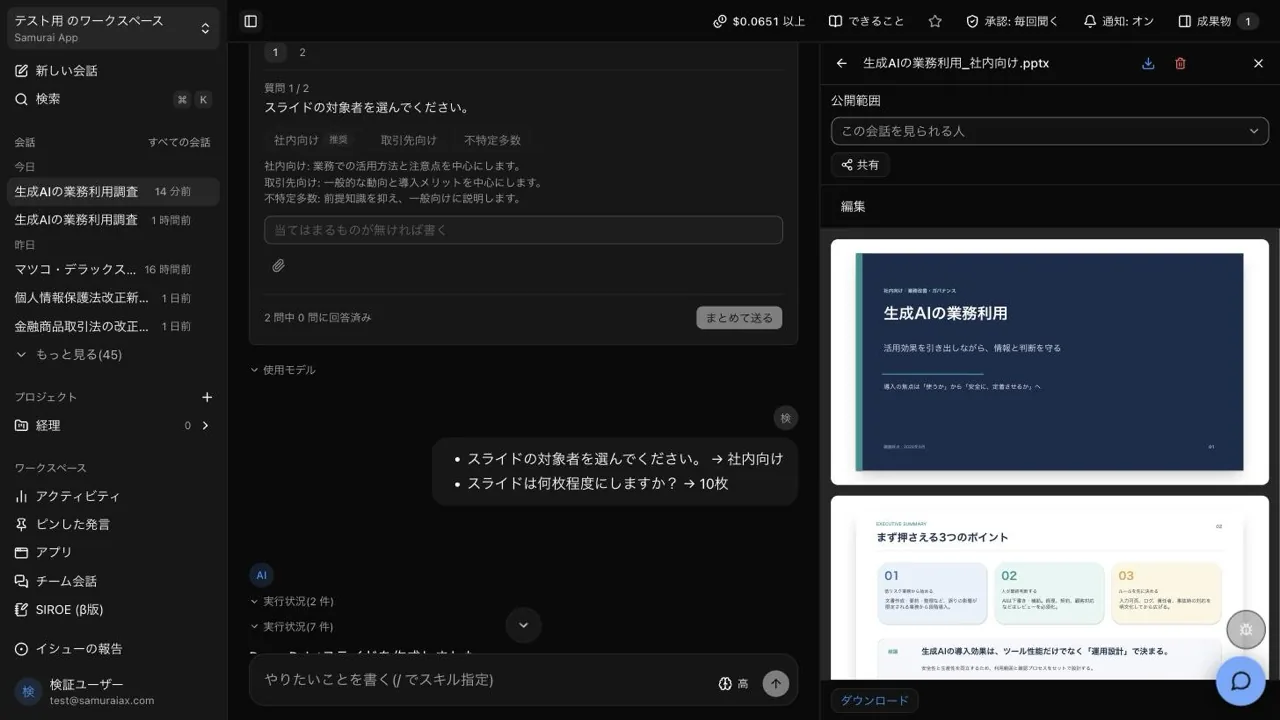
 Sansan
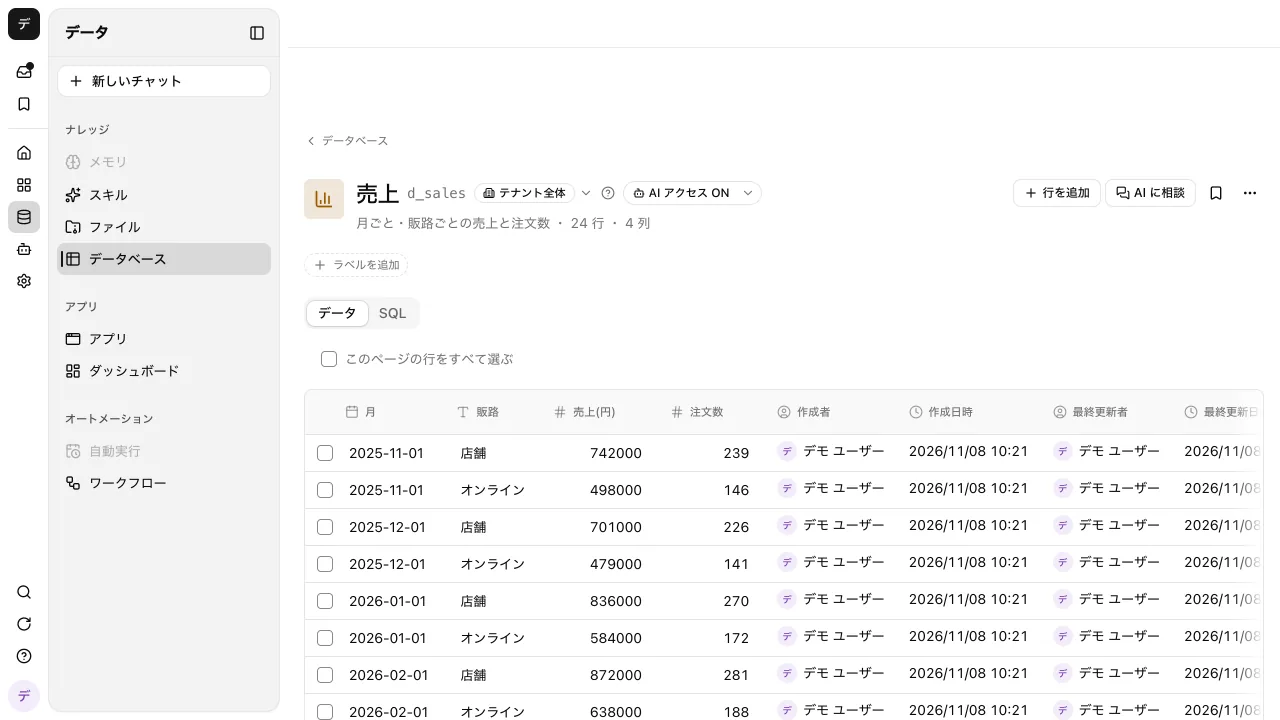
 HubSpot
 Salesforce
 Gmail
 Slack
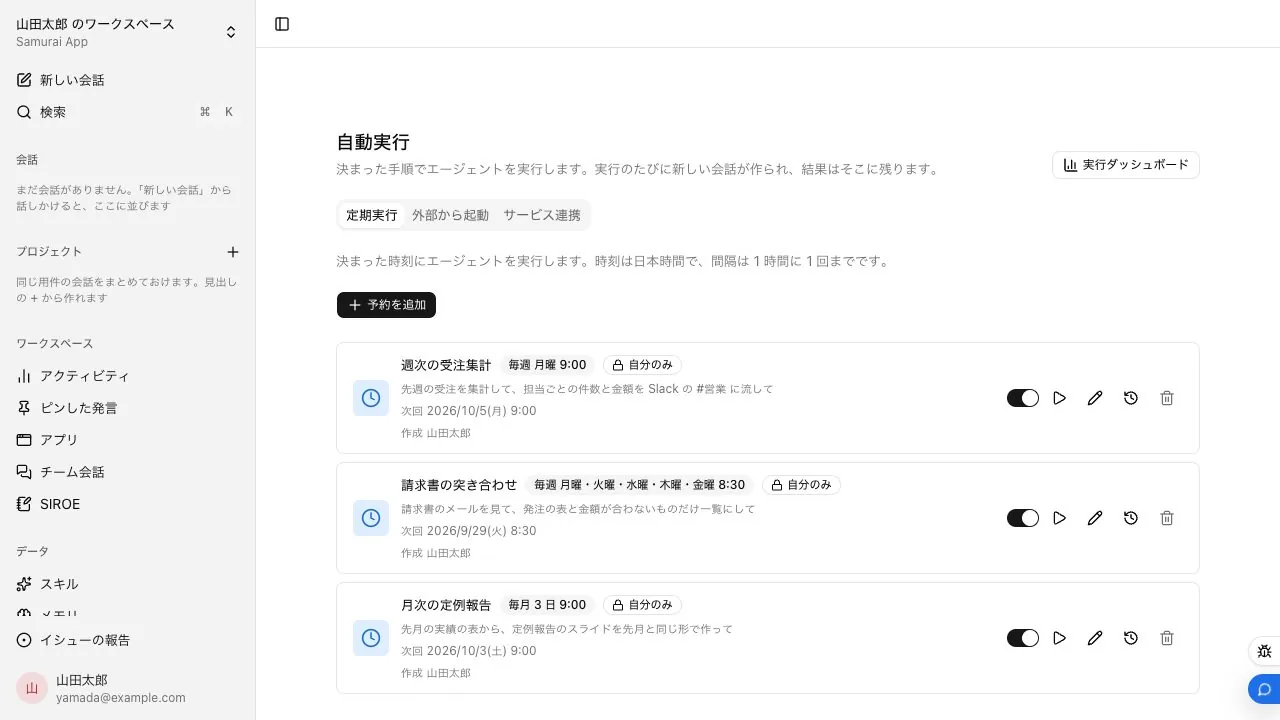
 Ekispert
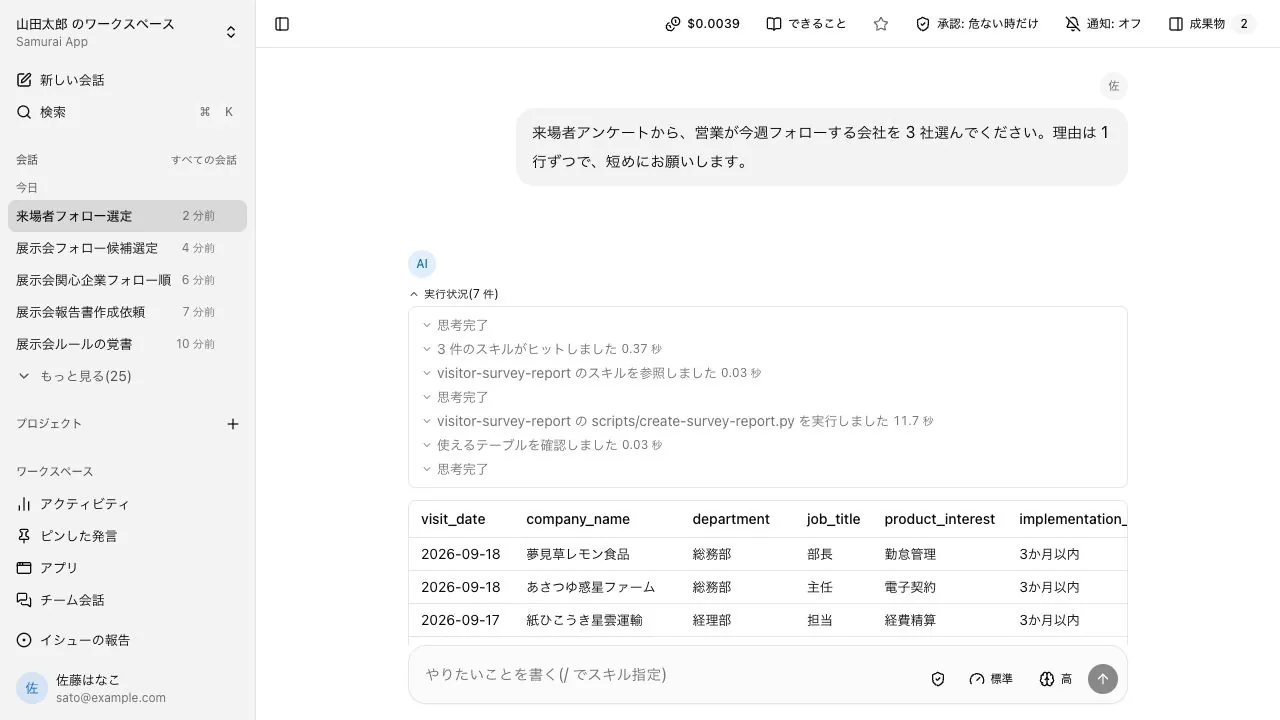
 Calendly
 Dialpad
 Google Maps
 Google Calendar
 Outlook
 Microsoft Teams
 Chatwork
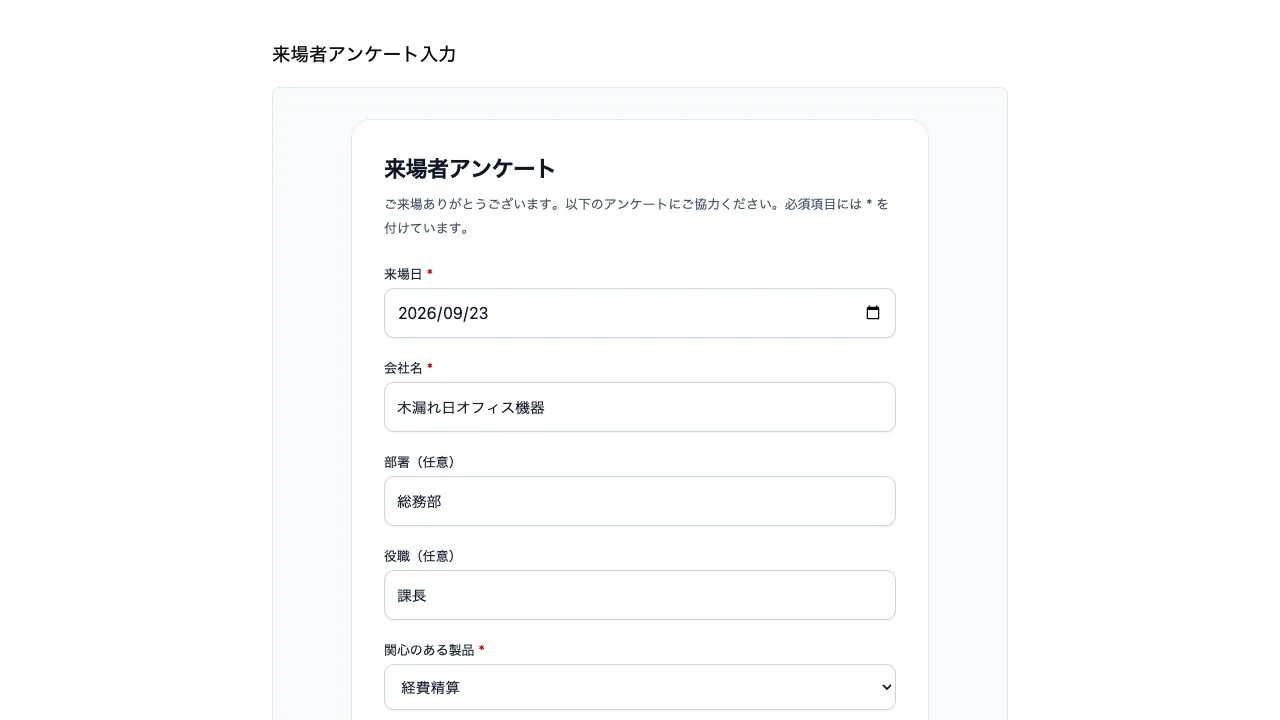
 Google Ads
 Google Analytics
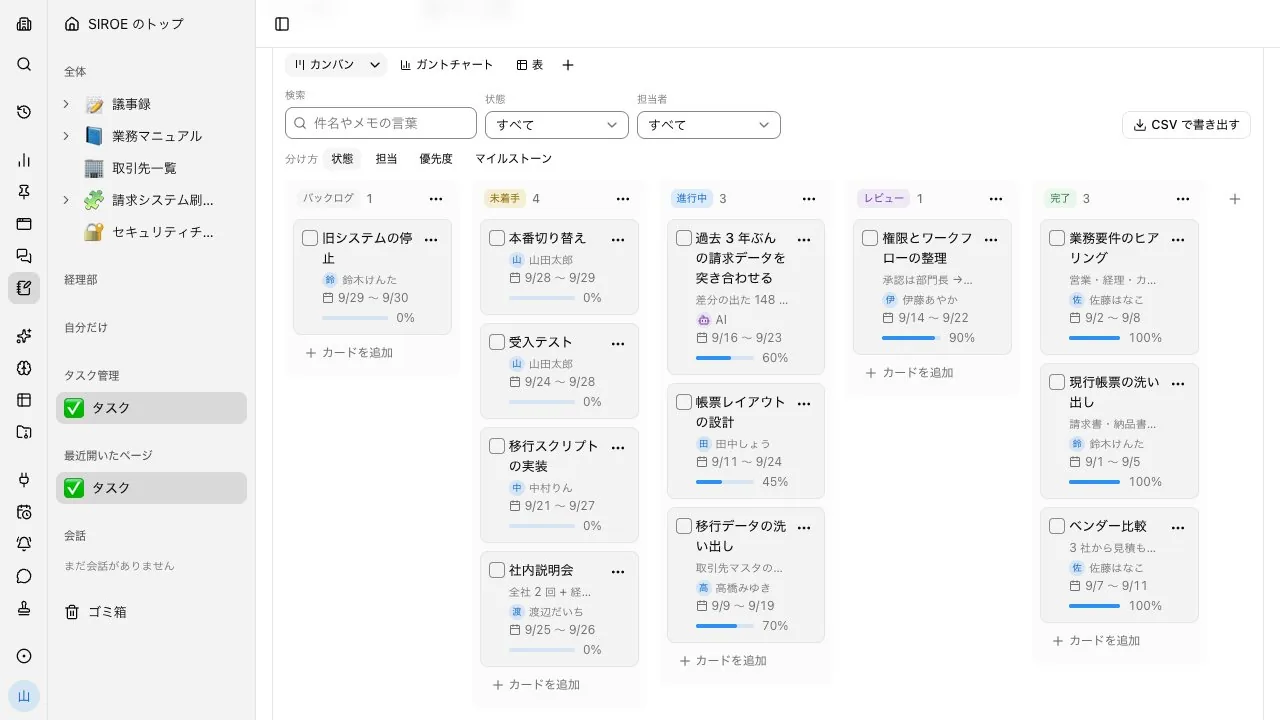
 Retell AI
 ElevenLabs
 LINE
 Meta Ads
 Google Search Console
 Webflow
 HeyGen
 Instagram
 Typeform
 freee
 Money Forward
 Jobcan Expense
 SAP Concur
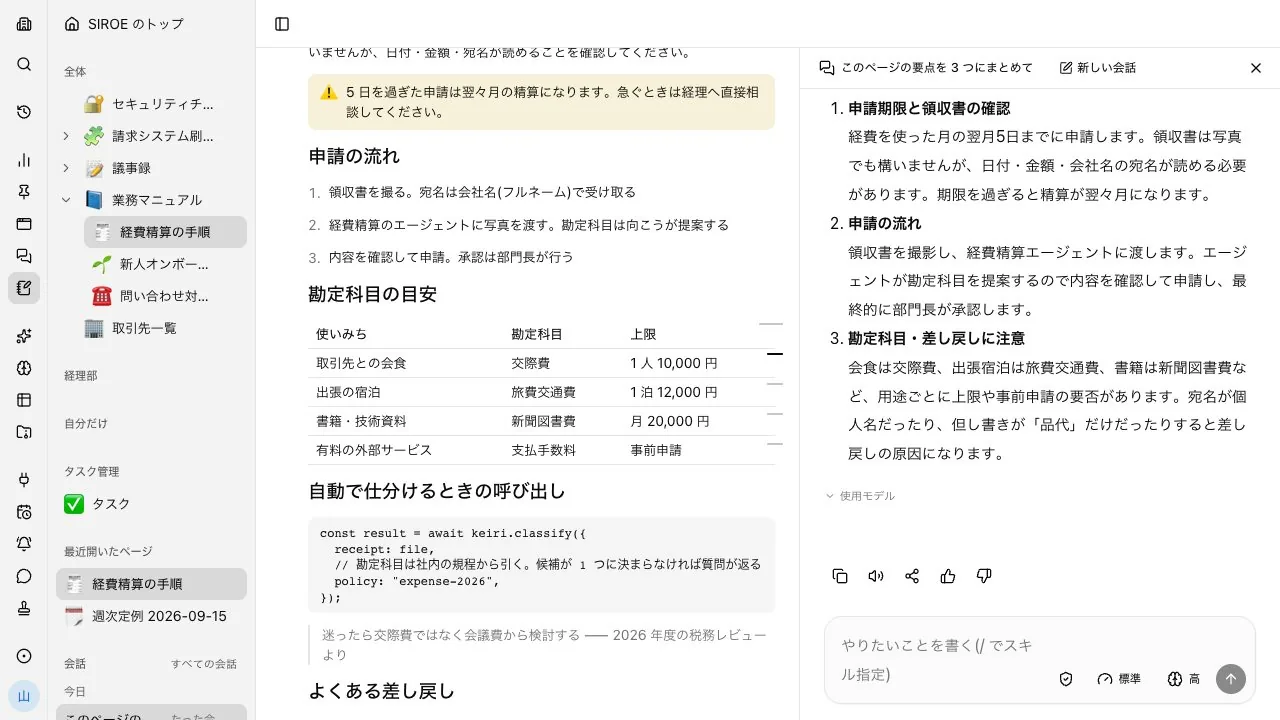
 Misoca
 Stripe
 Kaonavi
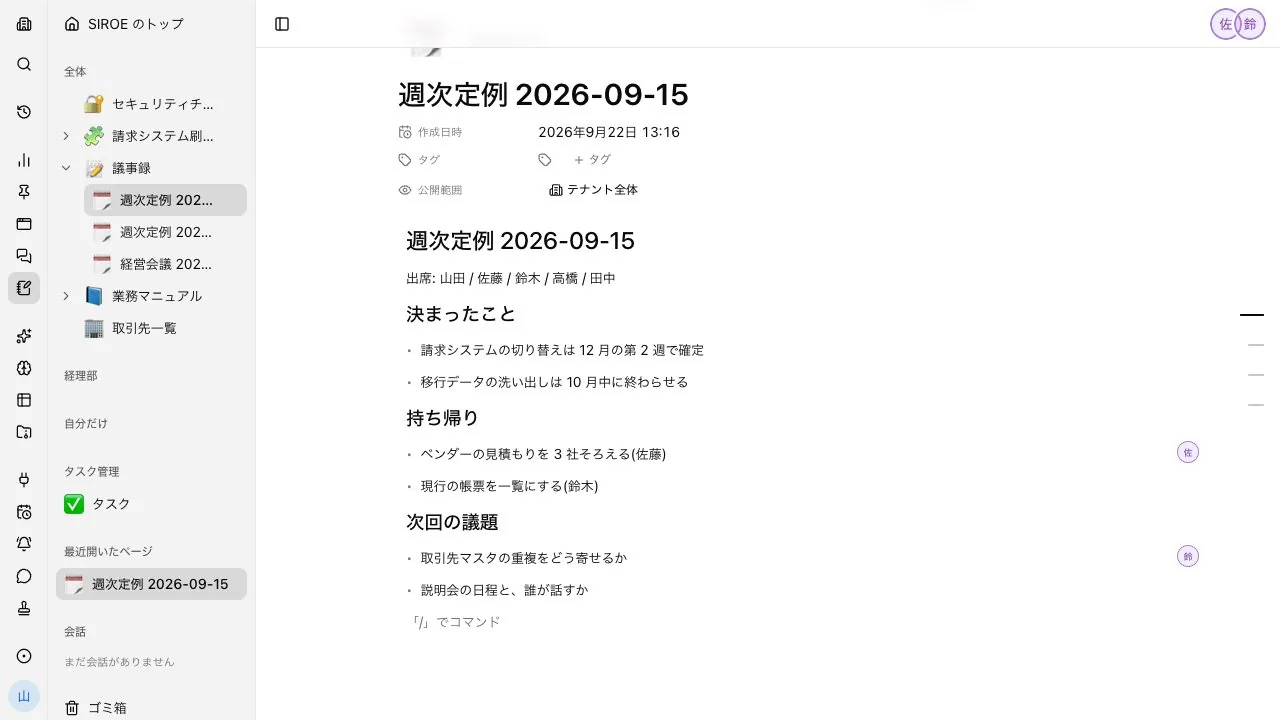
 SmartHR
 HRMOS Kintai
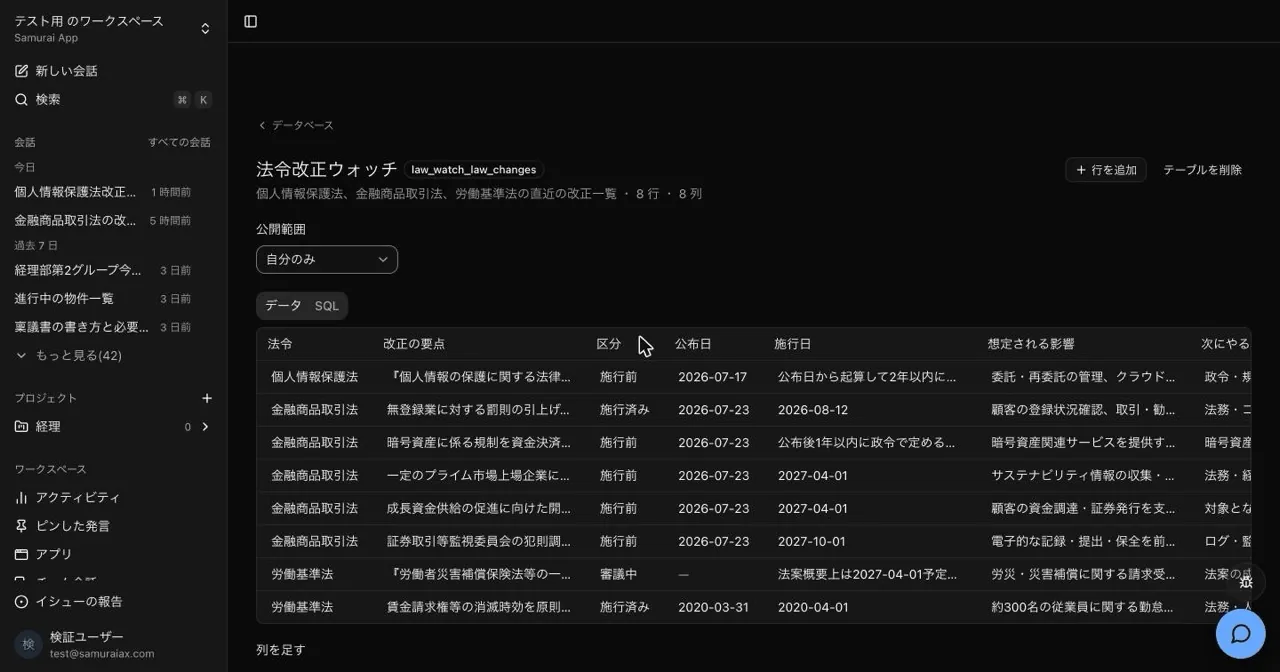
 CloudSign
 Twilio
 Zoom
 SmartDB
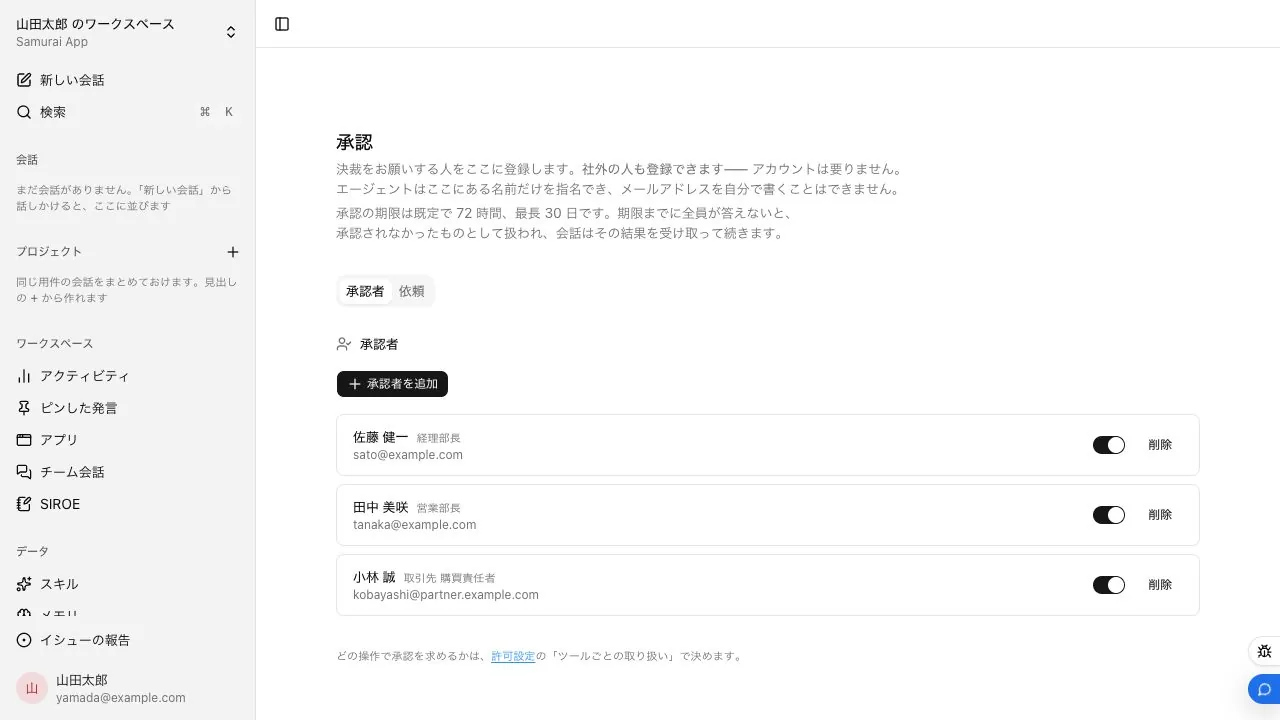
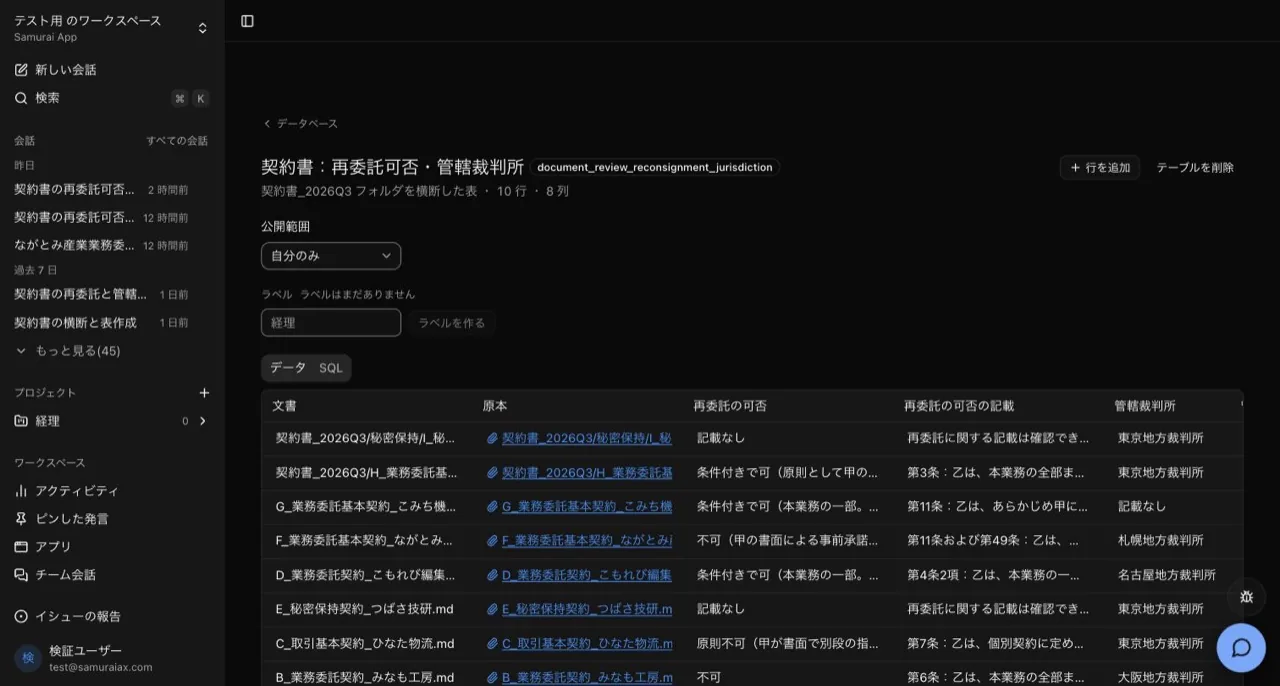
 LegalOn
 LegalBrain
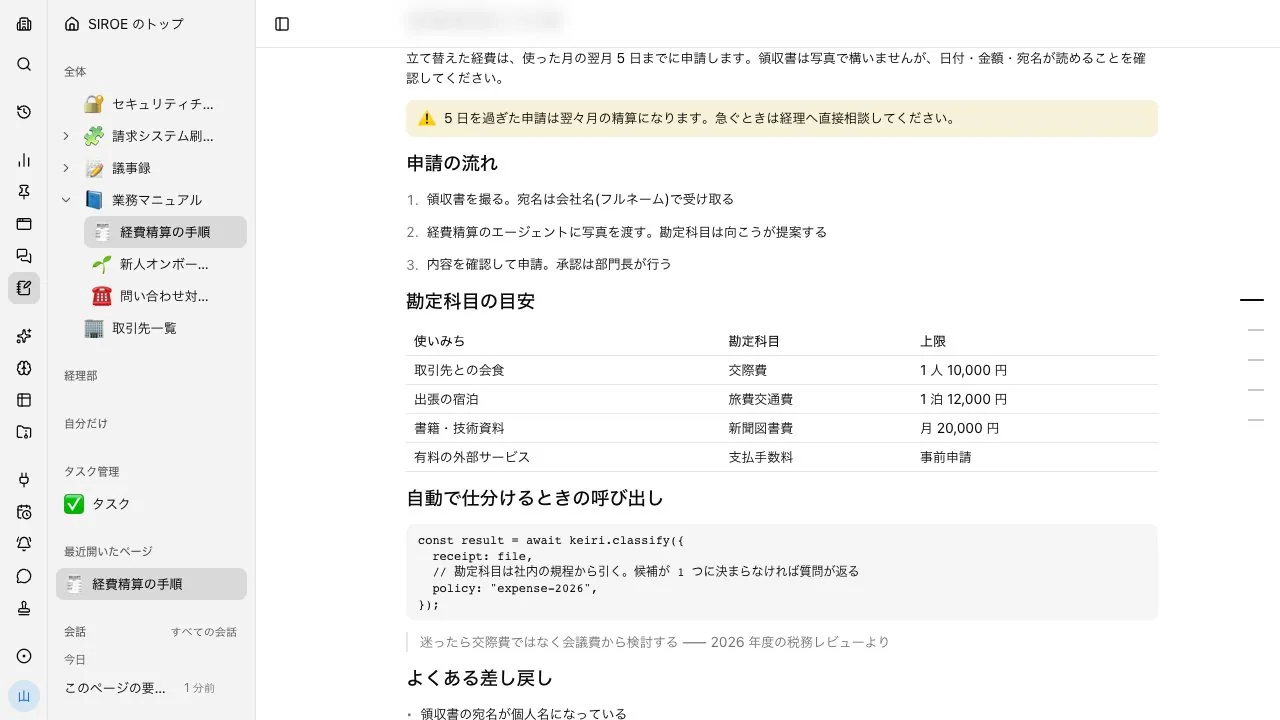
 OneDrive
 Google Drive
 Dropbox Sign
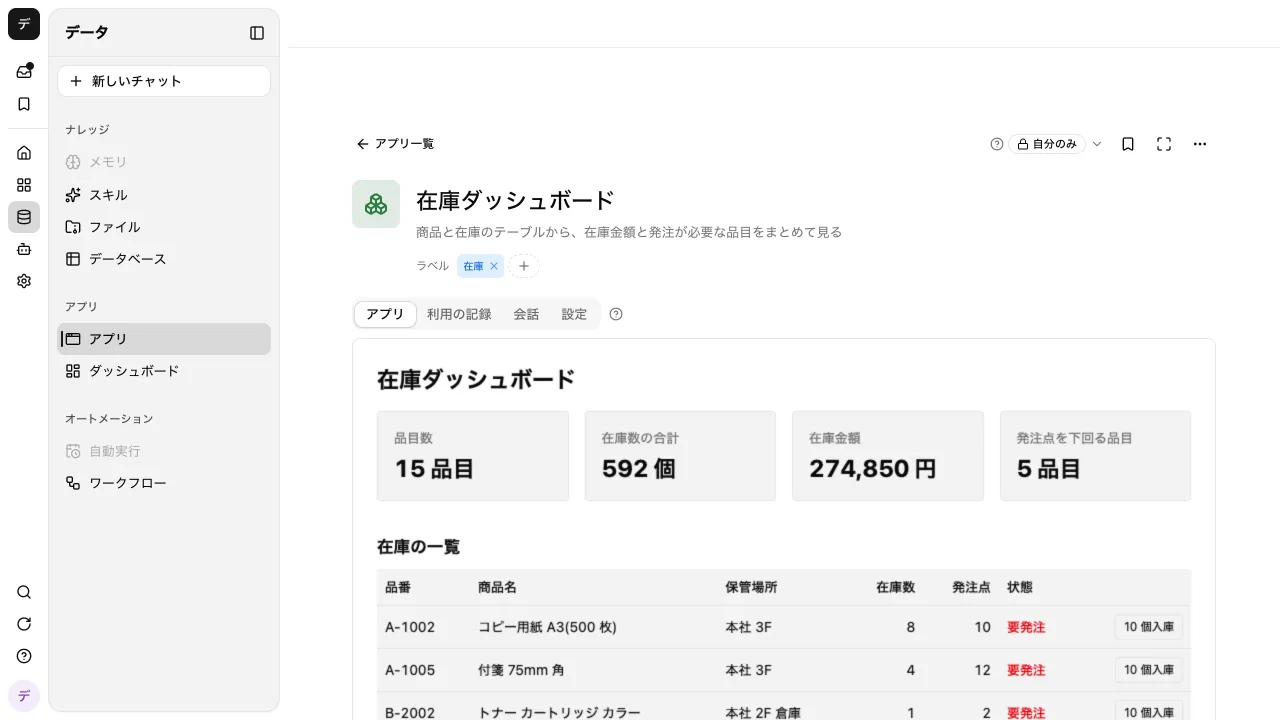
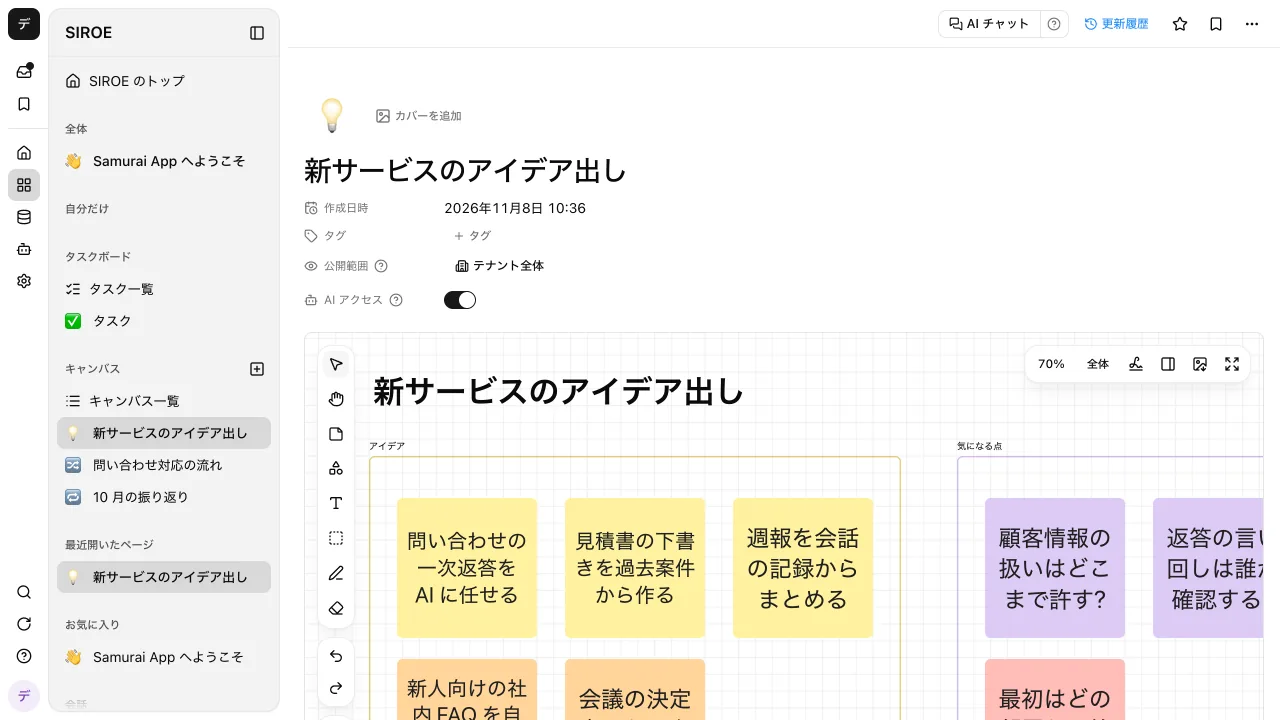
 BigQuery
 Zendesk
 Intercom
 Shopify
 SendGrid
 Smaregi
 OpenWeatherMap
 GitHub
 Jira
 Sentry
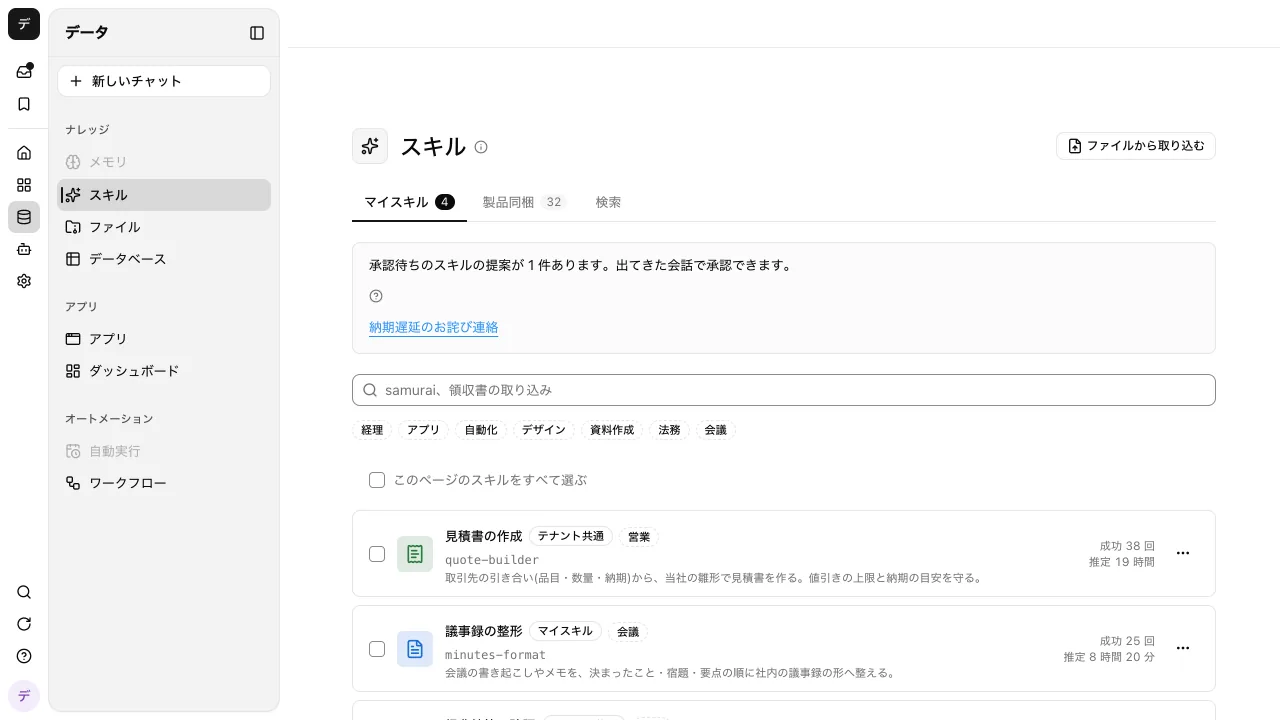
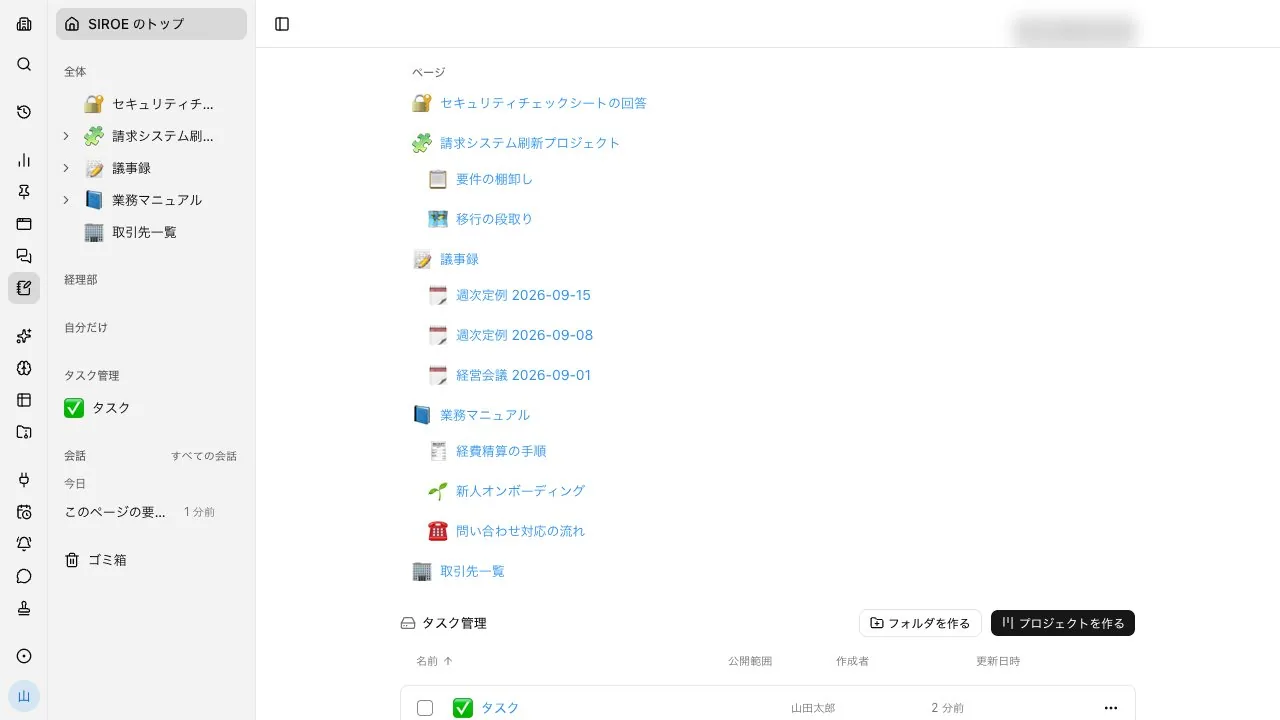
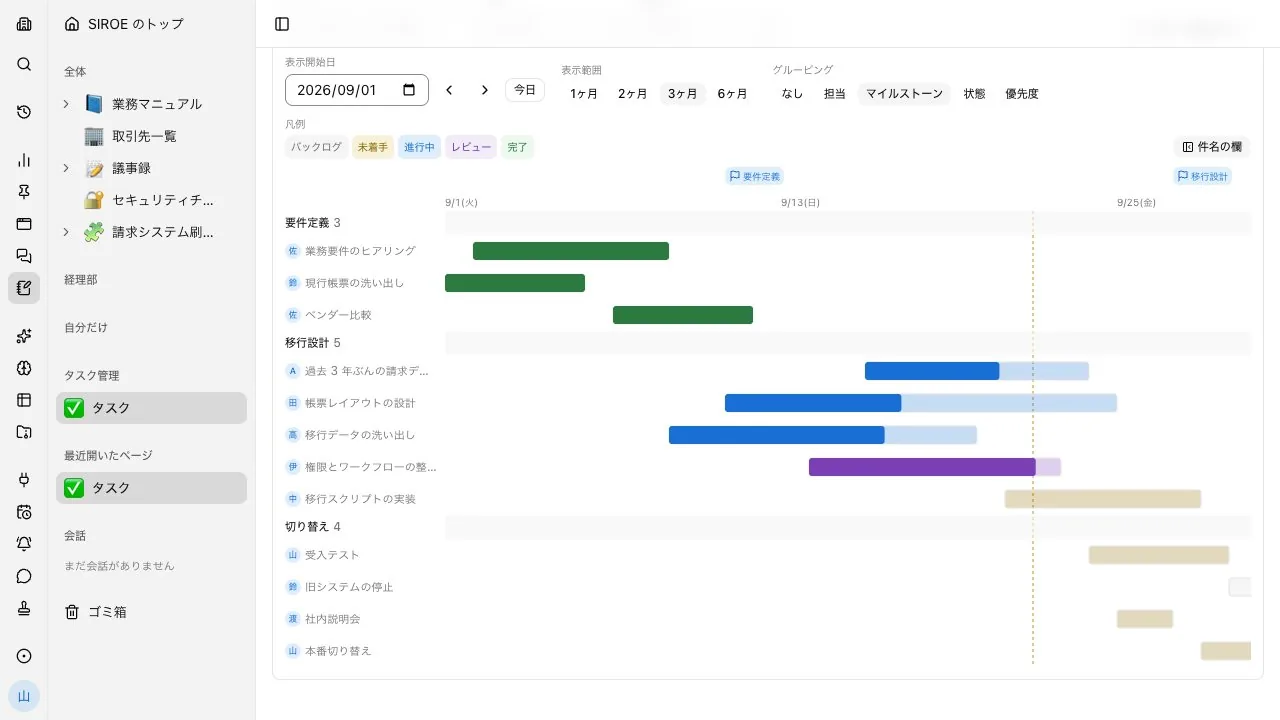
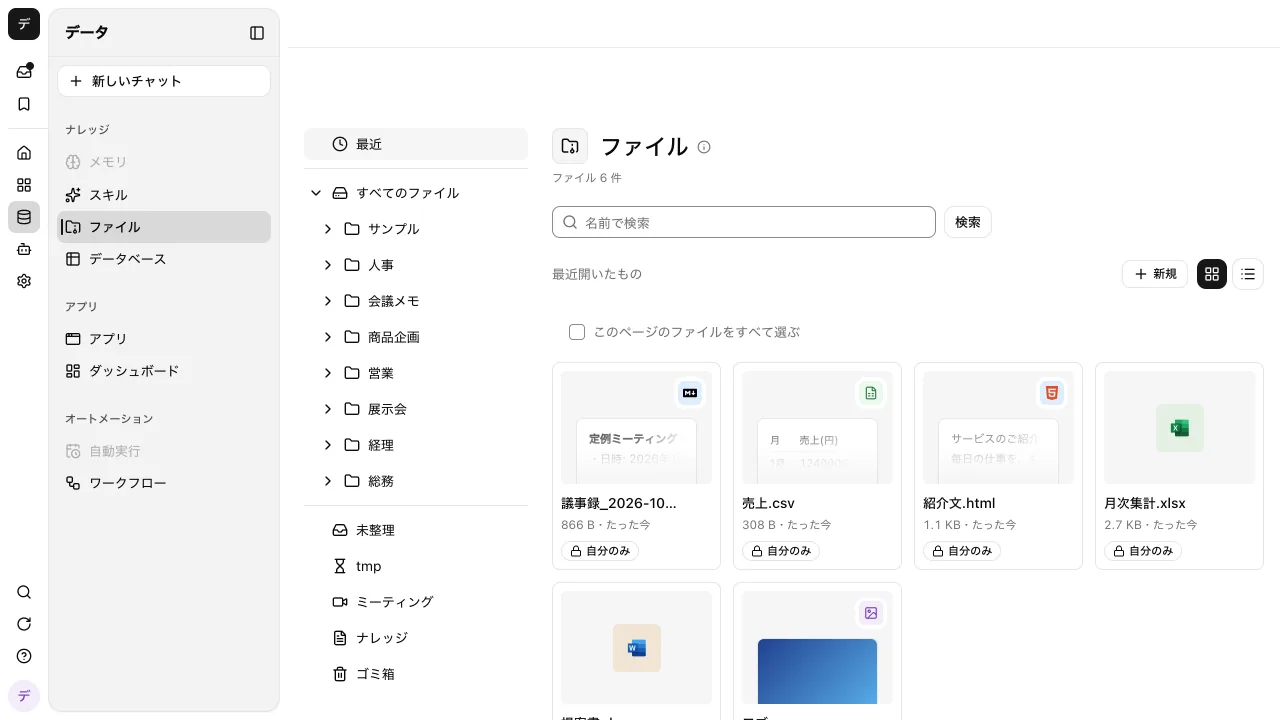
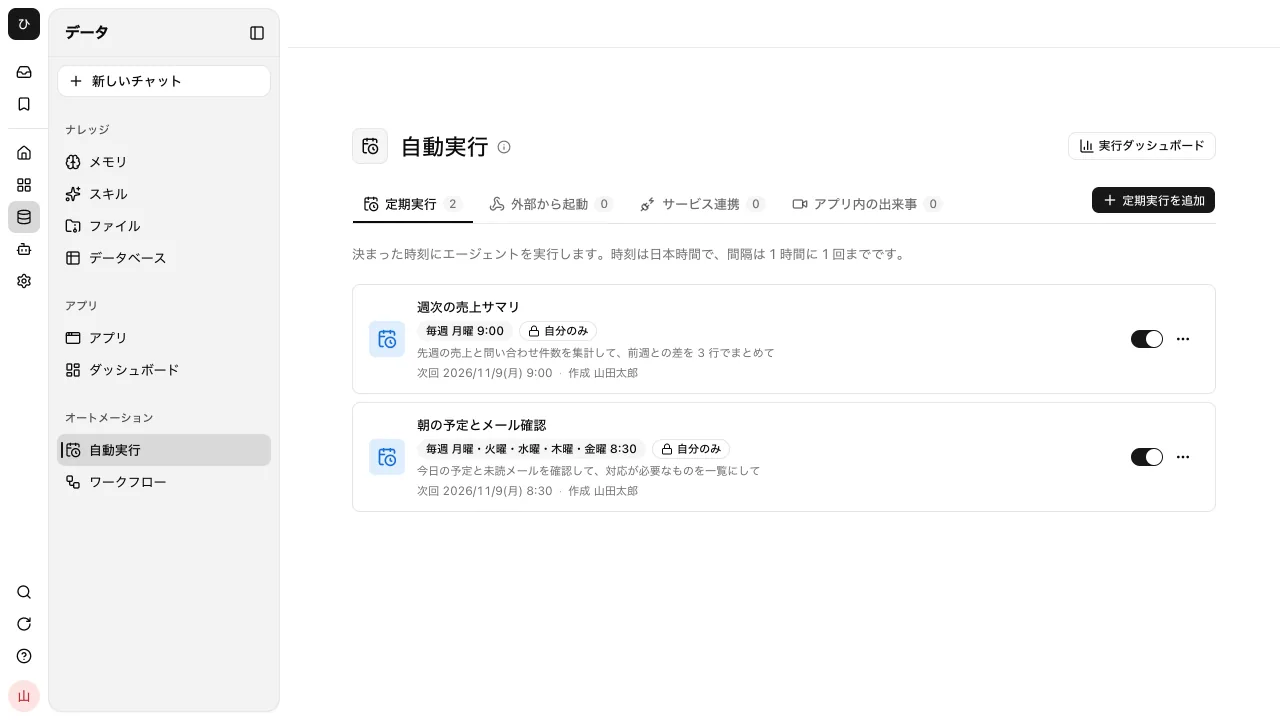
 Figma