SIROE wiki
See what is where at a glance
Handle SIROE pages, SIROE task management, and SIROE canvas in one place. Agents read and write just as people do, within that person's permissions and what they can view. Every screen shown here is one that actually works.
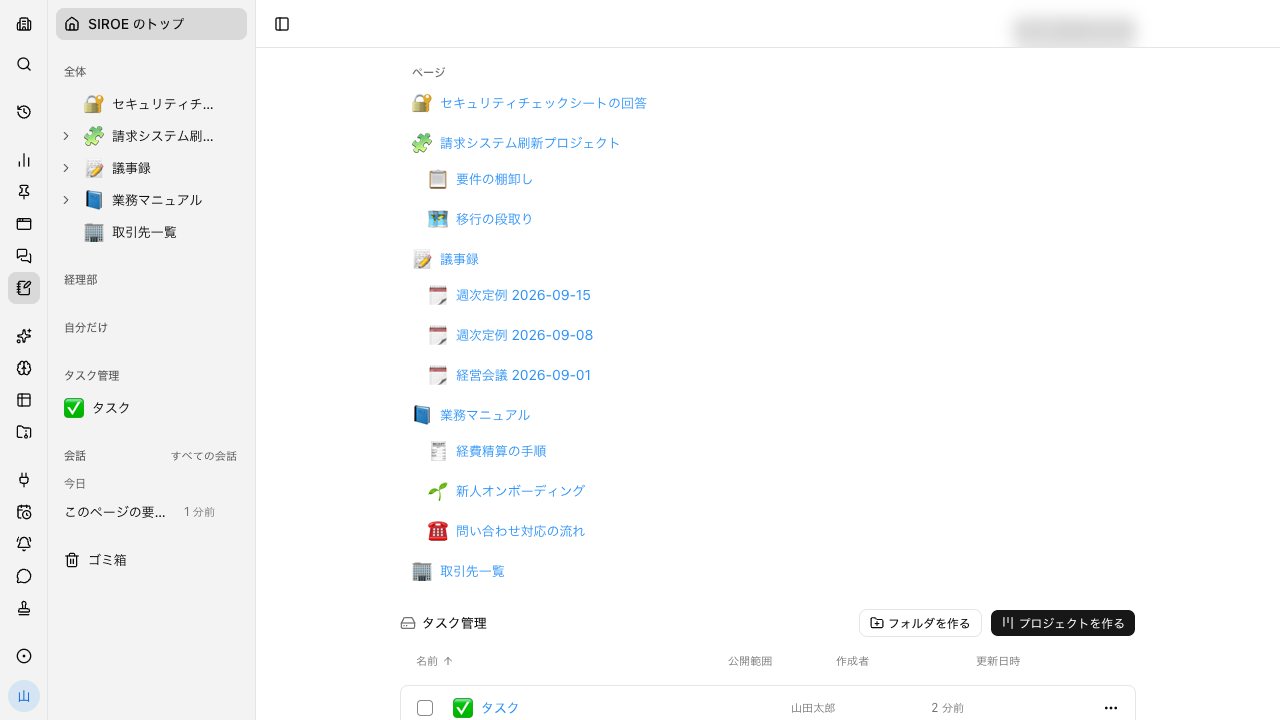
Minutes, procedures, and projects in one internal wiki list#
Pages stay organized in the hierarchy you arrange yourself. You can follow the nesting as it is, so you know what is where before you open anything.
- Search page text by keyword to see matching pages with excerpts
- See a list of the pages that link to this one
- Drop a file to place it right on the page
Headings, tables, and code each go in as a row#
The body is a stack of rows. You can place headings, bullet lists, tables, code, callouts, and quotes, and rows can be nested.
- Put values you don't want shown in a redacted block. Revealing them requires an unlock password, and the values never reach the model
- Give a page a look of its own with covers and galleries
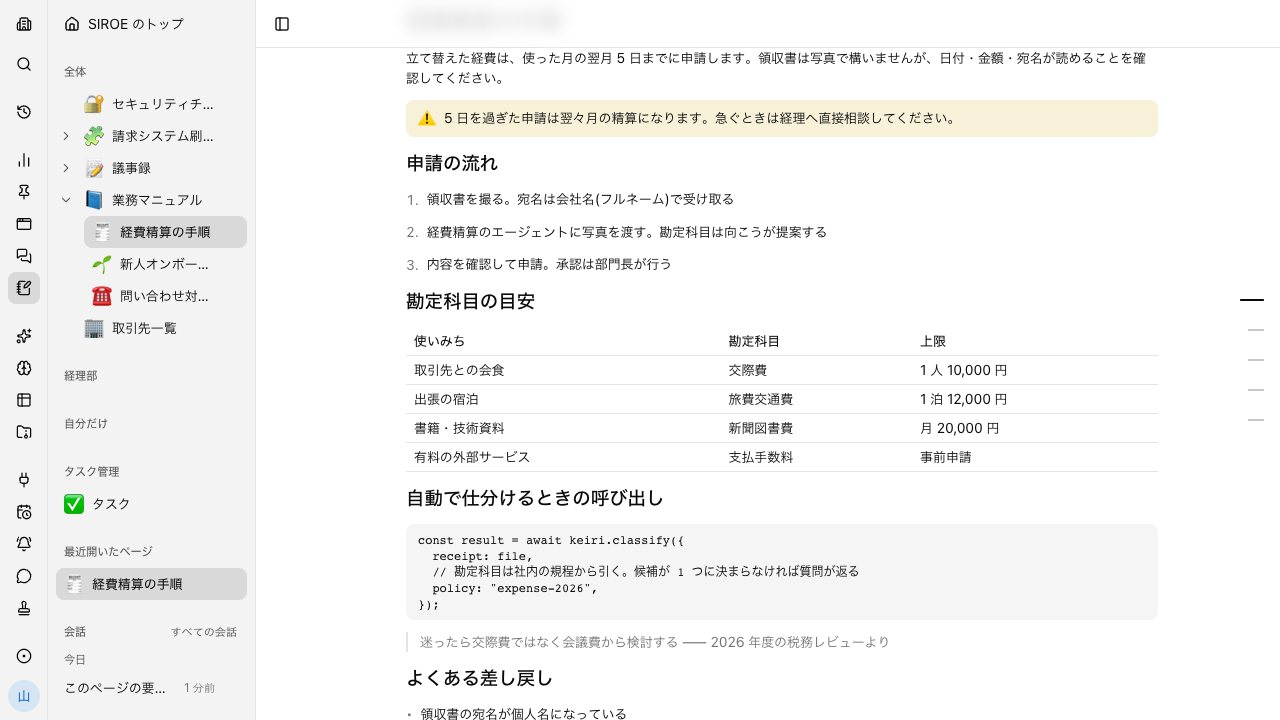
See who is on which row#
When several people open the same page, names show who is on which row right now. You notice before touching the same row.
- Saved row by row
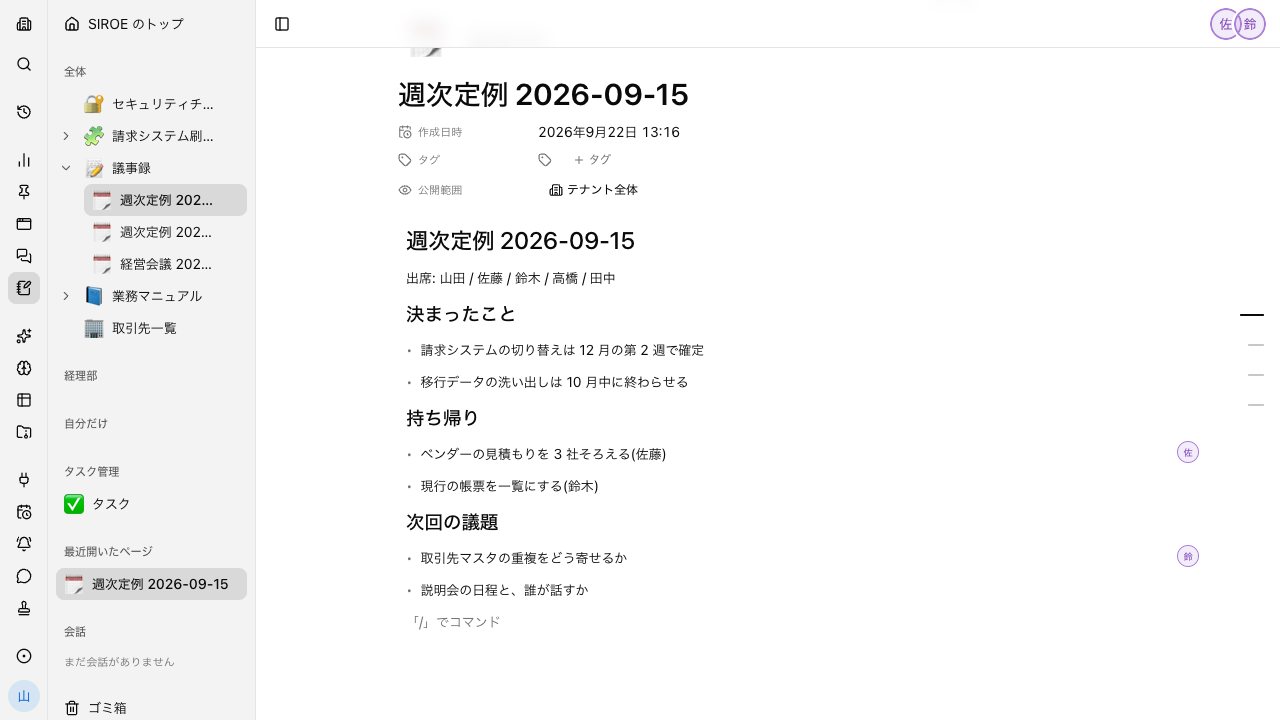
Ask while viewing a page, and what you asked stays on the page#
Open a conversation beside a page and it works with that page's content in mind.
- The conversation stays linked to the page
- Read later who asked for what and what came back
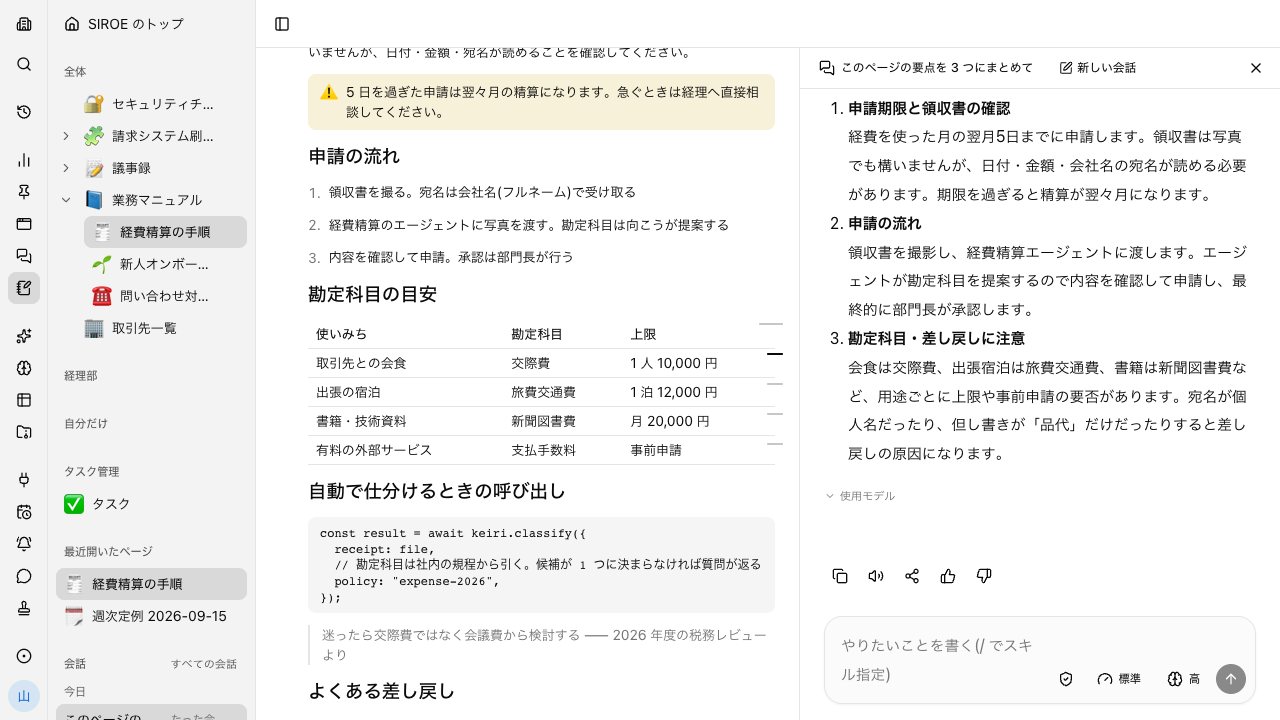
Chat, knowledge, and boards in one app#
No separate places for talking, writing, and moving work forward. Agents read and write the same screens as people, with the same permissions.
Same permissions
Agents read and write pages and cards within the permissions and viewing scope of the person who asked.
Grows from conversations
Gather what was decided and the tables you made in a conversation into pages and task boards.
Connected to meetings
Meeting minutes stay in Files. From there, you can update project pages and task boards.
How it differs from knowledge tools#
Writing pages and lining up tasks works the same. The differences are in the mechanisms for delegating work to AI and in the price of opening it to everyone.
| SIROE wiki | Notion Business | |
|---|---|---|
| Pricing basis | Included in the base fee (AI uses credits as you go) | Per user |
| Monthly | No extra charge for SIROE wiki | ¥3,150 per user (up to 20% off billed annually) |
| Pages, blocks, hierarchy | Supported | Supported |
| Kanban, Gantt chart, table | Supported | Supported |
| Calendar view | Not available | Supported |
| Database formulas, relations, templates | Partial or conditional | Supported |
| Canvas inside the same page (sticky notes, shapes, handwriting) | Supported | Not available |
| Names show who is on which row | Supported | Supported |
| Comments on pages | Not available | Supported |
| AI reads and writes pages and tasks | Supported | Supported |
| Make AI a task's assignee and move it forward with approvals in between | Supported | Partial or conditional |
| Redacted blocks whose values never reach the model | Supported | Not available |
| Permissions and records shared with conversations and meetings | Supported | Partial or conditional |
| Publish pages to the web | Not available | Supported |
○ Supported / △ Partial or conditional / − Not available
When SIROE wiki fits
Companies that want the results of work delegated to AI to land directly in pages and tasks. Companies that want to open a knowledge tool to everyone without paying per user.
When you don't need SIROE wiki
Companies with many pages and databases in Notion and a working routine around them. When you publish external-facing pages with Notion.
When to use both
Keep external-facing pages and existing pages in Notion, and handle the pages and tasks for projects you move forward with AI in SIROE wiki.
If you need a feature marked − or △ in the table, send a feature request or feedback directly from "Report a problem" in the app.
Based on each company's public information as of October 11, 2026. Check each company's pages for the latest pricing and features. Sources: Notion pricing
Decide who sees what, page by page#
Each thing you put in an internal wiki has its own audience.
Three visibility levels
Only me / group / whole tenant. Set per page.
Redacted blocks
Place values you don't want shown while keeping them hidden. Revealing them requires an unlock password, and the values never reach the model.
30-day trash
Deleted pages can be restored from the trash for 30 days.
Everyday work comes together, connects, and becomes the company's strength.