Screening
Prompt injection screening for imported text
Text imported from web pages, files, and connected services is checked for hidden instructions aimed at the AI before it enters the model's context. By default the result is only logged, and admins and managers can switch to stopping the import.
Open Samurai AppRequest materials
- How the work was done
Someone else's instructions mixed into what the AI reads#
Instructions hidden in a page
A web page given to the AI can carry instructions the person never saw. Nothing on screen gives them away.
More than one source
The AI reads more than the web. Knowledge, files, databases, and command output all enter its context.
Worry that text changes what the AI does
The concern is that the AI follows imported text and goes on to send data outside or change files.
Judge imported text before the model reads it#
Text brought in from outside is judged by a dedicated model before it is passed into the AI's context. Results are stored by the text's sha256 fingerprint, so the same text is not judged twice.
- Two modes, Log only and Stop the import. The default is Log only
- The model used for judging is listed in the model settings
- Files a person attaches to their own conversation are not judged
Choose which sources are judged#
Under Imported text check on the External communication tab in settings, each source has its own switch. Sources that are off are neither judged nor logged.
- Six sources: web (including browser automation), knowledge, files and databases, MCP, conversations and memory, skills, and command output
- Admins and managers can change it, and everyone can see the current setting
Sensitive actions wait for a person to approve#
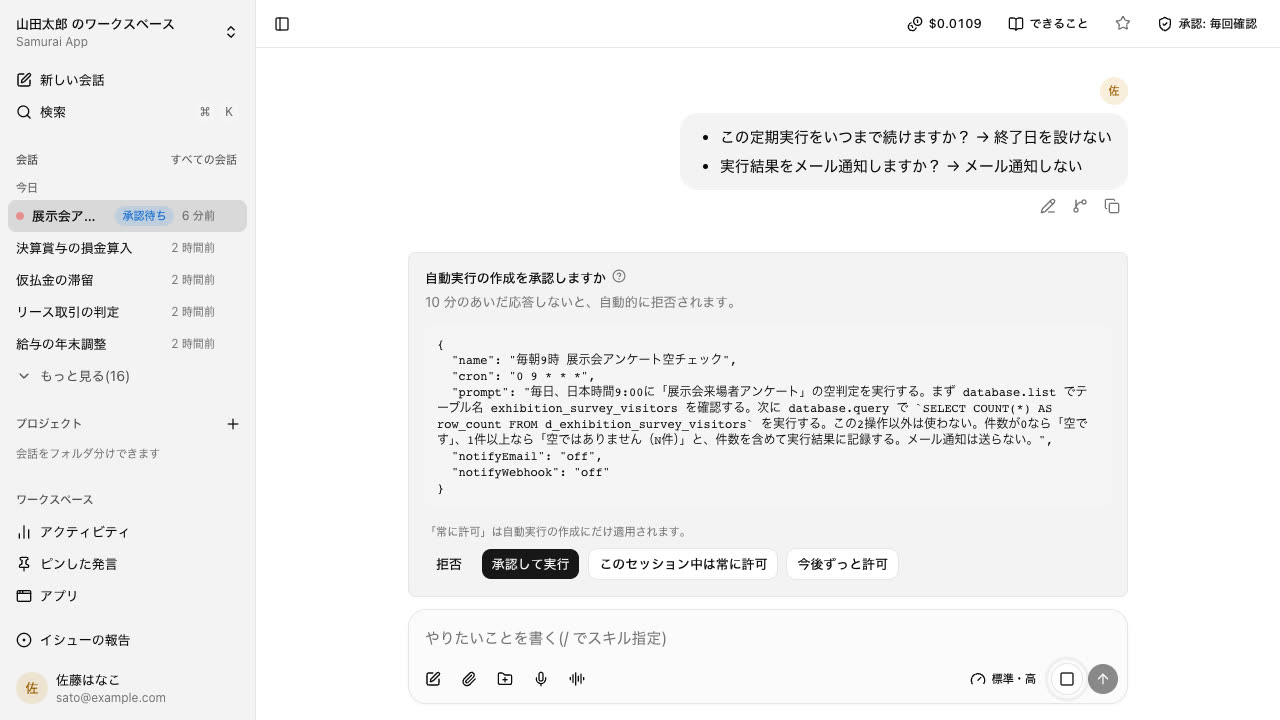
Separately from screening, sensitive actions raise an approval card in the conversation and do not run until someone presses it. No response counts as a rejection.
- Admins choose which tools need approval under Execution and approval in settings
- File edits show the diff on the card
Frequently asked questions#
Does screening fully prevent prompt injection?
We cannot say it does. Screening judges imported text, and by default it only logs the result. Sensitive actions also require a person's approval as a separate safeguard.
Is importing stopped by default?
No. The default is Log only. To stop imports, an admin or manager switches the mode to Stop the import.
Which text is screened?
Text from whichever of the six sources are switched on: web (including browser automation), knowledge, files and databases, MCP, conversations and memory, skills, and command output. Files a person attaches to their own conversation are not judged.
What are the detection and false positive rates?
We have not yet measured detection or false positive rates on real usage data, so we do not publish figures.
Everyday work comes together, connects, and becomes the company's strength.