The work you ask for stays on screen
What you ask for in a conversation stays on screen as skills, files, databases, and apps, ready for your next request. The screens here are real and working.
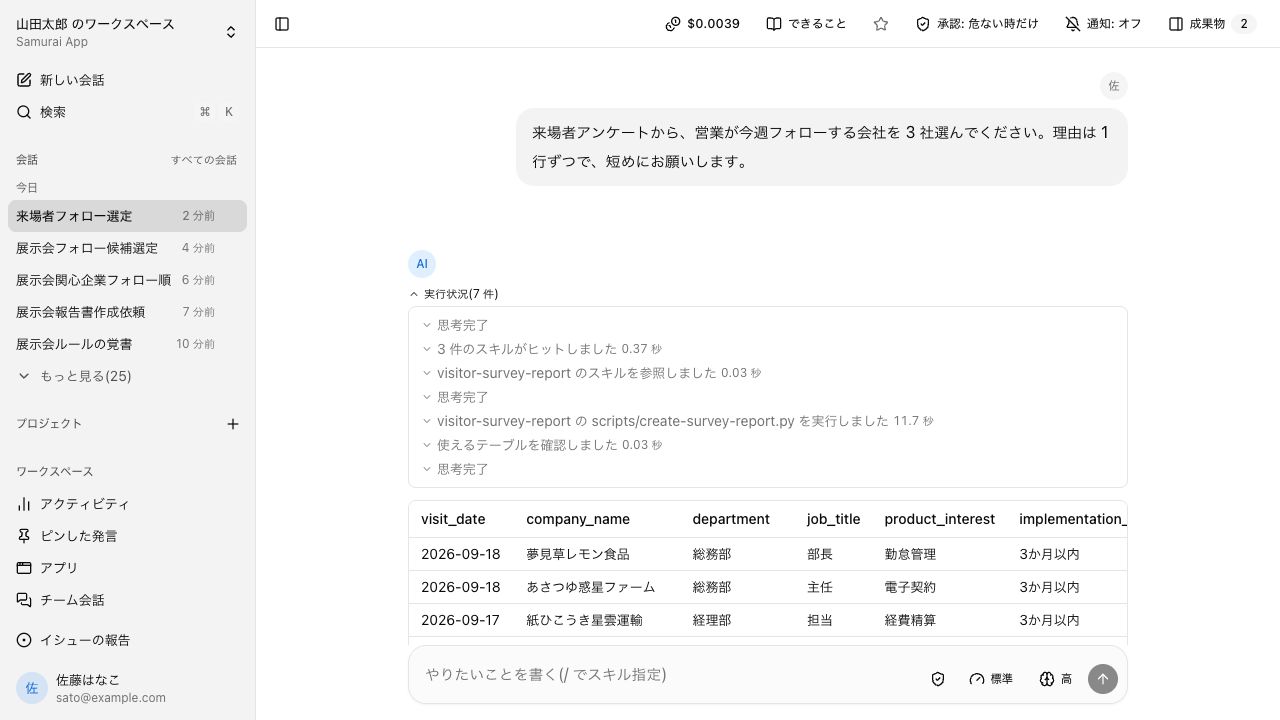
Ask, and it finds the right skill and follows its steps#
When a skill fits the request, it works through the steps written there and the bundled scripts. Finding the skill and checking the table both appear in the conversation as run status.
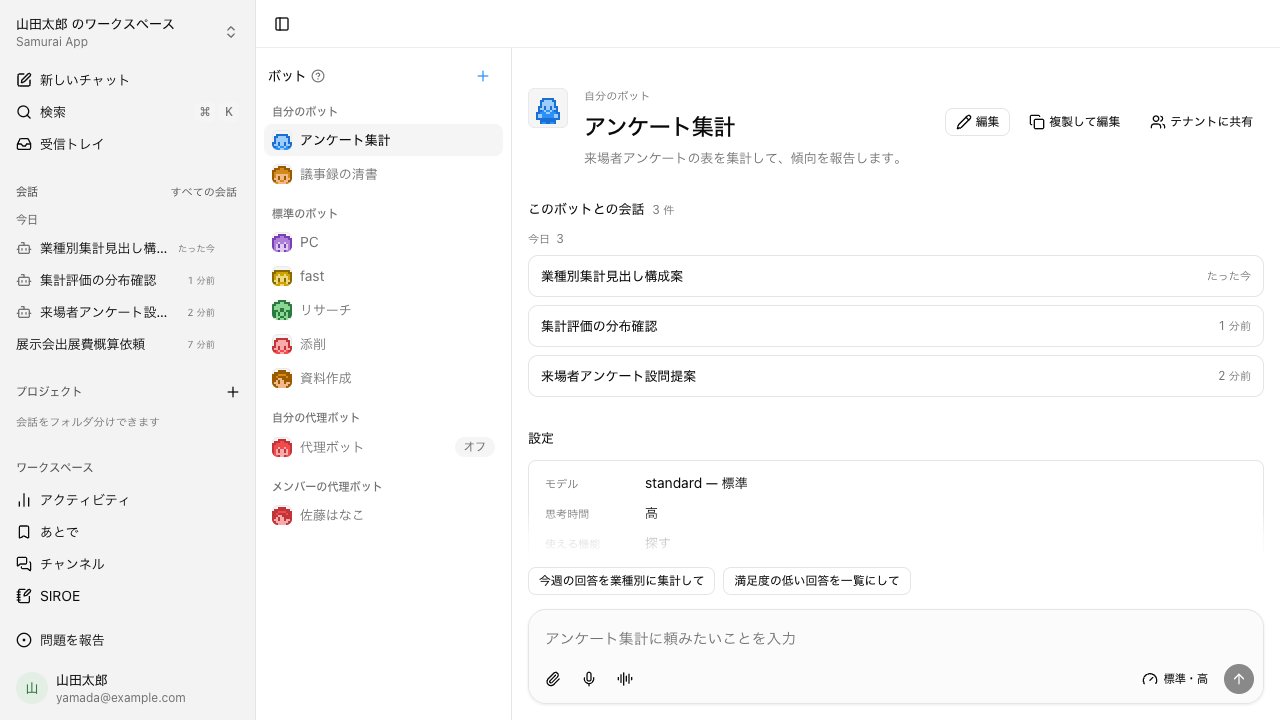
Build a bot for each job, and call the one you need#
Build a bot for each purpose, like "Survey tally". Set its model, thinking time, and tools once, and you stop repeating the same instructions. Conversations with a bot line up in that bot's history.
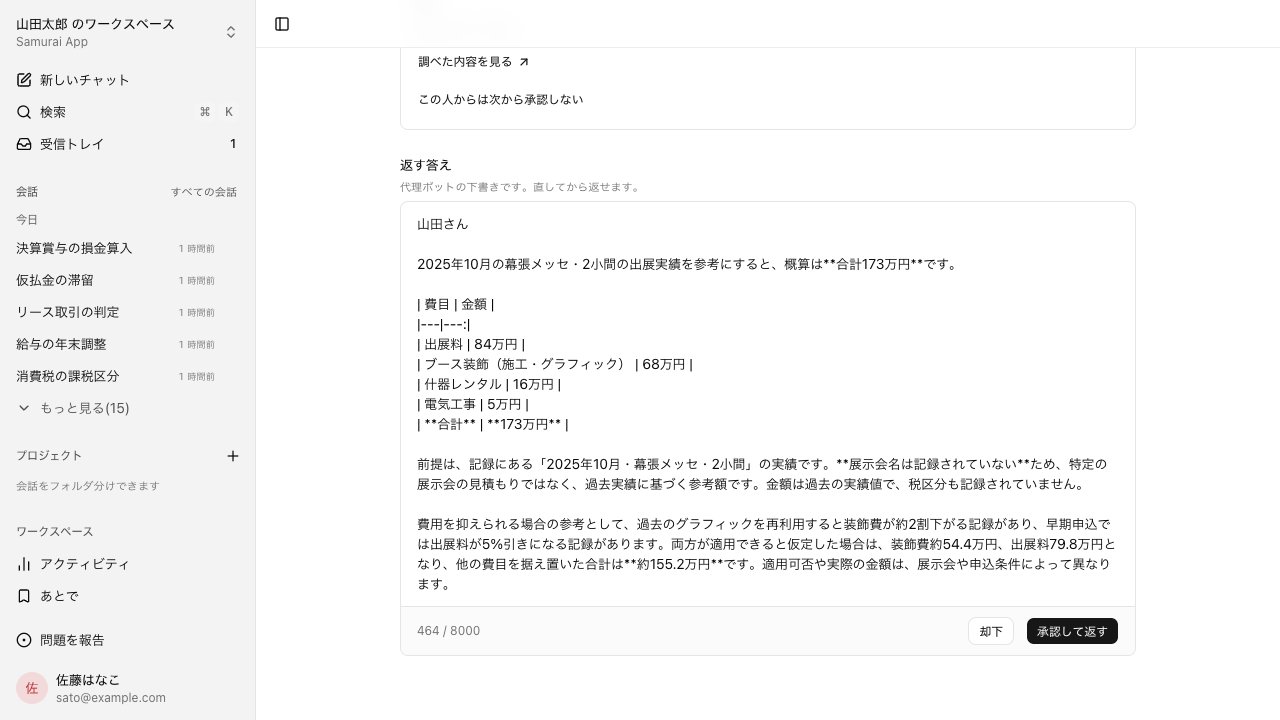
Ask the clone of someone who knows, and they check the answer first#
Ask a colleague's clone bot, and it looks through their materials and drafts an answer. Nothing reaches you until the owner edits the draft and presses Approve and send. For people the owner picks, answers can go out without approval.
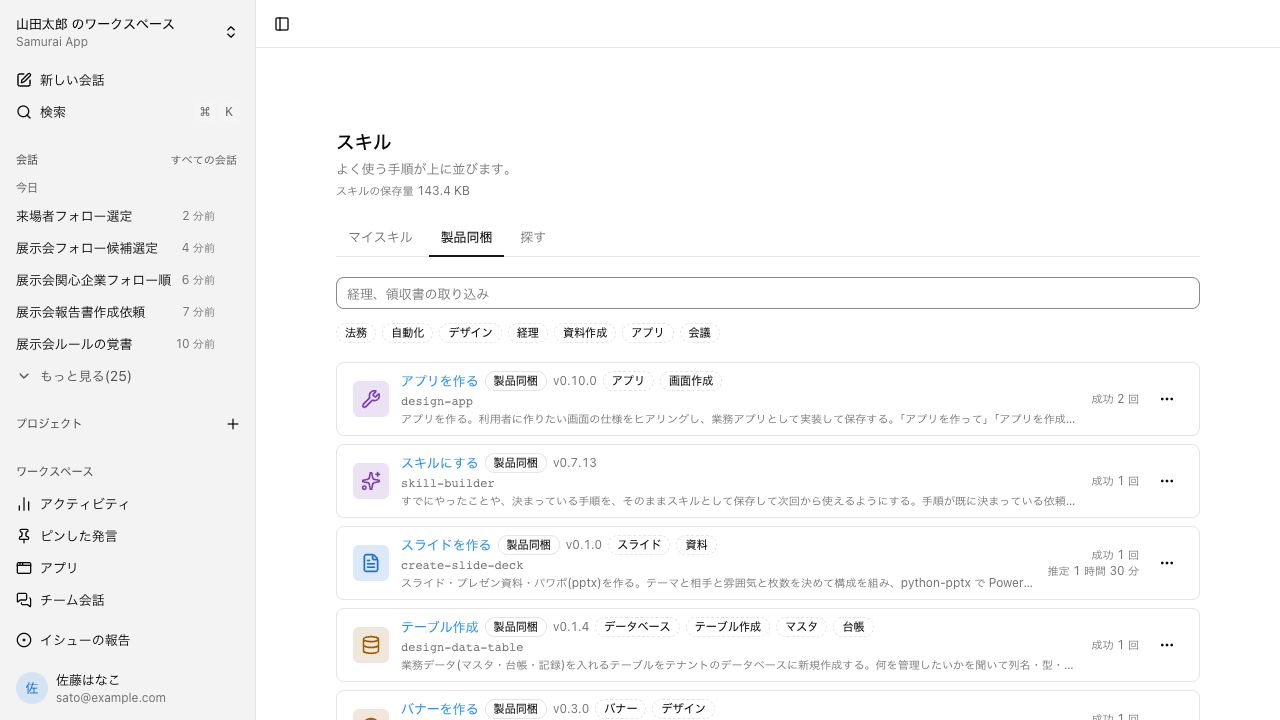
How your work gets done, listed as skills#
A skill describes how one piece of work is done. The ones you use most are listed first, and you can filter by area. Ask "make this a skill" for steps that worked in a conversation, and after approval they join My skills.
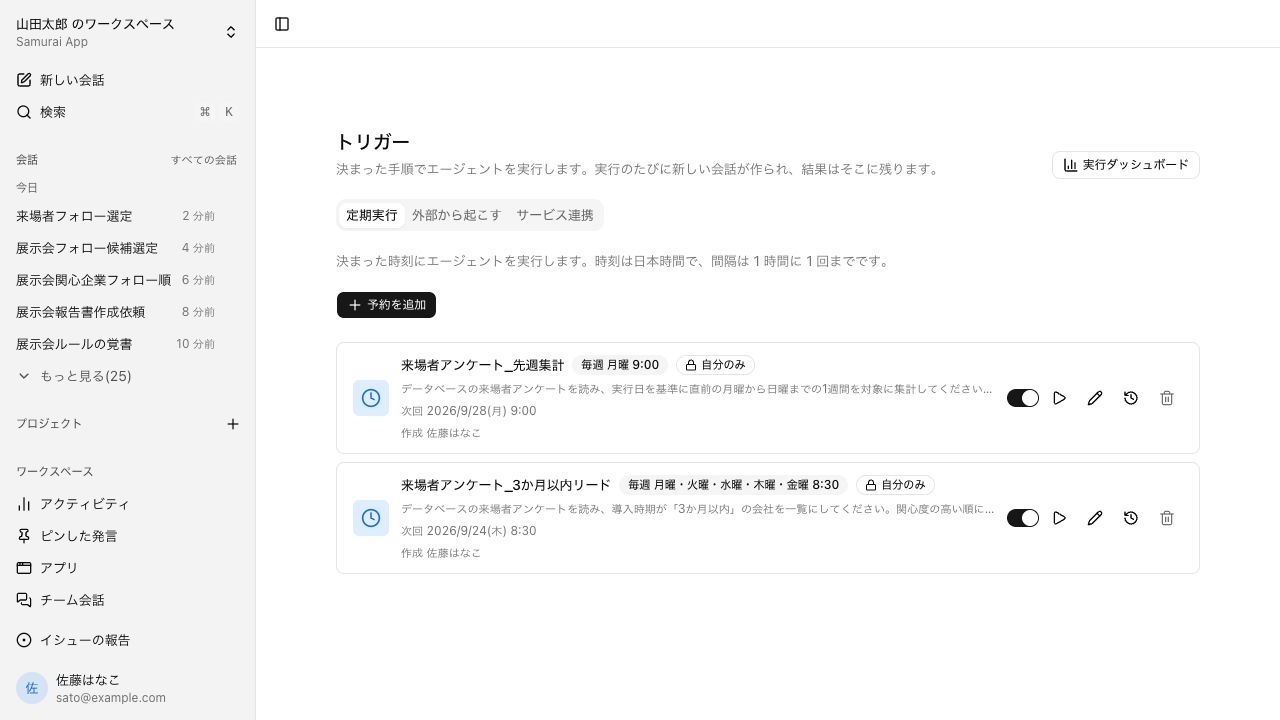
Routine work runs at a set time#
Routine work can run automatically at a set time. To set one up, just ask in a conversation. The list shows the next run time, and you can stop a task or run it on the spot.
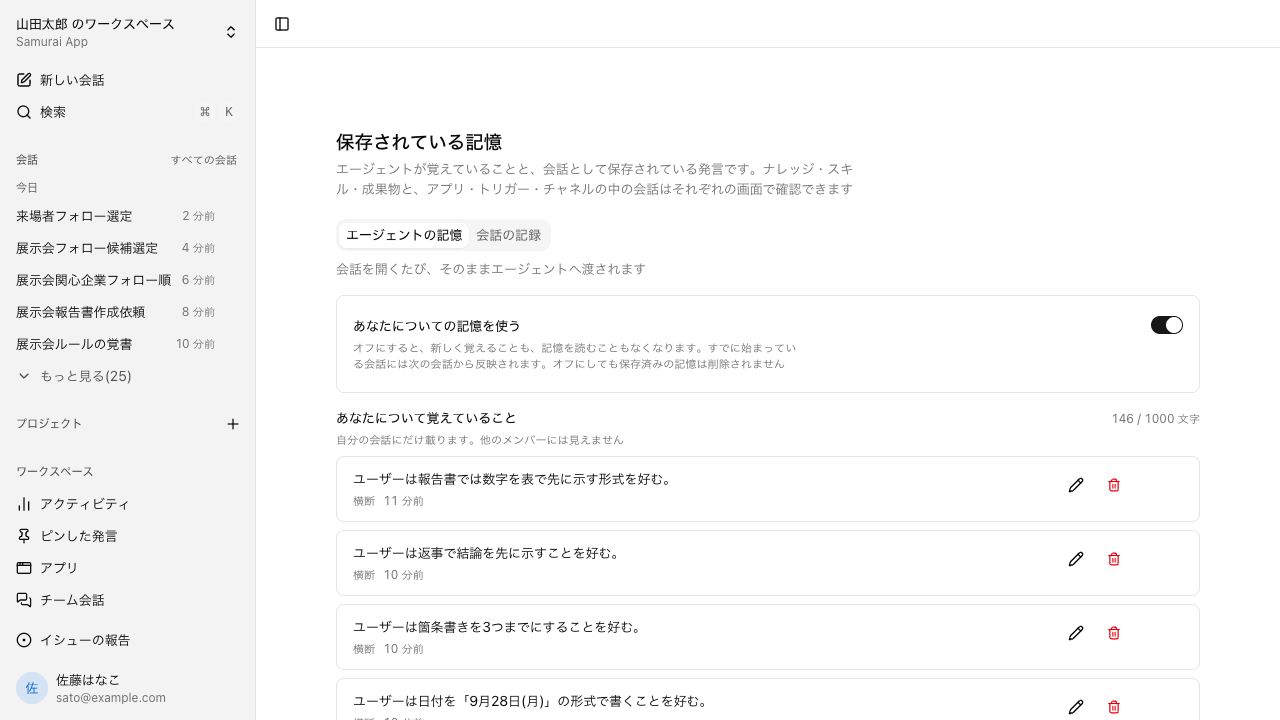
Preferences you share carry into the next conversation#
Preferences you mention in a conversation are used in later conversations too. You can review what's kept in a list and edit or delete each item. You can also turn memory off.
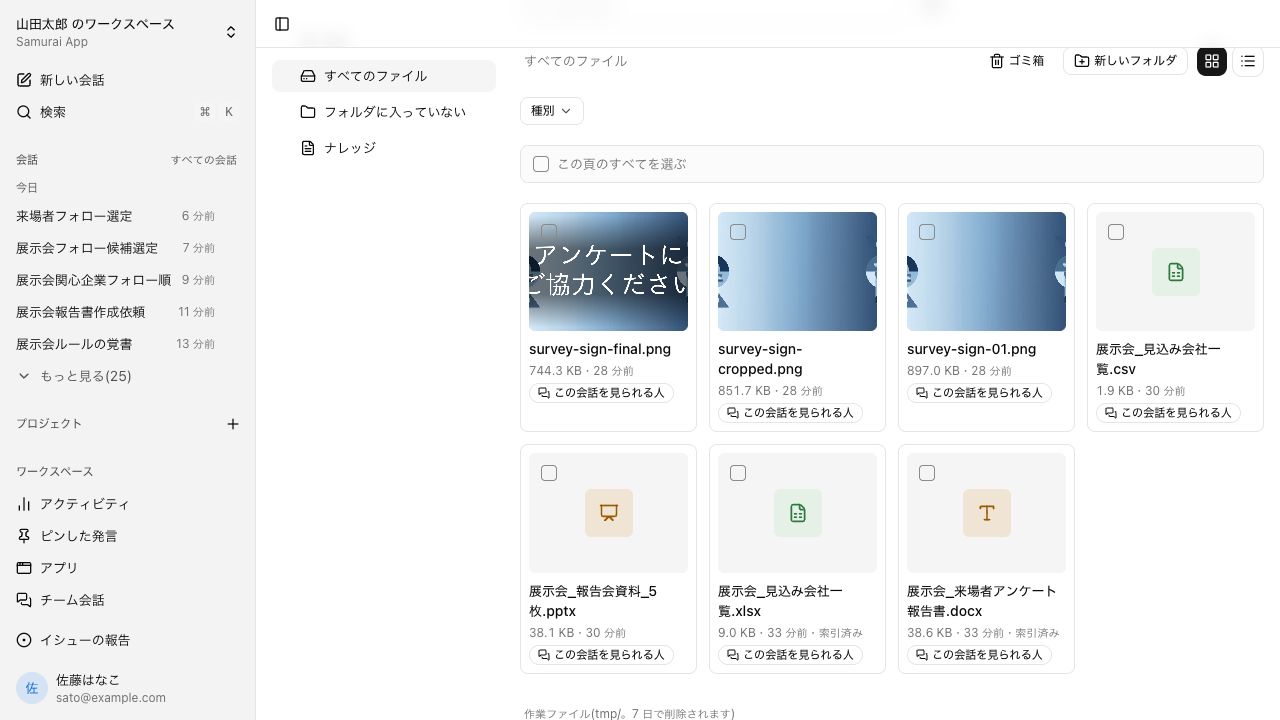
What conversations create, in one list#
Reports, tables, slides, and images made in conversations all sit in one list. You can filter by type, and anything added to knowledge can be found by search from then on.
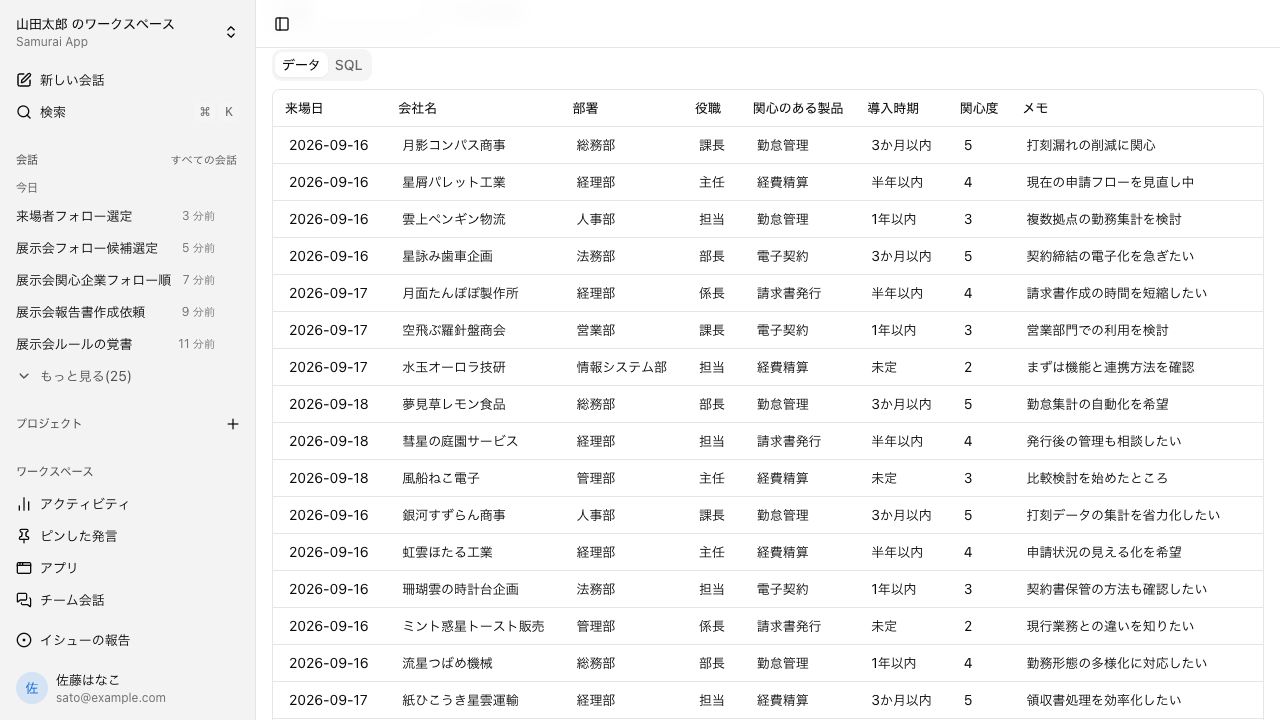
Keep a table, and conversations can tally and update it#
You can store a table such as a visitor survey. Edit it directly on screen, or ask in a conversation: "count interest level 4 and above by product."
Apps with a screen, made from a conversation#
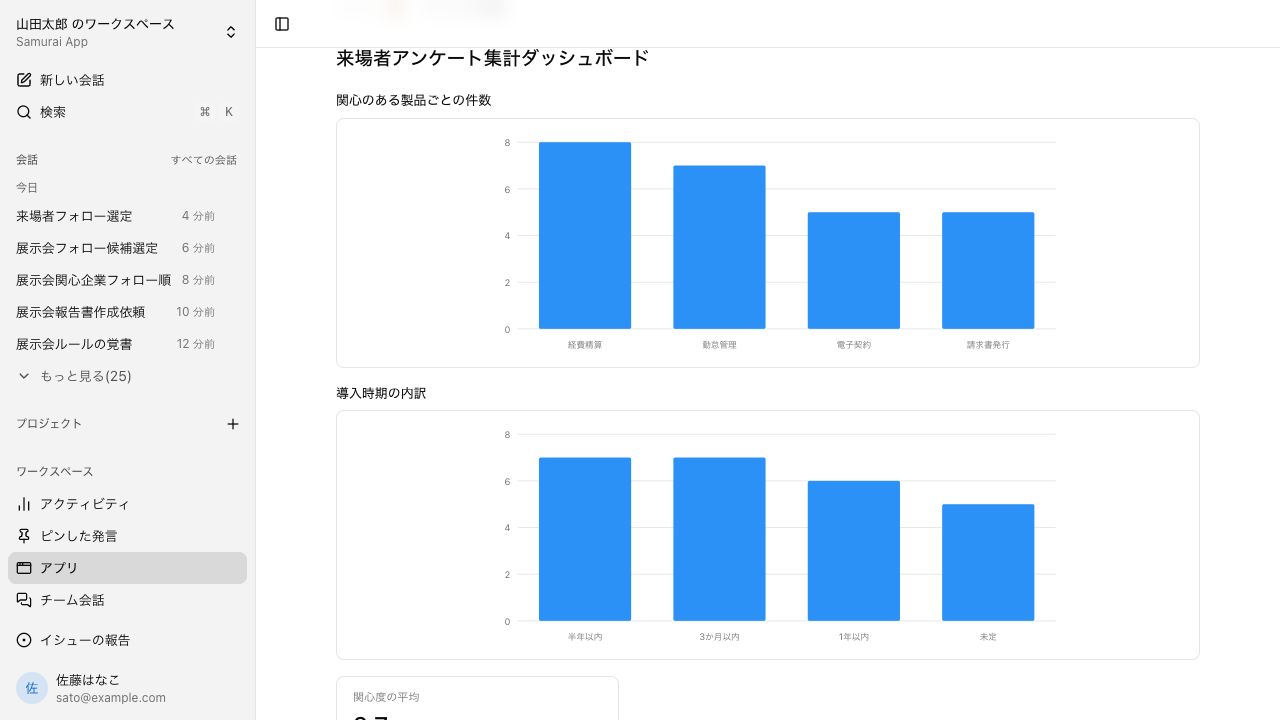
Ask "make a dashboard of the totals" and you get a screen with charts. It rereads the database every time it opens, so the numbers change as responses come in.
Usable even by people without an account#
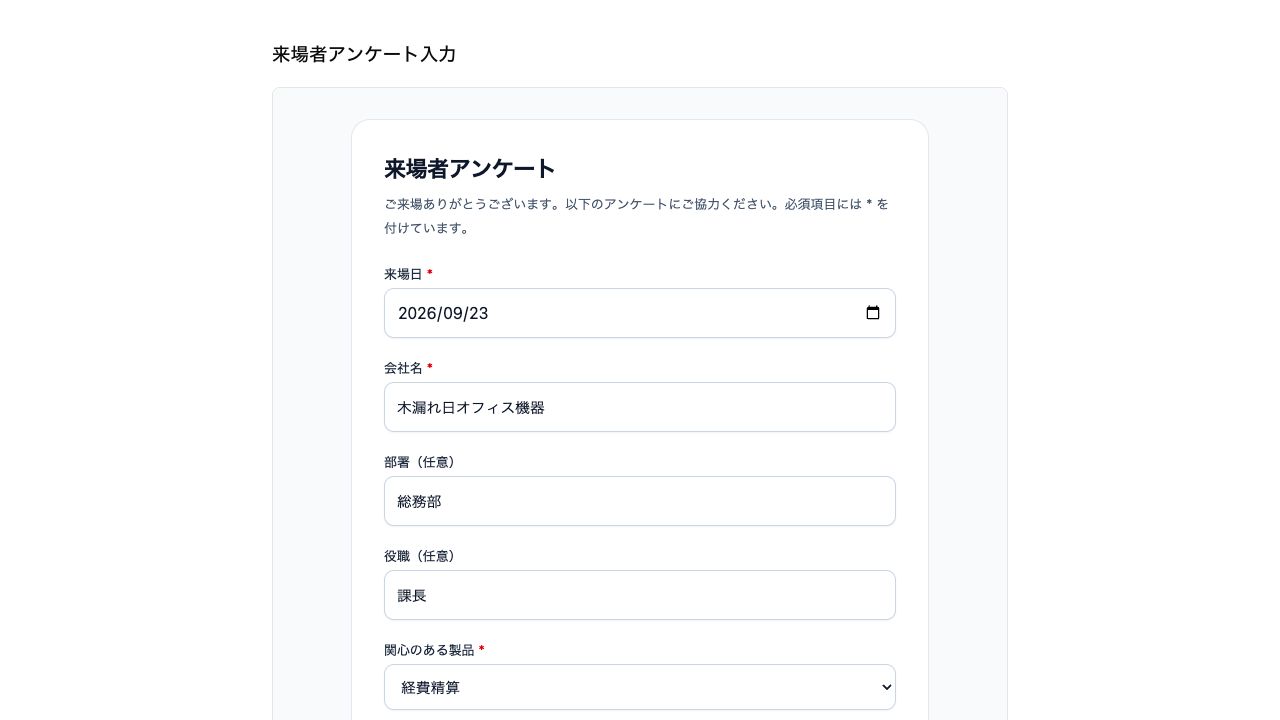
Apps you make can be published outside your tenant. People who get the link can fill it in without an account, and their responses go straight into a database table.
Keep anything you want to come back to, of any kind, in one place#
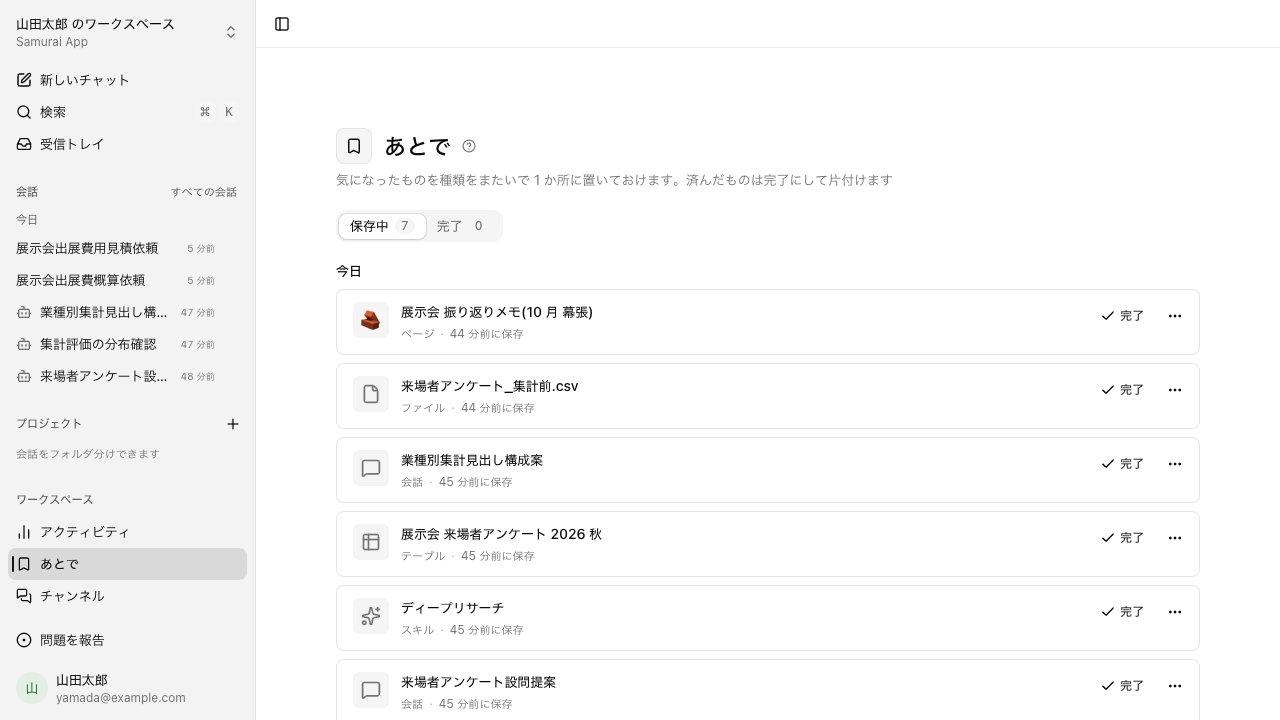
Save conversations, files, tables, skills, and SIROE pages to Later. They are grouped by the day you saved them, and you clear finished ones with Done.
Everyday work comes together, connects, and becomes the company's strength.