Skills
Skills: business playbooks an AI reads and acts on
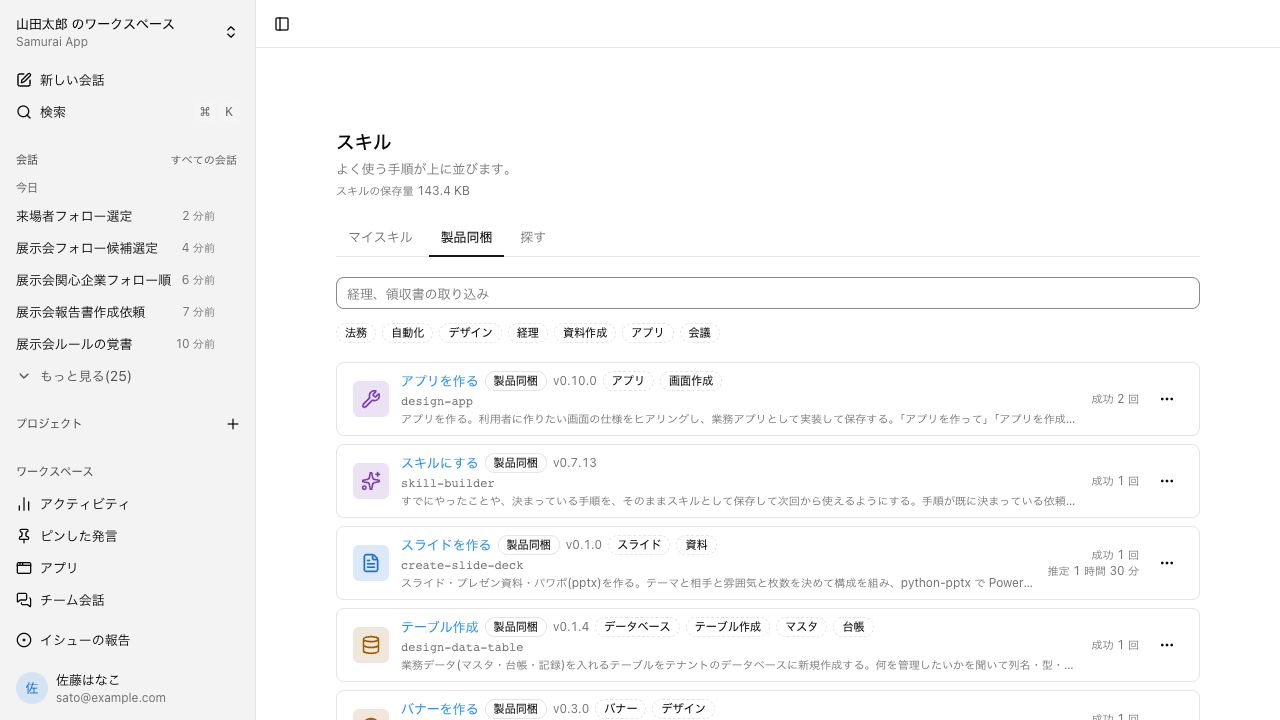
A skill is a playbook that describes how a piece of work gets done. The agent is the one that reads and acts on it, choosing the right one for each request. Once a procedure works, save it as a skill and the next run follows the same steps.
Open Samurai AppRequest materials
- How the work was done
The procedure only lives in someone's head#
What worked never carries over to the next person or the next conversation.
Explaining the same thing to the AI every time
Every time you ask the AI, you rewrite the background and the steps from scratch. The request that worked doesn't carry over to the next conversation.
Manuals nobody reads go stale
You write an operations manual, but the actual work doesn't follow it. With no one updating it, it drifts away from how things are really done.
Everyone does it differently
Even for the same task, the steps and the shape of the result change from person to person. When someone moves or leaves, their way of working goes with them.
It spots repeated work and offers to turn it into a skill#
Once a procedure settles, the agent asks, "Shall I turn this sequence into a skill?" The start screen's "This week's suggestions" also spots repeated work and suggests a skill or a scheduled run.
- Up to three suggestion cards. Clicking one fills the input box; you decide whether to send
- Record your own actions in the browser and turn them straight into a skill
- "Skills learning" drafts improvements from conversations and applies them to your company's skills after approval
Lock proven steps into a script for the same result every time#
A skill can bundle an executable script. From the second run on, the script does the work, so the result is the same every time, faster, and cheaper. The model is called only where judgment is needed.
- Under "Run mode", choose "Leave it to the model" or "Run directly"
- Edit the steps in two views, "Diagram" and "Form"
- Type / in the input box to pick and call a skill
Frequently asked questions#
What is an AI skill?
It is a playbook that describes how work gets done. The agent reads and acts on it, choosing the skill that fits the request. You can also name the skill yourself by typing / in the input box.
How are skills different from workflows?
A skill is a playbook, and the agent decides the order of the steps. A workflow is a sequence of steps that always runs in the order written. You can also create a draft workflow from a skill's steps.
Can I publish a skill outside my company?
No. Skills can be shared within the whole tenant or a group you belong to. To show something to people outside, use share links for conversations and documents, or publish an app externally.
If an edit to a skill goes wrong, can I undo it?
Yes. Each edit or approved update leaves a version, and the latest 20 are kept. Check the diff with "View changes" and restore the whole skill with "Revert".
Everyday work comes together, connects, and becomes the company's strength.