A company-wide OS where work and knowledge accumulate
Use cases
Ideas by department and situation, and demo videos run on real work, shown with the features they used.
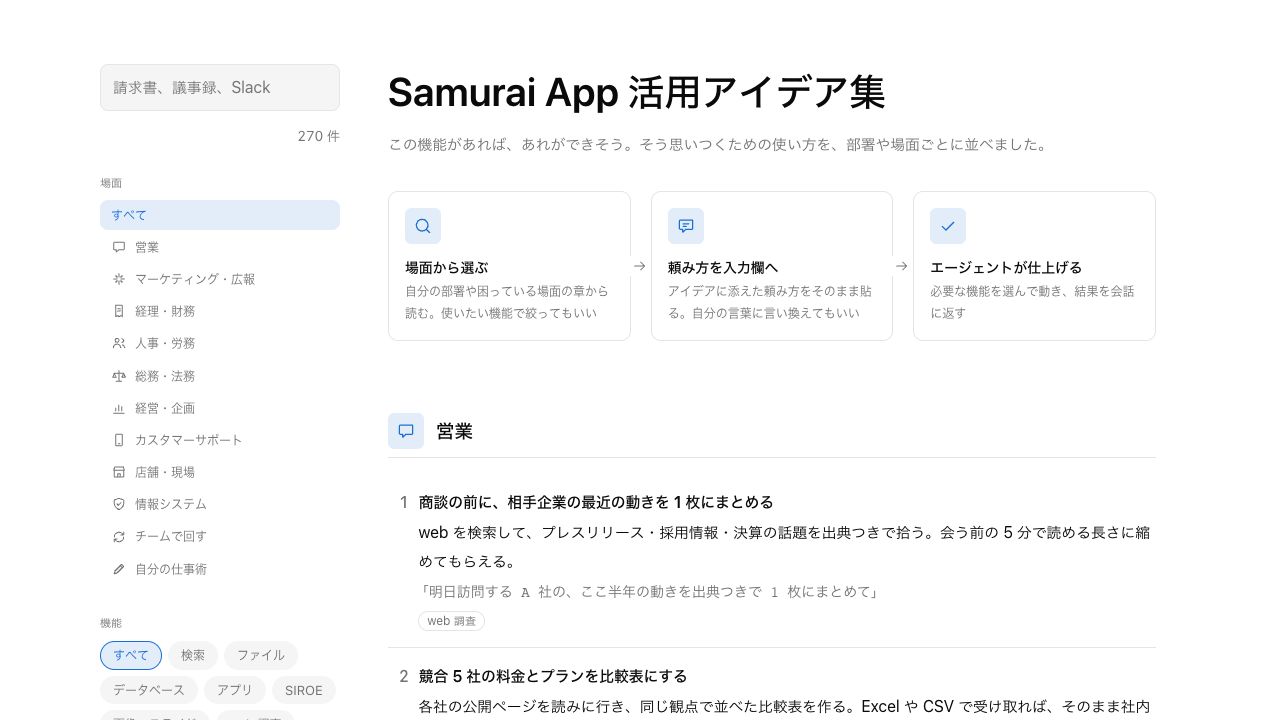
Ideas collection#
Ideas for using it, by department and situation, to help you think "with this feature, we could do that." In Japanese.
From a regular meeting
What you discussed becomes material for the next piece of work as is.
- Meetings
While you talk, captions and an organized list of agenda items, decisions, and action items appear alongside
- Files
When it ends, minutes and a transcript stay in Files
- Conversation
In "AI chat", sort the action items by owner
- SIROE wiki
Gather them into the project's page and task board
- Meetings
Hand off the monthly tally
Once a way of working succeeds, hand it off from then on.
- Conversation
First, try it once in a conversation
- Skills
Make the way that worked into a skill
- Automations
Run it automatically at a set time
- Approvals
Only operations like writing to external systems get a person's approval
- Conversation
Run it as a team
One person's way of working becomes the team's.
- Channels
Discuss in a channel and ask the AI right there too
- SIROE wiki
Record what was decided on a SIROE page
- Skills
Make the procedure a skill and share it with the team
- Office (β)
See who's working on what in the Office
- Channels
Demo videos#
 0:47
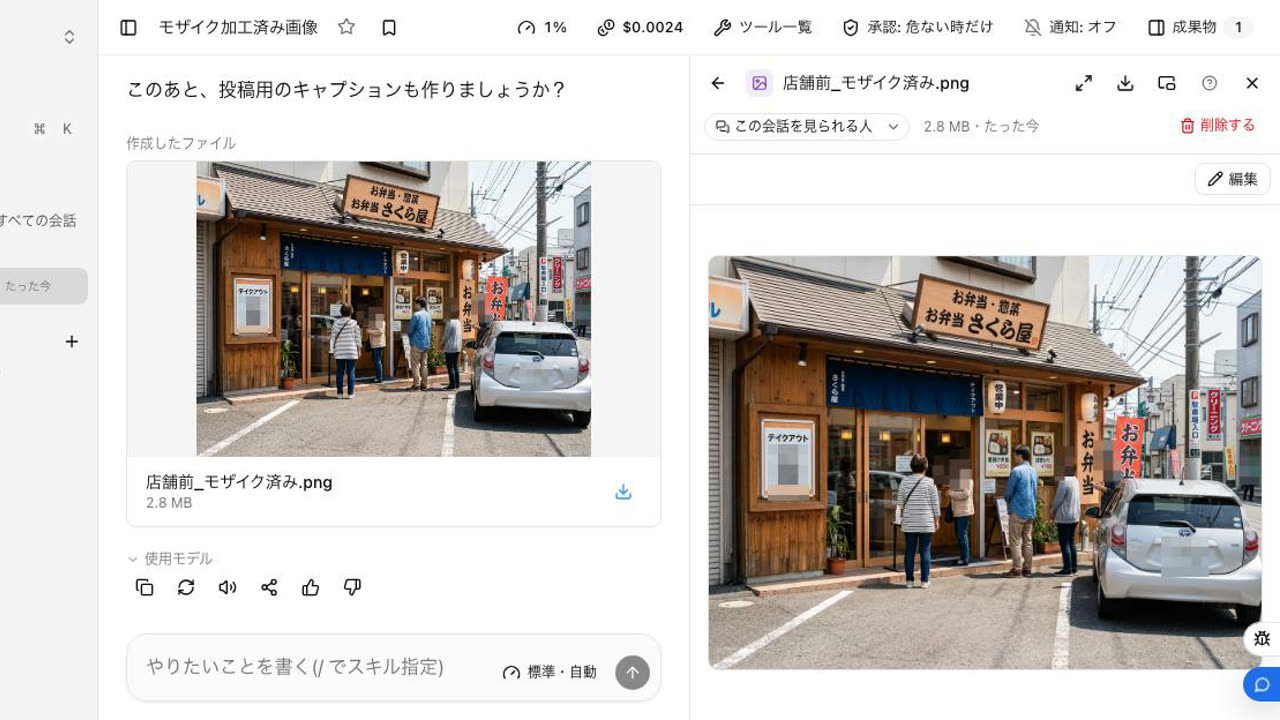
0:47Mosaic faces, plates, and QR codes just by asking
Hand over a storefront photo and ask to hide faces, license plates, and QR codes. The AI finds them and makes a masked copy, leaving the original intact so you can check before posting.
Try this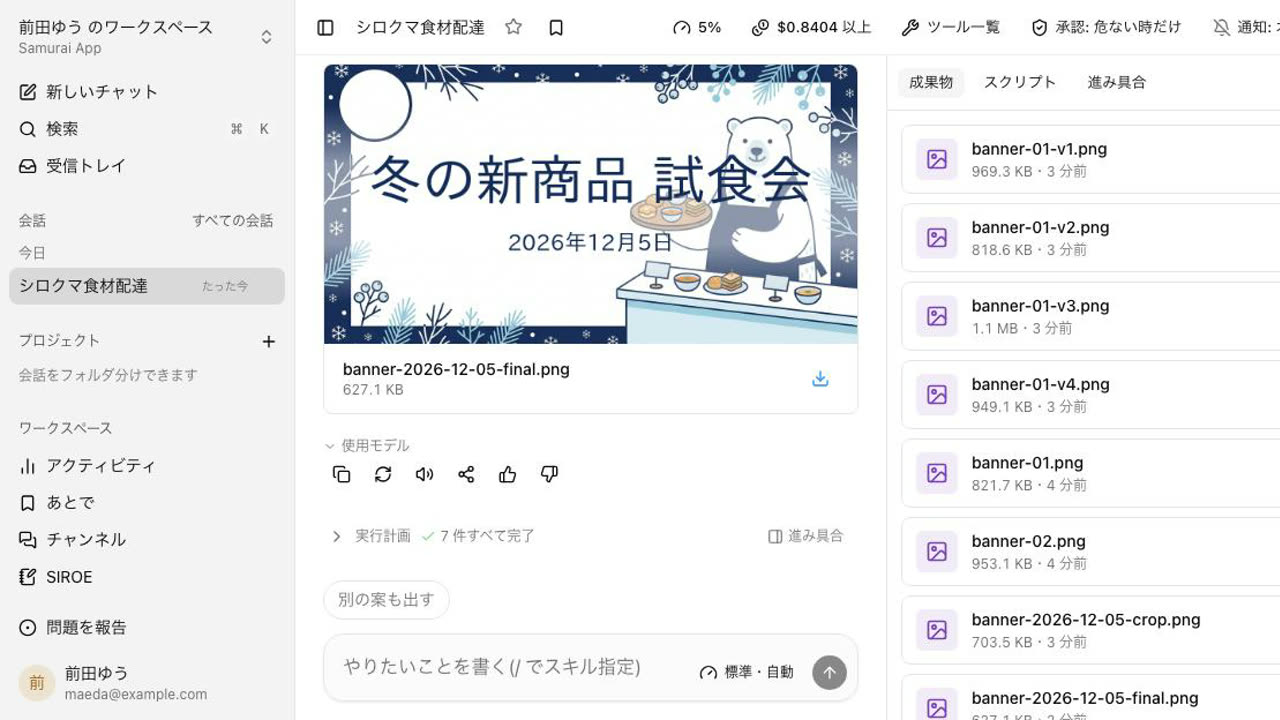 1:14
1:14From a company name to a logo and a banner
Describe the company and logo ideas appear. Refine the one you pick into PNG and SVG, then make a banner with a headline and date using the same logo.
Try this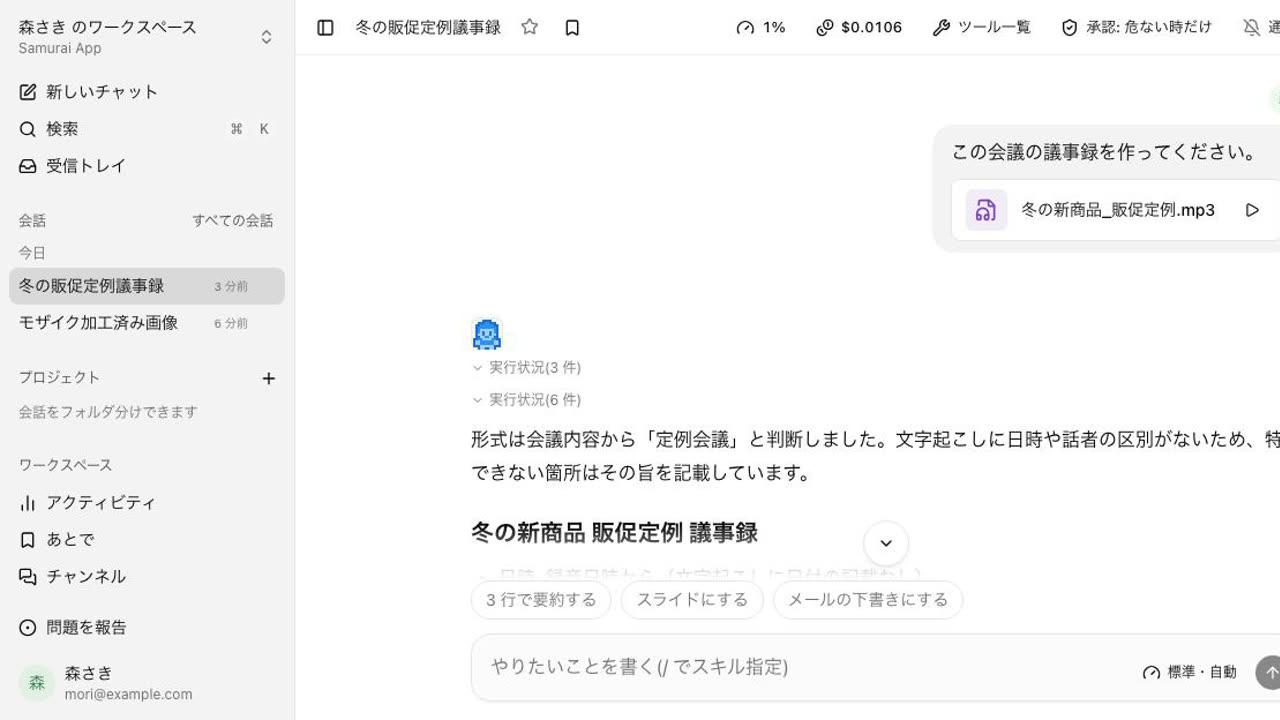 0:38
0:38From a meeting recording to minutes
Hand over a recording, and it writes minutes split into decisions, owners and deadlines, open items, and next agenda. What the audio cannot tell, it says so instead of guessing.
Try this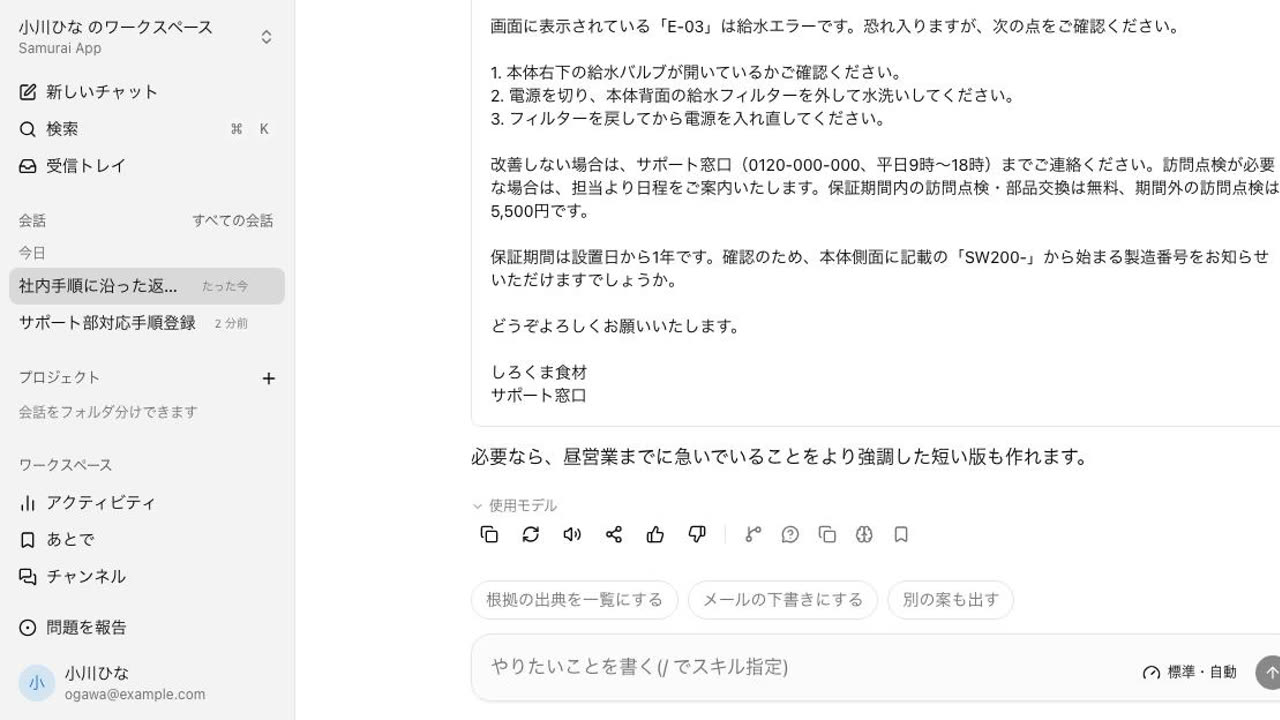 0:48
0:48A reply that follows your support procedure
Hand over a customer email and ask for a reply. It checks the procedure in Knowledge and writes an apology, steps the customer can try, then warranty and contact details, ready for you to review.
Try this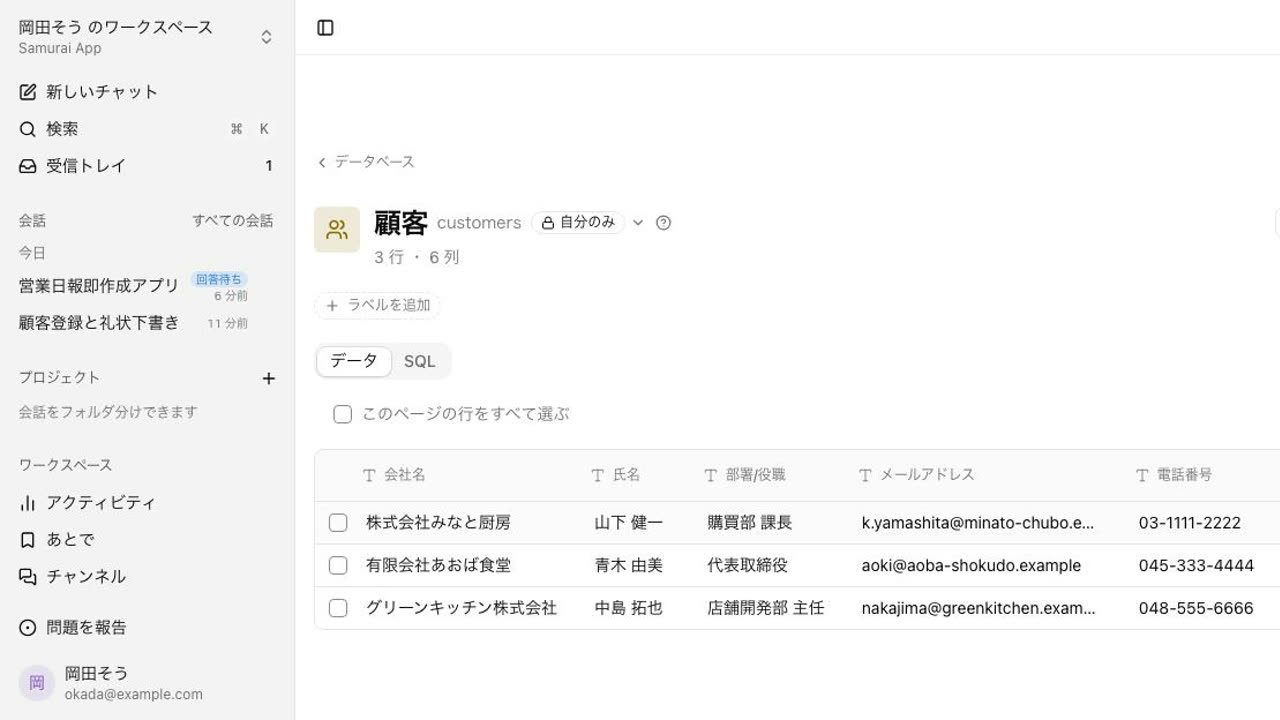 1:01
1:01From business card photos to a customer table and thank-you notes
Hand over photos of business cards from a trade show. It registers them in a customer table and drafts a thank-you email for each. It asks about columns and visibility first and does not send anything.
Try this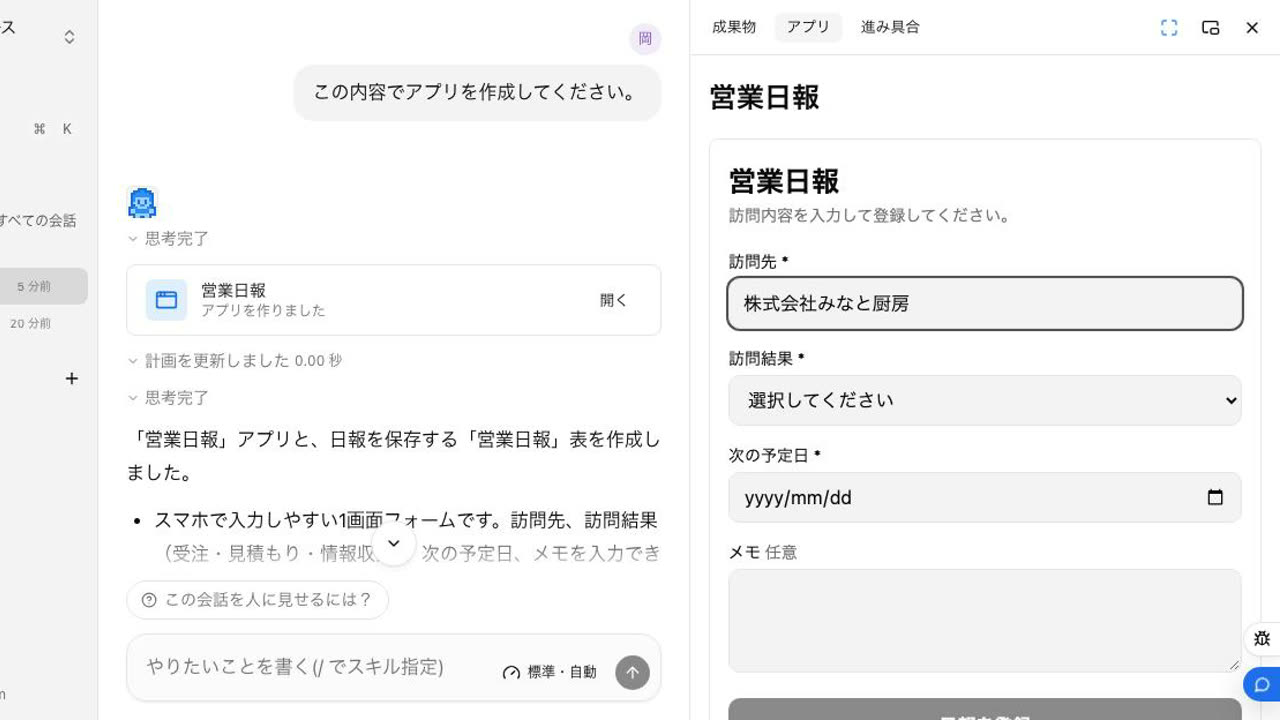 0:53
0:53Turn the sales daily report into a phone app
Name the fields and who will use it, and it creates the report table and a one-screen phone form. It asks about required fields and sharing first.
Try this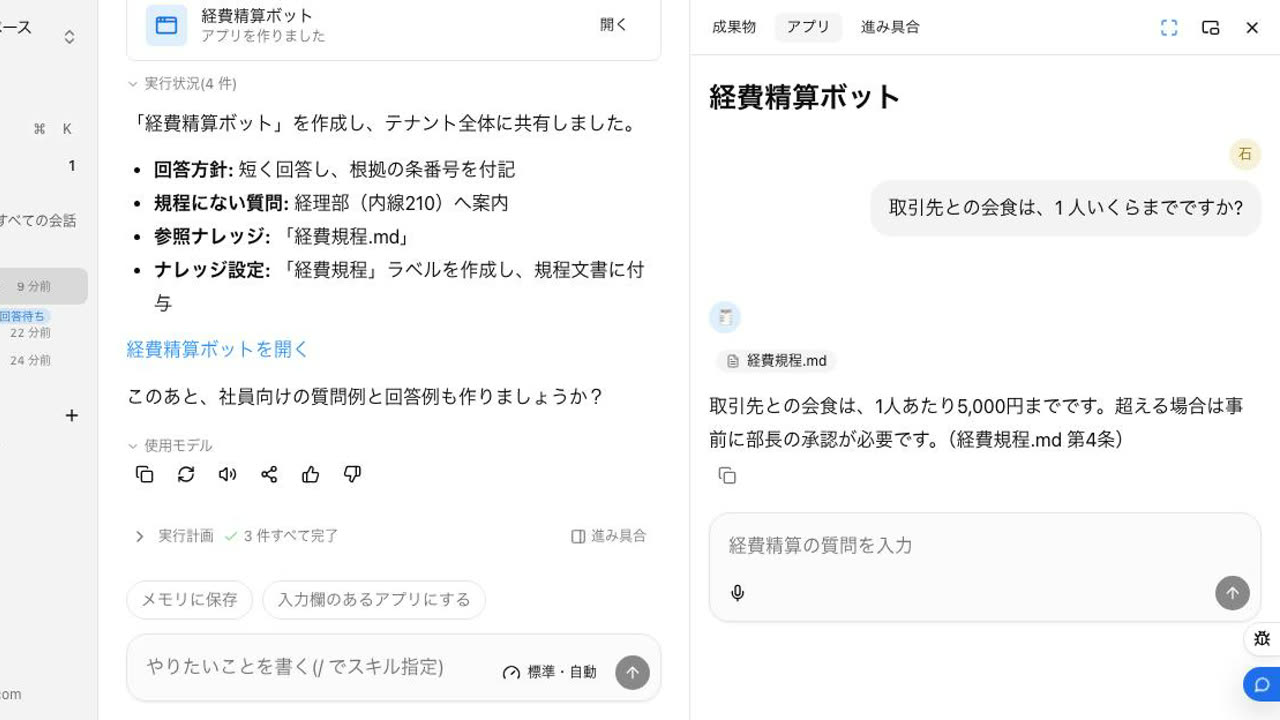 0:54
0:54A desk that answers expense questions by the rules
Put the expense rules in Knowledge and ask, and it builds a desk that answers from them and shares it with the tenant. Employees ask, and each answer cites the article.
Try this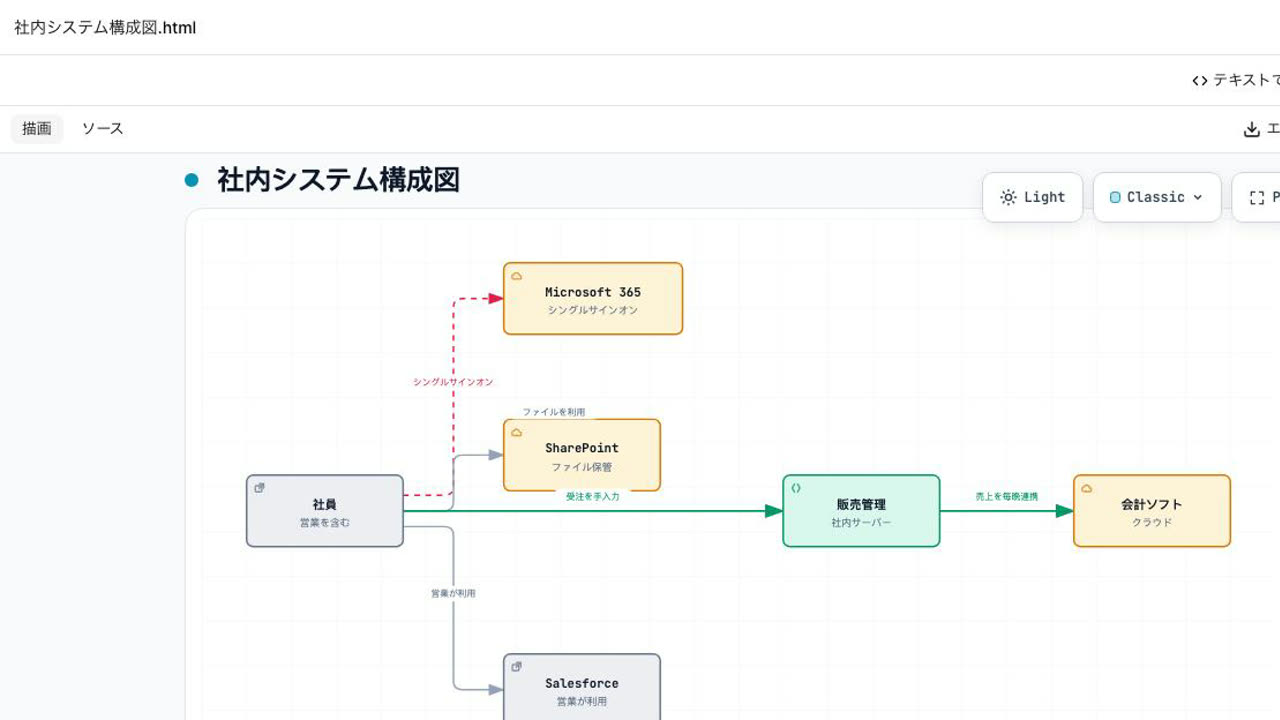 0:40
0:40Describe your systems and get the diagram
Describe the systems you use and how they connect, and it draws an architecture diagram as one HTML page, including connections done by hand.
Try this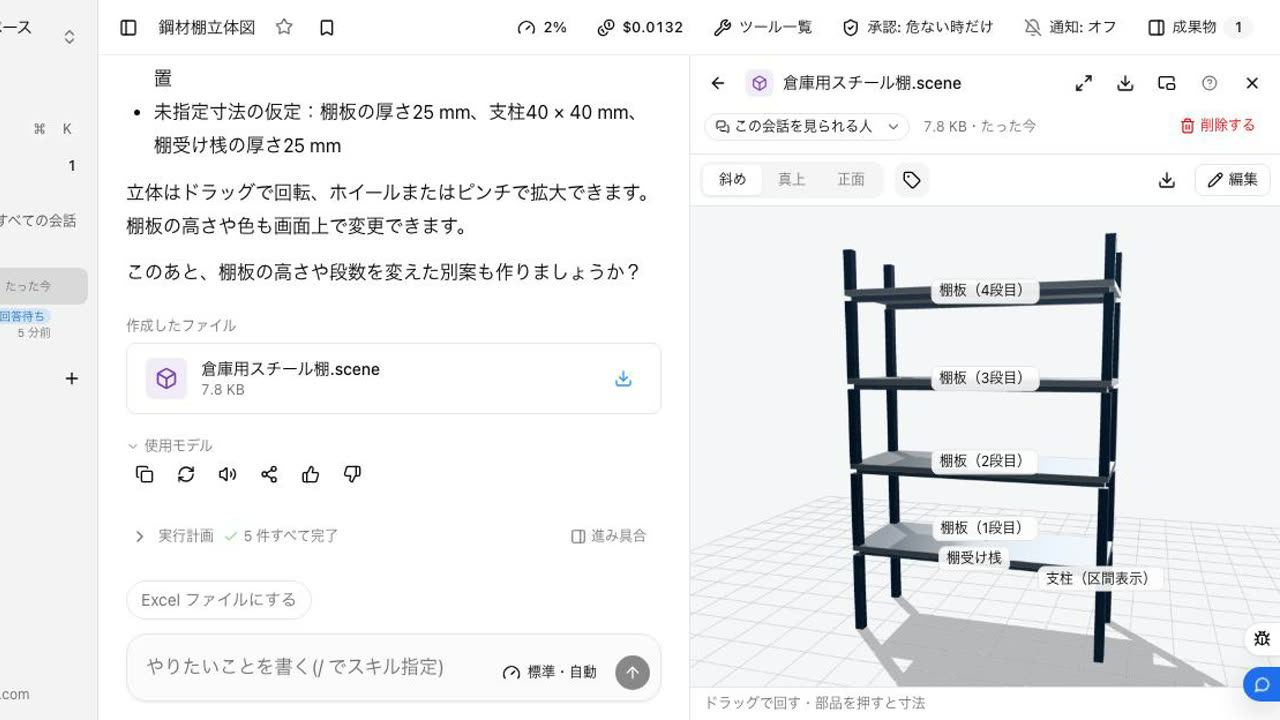 0:39
0:39State the dimensions and check it in 3D
Give the width, depth, height, and number of shelves, and it builds a 3D model. Drag to rotate and click a part to see its size, so you can check the shape in the meeting.
Try this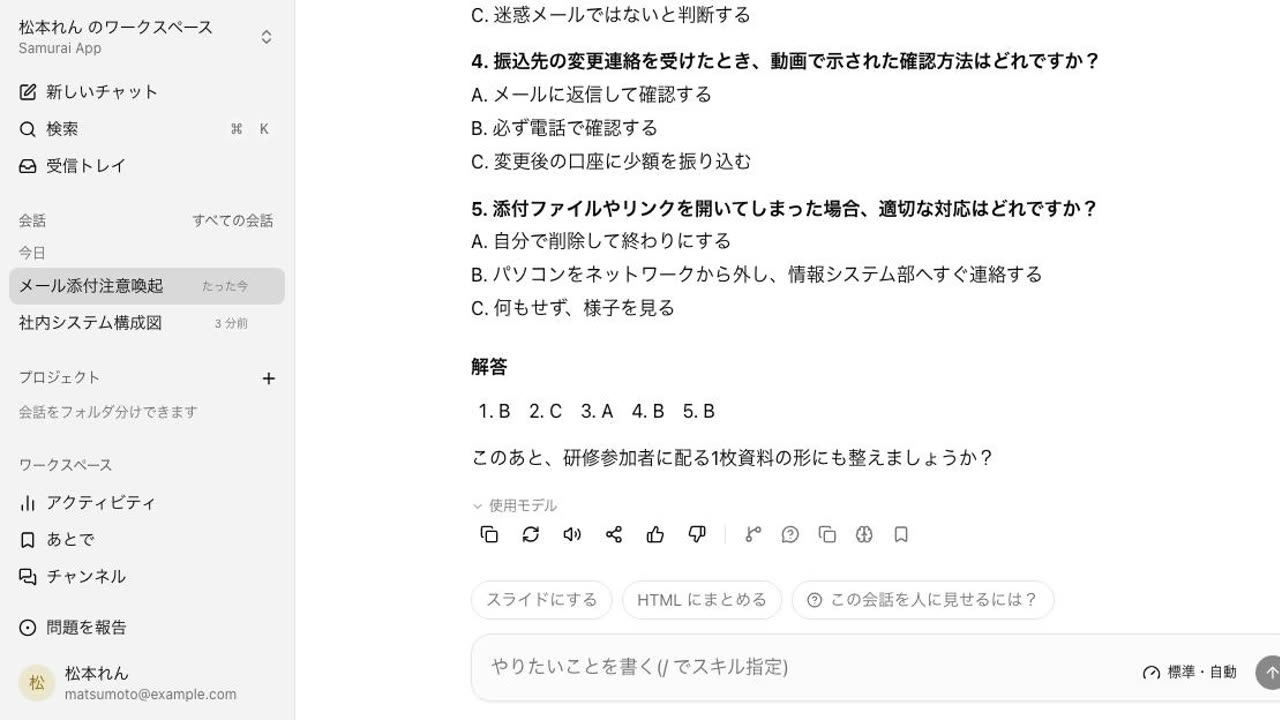 0:49
0:49From a training video to key points and a quiz
Hand over a training video, and the AI watches it, summarizes the key points, and writes a quiz with answers to check understanding.
Try this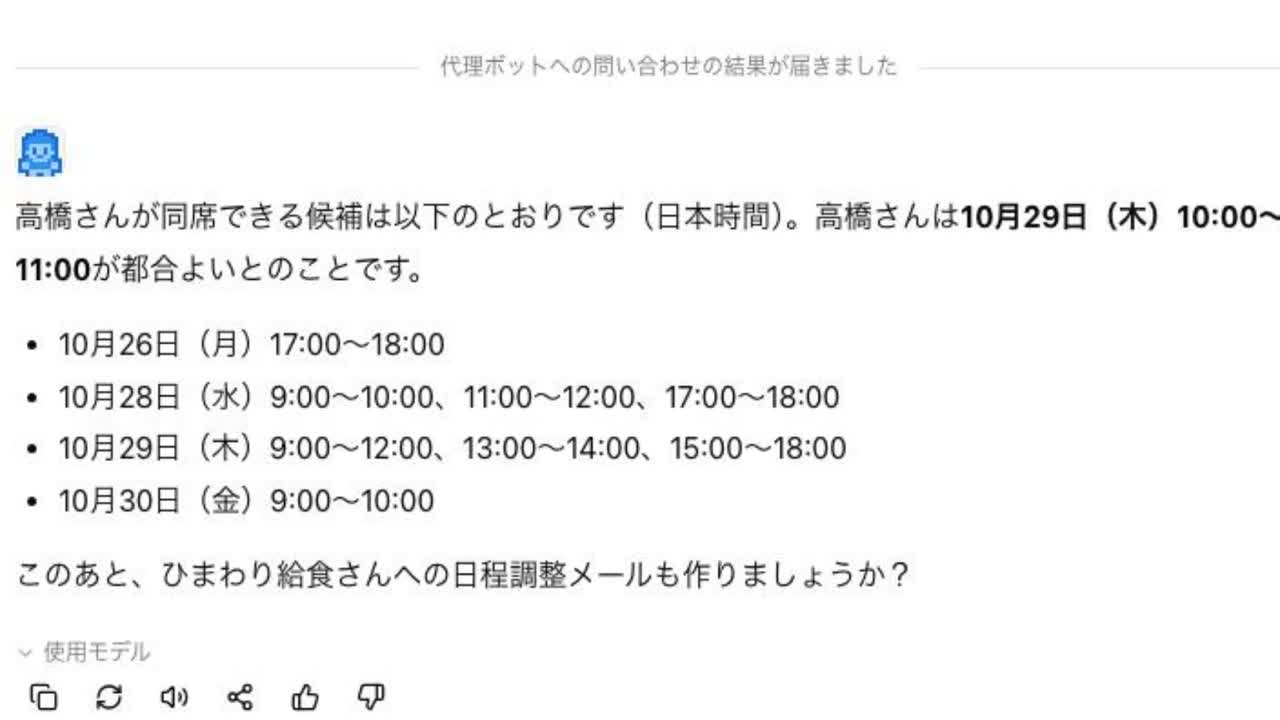 1:11
1:11Your clone bot drafts the answer to "When are you free?"
A colleague just asks in chat to check with your clone bot. It drafts your free time from your own materials, and only what you review and approve reaches the colleague.
Try this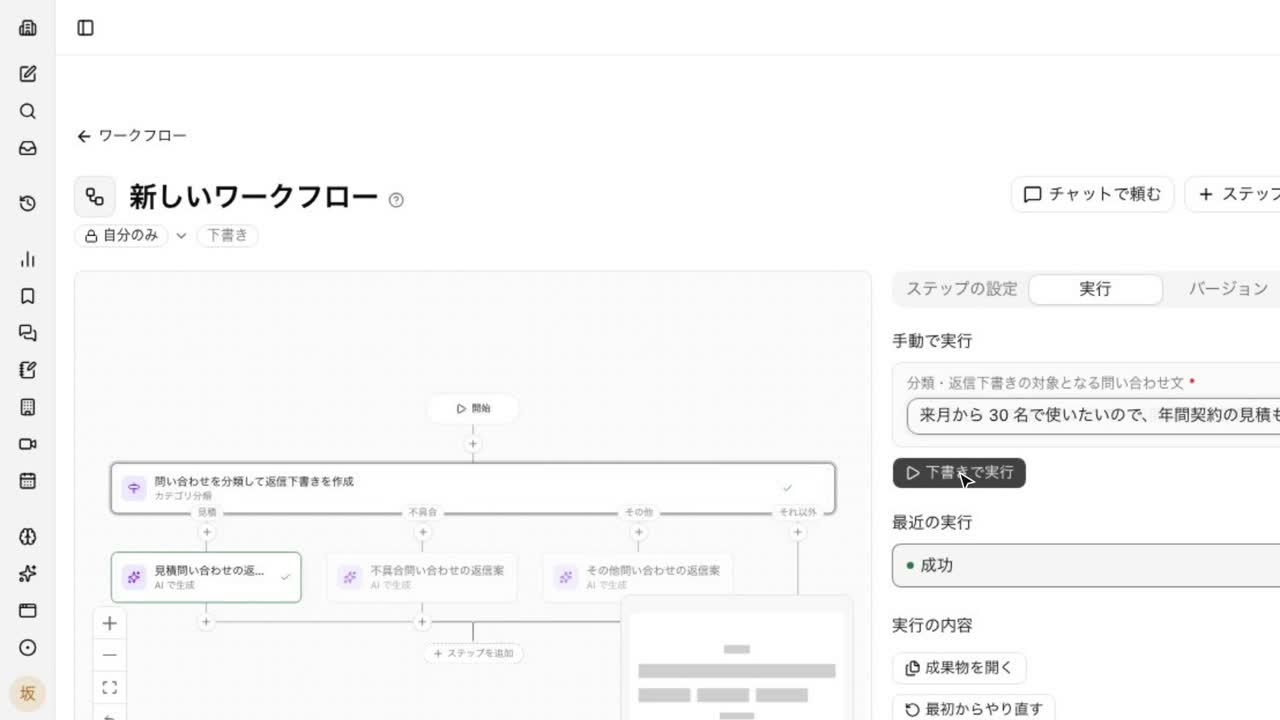 0:54
0:54Ask in chat to build a fixed-step workflow
Ask to sort inquiries into quotes, bugs, and others and draft replies, and the AI lays out the steps as a workflow. Check each step and try it as a draft before publishing.
Try this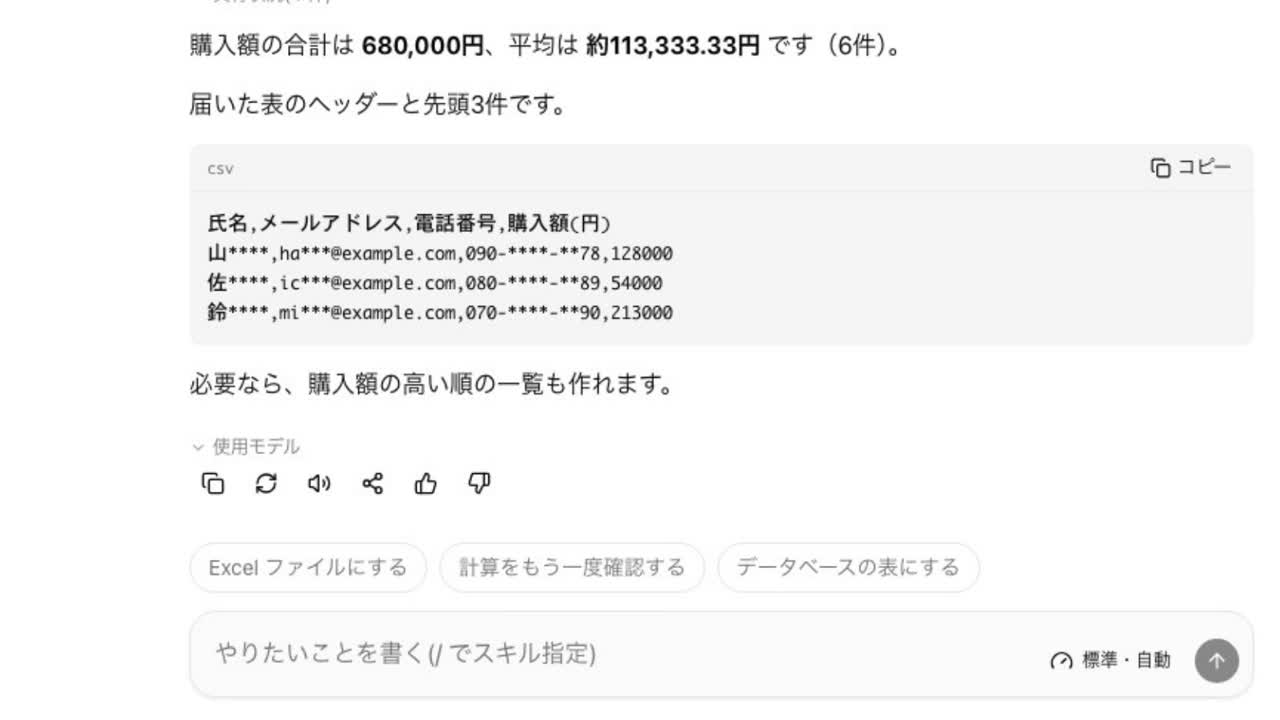 0:43
0:43Catch and mask personal data before it reaches the AI
Attach a customer list, and before sending it shows the names, emails, and phone numbers it found and where. Send a partly masked copy and still get the totals. The check runs in your browser.
Try this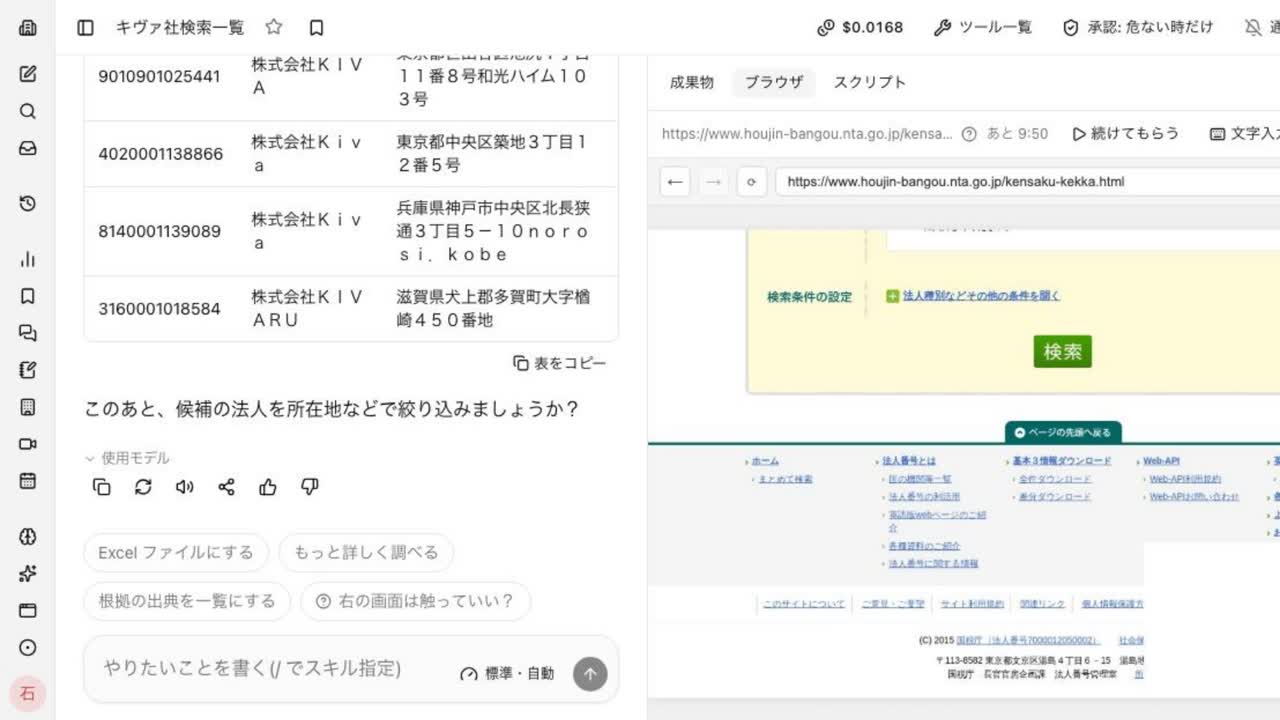 1:42
1:42Show a browser task once, and the AI repeats it
Record yourself looking up a corporate number once, and it becomes a manual and then a skill. Next time, pick the skill and enter a company name: the AI repeats the steps in the browser and returns a table.
Try this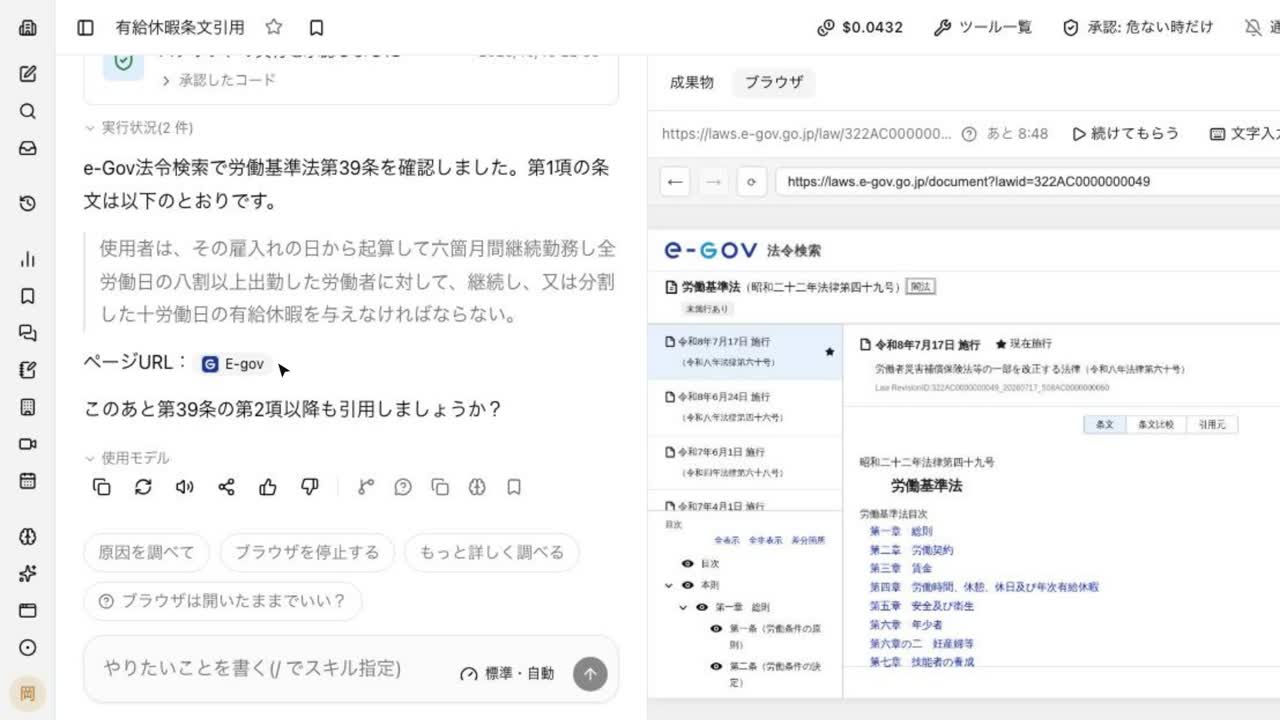 0:58
0:58Find a statute in the browser and quote it with the source
Ask the AI to find Article 39 of the Labor Standards Act on e-Gov and quote paragraph 1. It opens the site, navigates to the article, and returns the text with the page URL, while you watch beside the chat.
Try this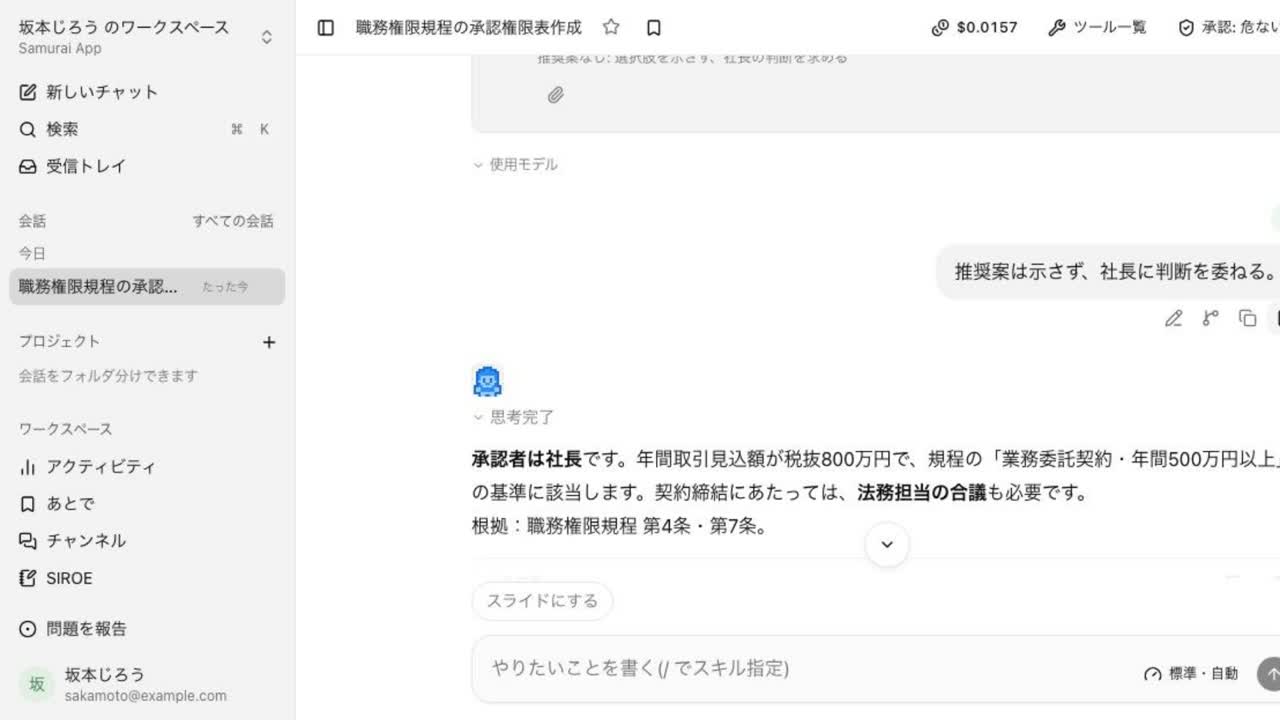 1:16
1:16Answer who must approve, from your authority rules
Give it your delegation-of-authority rules and a case, and it works out the required approvers from the amount and contract type, then drafts the authority table and request. It asks you for missing details such as deadlines.
Try this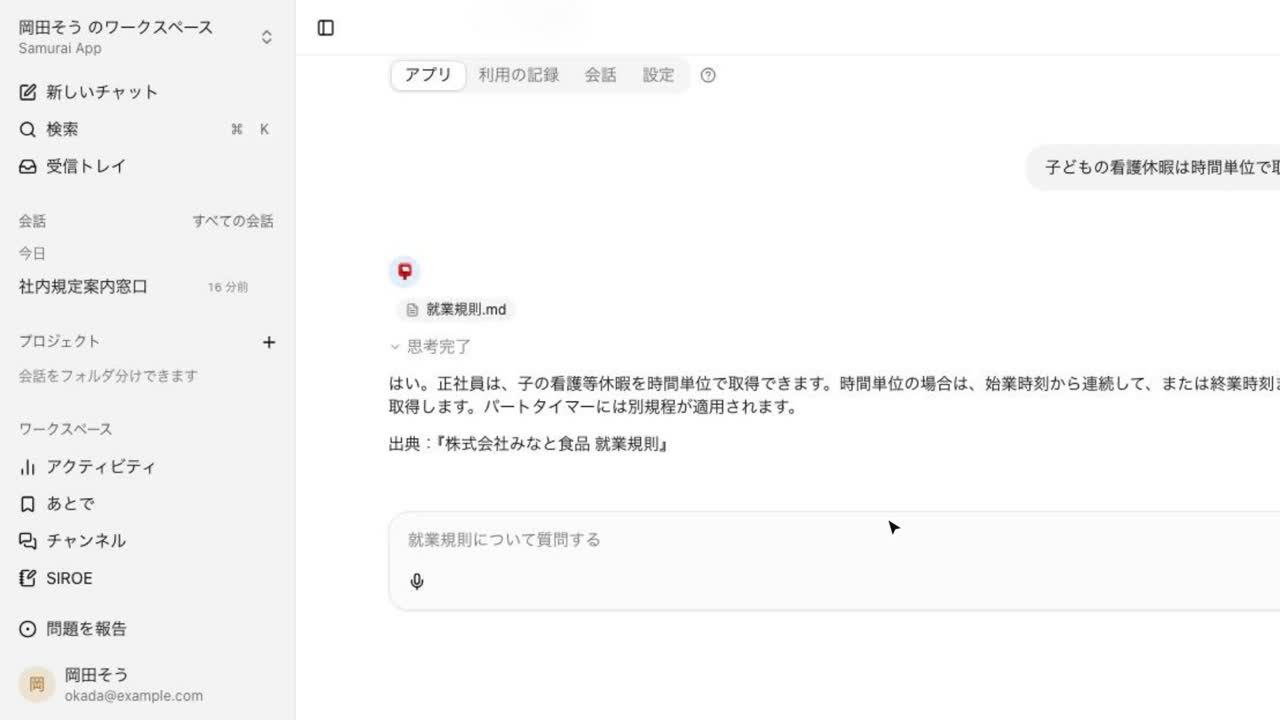 1:27
1:27Build an internal help desk that answers from the work rules
Hand over the work rules and ask for a desk that answers employee questions, and you get a page that answers them. Each answer shows its source, so HR can check the basis.
Try this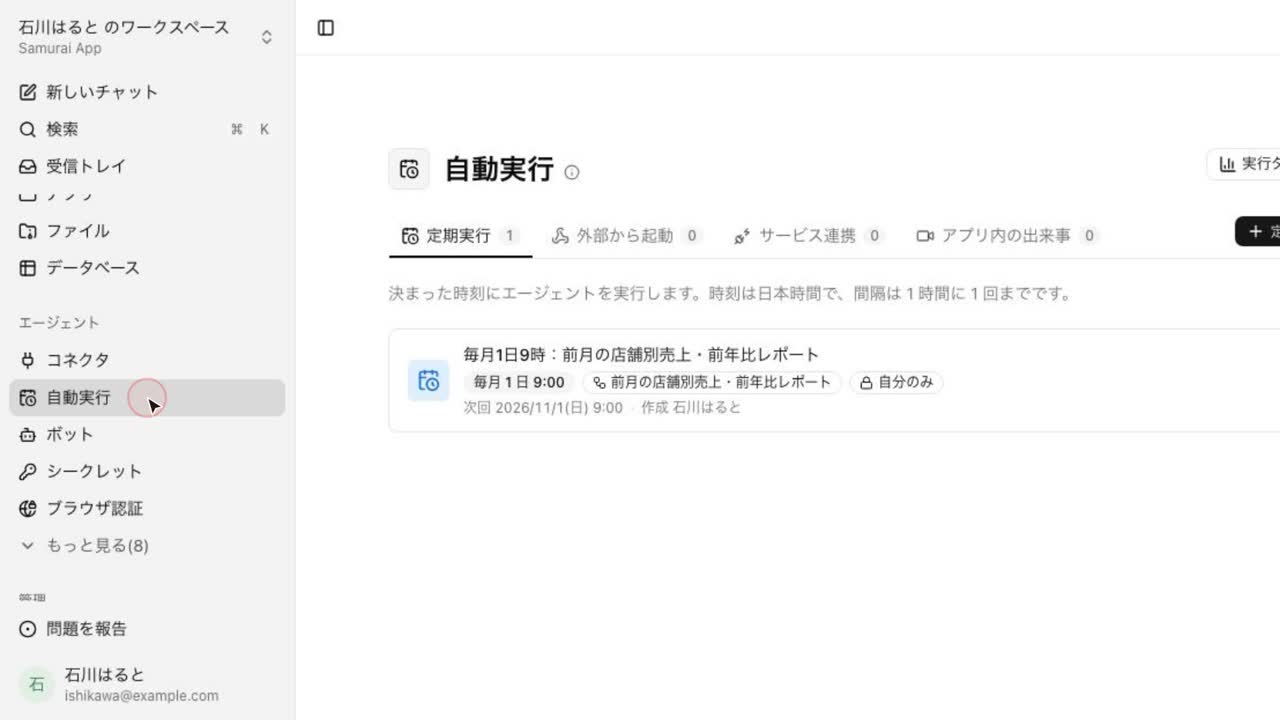 1:25
1:25Run last month's analysis automatically every month
After totaling sales by store against last year once in chat, ask to make it a workflow that runs at 9 a.m. on the 1st. The steps become a workflow diagram and are scheduled.
Try this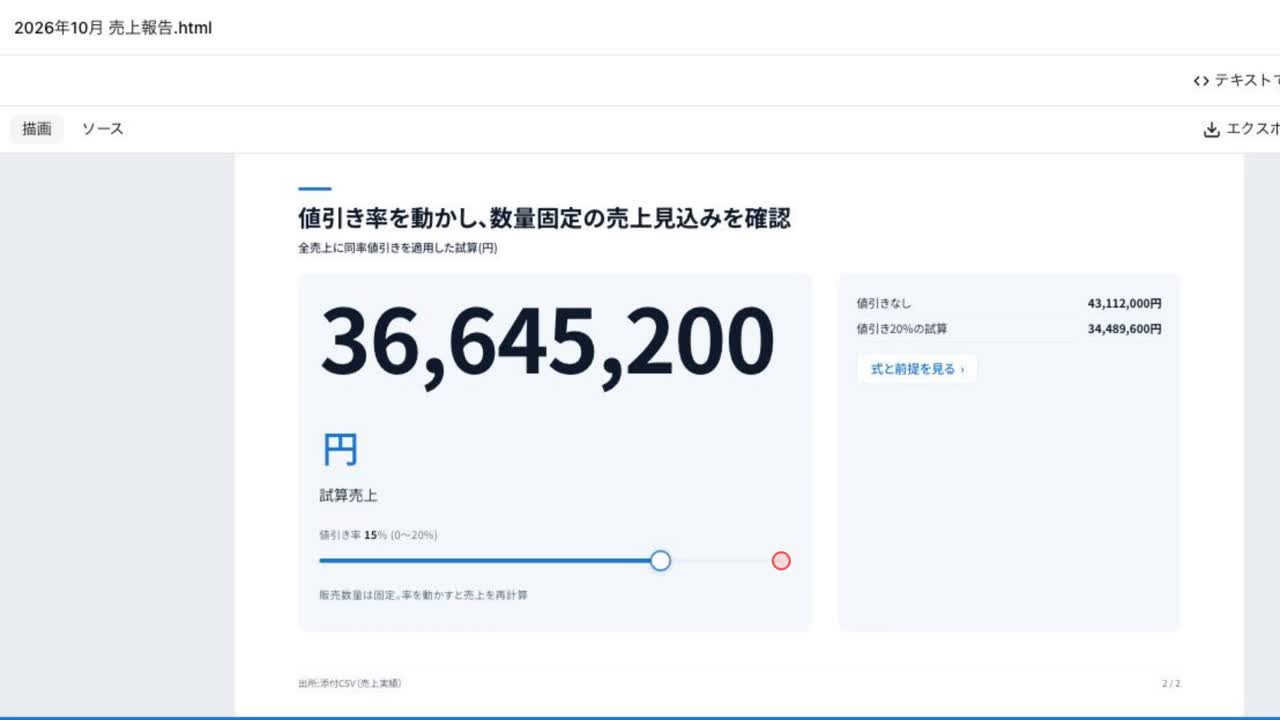 0:59
0:59Make interactive slides that open the breakdown on click
From a numbers document, build slides where clicking opens the breakdown and moving a value updates the forecast, so you can show the basis of any figure on the spot.
Try this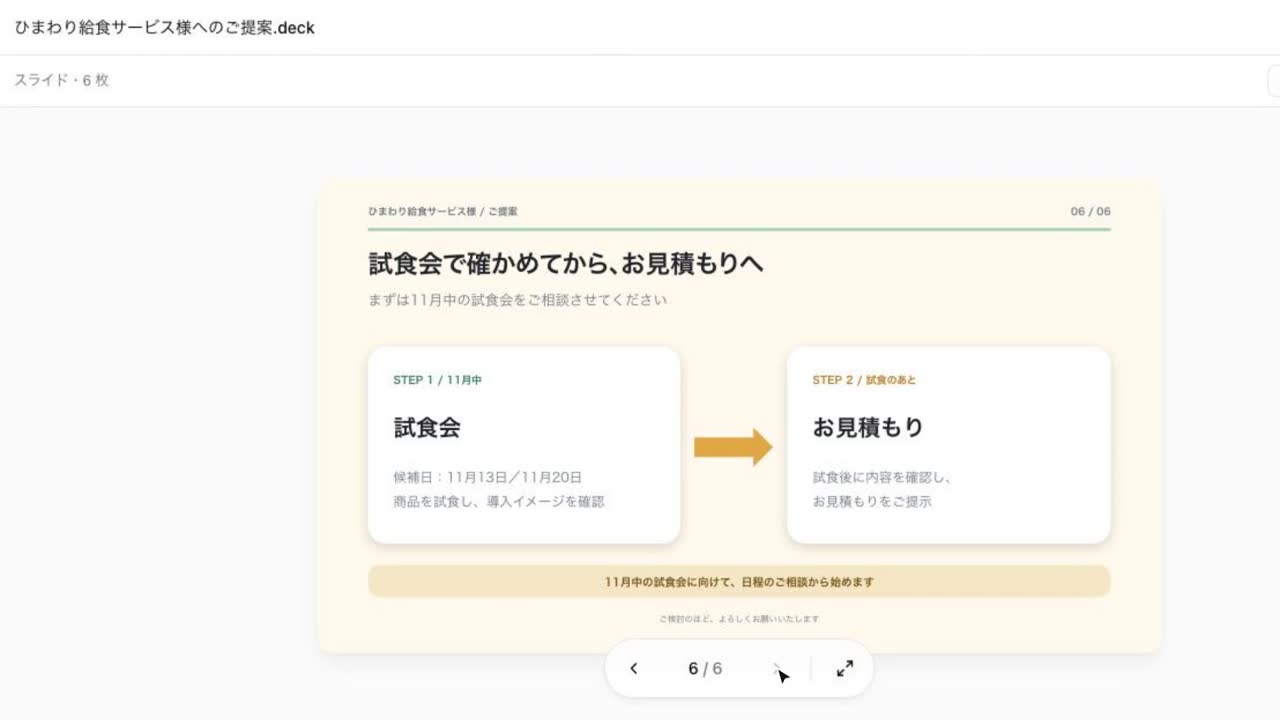 1:08
1:08Turn meeting notes into a proposal deck
Hand over meeting notes and it builds a proposal deck. Ask to add tasting-event dates to slide 6 and only that slide changes. Save it as PowerPoint too.
Try this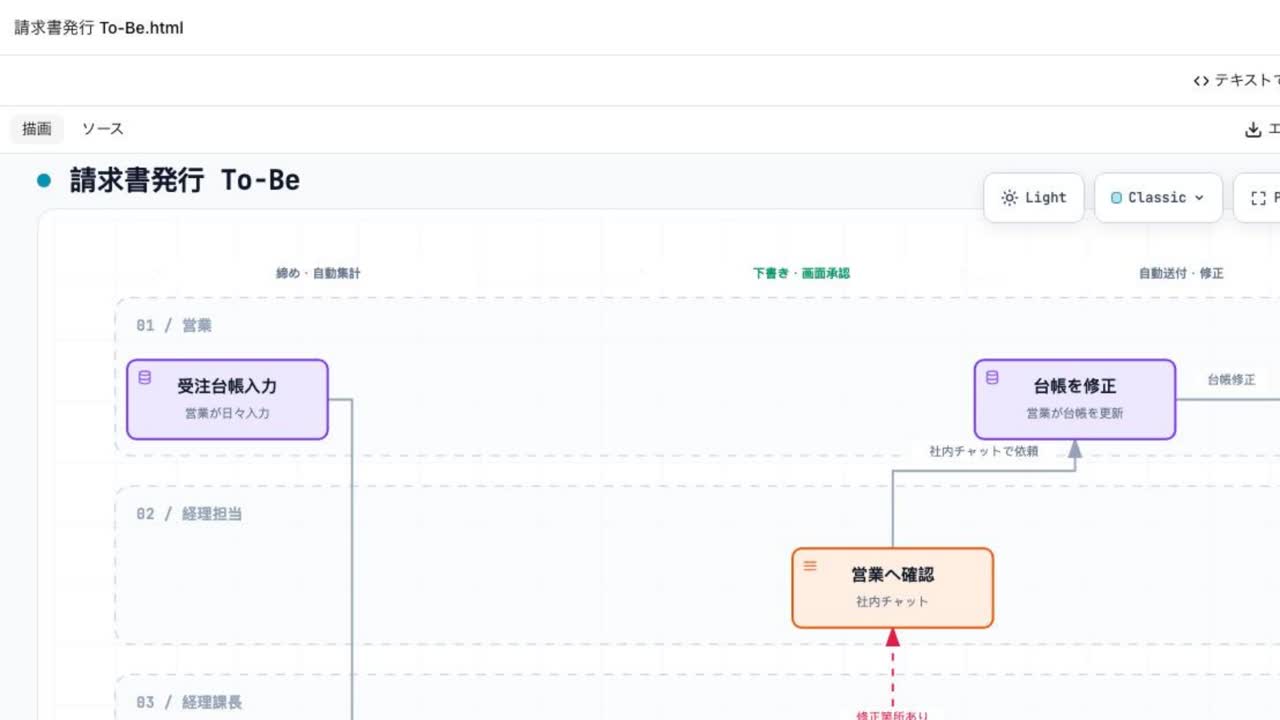 1:40
1:40Map current and ideal workflows from an interview
The AI interviews you about how the work flows today and draws the As-Is diagram. Share the pain points, and it draws the improved To-Be as well.
Try this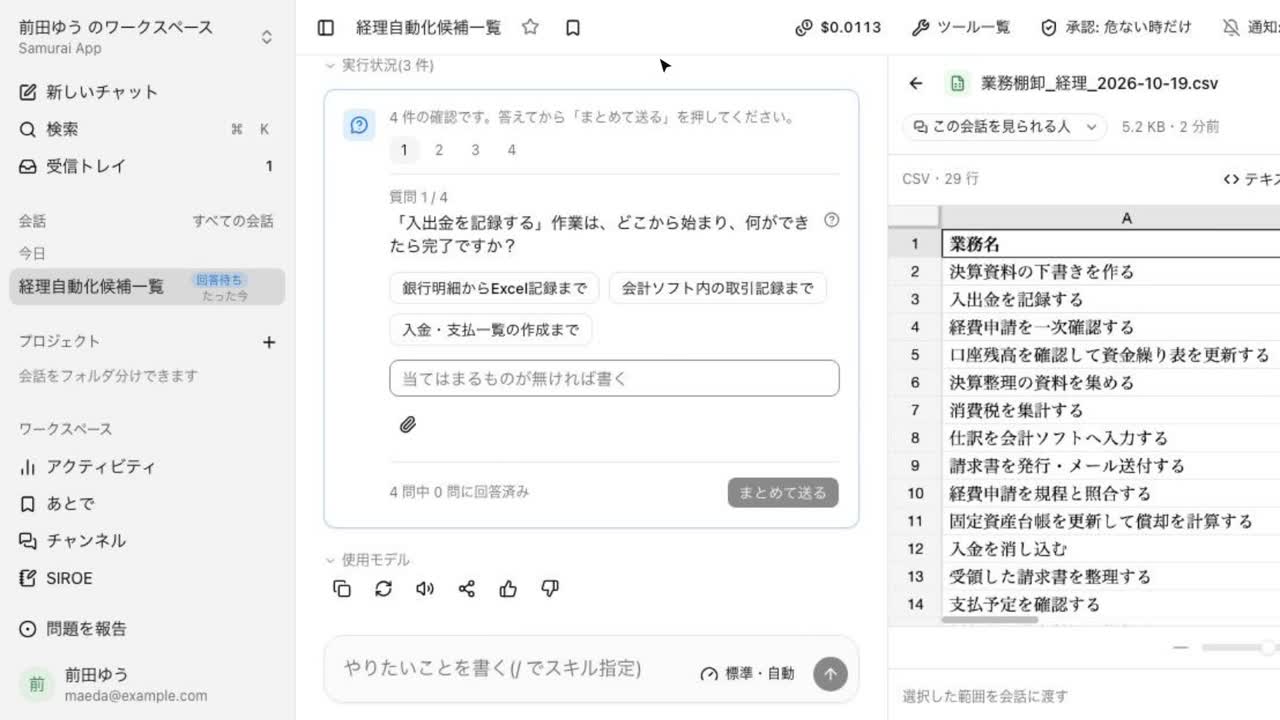 0:54
0:54Name a department and list the work worth automating
Describe the department and company, and after asking about things like month-end work, it returns a CSV of tasks with frequency, time spent, and how easy each is to automate.
Try this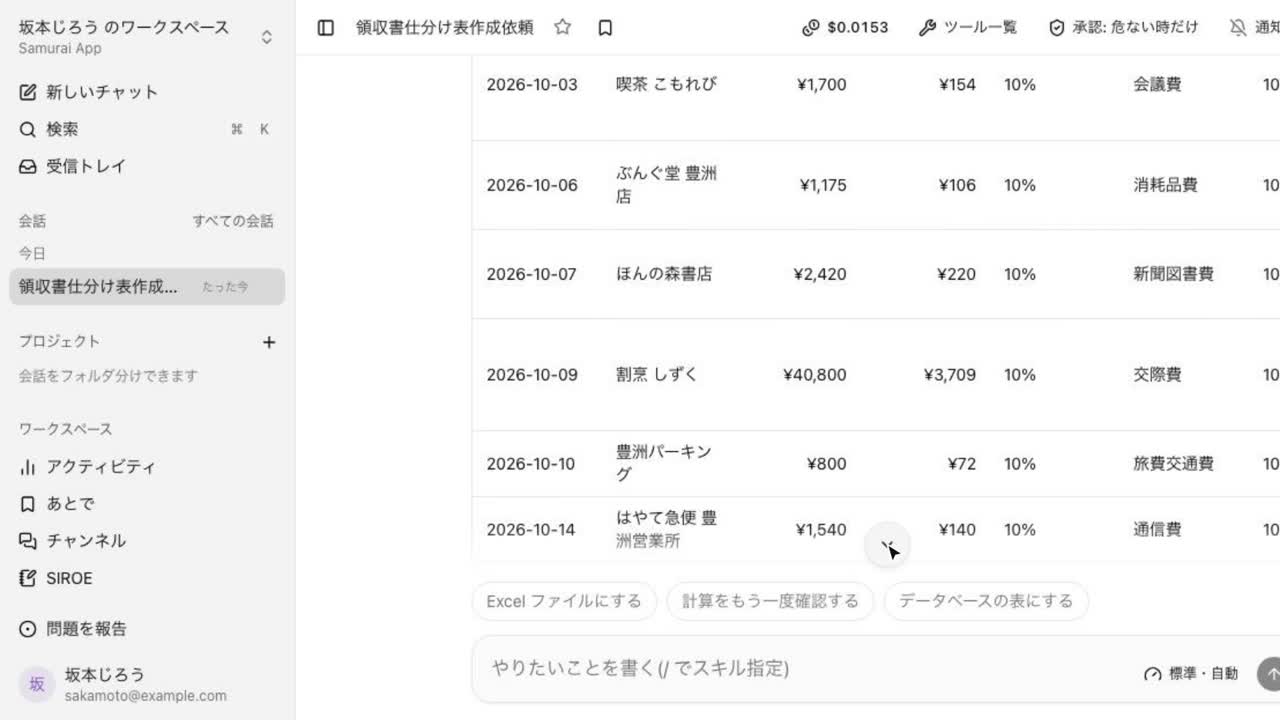 0:51
0:51Turn receipt images into a table with account codes
Hand over receipt images in bulk, and it drafts a table in the database with account, tax category, and stated tax. A receipt with mixed tax rates gets one row per rate.
Try this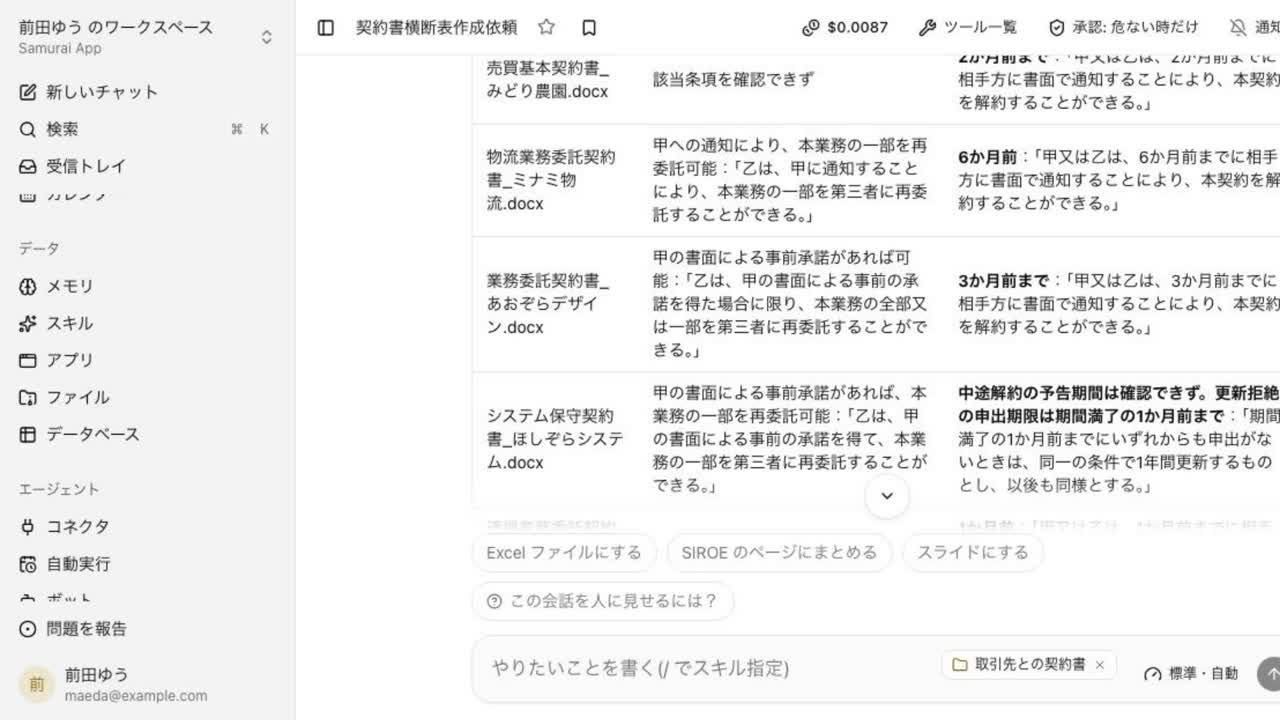 0:58
0:58Compare terms across a folder of contracts in one table
Hand over a folder of contracts, and it puts terms such as subcontracting and notice periods into one table with the supporting clauses. Contracts without the term still get a row.
Try this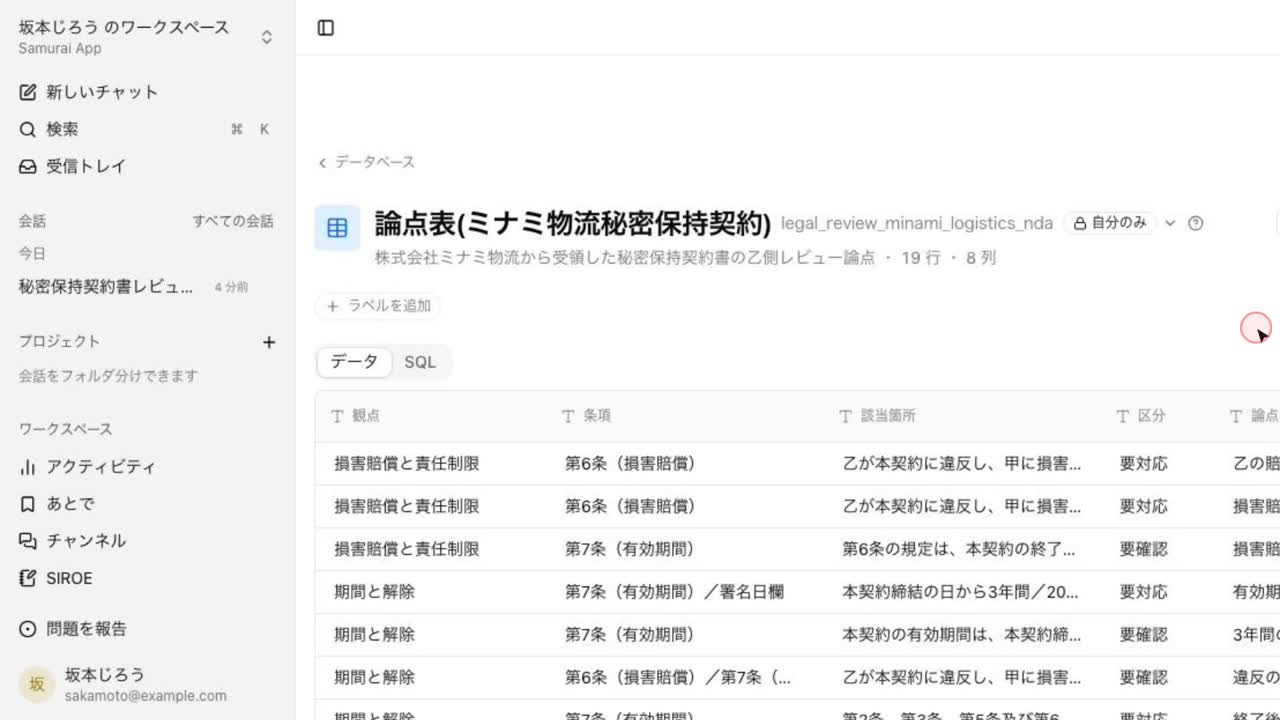 1:09
1:09From a received NDA to an issue list and approval summary
Share a received NDA and your side, and it confirms the premises, reviews it point by point, and drafts an issue table, an approval summary, and a reply to the other party. It does not decide whether to sign.
Try this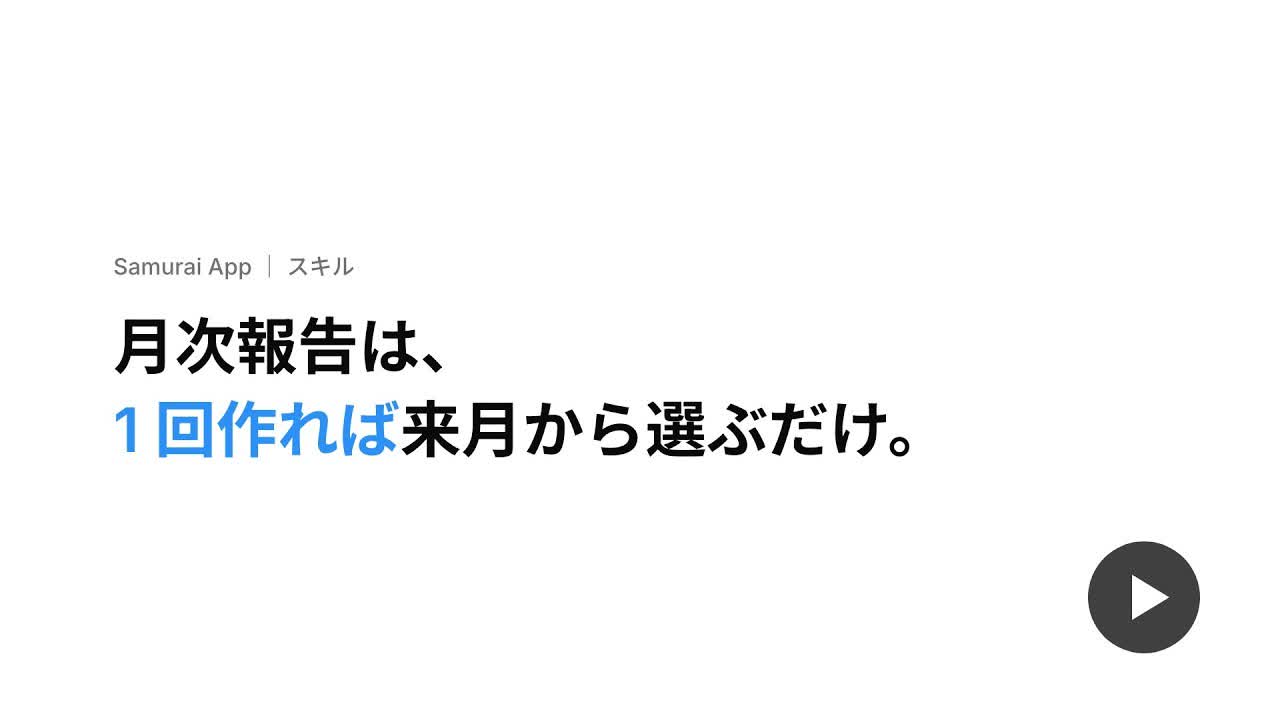 1:37
1:37Make the monthly report once, then just pick it next month
Build the monthly report once in chat and ask to turn the steps into a skill. Next month, pick it from "/" in the input box and get a report in the same format.
Try this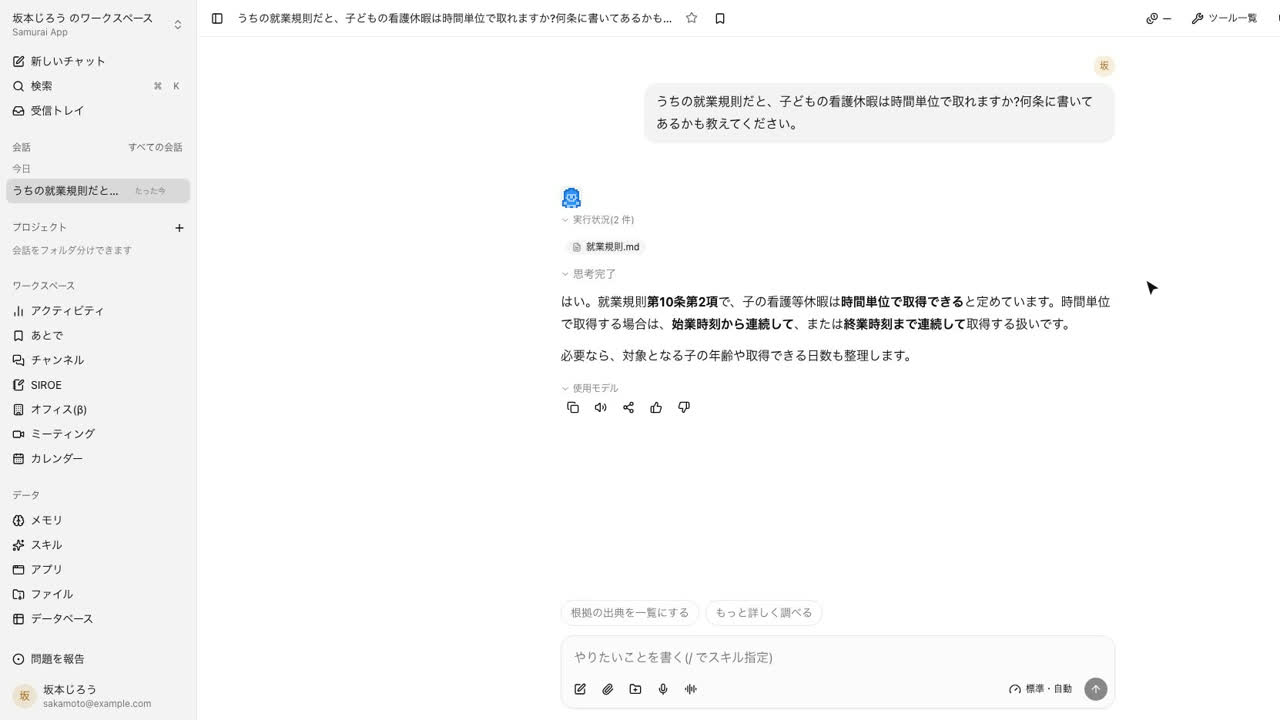 0:58
0:58Answer work-rule questions by citing the clause
Put the work rules in Knowledge, and questions in everyday words get answers that find the relevant rule and cite the article and paragraph.
Try this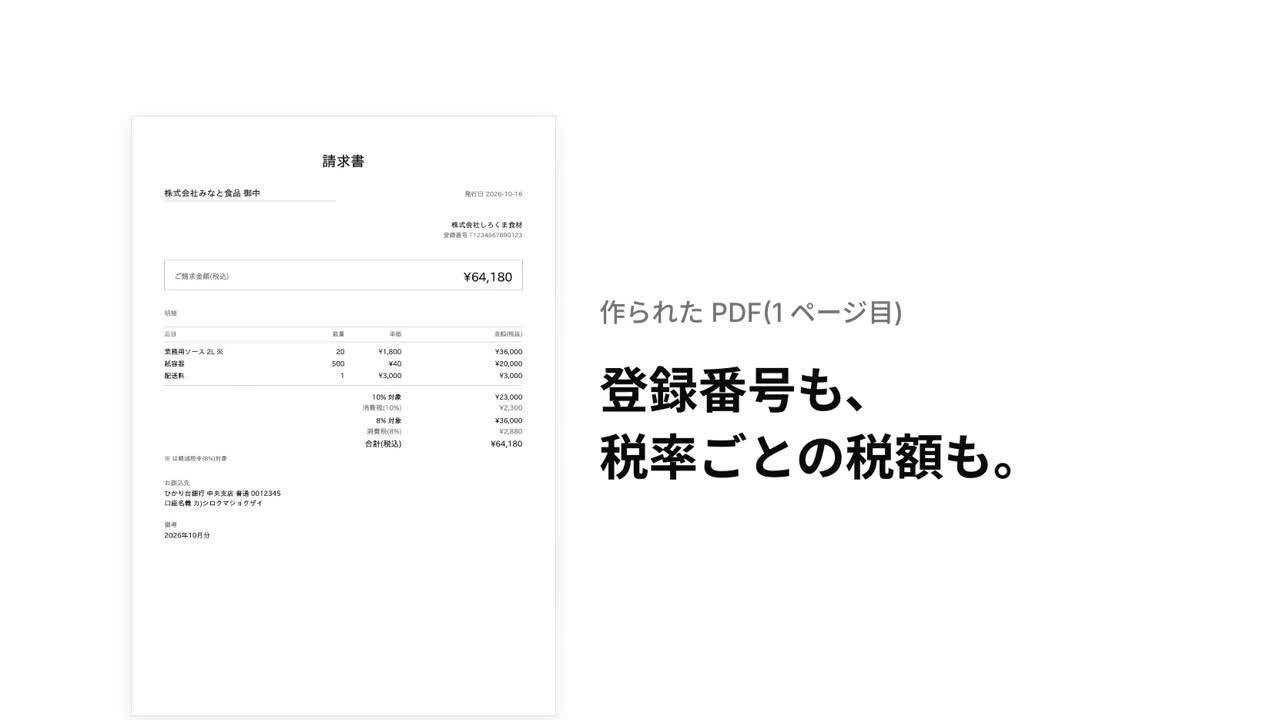 1:02
1:02Create an invoice PDF with all qualified-invoice fields
Describe the billing, and it checks that every qualified-invoice field is present before making the PDF. If the registration number is missing, it tells you what is lacking.
Try this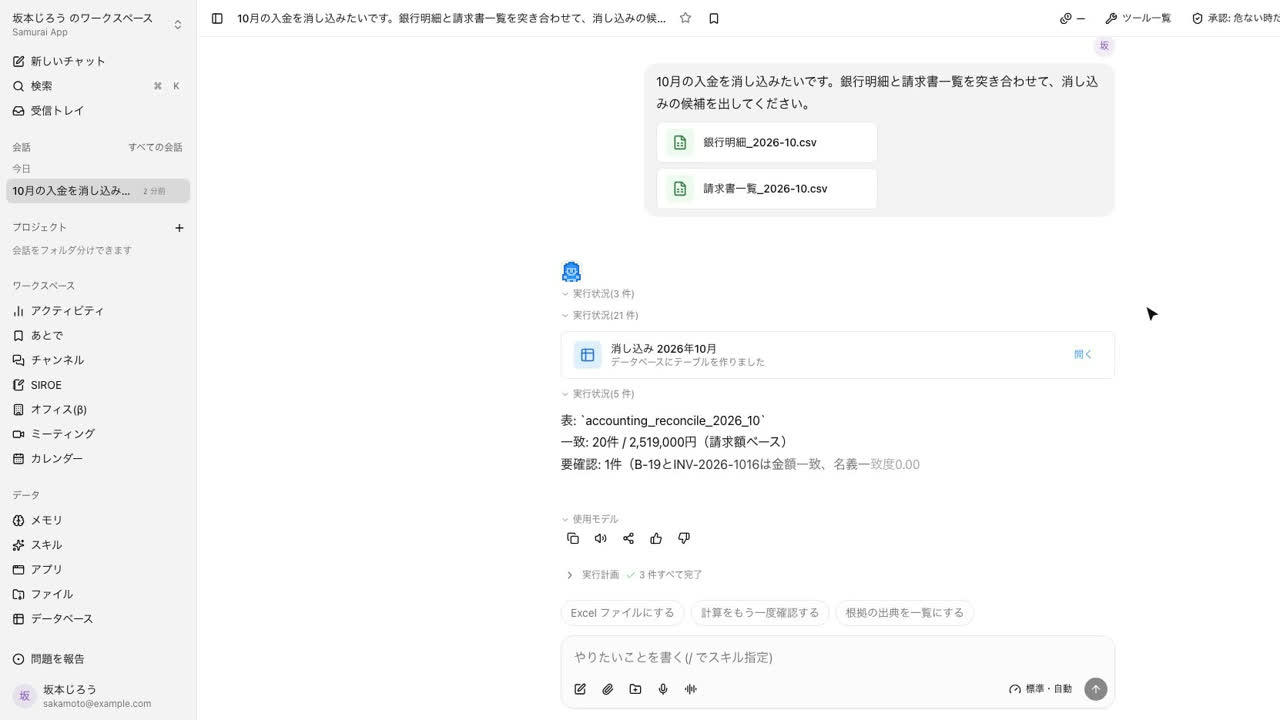 0:58
0:58Match bank deposits to invoices
Hand over the bank statement and invoice list as CSV, and it sorts them into matched, to check, and unmatched in a database table. Deposits net of transfer fees still count as matched.
Try this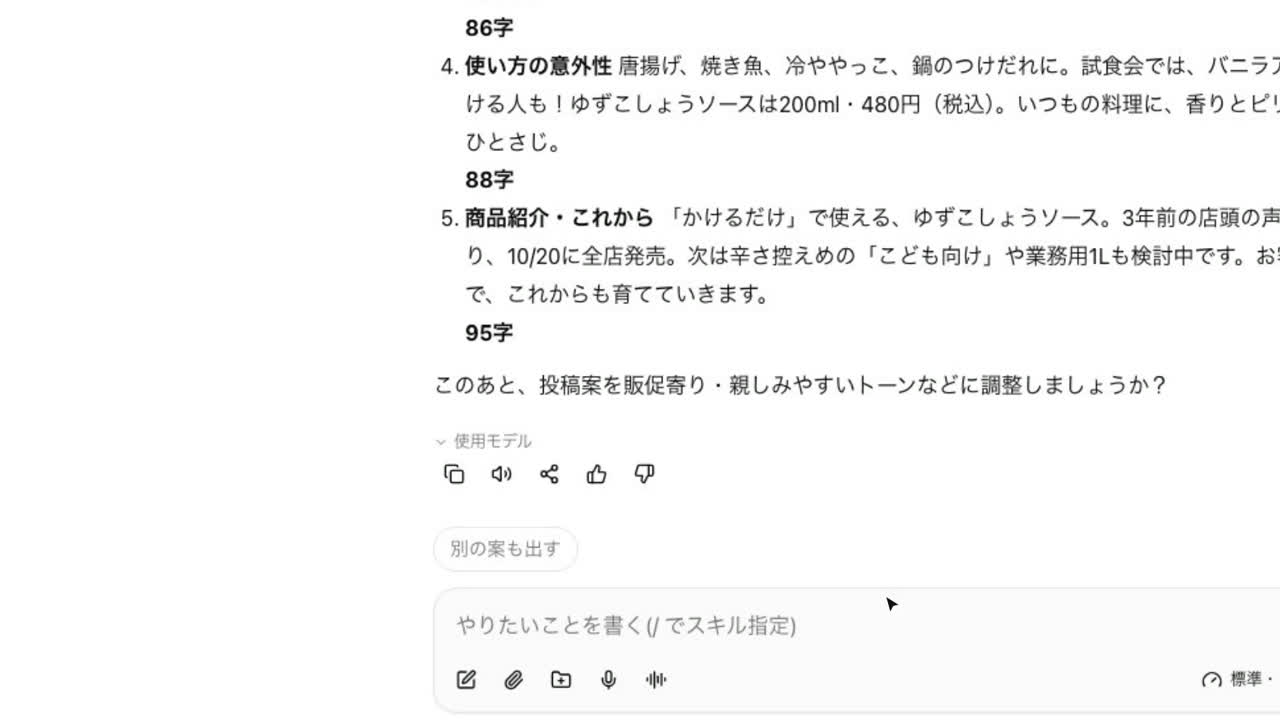 0:56
0:56Turn one article into five social posts
Hand over an article and ask for five angles under 140 characters, and drafts arrive with character counts. Ask to shorten the third, and only that one changes.
Try this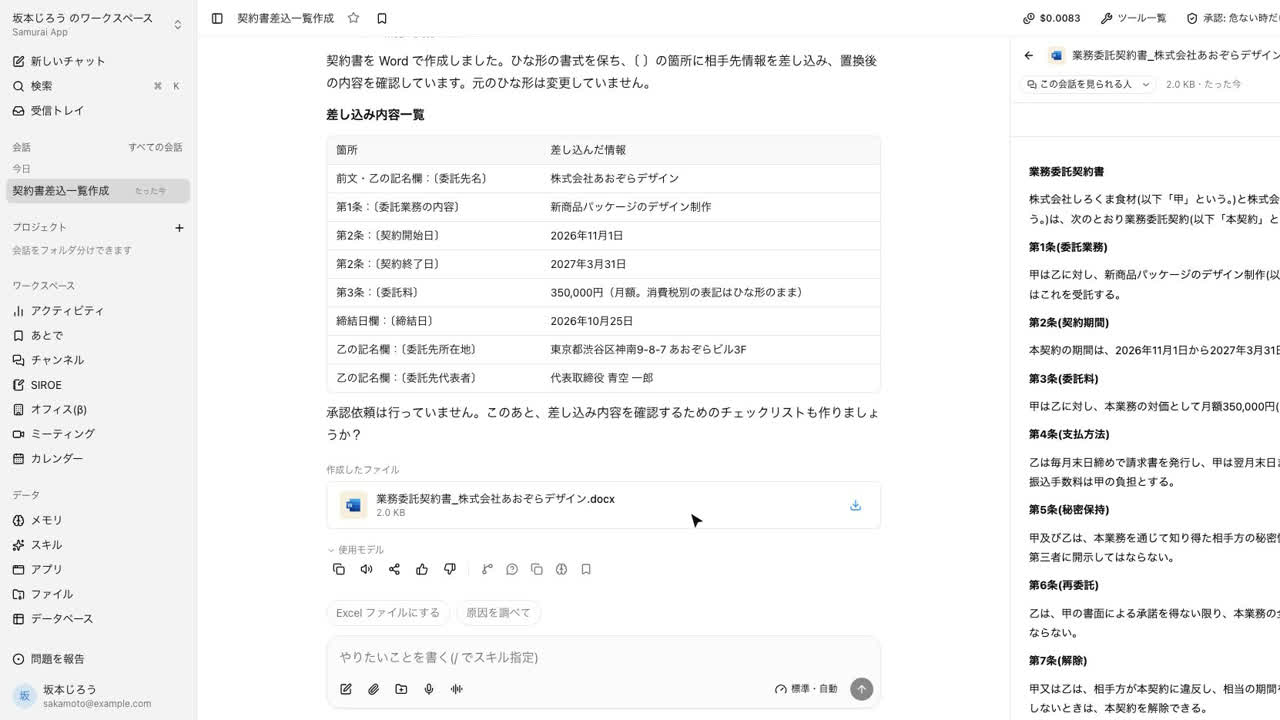 0:48
0:48Fill a contract template with the counterparty's details
Hand over a Word contract template and the counterparty's details, and it returns the filled contract in Word, with a list of what went where so you can check it first.
Try this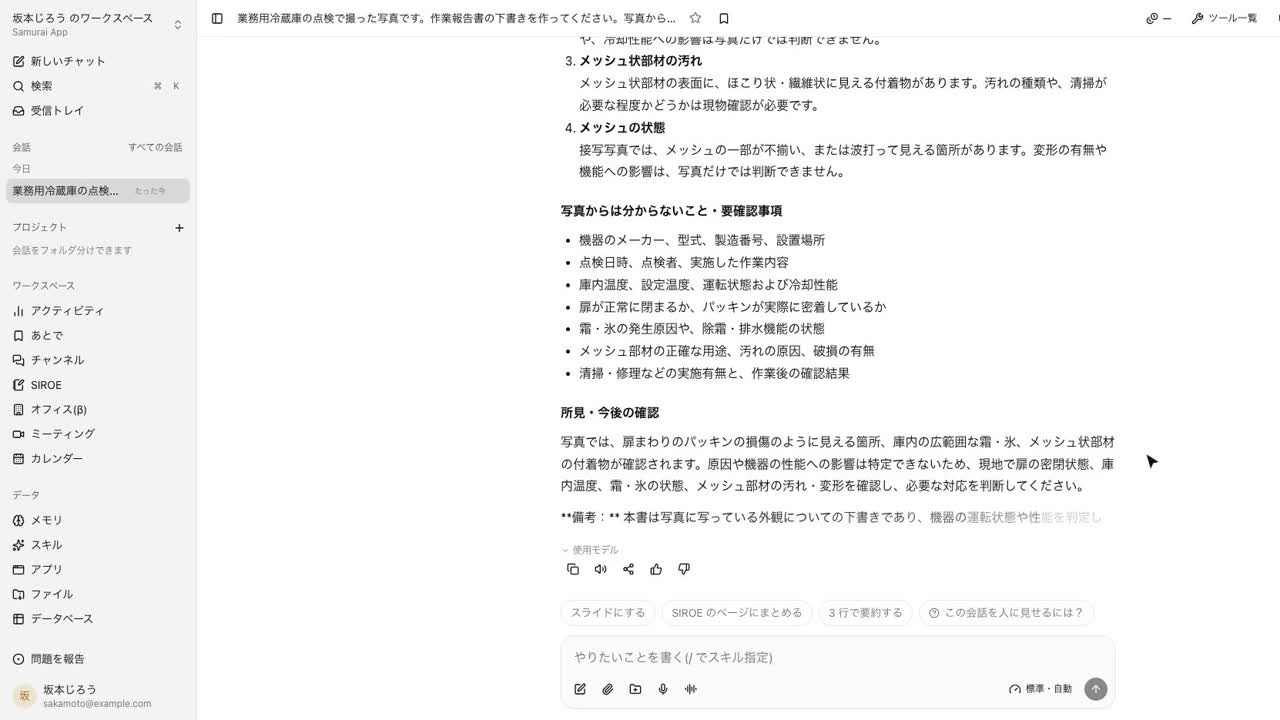 0:44
0:44Draft a work report from on-site photos
Attach inspection photos, and it drafts a work report that separates what the photos show from what still needs checking.
Try this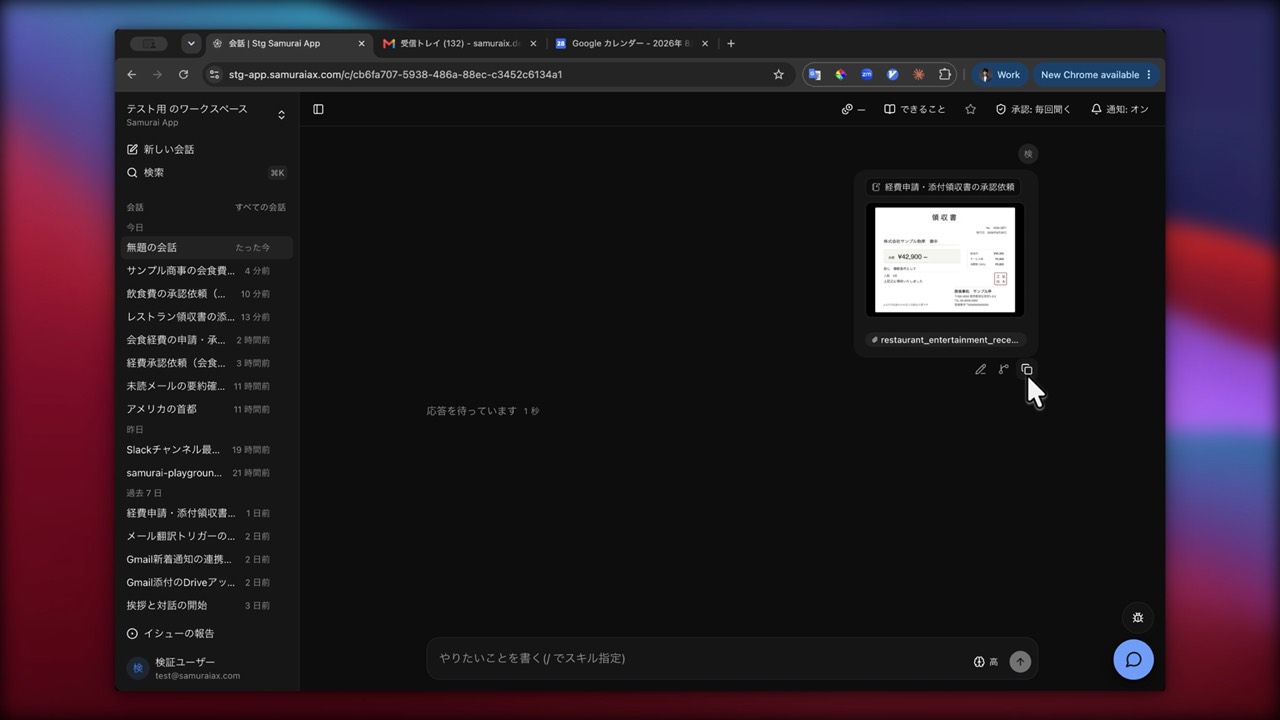 1:22
1:22From a single receipt to an expense claim and approval request
Reads the details from a photo of a receipt and uses the date to look for likely business dinners on that day in the calendar. Your internal expense policy has been imported, so the approver is chosen exactly as the policy says. Who approved what is kept in the audit log.
Try this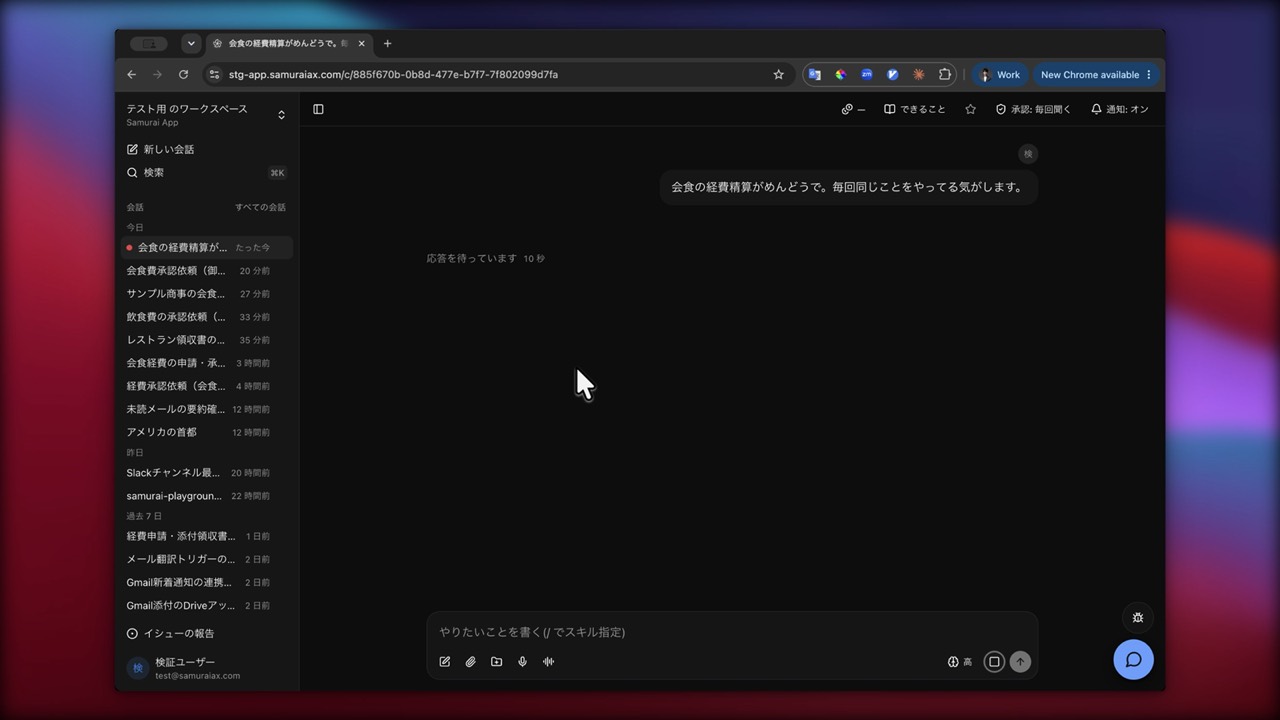 1:28
1:28No detailed instructions needed. The AI asks about what's missing
You can start with "Expensing business dinners is such a hassle." What to process, and how, is settled as the AI asks follow-up questions about anything missing. There's no need to write out the steps in advance.
Try this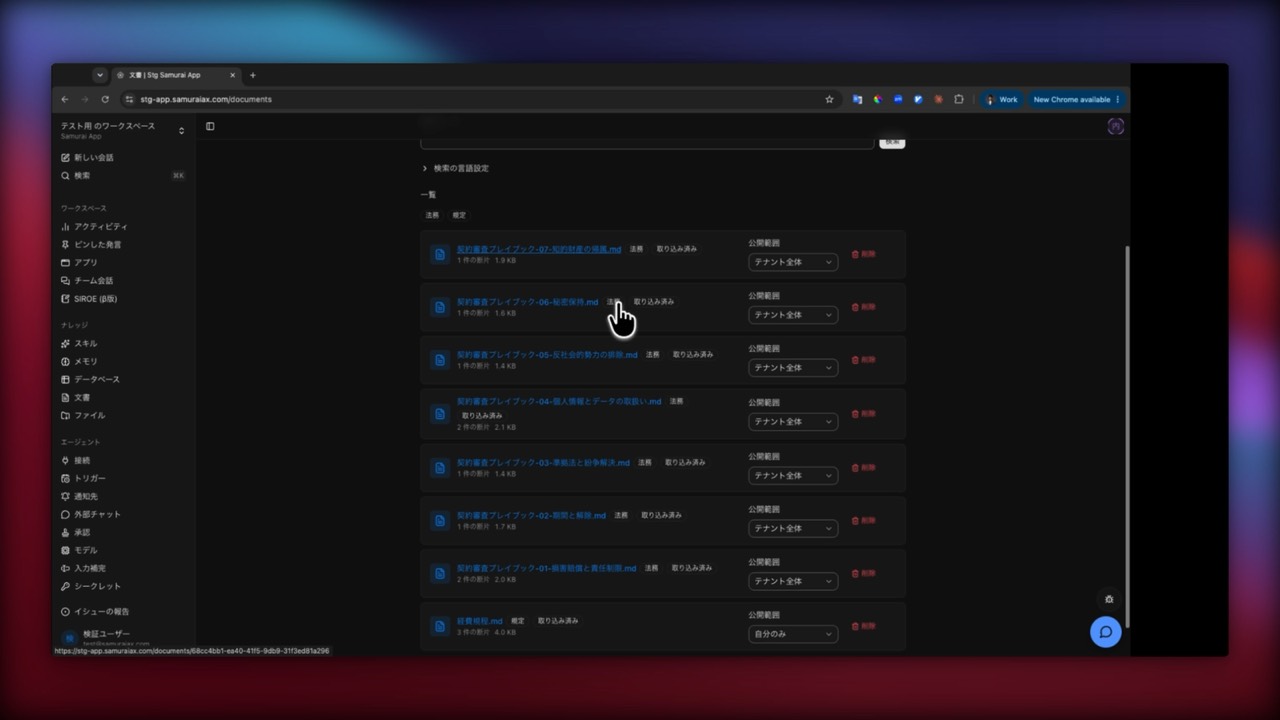 1:37
1:37Review contracts against your own review standards
Import your own review standards (a legal playbook) first, and it identifies the issues according to those standards. Sensitive operations, such as writing to an internal database, pause to ask for approval. The points it identified are kept for next time.
Try this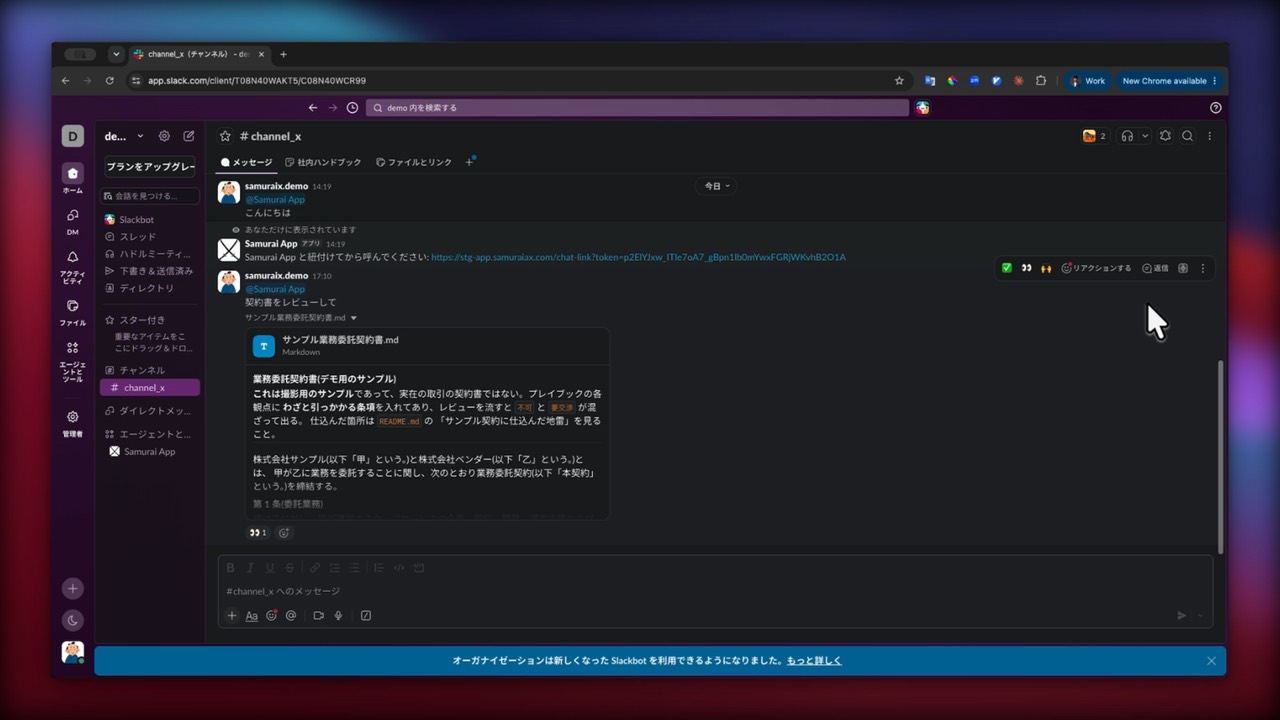 0:52
0:52Hand it over straight from your everyday chat
You can ask for the same work from Slack or whatever chat you use every day. Sales can have an NDA they received reviewed on the spot, before passing it to legal. Reviewing first and then moving on to the approval request fits into the usual flow.
Try this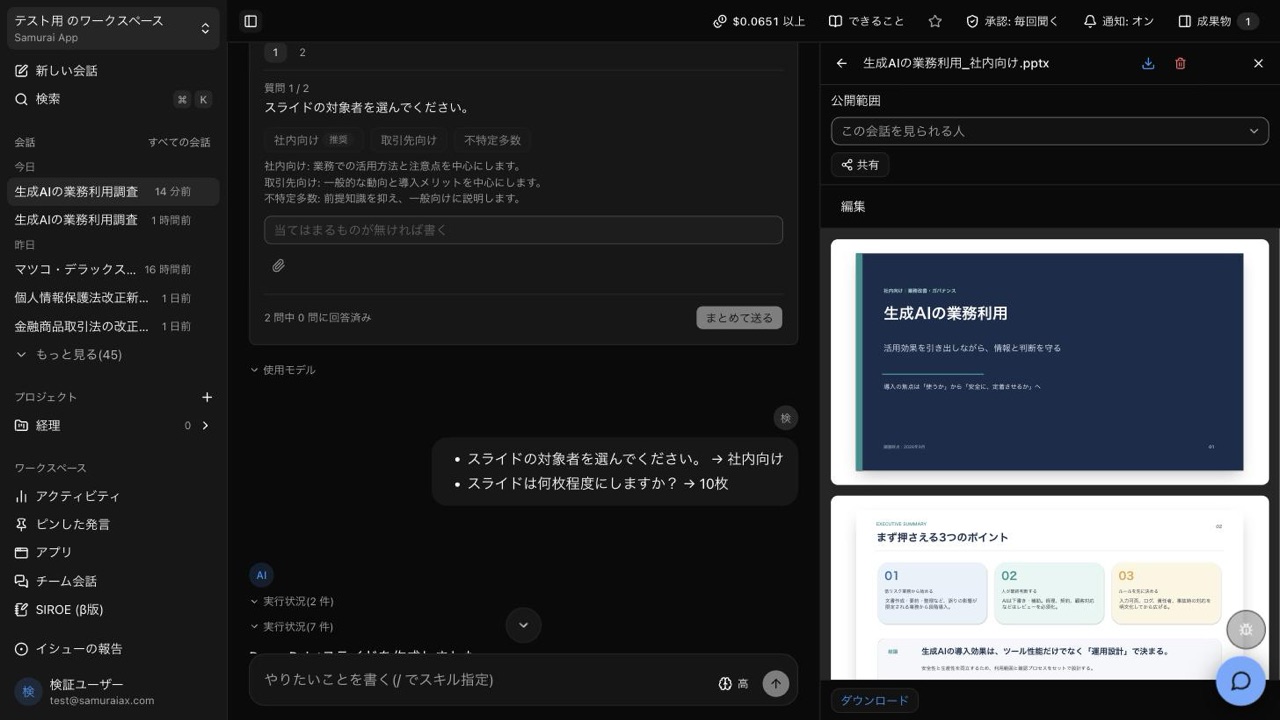 0:40
0:40Research first, then turn the results into slides
Ask it to "look this up," then follow with "make slides from this." That's all. It doesn't redo the research. The figures and sources it gathered go straight into the outline and come out as a PowerPoint file.
Try this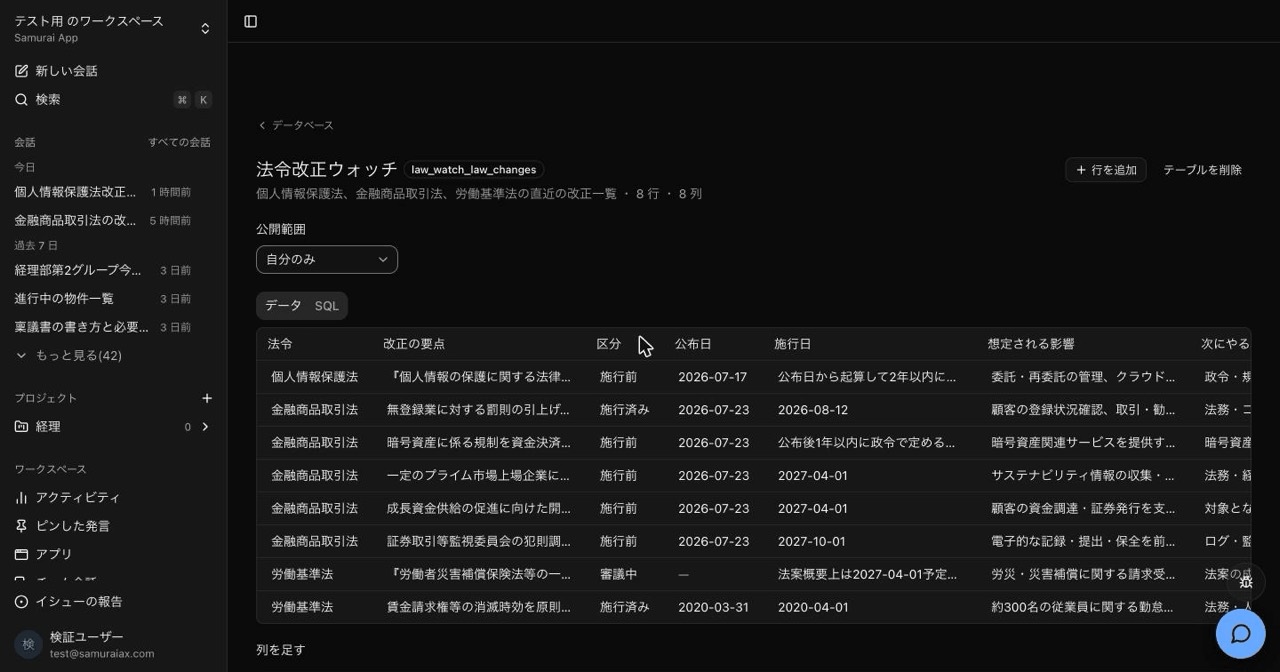 0:29
0:29Check for law changes weekly and produce an old-vs-new comparison
Starts automatically on a set day of the week and checks for amendments in primary sources such as e-Gov. It records them in an internal database along with their source URLs, and writes out a side-by-side comparison of the old and new text in Word.
Try this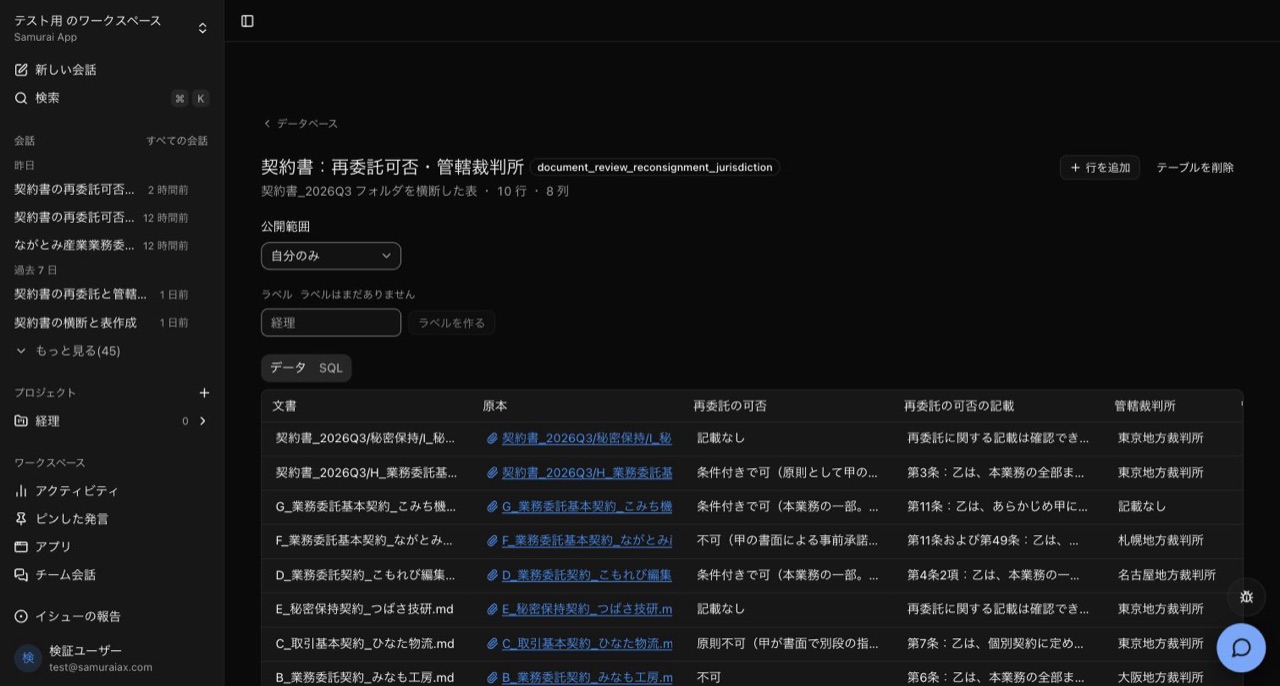 1:07
1:07Turn the contracts in a folder into a single table
Paste a folder into a conversation, and the agent searches only inside it. Documents with no matching passage still get a row, so the table shows how many were checked and how many contained it. Next to each value are the supporting clause and a link to the original, and if you add documents and ask again, only the missing rows are added.
Try this
Everyday work comes together, connects, and becomes the company's strength.