Knowledge sharing
Knowledge sharing without the extra writing
Writing things down just to share them is the first thing to stop when work gets busy. In Samurai App, the record of work done in conversations, files, and pages stays inside the company. When you need it, you can search it within your permissions and what you can view, and answers come with sources.
Open Samurai AppRequest materials
- Where things are
Why internal information sharing doesn't stick#
Even after a tool is rolled out, the people who write and the people who search are both still stuck.
No time to write
Entering information to share it is separate from the actual job. The busiest people write the least, and what is there goes stale.
No one knows where things are
Documents are scattered across chat, shared folders, and personal PCs. In the end, asking someone who might know is fastest.
Hard to decide who may see what
Some documents can't be opened to everyone. When no one can settle the scope, sharing stops altogether.
It stays where the work was done#
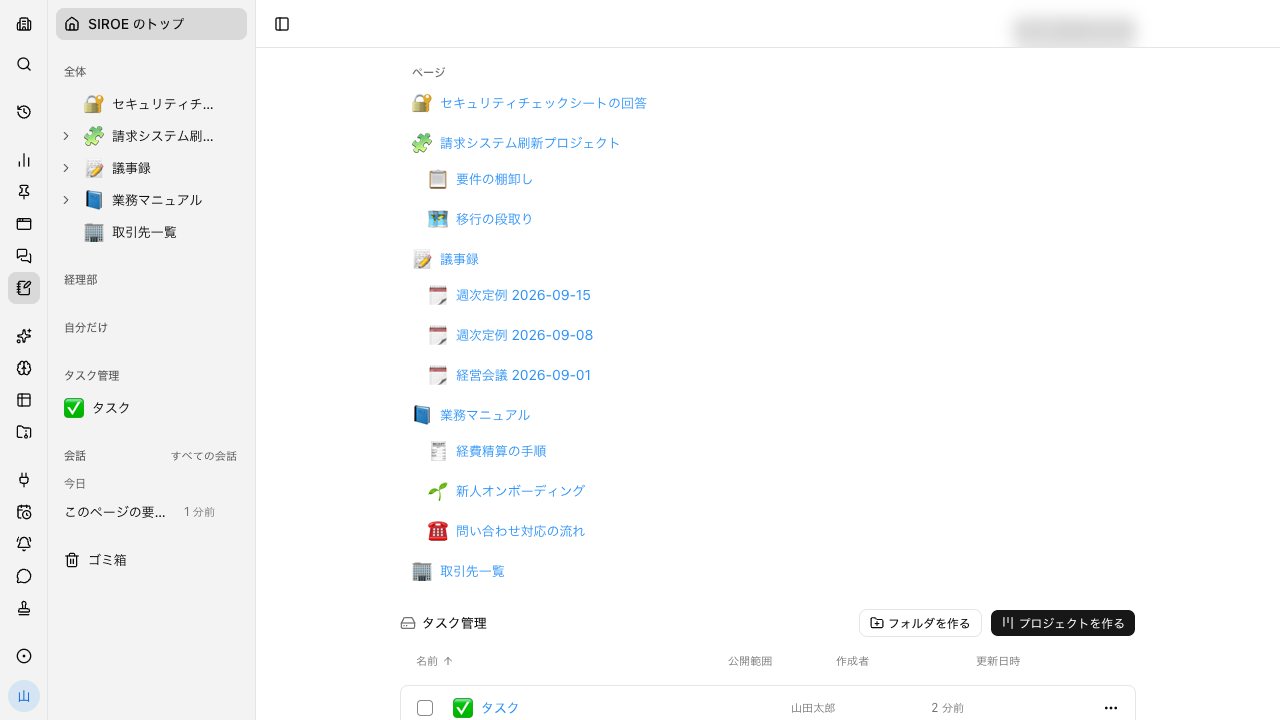
A conversation is already a record of the work. Outputs made in conversations appear in the file list, and meeting minutes are saved to files too. No separate data entry is needed to build it up.
- Minutes are saved with decisions and action items separated
- Files dropped onto a page can be previewed and read in place
- Tables and documents made in conversations can be reopened from the file list
Scattered documents, searched in one place#
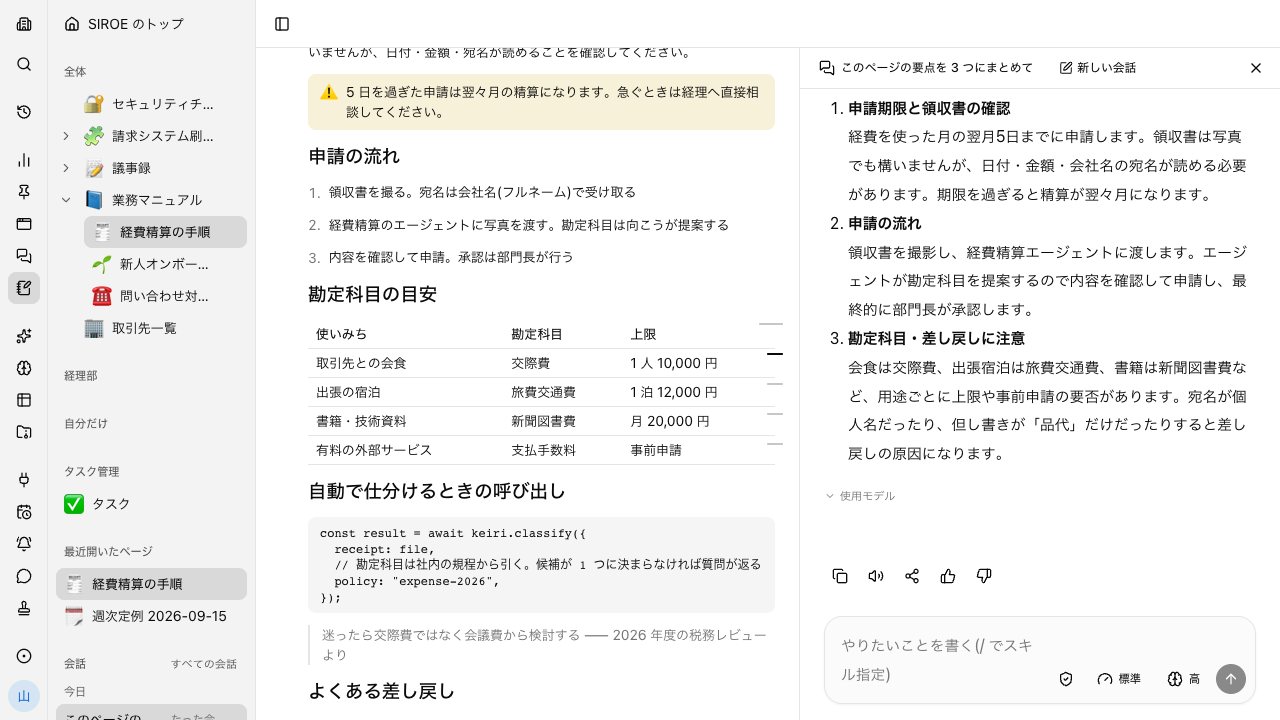
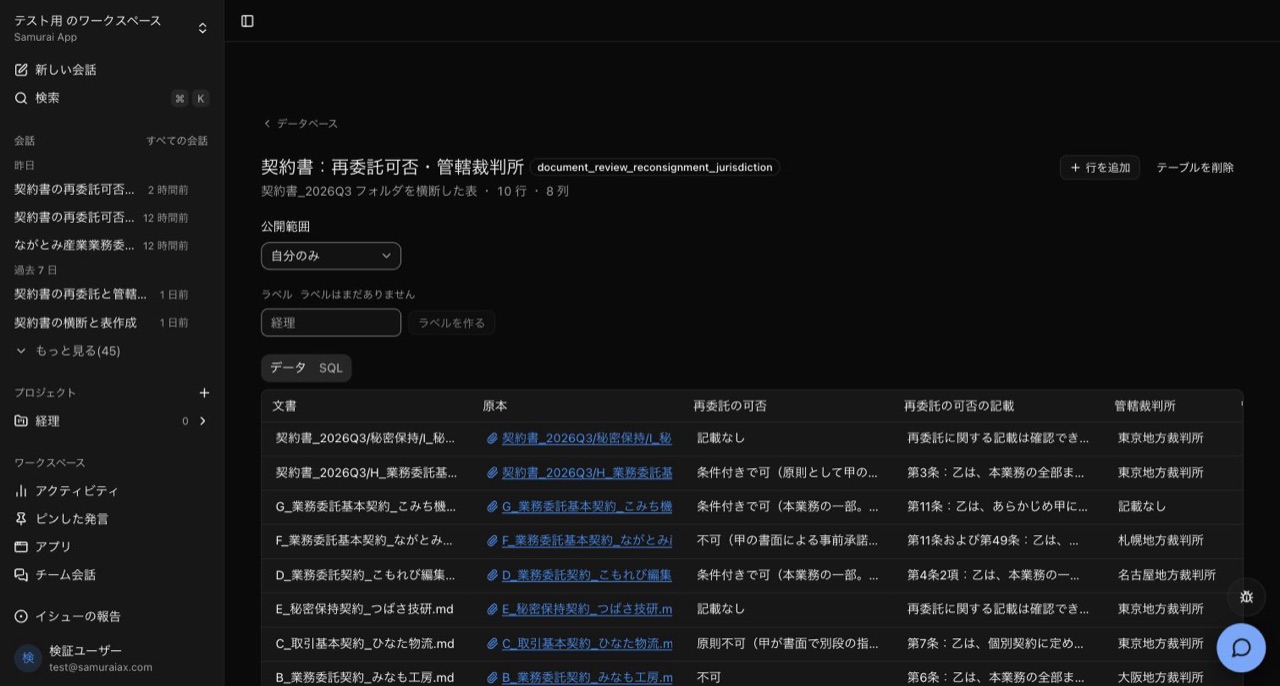
Files have a single search box that covers both file names and the text of knowledge. When there are few hits, it also searches with wording the AI rephrased. Ask the agent, and it can go across the documents in a folder and put them into one table.
- SIROE pages support full-text search, with results shown alongside excerpts
- Each value in the table sits next to the passage it came from and a link to the original
Decide who sees each document#
Each page's visibility can be set to one of three levels: only me, group, or the whole tenant. The agent can read only what the person asking has permission and access to view.
- Turn a page's AI access off, and the in-app AI won't read that page or the pages under it
- In a channel, a reply based on a document only one person can see stays hidden from others until that person allows it
Frequently asked questions#
Why does knowledge sharing tool adoption fail?
A common reason is that entering information to share it is added on top of the real work. In Samurai App, conversations, files, and minutes remain as a result of doing the work. Rewriting things for sharing is not assumed.
Can Word and PDF documents be shared as they are?
Yes. Files can be dropped onto a SIROE page, up to 500 MiB each. PDF, Word, Excel, PowerPoint, CSV, and more can be previewed and read in place.
Can the AI search internal documents for me?
Yes. The agent searches and reads past conversations, knowledge, files, and SIROE pages, then puts the answer together. It reaches only what the person asking has permission and access to view.
Can visibility be split by department?
Yes. SIROE pages and files can be set to only me, group, or the whole tenant. Knowledge can also be limited to specific groups.
Everyday work comes together, connects, and becomes the company's strength.