Files
File sharing, preview, and company file search in one screen
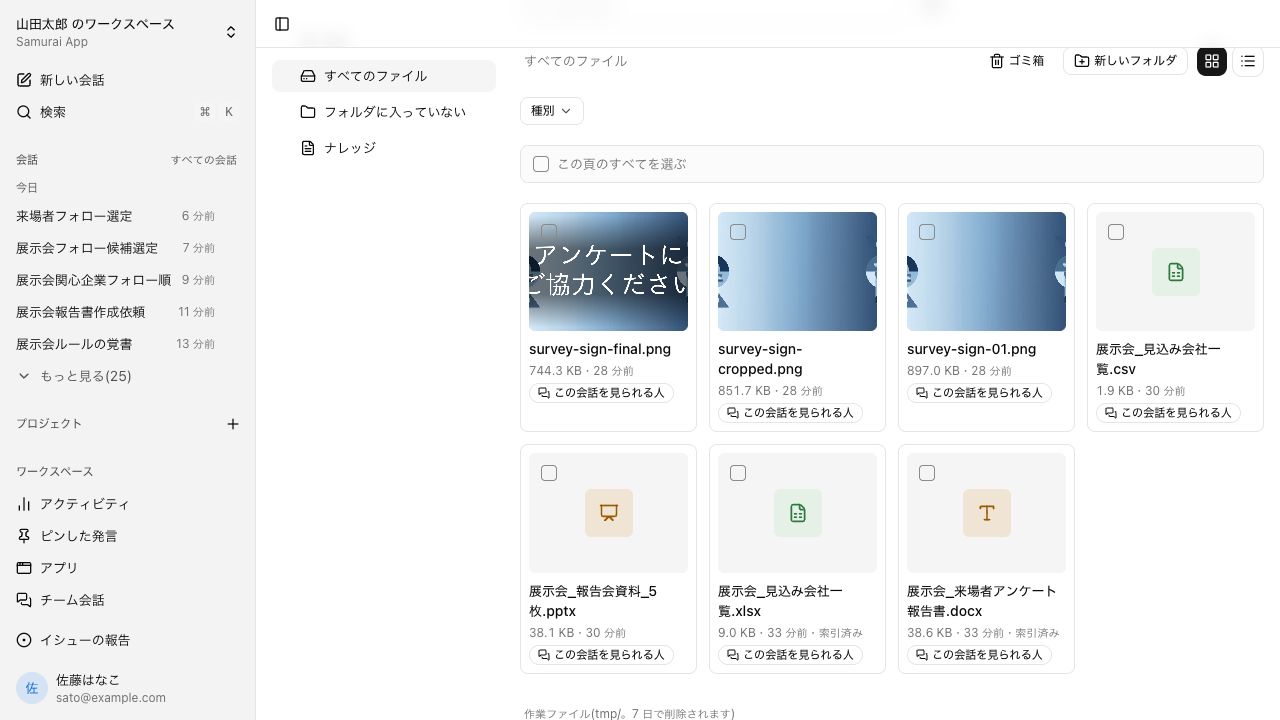
The screen is called Files. What you upload and what the agent creates in conversations sit in the same list. Opening a file needs no download.
Open Samurai AppTry without signing upRequest materials
- Where things are
The file exists, but opening it takes effort#
Finding and opening a company file often means hopping between screens.
Downloading just to look
Files in shared folders get downloaded and opened in a dedicated app every time. On a PC without that app, you cannot check the contents.
Where did I save it?
Without the file name, it does not turn up. You want to search for words in the body, but each storage location has its own search box.
Who has this file?
Each email attachment makes it harder to track which version went to whom. Whether a file is fine to show outside the company is decided one file at a time.
Open PDFs, spreadsheets, and slides without downloading#
PDF, slides, Word, Excel, CSV, images, and text display right in the browser. Excel files open in an Excel-like spreadsheet view, so they are readable on a PC without Excel.
- View all opens a folder as one binder and shows up to four files side by side
- Enlarge fills the window for easier reading
- Download all bundles several files into a zip, up to 300 files and 200 MB
Search by file name or by words in the body, from one box#
One search box returns files that match by name and knowledge that matches by content, in separate sections. When there are few hits, AI also searches with rephrased terms. Results stay within each person's permissions and what they are allowed to view.
- Filter by type, source, or label, and switch between card and list view
- Suggest organization has AI propose where unsorted files should go. Nothing moves until you apply it
Choose who sees each file, at four levels#
Pick a sharing level from Only me, Group, Entire tenant, or Public. Public creates a URL that needs no sign-in, so you can send it to people outside the company.
- Folders are shared across the workspace, and several files can be moved or deleted at once
- Deleted files can be restored from the trash for 30 days. Working files in tmp are deleted after 7 days
Frequently asked questions#
Which file formats can I preview?
PDF, slides (such as .pptx), Word, Excel, CSV, images, and text. HTML, SVG, and diagrams made in conversations render in the artifact panel.
Can I open spreadsheets on a PC without Excel?
Yes. .xlsx, .xlsm, .csv, and .tsv open in an Excel-like spreadsheet view, including images in cells. Charts and shapes are not displayed but stay in the file.
Can I edit files on screen?
You can edit artifacts from your own conversations and files you uploaded yourself, including Word, Markdown, text, Excel, and images. For PDFs you can fill in forms, place signatures, and redact. Legacy .doc and .xls files cannot be opened on screen, so ask in chat and they are converted to .docx or .xlsx.
Can I share a file with people outside the company?
Set the sharing level to Public to create a URL that needs no sign-in. To share only inside the company, choose Only me, Group, or Entire tenant.
Everyday work comes together, connects, and becomes the company's strength.