Internal chatbot
An internal chatbot without building a Q&A set
A chatbot for internal questions usually means writing expected Q&A pairs and keeping them up to date. Samurai App's bots read the documents you've imported and answer with sources. The answers come from the documents themselves, not a Q&A list.
Open Samurai AppRequest materials
- Where things are
What makes internal help desks hard#
Even with a bot in place, the work of preparing answers may not shrink.
Building expected Q&A
Answers are written in advance and revised every time a policy changes. An answer someone forgot to update keeps being given out.
Answering the same question again and again
General affairs and IT get similar questions every day. The people who answer spend their time on inquiries.
No idea what the answer is based on
When it's unclear which document an answer comes from, people end up checking with the owner anyway.
Answers come from the documents you've imported#
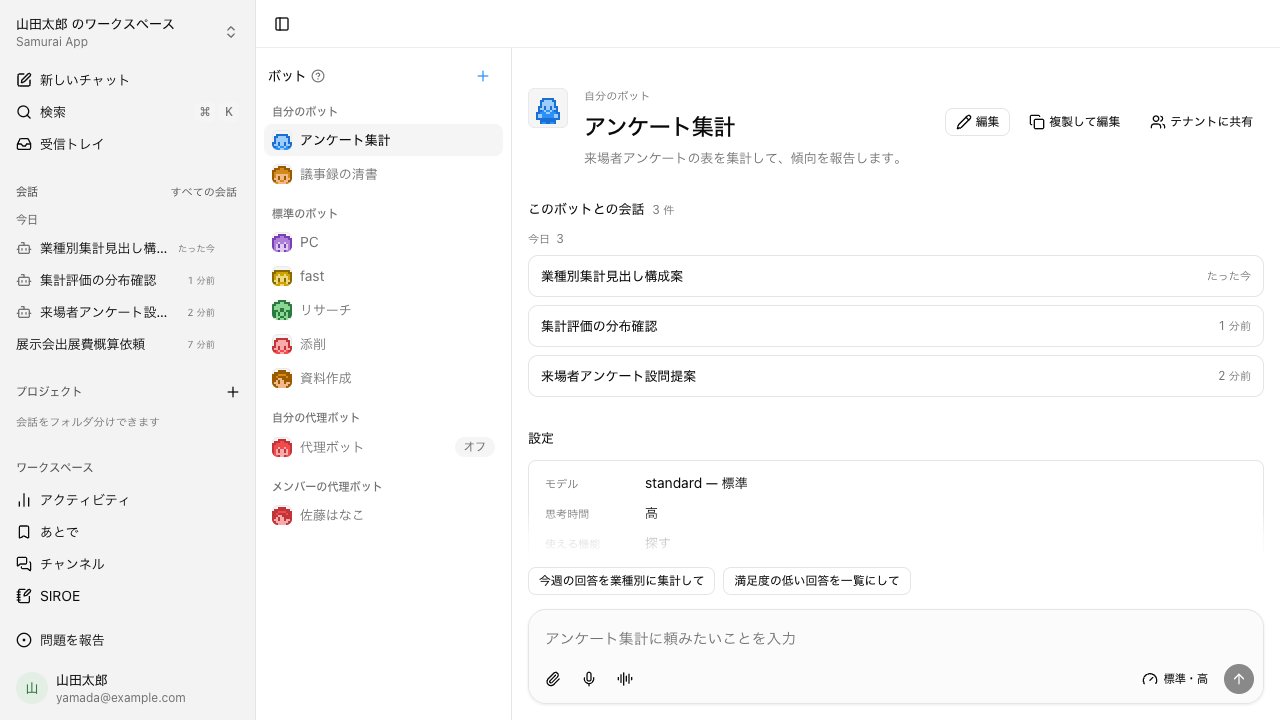
A bot bundles instructions, skills, the features it may use, and knowledge labels. When asked, it reads the knowledge it's tied to, answers, and cites the source. There's no need to write the expected Q&A one by one.
- The standard Research bot looks into the web and internal documents and sums them up
- Create a bot with the + button, or ask in a conversation to make one
- Set example requests to show people how to use it
Call it from the chat you already use#
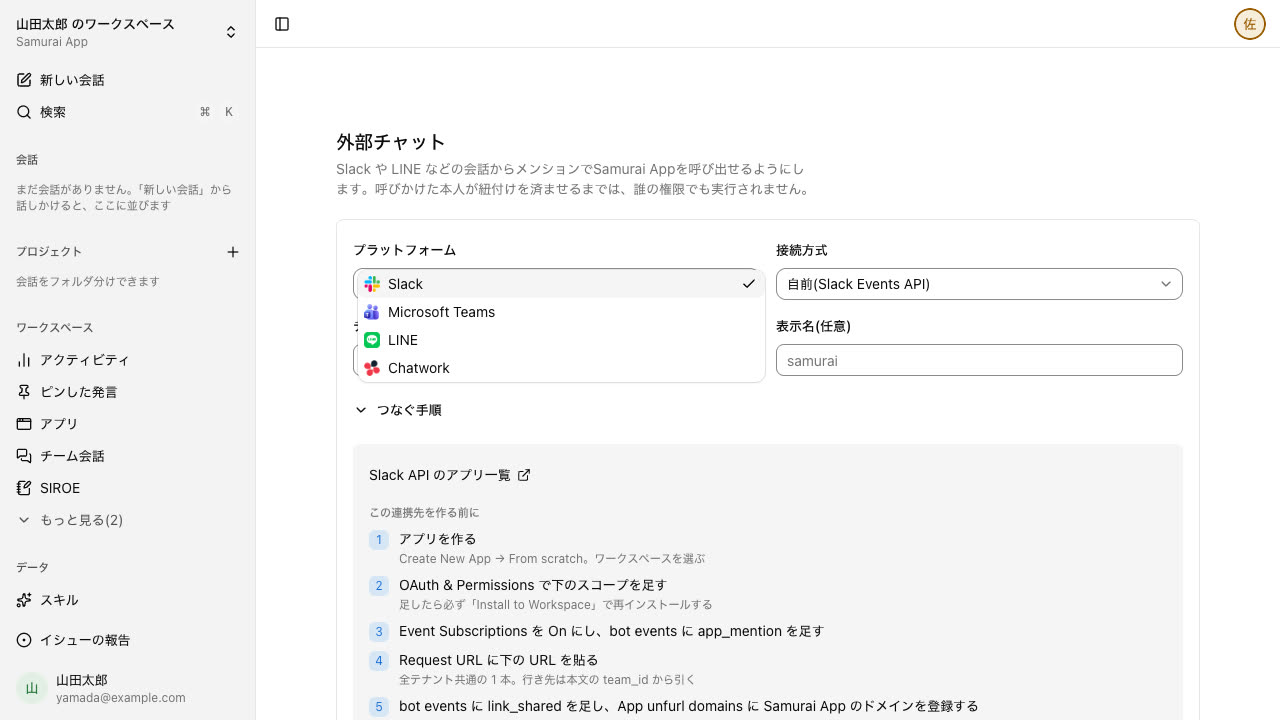
Register a Slack, Microsoft Teams, LINE, or Chatwork channel and you can call the agent from there. By default it replies only when called. Inside the app, write @ and the bot's name in a conversation to hand the question to that bot.
- The first time requires linking your account, and it then works with that person's permissions
- Turn on a clone bot, and members can ask "ask Suzuki's clone bot"; the answer goes back after the owner approves it
It answers only within what the asker may see#
A bot can use only the features, skills, and knowledge set on it. Permissions are those of the person using it; a bot has none of its own.
- Knowledge visibility can be limited by group
- Uncheck Memory, and that bot won't read or write memory
Frequently asked questions#
Do internal chatbot answers need to be written in advance?
No. A bot reads the documents you've imported (knowledge), answers, and cites sources. Preparing expected Q&A one item at a time is not assumed.
Could the AI answer from documents other departments shouldn't see?
Answers use only documents within the asker's permissions and what they can view. Knowledge visibility can be set per group, and bots run with the permissions of the person using them.
Can we use it for internal questions from Slack or Teams?
Register a Slack, Microsoft Teams, LINE, or Chatwork channel and you can call it from there. Once a person links their account the first time, it works with their permissions.
Can it also serve as a customer-facing chatbot?
Apps you publish externally, including chatbots, can be embedded on your website with a single script tag. Bots themselves can't be opened to people outside your company.
Everyday work comes together, connects, and becomes the company's strength.