Channels
A team chat app with AI bots in the room
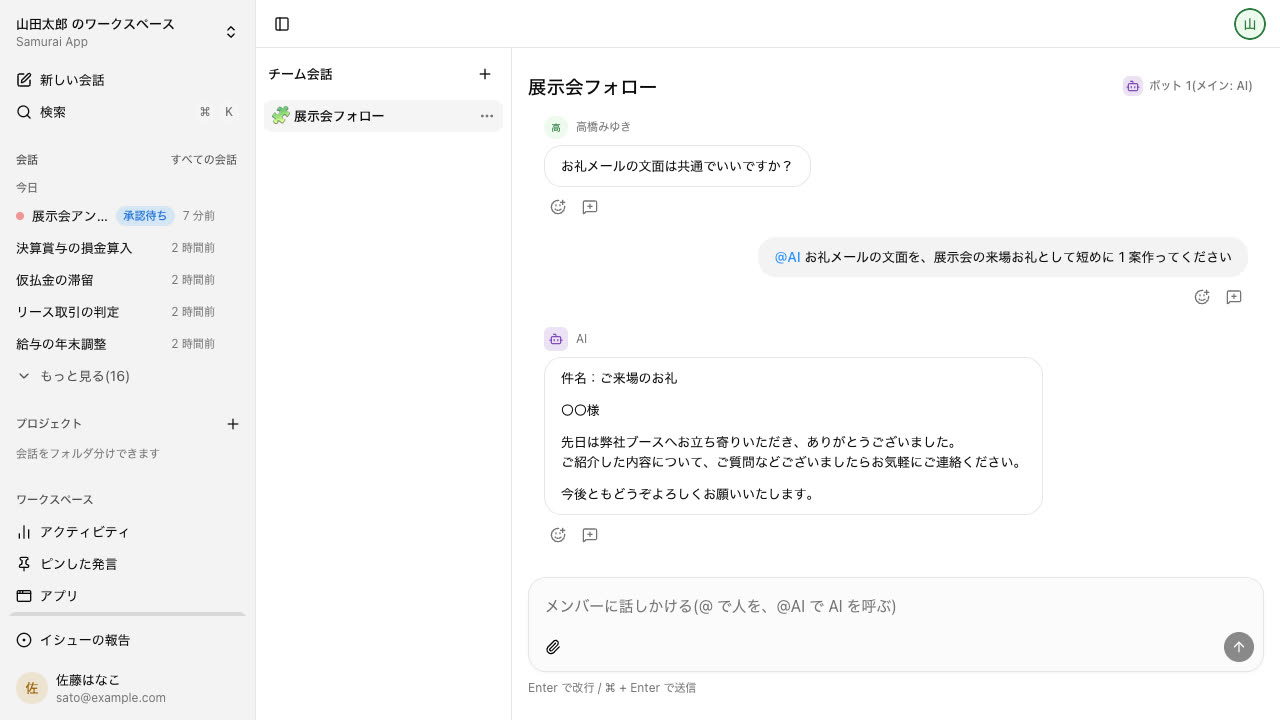
Channels are team chat rooms for each department or project, and you can limit who is in them. A bot you @mention reads your internal documents and knowledge to answer, so the conversation does not stall while someone goes looking.
Open Samurai AppRequest materials
- Who is working on what
- Where things are
Does your team chat run into these problems?#
When the place you talk and the place you look things up are separate, someone has to stop working before anyone gets an answer.
Conversations stall on lookups
Every time someone asks where a document is, another person stops to go find it. Nothing moves until the answer comes back.
Hard to limit who sees what
HR and deal discussions should not show up in everyone's list. Yet each new room means deciding again who belongs in it.
Too many notifications
When every message notifies you, the ones meant for you get buried. Turn notifications off and you miss the calls that matter.
Decide who is in each channel#
When you create a channel, you choose everyone in the tenant or only selected groups and people. A members-only channel does not appear in anyone else's list and cannot be opened even with the URL. When you change the members, who can read past messages changes with them.
- Members-only channels show a lock icon and a members-only label
- Files posted in a channel can be opened only by its current members
- Choose notifications for all messages, mentions only, or none. Notifications from members-only channels never show the message text
@mention a bot and it answers from your internal documents#
You can add as many bots to a channel as you like. A bot you @mention always answers, and its reply can call in a person or another bot. Bots read from the web, knowledge, files, tables, and procedures only; they do not write anything or run apps.
- A reply based on a document only one person can see stays hidden from other members until that person allows it
- Bot-to-bot handoffs are capped at 5 by default, adjustable from 0 to 20
Walk into a channel from the office floor#
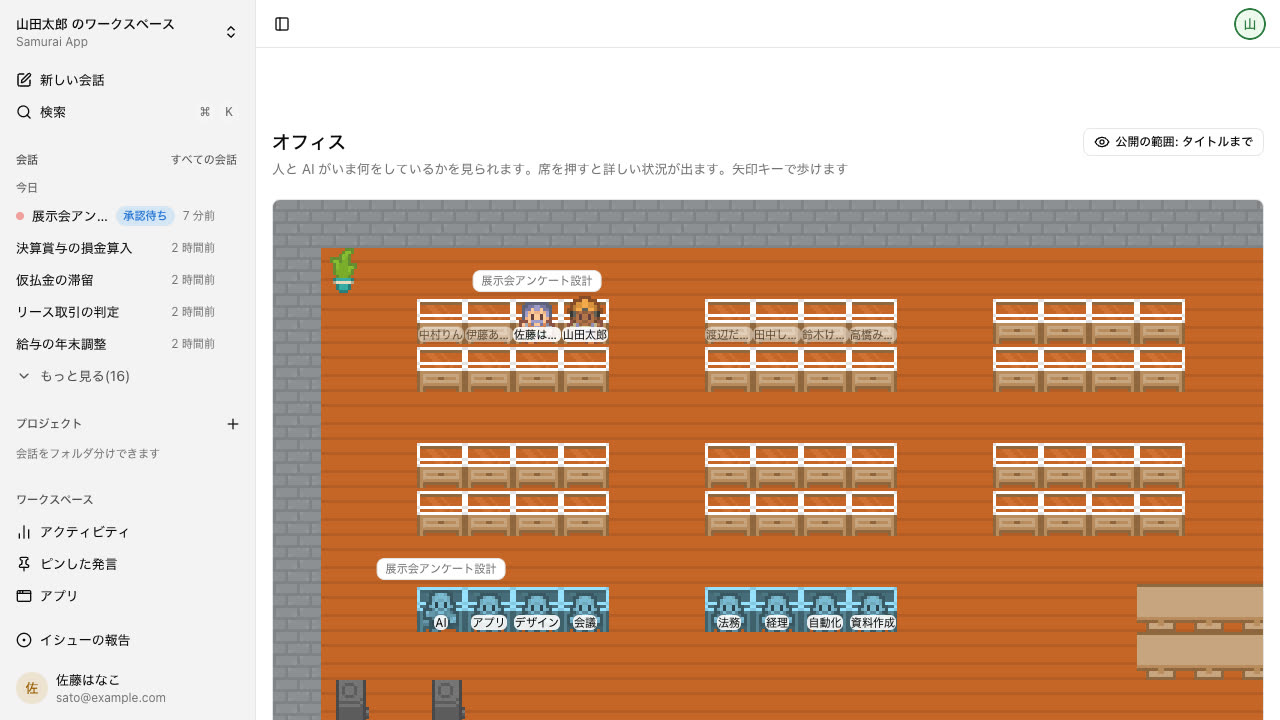
The Office (beta) is a floor where members and bots each have a desk. Talk to the person next to you and a channel for just the two of you opens. A channel linked to a meeting room opens from that room.
- Only channels open to everyone can be linked to a meeting room, and only owners and admins can link them
- Each person chooses how much others see in their visibility setting. Message text is never shown at any level
Frequently asked questions#
Can we use a channel as a people-only chat without bots?
Yes. With no bots added, a channel is a chat among members only. You can add as many bots as you like later.
Can I invite people outside the company to a channel?
No. Channel members are limited to members of your tenant. To work with people outside, use a meeting join link or a share link for a conversation or document.
Can a bot in a channel do work for us?
Up to researching, summarizing, and answering by following a procedure. Bots in channels only read; they do not write or run apps. Work that needs writing or approval continues in your own conversation.
Are there threads and emoji reactions?
Yes. Start a thread from any message, one thread per message. Emoji can be searched in Japanese, and the AI sometimes adds a reaction instead of replying.
Everyday work comes together, connects, and becomes the company's strength.