Webinars
Webinar software in the same app as your meetings
A webinar is one type of meeting. Choose Webinar under New meeting and setup begins. From taking questions to the post-event survey and publishing the recording, everything happens on the same screen.
Open Samurai AppRequest materials
- How the work was done
Do your webinars run into these problems?#
The work before and after the broadcast often takes more time than the broadcast itself.
Viewers drop off before they get in
Ask viewers to create an account or install an app, and some will not make it in on the day.
Too many questions to handle
When questions keep coming, just deciding which to answer first eats the time. You end up reading similar questions again and again.
Follow-up happens in other tools
Publishing the recording and tallying the survey mean starting over in services separate from the broadcast.
Hosts start broadcasting from the meeting screen#
Only the creator and admins can broadcast. After pressing Start broadcast, it can take about two minutes to go live, and the viewer count shows while you are on air. Before you start, you can loop videos you have prepared.
- Each broadcast can run up to 4 hours
- Pre-show videos are mp4 or webm, up to 500 MiB each and 10 per webinar, played in order on a loop
- Broadcast and viewing minutes are charged to the creator as credits
Viewers open a link and enter a name#
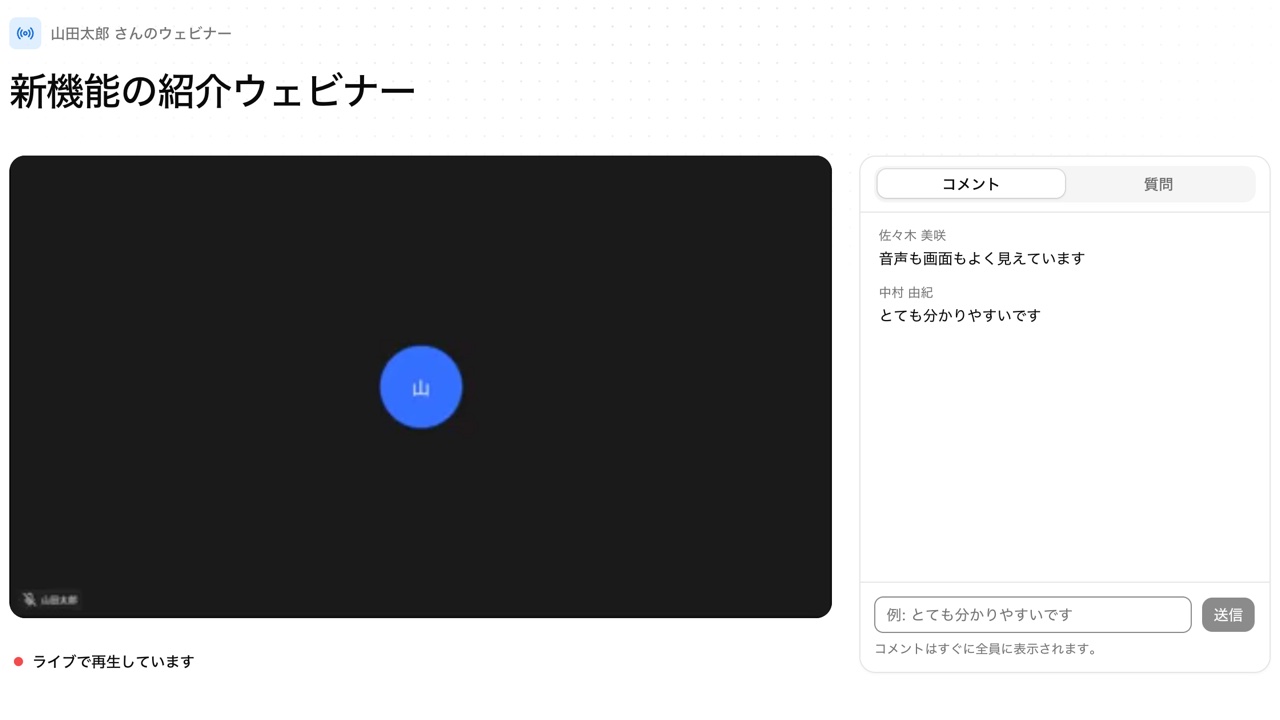
Viewers open the viewing link, enter a name, and watch. No sign-in is required. They can rewind during the live broadcast and jump back with Back to live.
- Up to 3,000 people can watch at once. The link's QR code can be saved as a PNG
- Viewers can send comments and questions. Questions are ranked by likes and, by default, appear only after the host approves them
Publish the recording and run the survey in the same place#
After the webinar, publish the recording as an archive. You can also replay it to everyone at the same point as a simulated live broadcast, still taking questions and comments. Surveys support free text, multiple choice, and 5-point ratings, up to 20 questions.
- Export survey responses as CSV that opens in Excel without garbled characters
- Archives, simulated live broadcasts, and pre-show videos use no credits
Frequently asked questions#
Do viewers need an account?
No. They open the viewing link and enter a name. Names are up to 40 characters and are not stored.
How many people can watch at once?
Up to 3,000. Beyond that, viewers see a message that the webinar is full. Each broadcast can run up to 4 hours.
Can AI summarize the questions we receive?
Yes. It groups questions into topics and shows the overall trend and up to 5 questions not yet answered. Posters' names are not sent to the AI, and viewers cannot see the summary.
Is there a registration form?
No. Viewers just enter a name to watch, and no email addresses are collected. If you need contact details, ask for them in the post-event survey.
Everyday work comes together, connects, and becomes the company's strength.