An AI agent that grows the more you use it
At first, work moves forward just by asking. As conversations add up, it learns how your company works, and procedures that went well run as scripts from the second time on. It grows only within your company's tenant and never mixes with other companies' data.
Five stages of an agent's growth#
Just by asking it to do everyday work, it grows in this order.
01From day one
Ask without any setup#
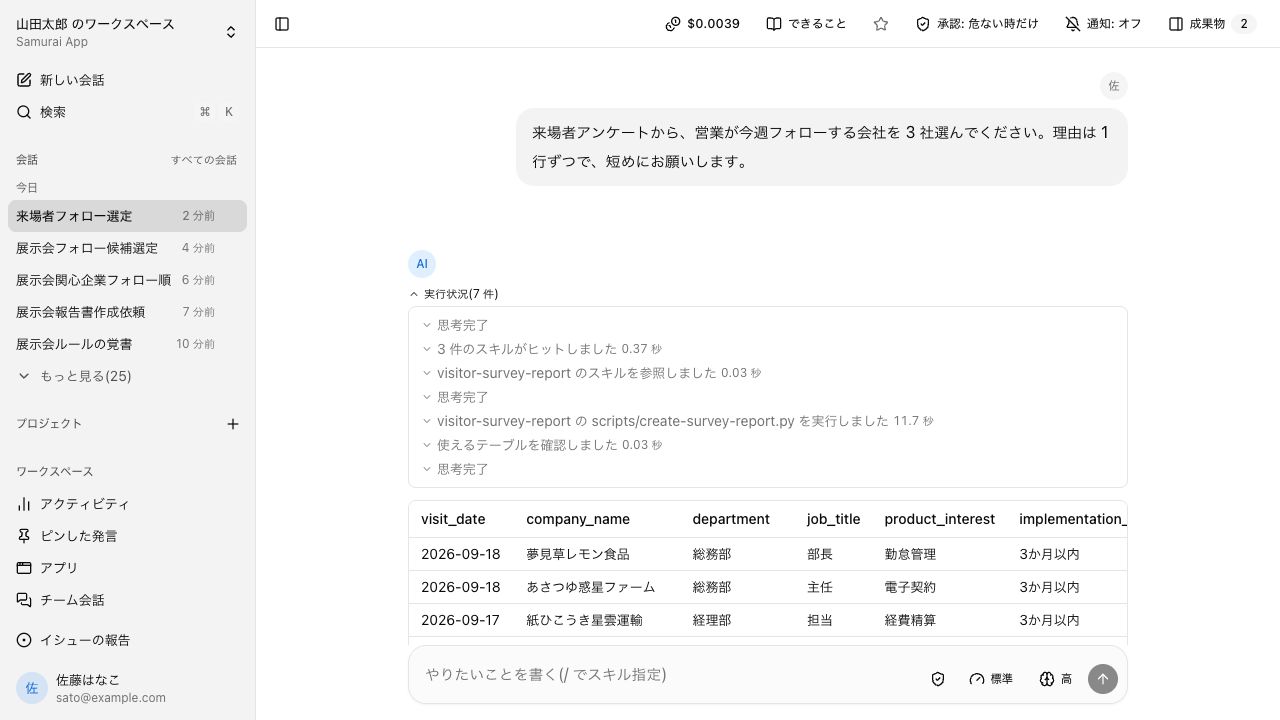
You talk to one main agent. No upfront setup, and no practice writing instructions.
Picks the procedure
Depending on the request, it picks a procedure suited to the business area, such as legal or accounting, and proceeds.
Asks when something is missing
If conditions are missing, the agent asks you, with options to choose from.
Researches and creates
It researches internal knowledge and the web with sources, and creates tallies, documents, and even images on the spot.
- Subagent
- Clarifying questions
- Knowledge search
- Web search and page reading
- Code execution
- Image generation
02Learns
Learns your company's ways from conversations#
Conversations from day one become the material as is. No data entry is needed for it.
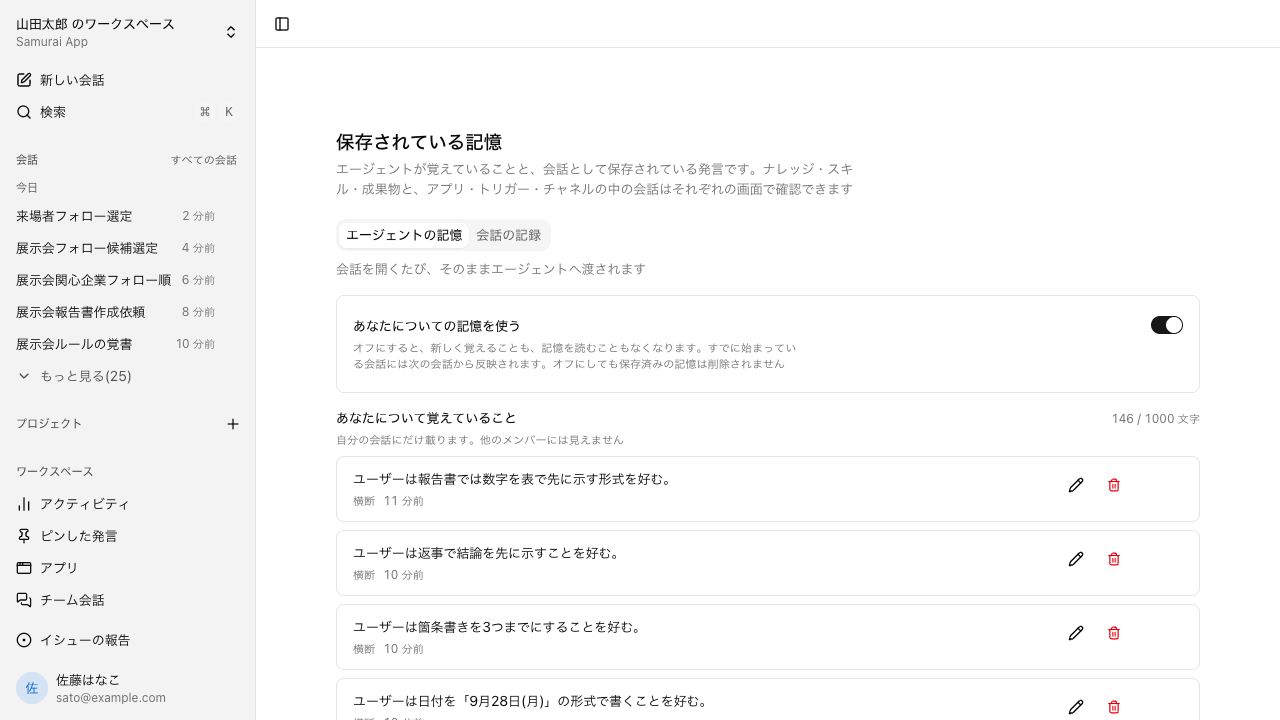
Keeps context
How you refer to clients and your internal rules stay as memory and are used in the next conversation. You can review what was kept yourself.
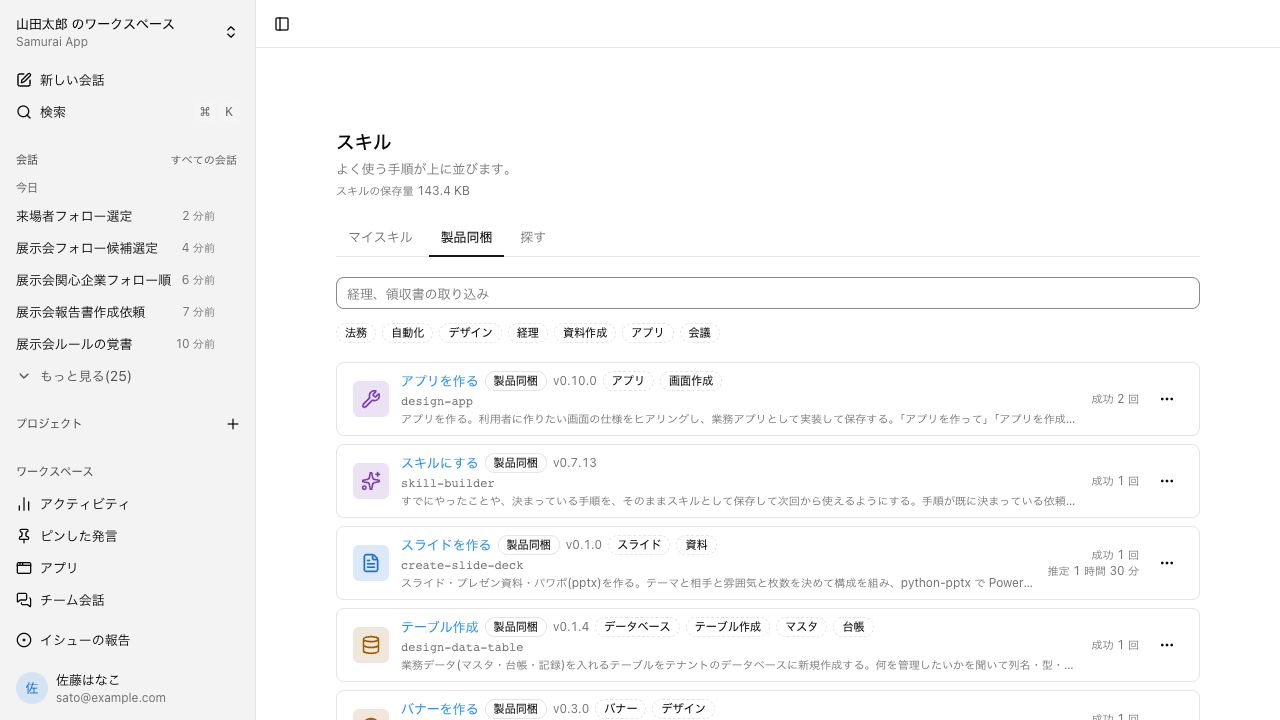
Captures procedures
Ask it to "make this a skill" and an approach that worked becomes written instructions (a skill), once approved.
Refines procedures
Improvements to a skill are drafted from the conversations that used it and, once approved, applied to your company's version.
What it learns stays only within your company's tenant. It never mixes with other companies' data.
- Memory
- Skills learning
- Search past conversations
- Name a procedure with "/"
03Settles
From the second time on, a script runs#
The first time, you work through it in conversation and capture the procedure that worked as a skill. From then on, the bundled script carries out that procedure.
Same result every time
Results don't change with the model's mood each time; the same procedure returns the same result.
AI's part gets smaller
The model is called only where judgment is needed.
Faster and cheaper
With fewer model calls, waiting time and cost both shrink.
- Scripts run from the second time on
- Tools bundled with procedures
- Edit procedures as diagrams
- Direct run (no model call)
04Takes over
Routine work can be left to it#
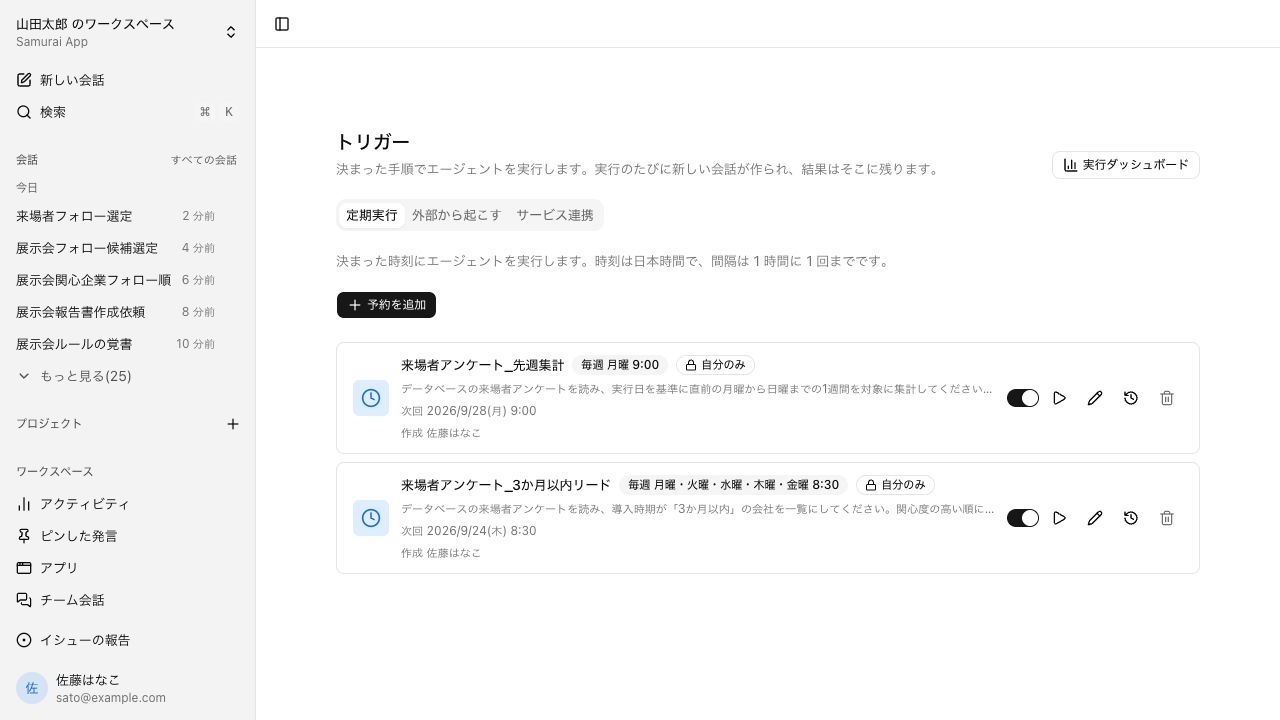
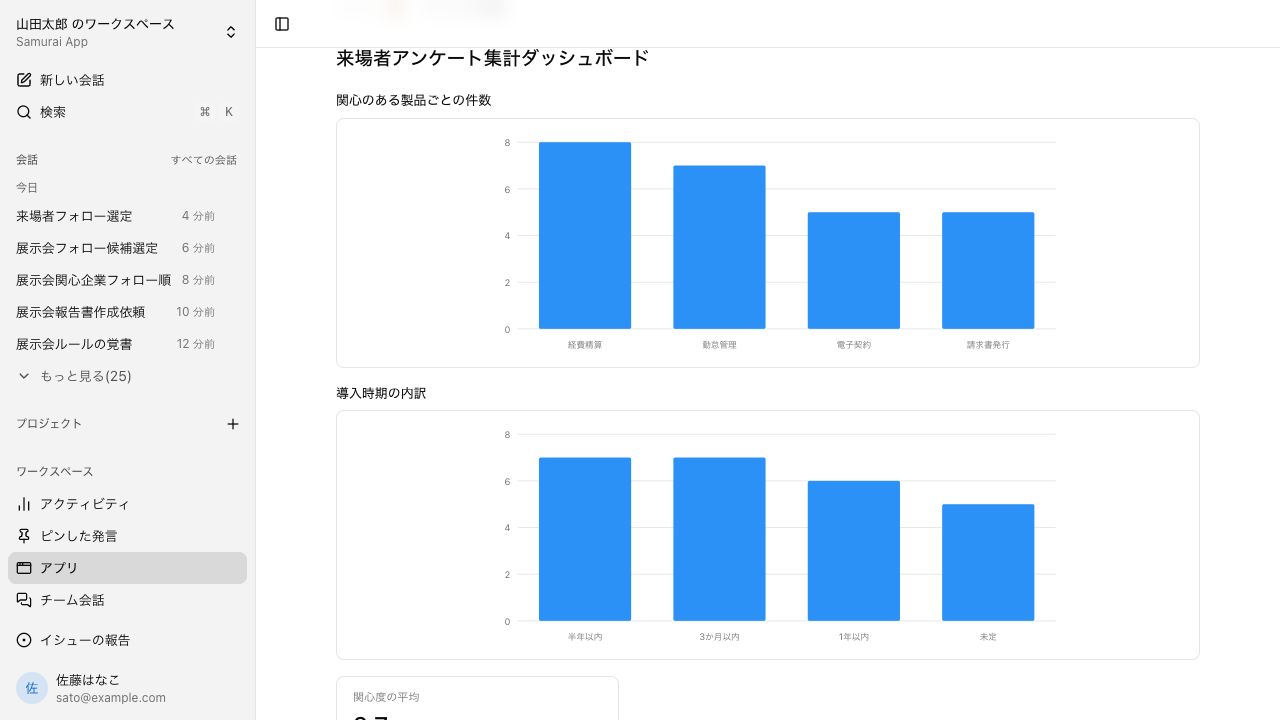
Set a time or a trigger, and work moves forward without asking each time. Apps and tables made in conversations stay on as business tools.
At set times
Runs the morning tally or month-end closing at the time you specify. It can also notify you only when something fails.
On events
Starts on events in connected services, or on a call to a URL you issued.
Kept as tools
Build apps with screens, or tables, from a conversation. Definitions made in n8n or Dify can be imported too.
A person approves sensitive operations before they run.
- Scheduled tasks
- Automations
- Notify only on failure
- Apps
- Database
- Workflow import
05Spreads
One person's way becomes the team's#
Procedures grown by one person and apps they built can be shared and used as is by a team or department.
Share procedures
Press Share on a skill and it becomes the team's or department's version. Managers and up, plus members an admin approves, can share.
Work in one conversation
Several people can join a channel. Exchanges don't get buried in one person's chat history.
Keep it on the page
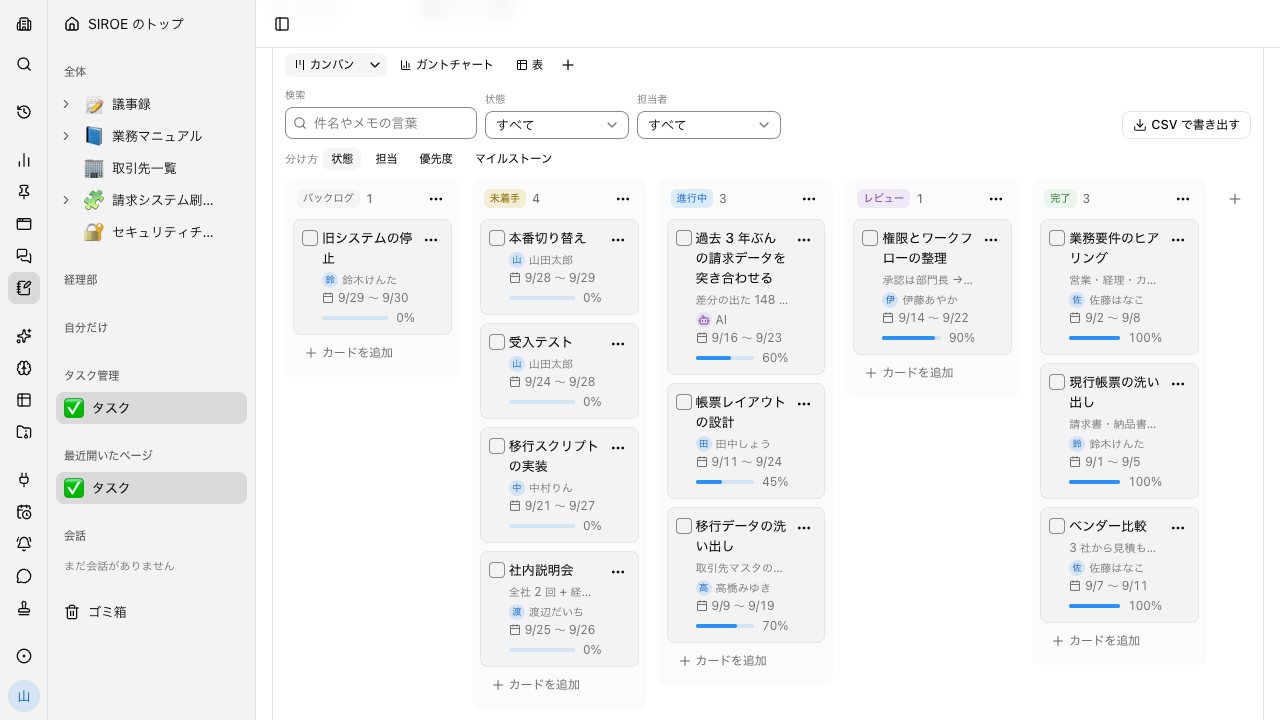
Ask with a SIROE page or SIROE task boards open, and what you asked stays on the page. You can also make AI a card's assignee.
- Skill sharing
- Channels
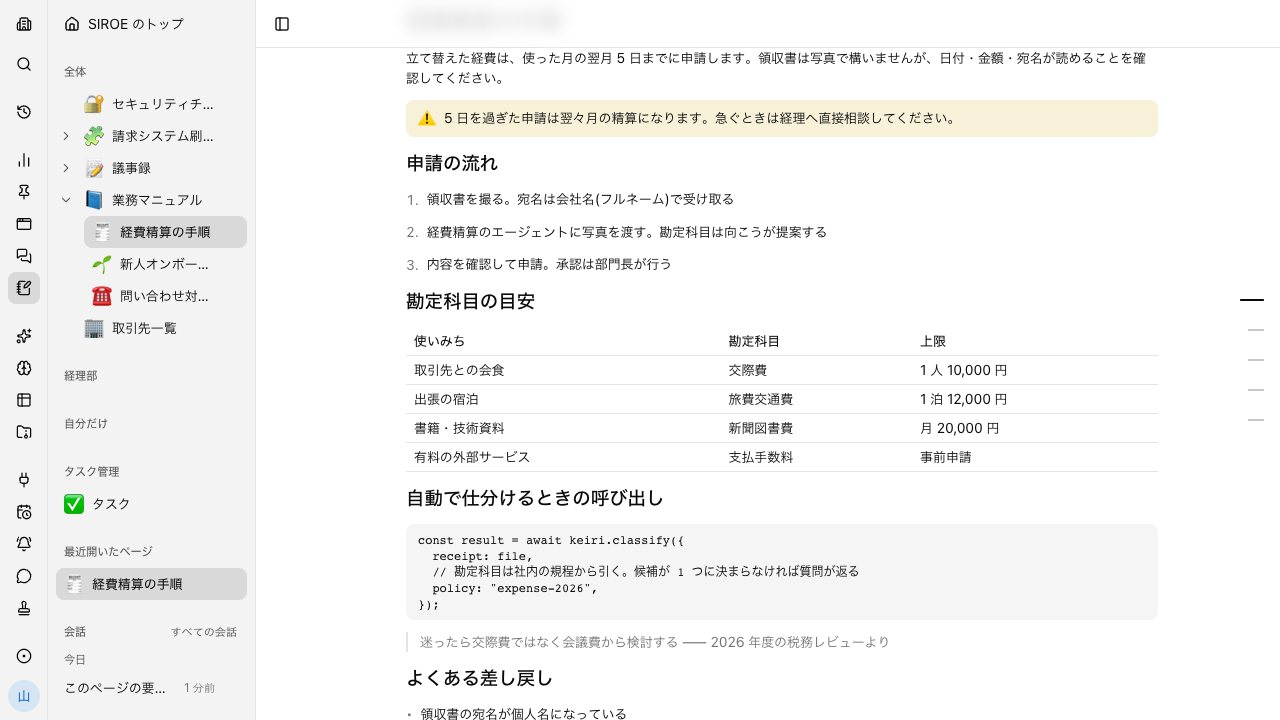
- Ask while viewing a page
- Task boards
- AI as a card's assignee
Three foundations behind the growth#
Every stage runs on these three: reaching outside business systems and your local devices, and being something a company can safely hand work to.
Connects
Connect to over 1,000 SaaS apps, starting with each vendor's official MCP. It can be called from Slack or Teams too.
Reaches
Screens behind a login, and folders and Excel on your local device, can be handled from a conversation.
Safe to delegate
Approval gate, audit log, permissions, tenant isolation. The agent acts only within that person's permissions.
How it differs from chat AI#
Any of them can research and write. The differences are in the price of a company-wide rollout and in the mechanisms for delegating work.
| Samurai App | ChatGPT Business | Claude Team | |
|---|---|---|---|
| Pricing basis | One base fee per company + usage | Per user | Per user |
| Monthly | Base fee ¥18,800 + credits (¥10 per credit) | $25 per user ($20 billed annually) | $25 per user ($20 billed annually) |
| Adding people | Base fee stays the same | Grows per person | Grows per person |
| Research internal knowledge and the web, with sources | Supported | Supported | Supported |
| Connect to internal services | Supported | Supported | Supported |
| Create written instructions (skills) from conversations and propose improvements through use | Supported | Partial or conditionalGPTs are built by hand | Partial or conditionalImprovements are made by hand |
| Run automatically at a set time or on an event | Supported | Partial or conditionalSet times only | Partial or conditional |
| A person approves before sensitive operations | Supported | Partial or conditional | Partial or conditional |
| Audit log of operations | Supported | Partial or conditionalEnterprise | Partial or conditionalEnterprise |
| SSO (single sign-on) | Supported | Supported | Supported |
| Work with folders and run Excel macros on your local PC | Supported | Partial or conditional | Partial or conditional |
| Call from Slack, Microsoft Teams, LINE, Chatwork | Supported | Partial or conditionalSome, such as Slack | Partial or conditionalSome, such as Slack |
| Build apps with screens from conversations and publish them externally | Supported | Partial or conditional | Supported |
| Route each conversation across models from several vendors, and use your own API keys | Supported | Not available | Not available |
| Smartphone app | Not available | Supported | Supported |
○ Supported / △ Partial or conditional / − Not available
When Samurai App fits
Companies that want a company-wide rollout but where usage varies by person. Companies that want to delegate routine accounting and administrative work with human approval in between and a record kept.
When you don't need Samurai App
When a small team uses it heavily every day for research and writing. A flat per-user price can be simpler and cheaper.
When to use both
Heavy users keep using ChatGPT or Claude as they do now, while company-wide routine work and operating internal systems are left to Samurai App.
If you need a feature marked − or △ in the table, send a feature request or feedback directly from "Report a problem" in the app.
Based on each company's public information as of October 11, 2026. Check each company's pages for the latest pricing and features. Sources: ChatGPT pricing, Claude pricing
Everyday work comes together, connects, and becomes the company's strength.