File transfer
Send large files outside with one link
Even big files like videos and design data go out as a link. Receivers download without creating an account, and the sender sets the password, retention period, and download limit. It sits in the same app as the rest of your work, so there is no separate transfer service to juggle.
Open Samurai AppTry without signing upRequest materials
- Who is working on what
Does sending large files look like this?#
Too big for email
Files over the attachment limit cannot go by email, so you split them or hunt for another way.
Everyone uses their own free transfer site
The company cannot see who sent what through which service, or how long each link stays open.
No way to stop a link once sent
Even after a wrong recipient or a change of plans, the link cannot be turned off.
Pick files, copy the link, hand it over#
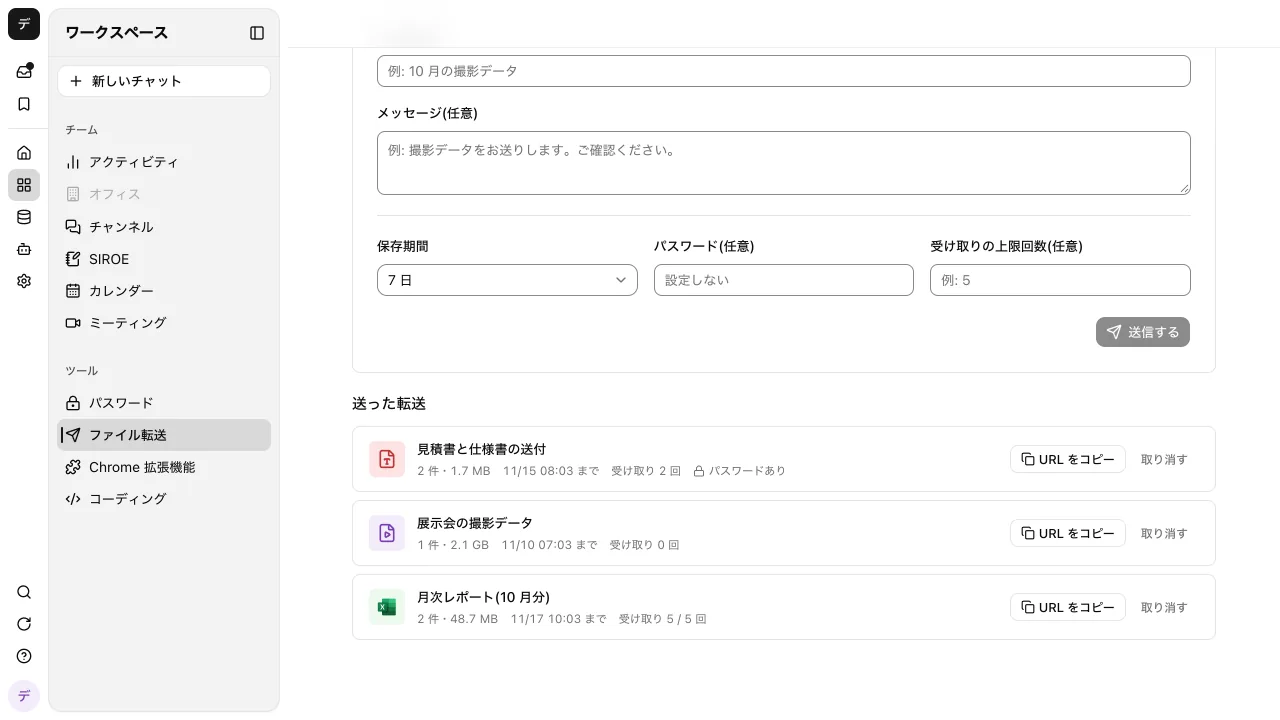
Pick files, add a subject or message, and press Send to get a link to hand over. If sending stops partway, pick the same file again within 24 hours and it picks up where it left off.
- Up to 100 files and 300 GB per transfer
- Keep files for 1, 3, 7, 14, or 30 days, 7 by default
- The form shows an estimate of the storage credits
Receivers download without an account#
The receiver opens the link, enters the password if one was set, and presses Download for each file. Files are always saved, never opened in the browser.
- Set a download limit; the receiver's page shows how many are left
- Expired, revoked, and used-up links all show the same "This link can't be used"
- Too many wrong passwords lock that transfer for a while
Admins decide whether it is on and how long files stay#
File transfer is on from the start. Admins and managers decide whether it is used and the longest retention period people can pick. Turning it off hides the screen and stops every link already sent.
- Creating and revoking transfers and changing settings are in the audit log
- Revoke stops the link and deletes the files
- Up to 20 transfers per person and 1 TB per workspace at a time
Frequently asked questions#
Does the receiver need an account?
No. They open the link, enter the password if one was set, and download. Receivers cannot upload files.
Does it cost anything?
Sent files use credits as file storage for each day they are kept, so more data or a longer period costs more, and revoking early stops it from that day. The form shows an estimate.
Can receivers download everything as a ZIP?
No. Receivers press Download for each file. A download resumed within 24 hours does not count again.
Can I turn off a link I sent?
Yes. Press Revoke under Sent transfers and the link stops opening, even for people who already have it, and the files are deleted. Files are also deleted automatically when the retention period ends.
Everyday work comes together, connects, and becomes the company's strength.