Better meetings
Turn meetings into a place where things get decided and done
Time spent writing minutes, talk that drifts off topic, action items that were decided but never move. Meeting problems happen both during the meeting and after it. The AI beside the meeting takes on both.
Open Samurai AppRequest materials
- Who is working on what
- How the work was done
What happens when meetings run long and decide nothing#
The trouble is not the number of meetings, but that nothing is left once they end.
Minutes take almost as long as the meeting
Going back over notes, writing down what was decided and who owes what, then sharing it, stays on someone's plate. The later it is shared, the more people forget.
The talk drifts and nothing gets decided
Time slips away on small talk or side topics, and the real agenda is pushed to next time. Whoever runs the meeting has to listen and plan the next move at once.
Decisions get buried without being carried out
The meeting ends without clear owners or due dates, and nobody knows what to start on first. There is nothing to look back on to see whether the meeting went well.
Organize as you talk, and show the facilitator the next move#
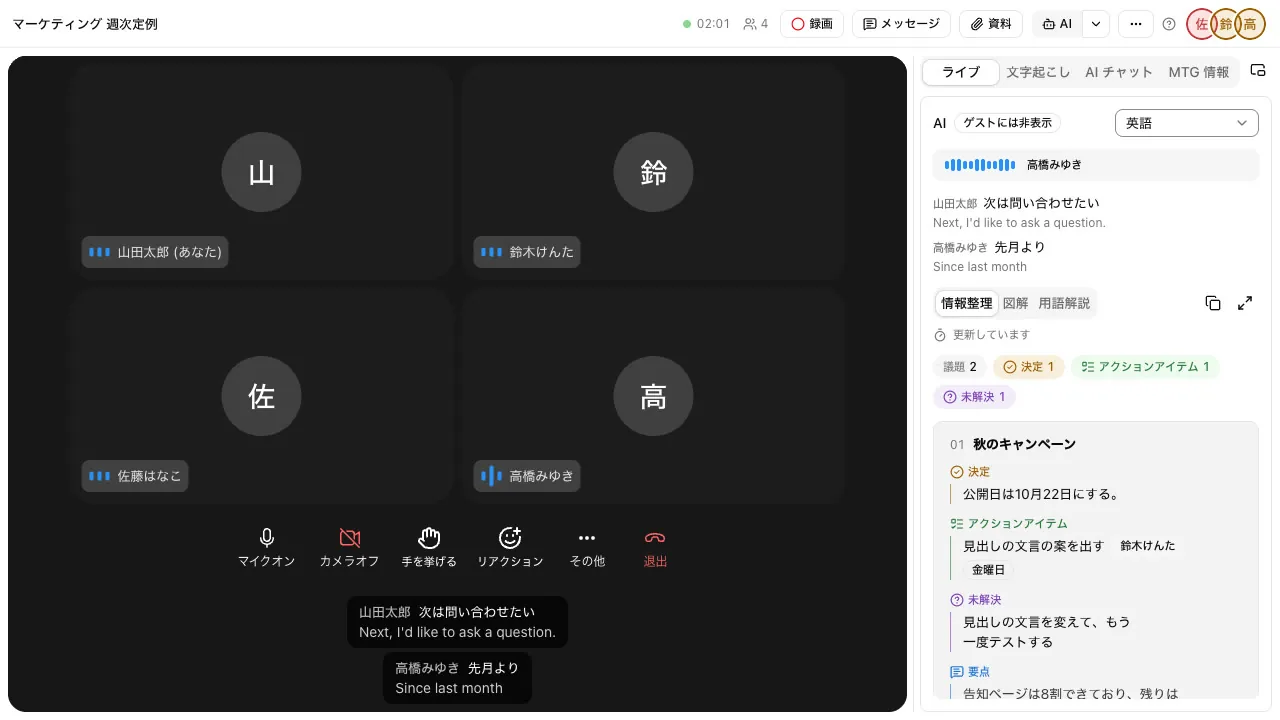
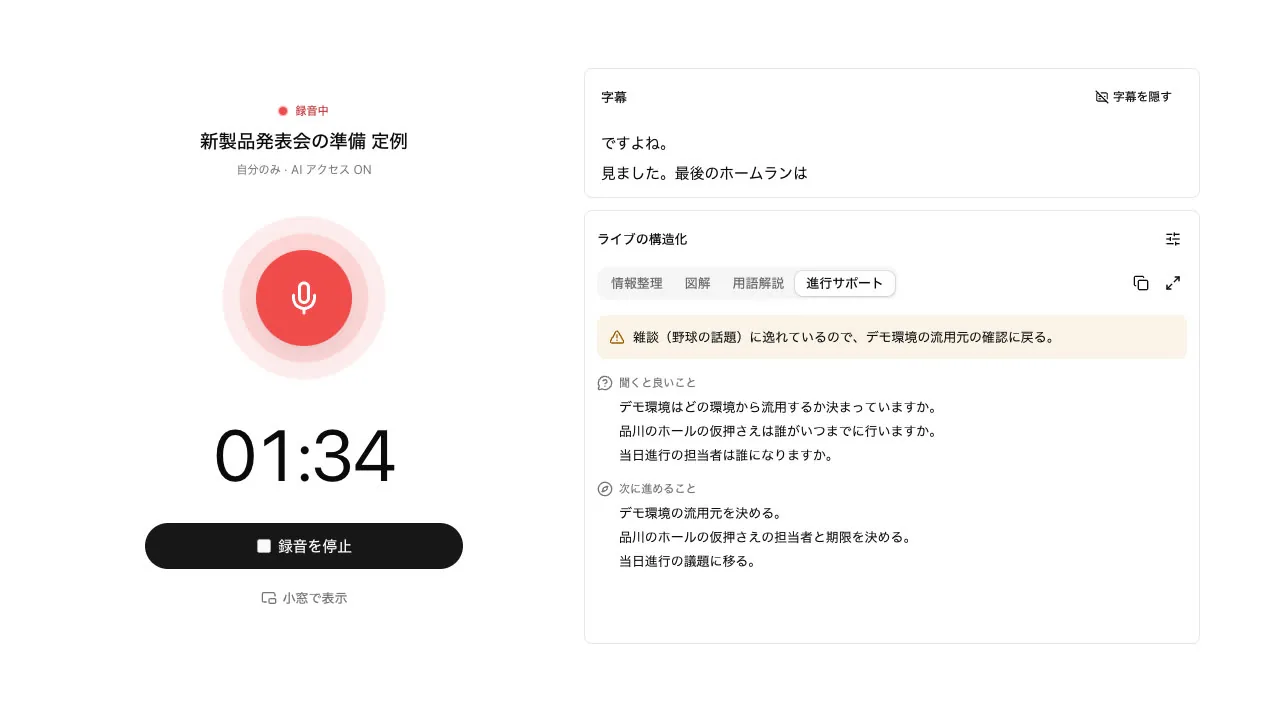
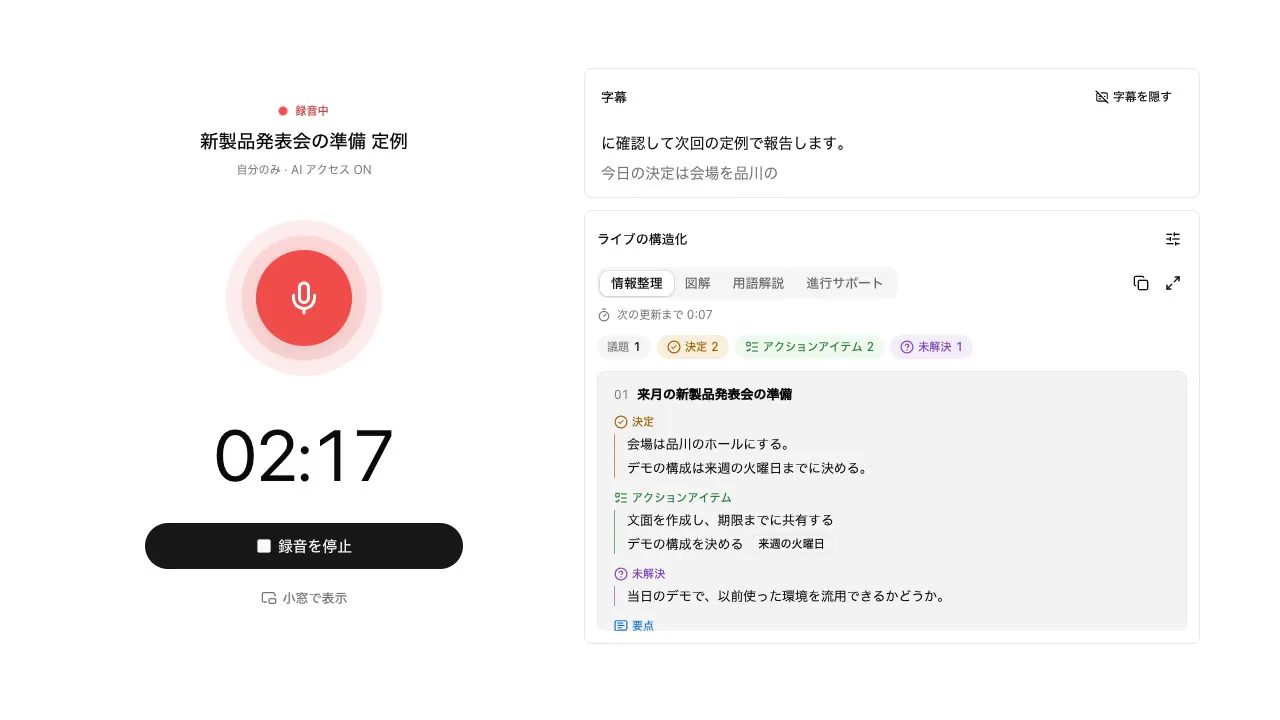
The AI panel beside the call sorts what was said into decisions, action items, and unresolved items by agenda item. Turn on "Facilitation" to see what to ask next and what to move forward, with a nudge back to the topic when the talk drifts.
- Reorganizes every 60 seconds by default, adjustable from 15 to 90 seconds
- Facilitation is shown to members only and never sent to guests' screens
- Captions with speaker names, and translated captions in 7 languages
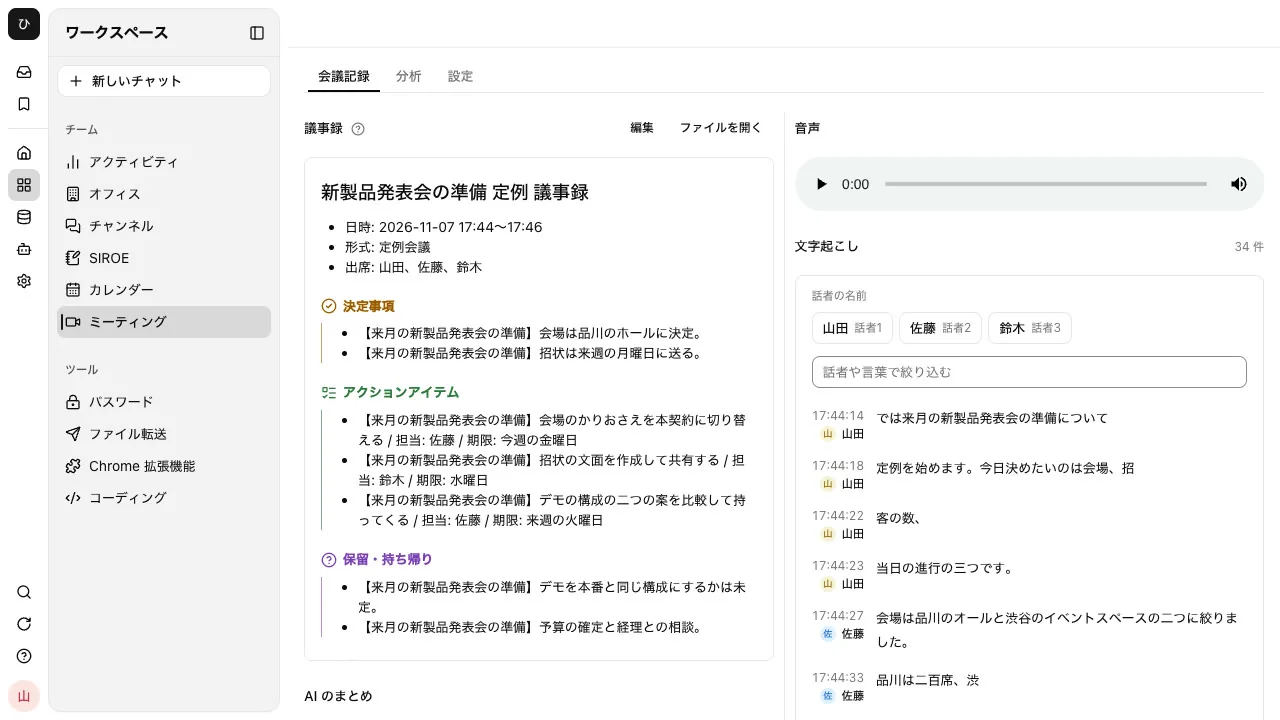
When the meeting ends, the minutes are already done#
When the meeting ends, minutes are made from what was said. Decisions, action items (owner and due date), items on hold, and take-aways are listed separately, and kept in Files with a transcript showing speakers and times.
- 10 formats, including regular meetings, brainstorms, retrospectives, 1-on-1s, and hiring interviews
- Minutes, transcripts, and recordings can be shared with the visibility you choose
See what to start on first, and how the meeting went#
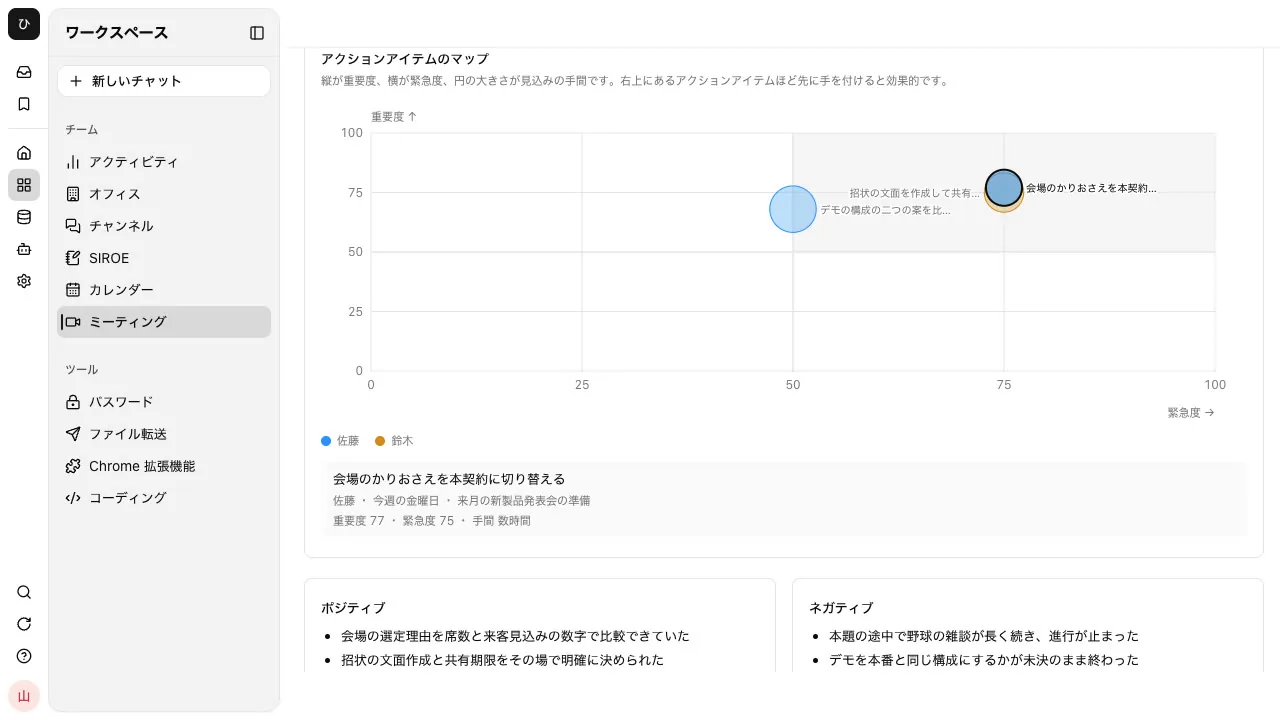
With meeting analysis on, the AI analyzes how the meeting went once the minutes are ready. Action items are placed on an importance and urgency map, so what to tackle first is clear at a glance.
- Scores energy, balance of speaking, positivity, progress, and focus out of 100, with the reason and the remark behind each
- Splits the meeting into 6 parts and charts how energy and positivity changed
- Circle size on the map shows the expected effort; press one to see its owner and due date
- The meeting's creator also gets per-participant feedback, with what went well and what to improve
Keep conference-room meetings too, even with no connection#
In-person meetings are recorded on a computer or smartphone. Recording works with no internet connection and uploads automatically once connected. The recorded audio produces the same minutes and analysis as a video meeting.
- When online, captions, organized notes, and facilitation can sit beside the recorder
- After upload, the transcript is split by speaker, and speakers can be given names
Frequently asked questions#
Can I use it for in-person meetings?
Yes. "Record in person" records with the microphone of a computer or smartphone. It records even where there is no internet connection, uploads automatically once connected, and produces minutes and a transcript.
Can it keep meetings held on other video meeting services?
With the Chrome / Edge meeting notes extension, Google Meet, Zoom, and Microsoft Teams meetings opened in the browser can be recorded and saved to Meetings. Minutes and transcripts are made just like for other meetings.
What does the meeting analysis show?
Scores and reasons for the whole meeting's energy, balance of speaking, positivity, progress, and focus; how they changed over time; a map of action items by importance and urgency; and what went well and what to watch. The meeting's creator also gets feedback for each participant, with what went well and what to improve. Turn "Meeting analysis" on for each meeting you want analyzed.
Is meeting content used to train AI?
No. Audio sent for transcription is processed through a paid API tier and is not used to train models. Turning "AI access" off for a meeting stops captions, transcription, and minutes, and no audio is sent out.
Everyday work comes together, connects, and becomes the company's strength.