




Use it right inside the Chrome you already use.

Ask the AI, record a meeting, or fill in a password without leaving the tab you are on. Install only the extensions you need.

Chrome Extensions

Six extensions#

Each one installs from the Chrome Web Store.

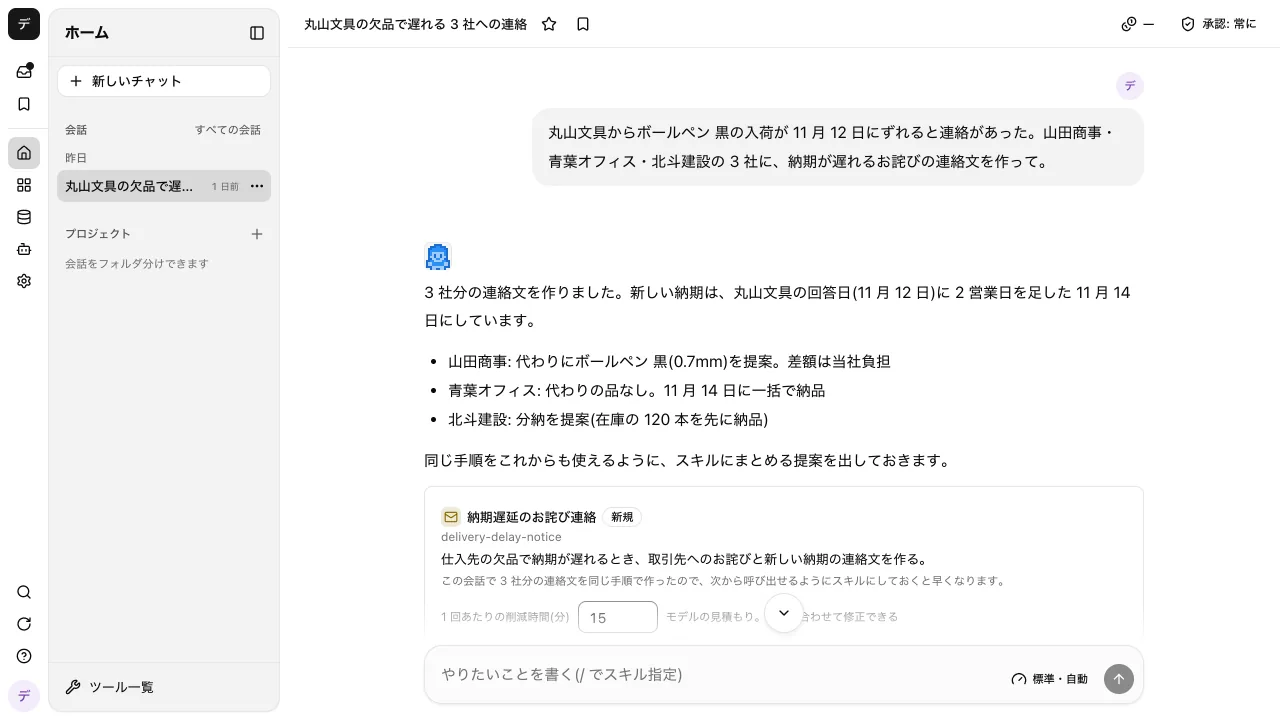
  • AI Chat

    Ask the AI without switching tabs.

    Chat with the AI in Chrome's side panel. Ask, and it can read the open tab or fill in a form for you.

    • Talk to it from the side panel on any site
    • The AI only operates the tab used in that conversation
    • Conversation history and files are shared with the web app
    Add to ChromeAbout the featurePrivacy policy

  • Meeting Notes

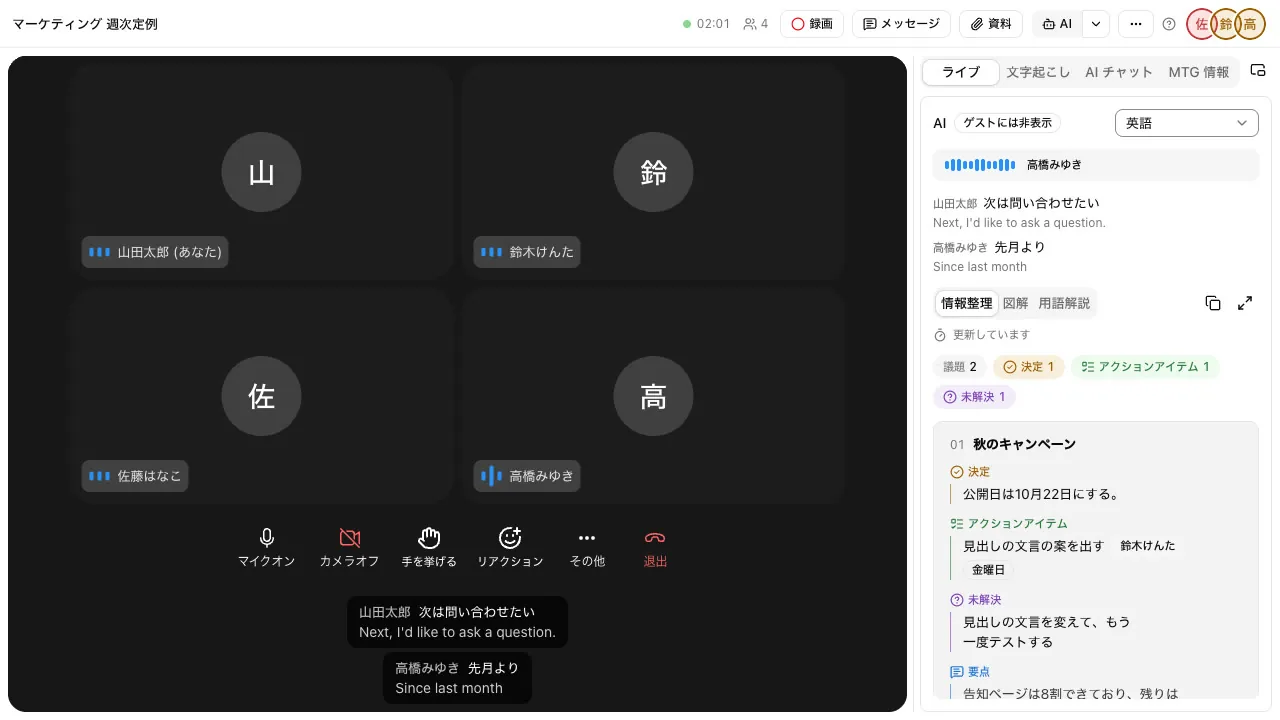
    Keep minutes of web meetings held in other tools.

    Record the audio of a web meeting you joined in the browser, along with your mic, from the side panel. A transcript and minutes are made from the recording.

    • Just start recording from the side panel
    • The recording and minutes are saved to the meeting record

    Add to ChromeAbout the featurePrivacy policy

  • Data Guard

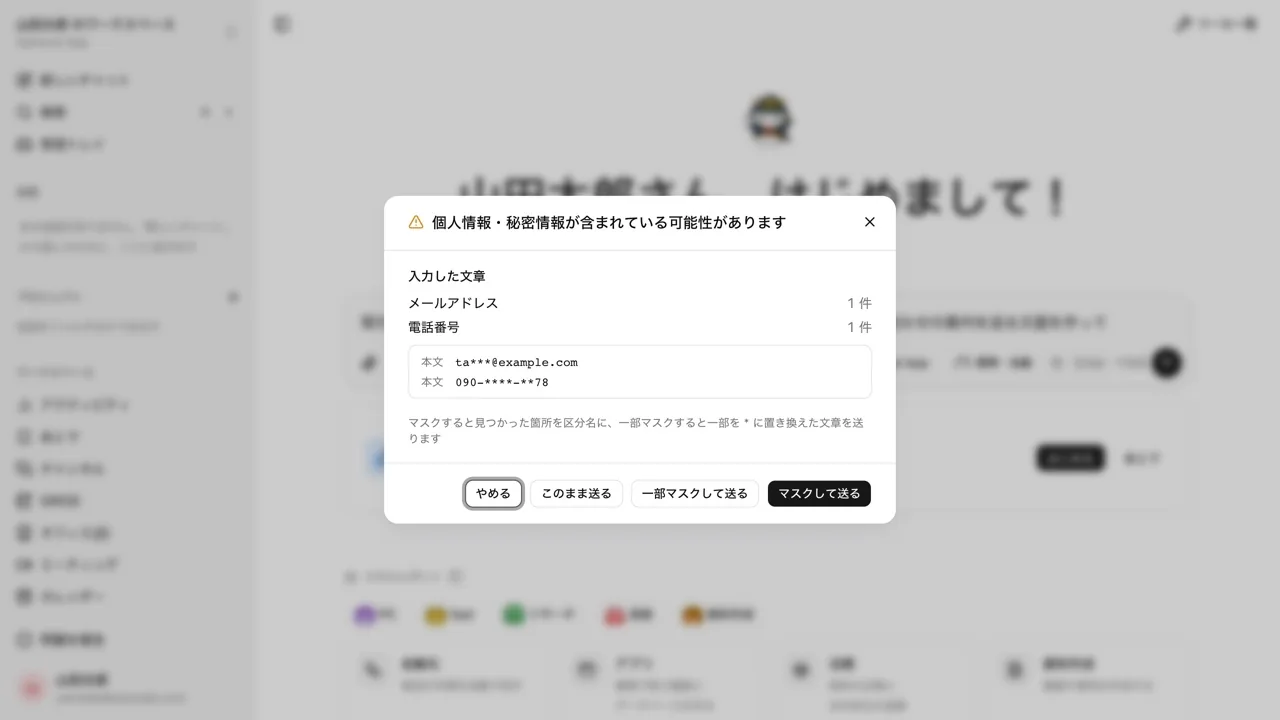
    Don't hand personal data to generative AI by accident.

    Before you attach a file or paste text into a generative AI site, it checks whether personal or confidential information is included.

    • Checks run inside the browser; the content is never sent out
    • If something is found, mask it before sending or cancel

    Add to ChromeAbout the featurePrivacy policy

  • Passwords

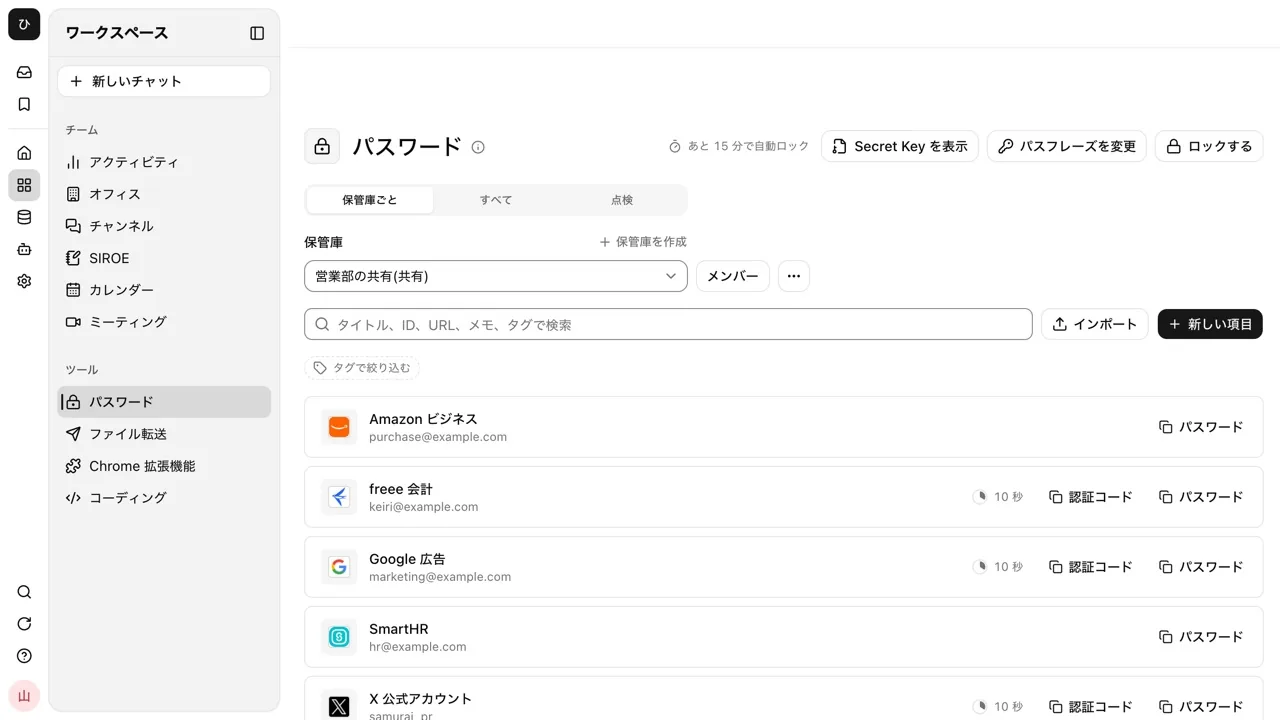
    Pick a shared login and it is filled in.

    Fills logins saved in the password vault into the sign-in page you have open. No more passing passwords around in chats or spreadsheets.

    • Pick the login for the site from the icon or a shortcut
    • Copy one-time passcodes too
    • Fills and copies are recorded in the audit log

    Add to ChromeAbout the featurePrivacy policy

  • Channels

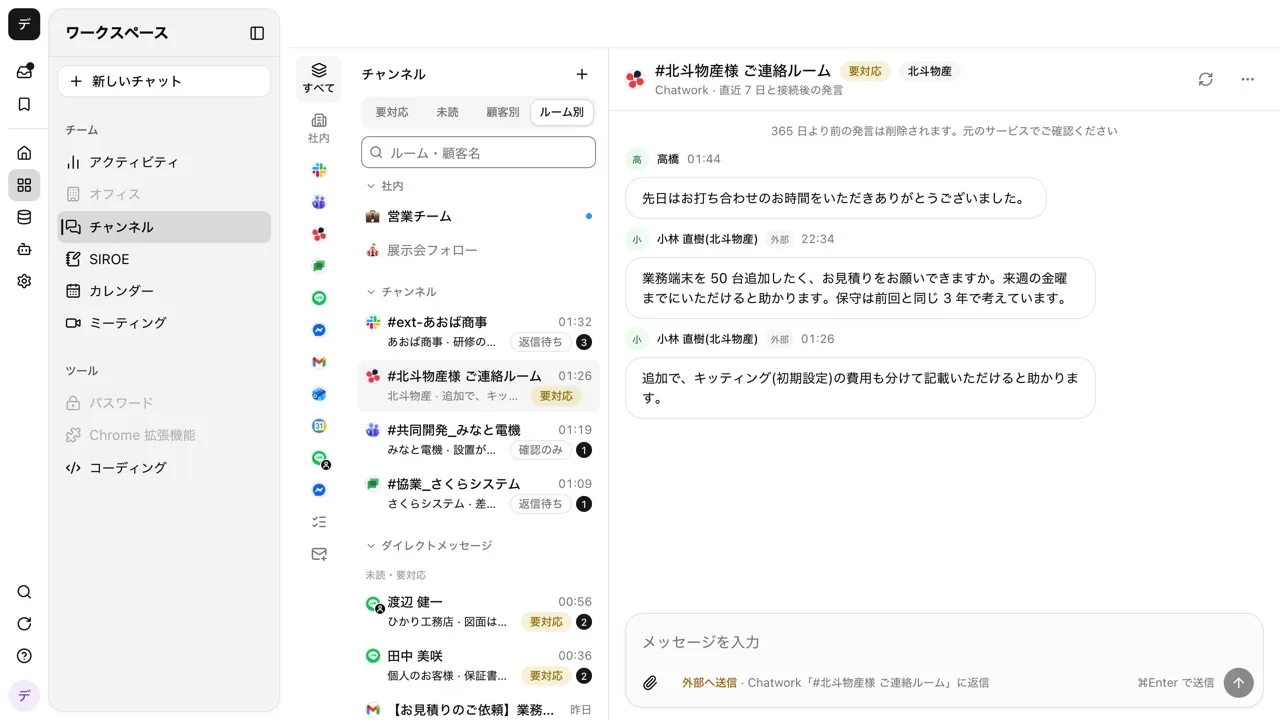
    Notice messages that need a reply without opening a tab.

    Check your channels and next event in the side panel. Even while it is closed, the icon shows how many items need your attention.

    • Reply right from the side panel
    • The icon shows how many items need you

    Add to ChromeAbout the featurePrivacy policy

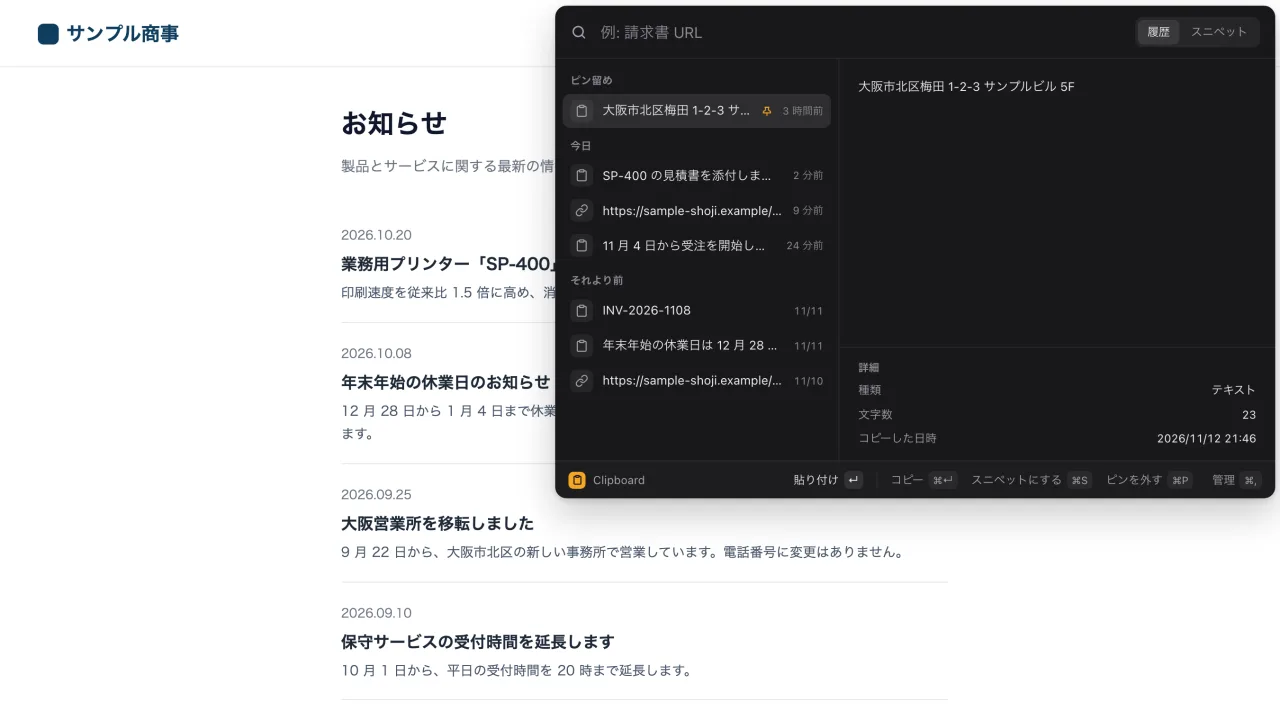
  • Clipboard

    Stop hunting for what you copied a moment ago.

    Search the history of copied text and images, plus your saved snippets, with a shortcut and paste them. Everything stays on this computer.

    • Open it with a shortcut; your pick goes straight into the field you are typing in
    • Insert the date or the cursor position into snippets
    • History is never sent anywhere, and password-like text is not kept

    Add to ChromePrivacy policy

Before you install

  • AI Chat, Meeting Notes, Passwords, and Channels are used by signing in with your Samurai App account and connecting to your workspace. Data Guard and Clipboard work without connecting.
  • The extensions are distributed through the Chrome Web Store. Once installed, open them from the toolbar icon.
  • Each extension's privacy policy states what it reads and what it stores.

Browser Extension Privacy Policies

Everyday work comes together, connects, and becomes the company's strength.

Open Samurai AppContact us

See the demoContact us