Apps
Build business apps by talking
Write "I want to take inquiries, assign an owner, and track them until they're handled," and the AI builds an app with the form, list, and buttons in place. The tables behind your apps can be read from conversations and workflows alike.
Open Samurai AppTry without signing upContact us
- How the work was done
- Where things are
What is a business app?#
It is the small system behind everyday work such as requests, ledgers, and inquiries: someone fills it in, others look at it, and it moves to the next person. With Samurai App, you turn work you now do on paper or in spreadsheets into an app just by telling the AI about it.
TodayPaper request forms travel desk to desk, waiting for a stamp
With an appRequests line up in a list, and approvers just press a button
TodayExcel ledgers multiply, and nobody knows which one is current
With an appEveryone opens the same table, and every change is recorded
TodayInquiry emails get forwarded by hand to whoever handles them
With an appInquiries arrive through a form, get an owner, and are tracked until handled
Three steps to get started#
No programming knowledge needed. Turn the work you have in mind into an app on the spot.
Write what you want
Write something like "I want to track equipment loans," and the AI drafts the app. For common kinds of work, just pick one of 16 presets.
Refine it in conversation
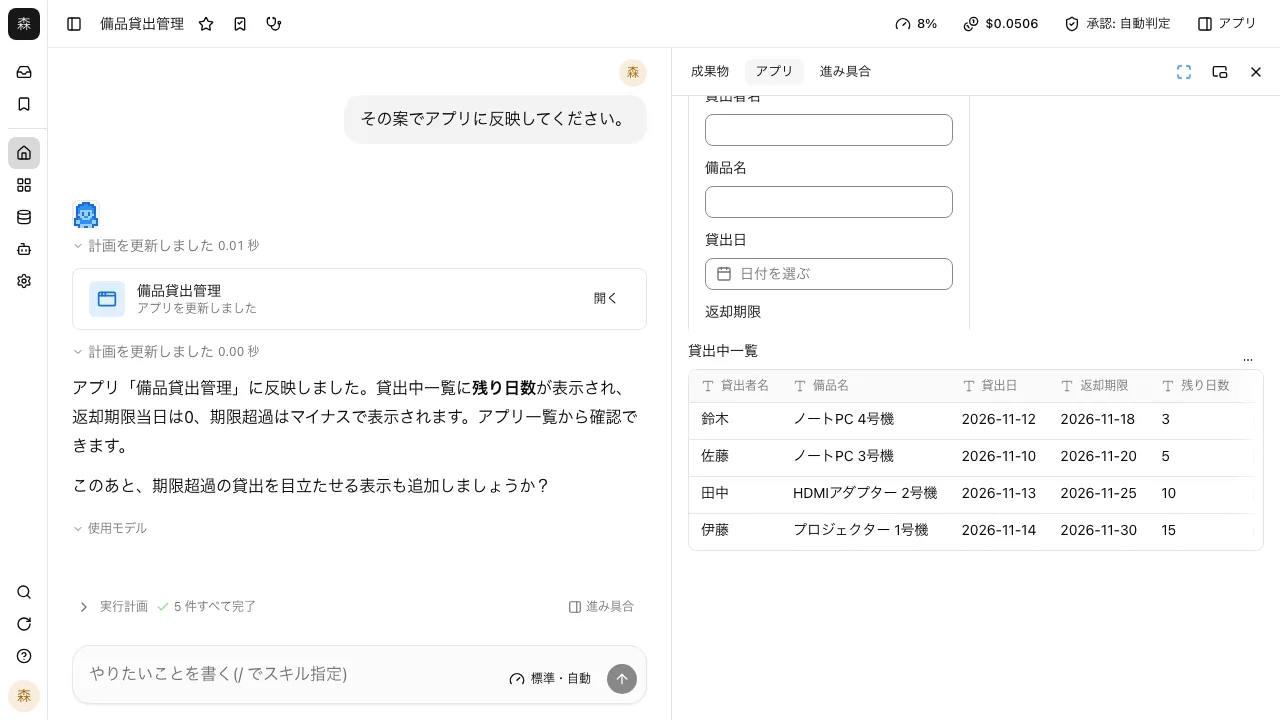
Ask "I'd like a column for days remaining," and the AI rewrites the app. Check the result right away in the preview beside the chat.
Share it with your team
Widen who can see it, and others in your company can use it. Forms can be published outside the company too.
What you can do with apps#
From building an app to opening it to people outside. Each feature below has its own page with screens and how it works.
Do your internal business apps run into these problems?#
Excel ledgers multiply, one per person
There are several sheets for the same deal, and no one can tell which is newest or who changed what.
The app you asked for is still in the queue
Ask IT or engineering and it's months away, so the team gets by with email and spreadsheets.
Apps, chat, and AI live apart
The only way to get business app data in front of an AI is to export it and paste it in.
Describe it or pick one: two ways to start#
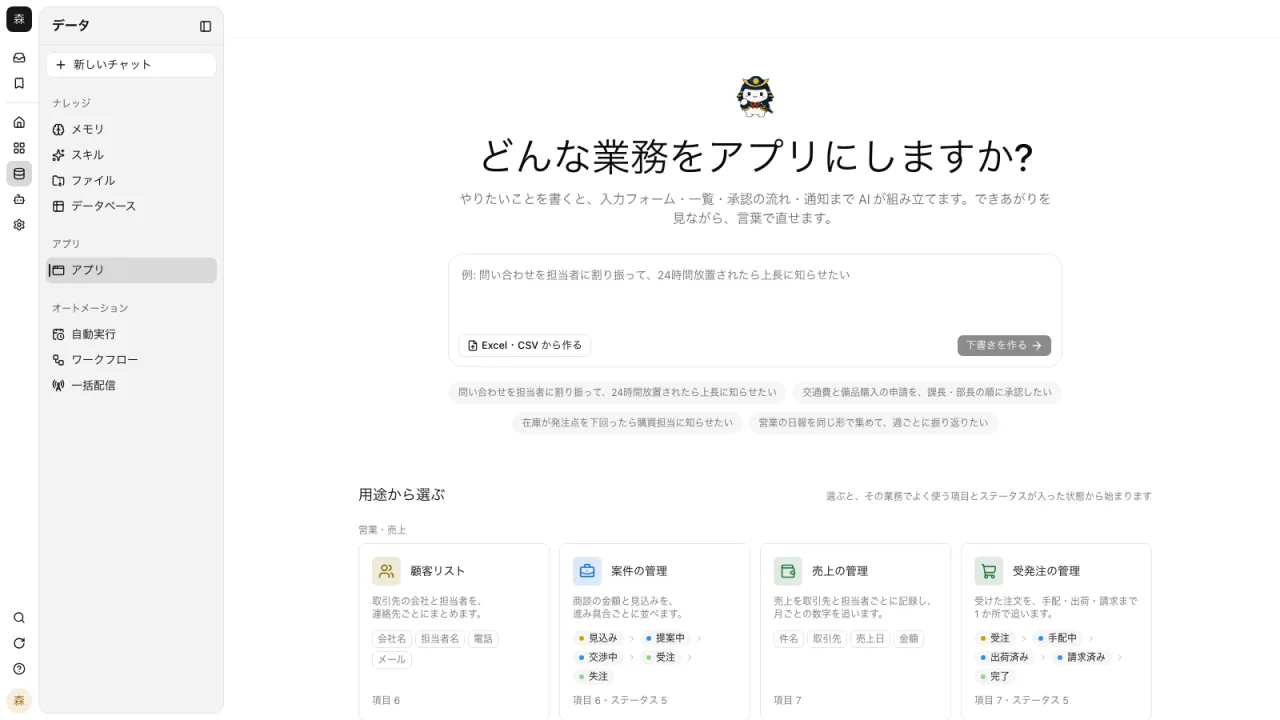
Describe the work under "What work do you want to turn into an app?" and a conversation starts while the AI makes a draft. For work with a set shape, just pick one of the 16 presets under "Choose by use case" and the app and table are created with no conversation.
- Presets come in four groups: sales and revenue, requests and progress, records and reports, and internal information
- You can also import Excel or CSV to create a table and an app
- Tell it what to change in the conversation, and the AI rewrites it
Move work forward with statuses and buttons#
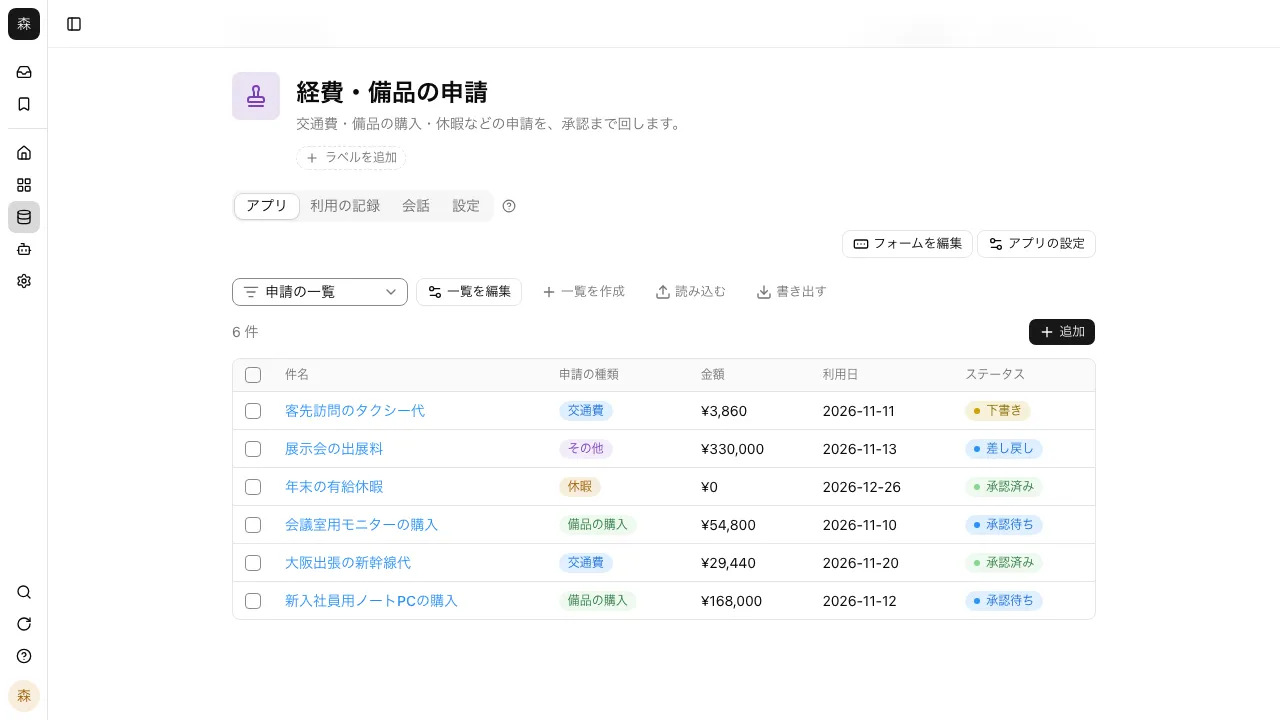
View records as a list, kanban, calendar, gallery, or Gantt chart. Buttons like "Approve" advance the status and set who works on it next. Each record's change history keeps who changed what.
- Approval can require any one assignee, all of them, or a majority
- @mention someone in a comment and they get a notification
- Import and export with CSV and Excel
Publish forms outside the company and embed them on your site#
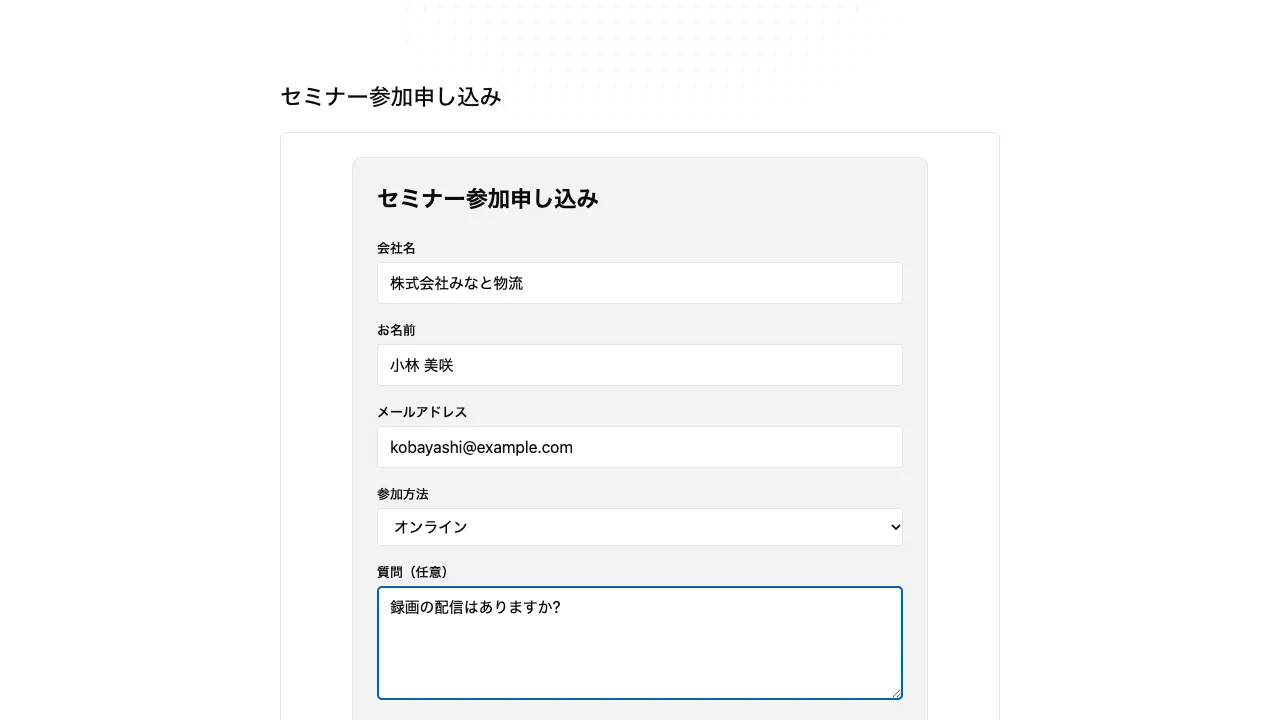
Publish an app externally, and people who aren't signed in can use it from a URL. Make it an inquiry or sign-up form, and what people send goes straight into the app's table inside the company.
- Add a password and an expiry date
- Embed it on a registered site with one script tag
- External publishing starts only after the app's creator approves it
Work that becomes an app right away#
"Choose by use" offers 16 presets. Pick one, and you get an app with its fields and lists already set up.
Sales and revenue
- Customer list
- Deal tracking
- Sales tracking
- Order management
- Quotes
Requests and progress
- Requests and approvals
- Projects and tasks
- Inquiry handling
- Job applicants
Records and reports
- Daily reports
- Surveys
- Document management
Internal information
- Equipment loans
- Inventory
- Knowledge base
- FAQ
Compared with spreadsheets or commissioned development#
How each approach holds up for the people who use it every day.
| Samurai App apps | Spreadsheets | Commissioned development | |
|---|---|---|---|
| The people doing the work can build and change it | Supported | Supported | Not available |
| Ready to use the same day | Supported | Supported | Not available |
| Has approval flows and buttons | Supported | Not available | Supported |
| Records who changed what | Supported | Partial or conditional | Supported |
| Outside people can submit through a form | Supported | Not available | Supported |
| The AI can read and summarize the data | Supported | Partial or conditional | Partial or conditional |
○ means it works, △ means it takes effort or has conditions, and − means it is hard. Commissioned development can build almost anything, but it takes time and money to get there.
I wrote that I wanted to track equipment loans, and got an app with a form and a list. When I asked for a days-remaining column, I could check the change right away in the preview next to it.
General affairs Our expense ledgers kept multiplying, one per person, so I imported them from Excel into one app. Everyone opens the same table now, and each record keeps a history of who changed what.
Accounting I used to forward inquiry emails to whoever was in charge. Now we publish a form, submissions land in the app's table, and I assign each one and follow it until it's resolved.
Customer support
Frequently asked questions#
Do I need to know how to program?
No. Describe the work in writing or pick a use-case preset. Changes can be requested in conversation too. Apps written in code can also be edited yourself from "Edit code".
Where does an app's data go?
Into a table (database) in your workspace. You can ask the AI in a conversation to total up that same table, or read it from workflows and dashboards.
Who can see an app?
Right after you create it, only you. Widen the visibility to Group or Entire tenant and others in the company can use it. Add row permissions to limit which records each person can see.
Can I get back an app I deleted?
Yes. Deleted apps stay in the trash for 90 days, and when the creator presses "Restore", the app comes back with all its versions.
Can I move an app to another workspace?
For apps built with forms, "Export definition" writes the fields, form, lists, and process to JSON, and "Create from a definition file" in another workspace builds the app from it. Records are not included in the export.
Everyday work comes together, connects, and becomes the company's strength.