Build by talking
Describe the work, and the AI builds the app
Write what you want under "What work do you want to turn into an app?" and press "Create draft". The AI asks about anything missing and puts the screens, buttons, and tables in place.
Open Samurai AppTry without signing upContact us
- How the work was done
Does building an app stall at these points?#
App builder settings are hard to learn
By the time you've looked up how to place components and write formulas, there's no time left to build.
Hard to put what you need into words
Writing down the requirements is where you get stuck, and there's no one to ask.
Every change means waiting
Even adding one button means waiting until the person who built it is free.
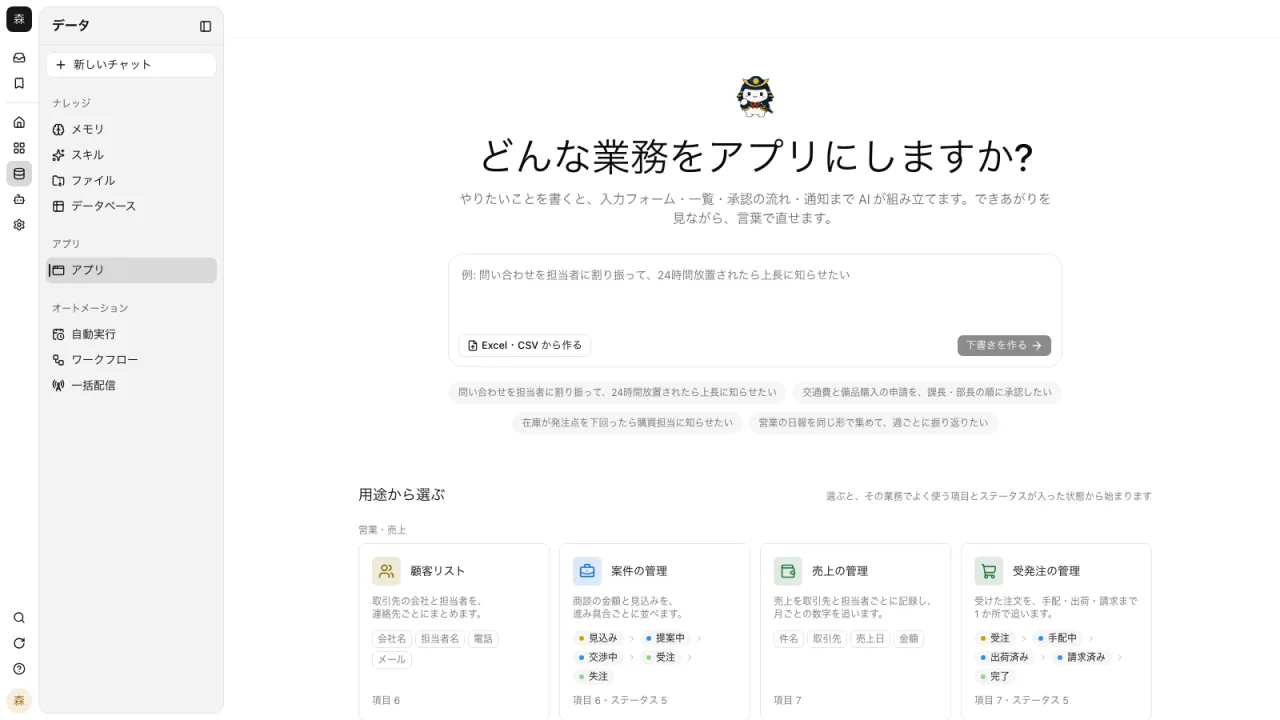
Write what you want, and the AI asks questions and shapes it#
Type the work into the field and press Enter, and a conversation to build the app begins. The AI asks about what's missing, such as fields and who will use it, and drafts the app from your answers. You can also press one of the examples below the field to get started.
- Start from a dashboard, admin screen, form, Q&A assistant, or game template
- Each template lets you choose the features it uses, such as running connectors or passing files
- For work with a set shape, "Choose by use case" builds it with no conversation
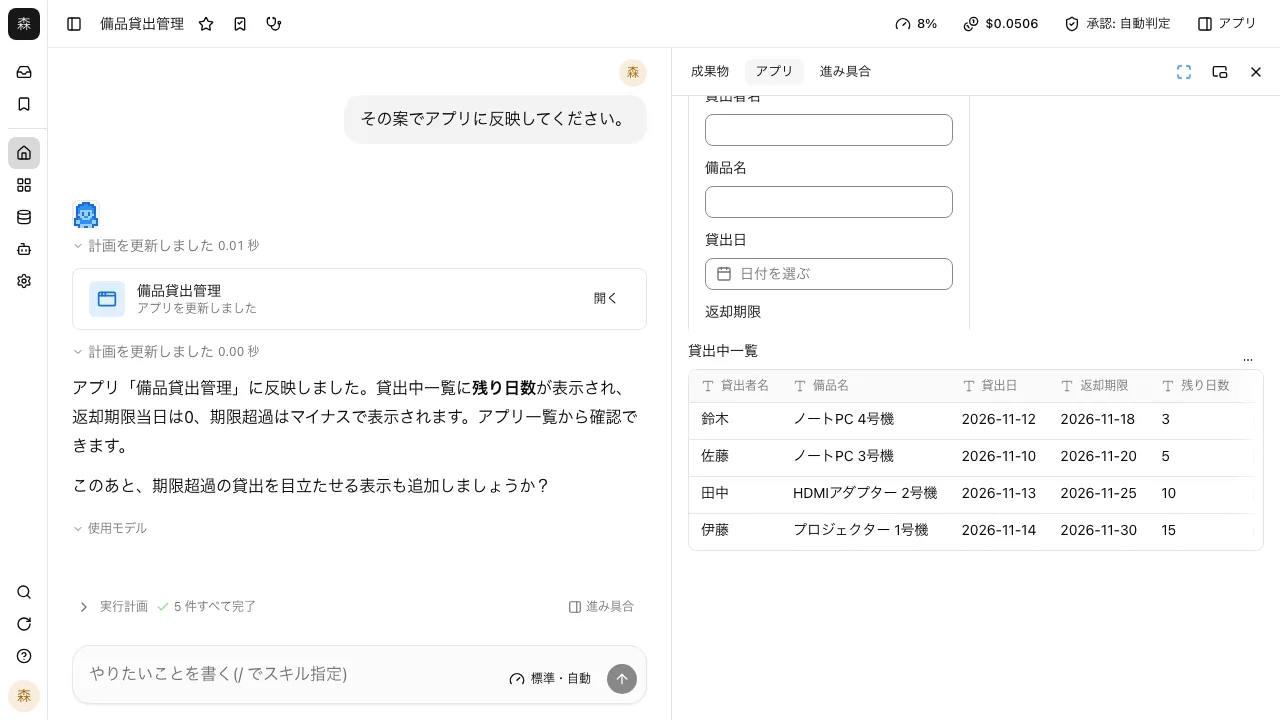
Rewrite only what needs fixing, in conversation#
Ask "Add an owner column to the list" and the AI rewrites only the parts that change. The editor shows the chat and the preview side by side, so you can check the result right there.
- Each change adds a version, and "Version history" takes you back to an earlier one
- If you want to edit the code yourself, open it from "Edit code"
- The AI test-runs the actions behind the buttons it made to check them
Start from the Excel or CSV you already use#
Import a file with "Create from Excel or CSV", and a table is created and the app opens. The chat beside it is prefilled with a request that uses the table, so just send it to get number and chart components.
- Imported tables can be used from other apps and conversations too
- Import a file with the same layout later to add records
I wrote that I wanted an app for inventory, and the AI asked about the fields and who would use it while it built a draft. I hadn't pinned down the requirements, but answering its questions got me there.
Logistics I loaded our sales spreadsheet with "Create from Excel or CSV," and it made a table and opened an app. I just sent the request already waiting in the chat beside it, and a chart appeared.
Sales planning When I asked to add an owner column to the list, only that part changed. If something doesn't come out the way I wanted, I go back to an earlier version from the version history.
Public relations
Frequently asked questions#
What kinds of apps can I build?
Business apps for managing customers and deals, requests and approvals, taking inquiries, daily reports, and inventory, plus reporting dashboards, forms for people outside the company, and Q&A assistants that answer from your knowledge.
Can I edit an app the AI made myself later?
Yes. Besides asking in conversation, apps built from components can be rearranged with "Edit layout", and code apps can be changed with "Edit code". Changes made by people go into the same version history.
Can others see an app while I'm still building it?
No. Visibility starts at Only me, and only the creator can open it until it's widened.
Where do I open an app I built in a conversation?
It appears in your app list (My apps). The creator can change its name, description, icon, and labels later.
Everyday work comes together, connects, and becomes the company's strength.