Access and records
Decide who can see each app, and which rows
Visibility decides who can open an app, and row permissions decide which records they see. The creator can check how the app is used in "Usage".
Open Samurai AppTry without signing upContact us
- Who is working on what
Does managing internal apps run into these problems?#
Everyone can see every row
You want to share an HR or sales ledger, but can't carve out just the part that's OK to show.
No idea whether an app is being used
After you hand it out, you can't see who opens it or how often.
Unsanctioned apps scattered everywhere
Teams build apps in whatever tools they like, and no one knows where they all are.
Start with Only me, and widen as needed#
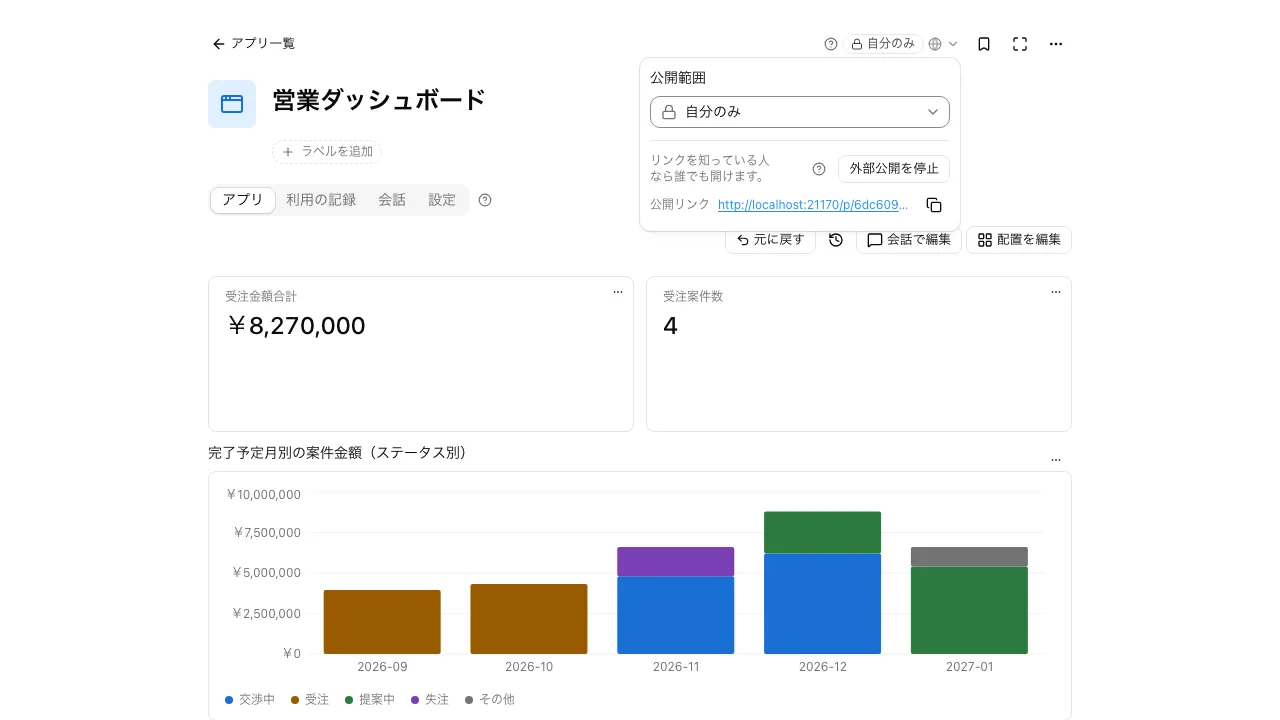
Apps start at "Only me", and the tag next to the name widens them to "Group" or "Entire tenant". The creator also decides who can press buttons, with "Allow others to run".
- Widening also grants access to the tables the app uses, in one step
- Only the creator can change the name, description, and icon
- Deleted apps stay in the trash for 90 days, and the creator can restore them
Narrow visible rows by person or group#
In "Row permissions" under "App settings", limit visible rows to records where the person is the creator or assignee, or by a field's value. Rows can be matched against the viewer themselves or the viewer's groups.
- People with a narrowed view see a notice above the list, and counts cover only that range
- Column permissions limit who can see each field
- Only people who can see every row can change these settings
Check how an app is used with daily bars#
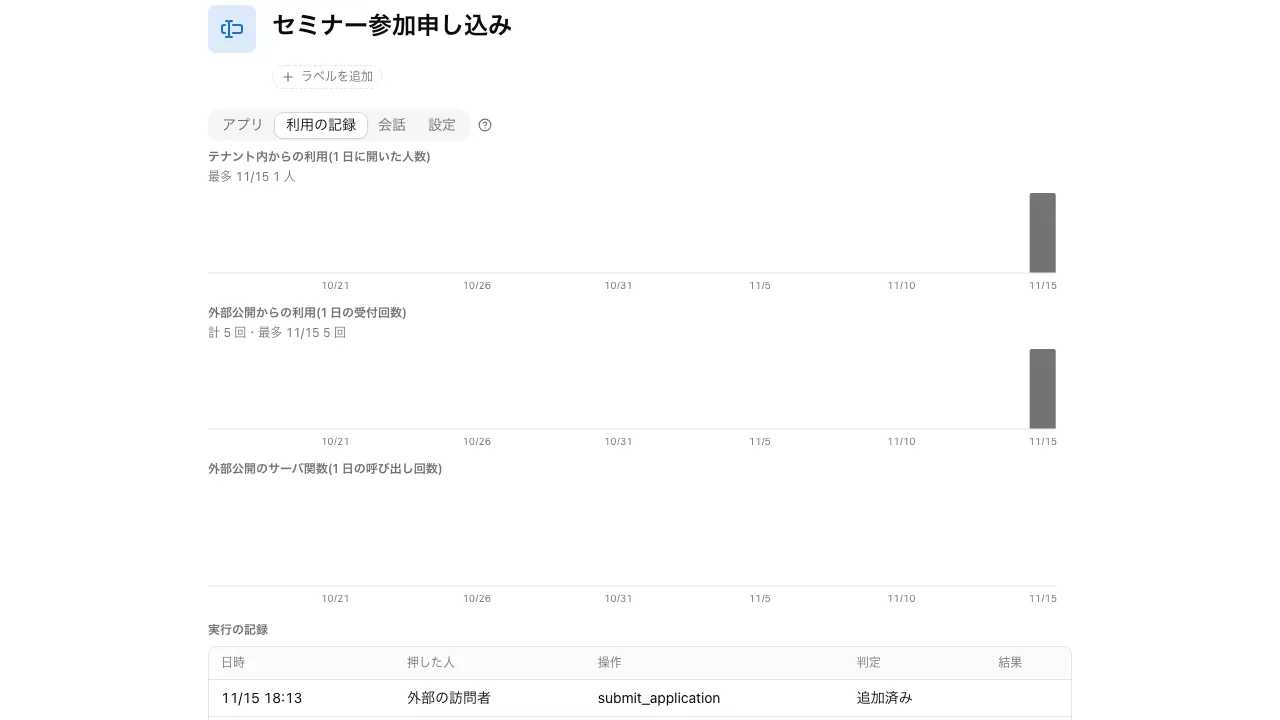
An app's "Usage" shows how many people in the workspace opened it each day over the last 30 days. For externally published apps, you can also see the number of visitors. Only the app's creator can see it.
- For a Q&A assistant, conversations where no answer was found are listed, showing what to add to knowledge
- The change history keeps who changed which record, and when
I shared the sales ledger with the whole department, and used row permissions so each person sees only their own deals. Their list shows that it's been narrowed, and counts only those rows.
Sales manager I set up a chat desk that answers internal questions, and I check the usage record for conversations where it couldn't find an answer. That tells me what to add to our knowledge.
General affairs I use column permissions to limit who can see the salary fields in our employee ledger. Even when someone asks the AI to tally the data, it only reads what that person is allowed to see.
Labor relations
Frequently asked questions#
How much of an app's records can the AI read?
Only what the person in the conversation can read. In conversations with someone narrowed by row permissions, the AI reads only the rows that person can see.
Can the AI publish an app externally on its own?
No. Even when you ask in conversation, external publishing starts only after a person presses the approval card, every time.
Are actions recorded?
Record changes stay in the change history. Sharing of the tables an app uses, and approvals for external publishing, stay in the workspace's audit log.
Everyday work comes together, connects, and becomes the company's strength.