External publishing
Publish forms outside the company, and handle what comes in right inside
Open inquiry, sign-up, and survey forms to outside people with a URL. Submissions go into the app's table inside the company, so you can assign an owner and move ahead without copying anything over.
Open Samurai AppTry without signing upContact us
- Where things are
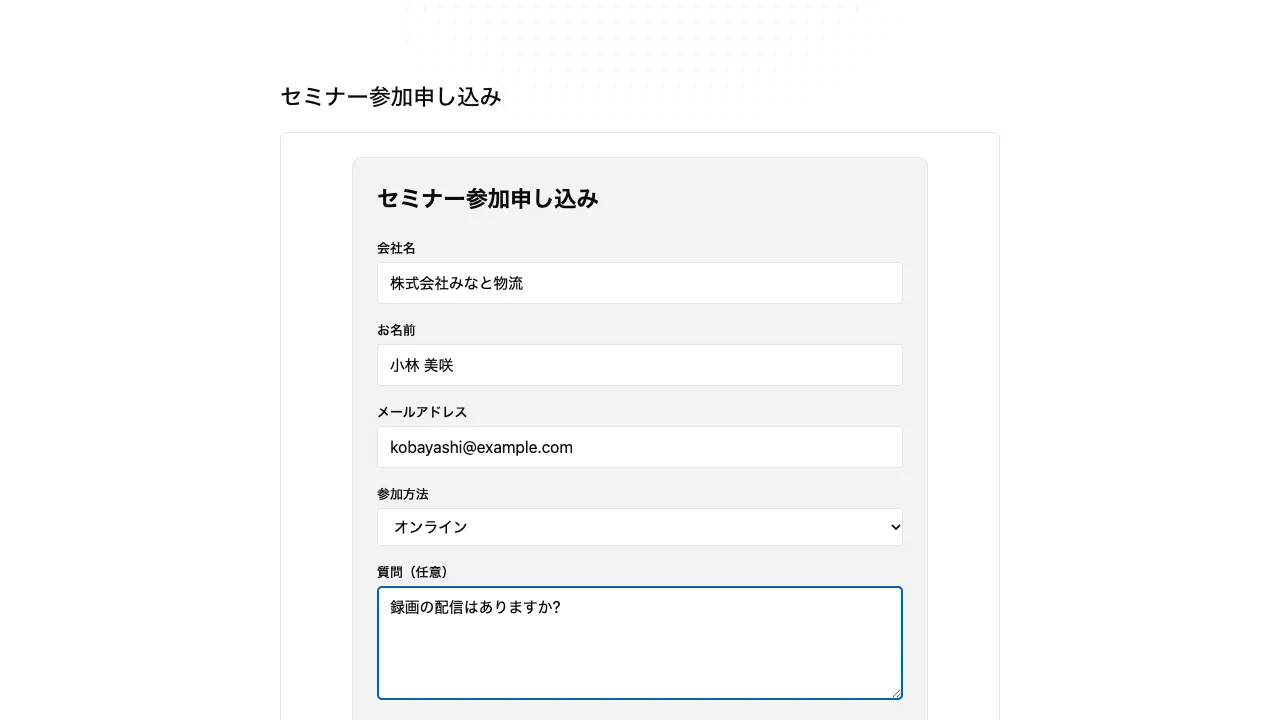
Does taking in work from outside run into these problems?#
Copying form responses by hand every time
Responses collected in a separate form service take effort to copy into the internal ledger.
Forms left open after they should close
Forms past their deadline stay open to the outside indefinitely.
No clear picture of what outsiders can see
You can't explain how much of the internal tables a published form can read.
Check what will be shown before you publish#
Publish from the app's "Publish externally", or from the approval card that appears when you ask in conversation. The card lists the buttons visitors can press and the tables they write to, so you can check before you press. Publishing creates a URL that opens without signing in.
- Besides forms, you can publish a Q&A assistant that answers from your knowledge
- Visitors can read only the tables and knowledge you allowed for publishing
- Buttons that record who pressed them can't be pressed on the public screen
Share a prefilled form with a URL#
Add field names and values to the URL, and the form opens with those fields filled in. Put links with names or quantities in emails and notices.
- The person who opens it can change values before sending
- Works the same way with internal app URLs
Limit who can open it, and until when, with a password and expiry#
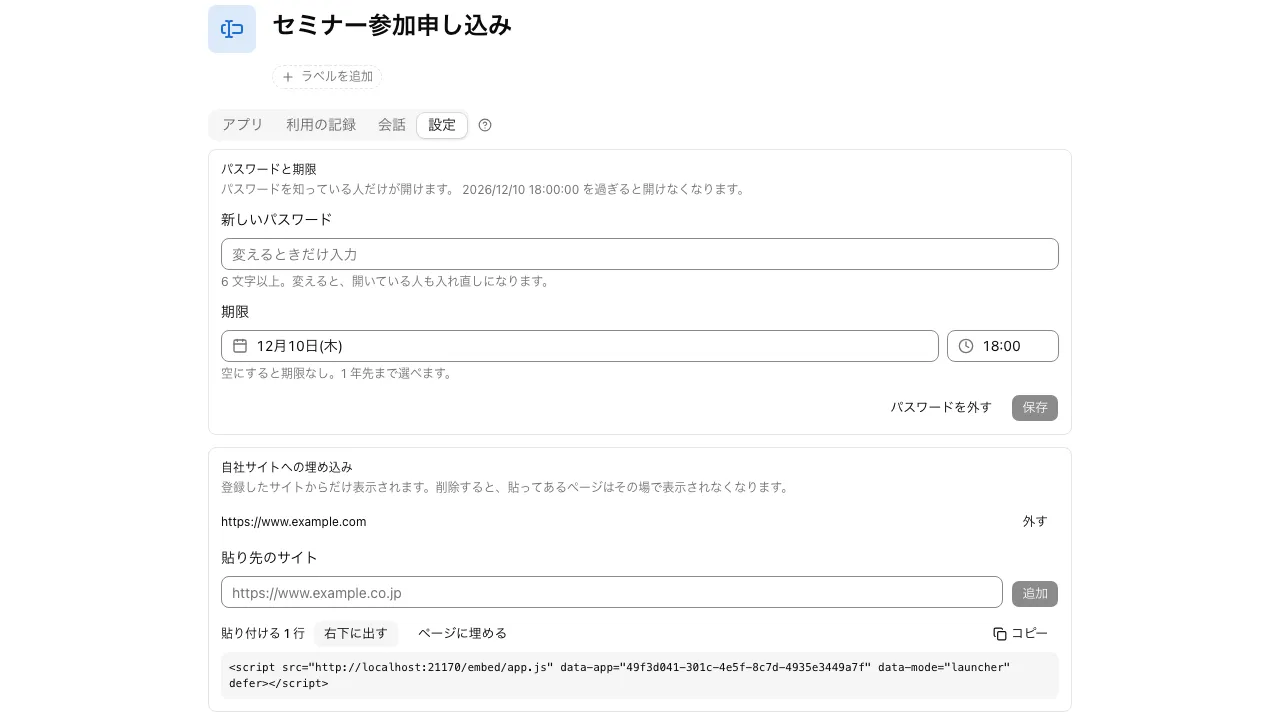
In "Password and expiry" under the published app's "Settings", add a password of 6 to 128 characters and an expiry up to one year ahead. After expiry, the URL returns the same response as a URL that doesn't exist.
- Until the password matches, not even the app's name is shown
- After 10 wrong attempts from the same connection within an hour, that connection is locked out for the rest of the hour
- Change the password, and everyone who has it open is asked again
Add it to your own site with one script tag#
A published app can be embedded on a registered site with one script tag. It can go only on sites registered for that app, and it won't show on sites that aren't registered.
- An embedded app runs inside a frame (iframe) and doesn't touch the site's page
- Stop publishing, and it can't be opened where it's embedded either
I published our seminar sign-up form with a password and an expiry date. After that date the URL stops opening, so I don't have to remember to take it down.
Event management The contact form on our website is embedded with a single script tag. Submissions go straight into the app's table inside the company, so I don't copy anything over.
Marketing In emails to our customers, I include a link with the company name and quantity filled in. The form opens with those fields completed, and they can still edit them before sending.
Order management
Frequently asked questions#
Can a published form see our internal tables?
No. Visitors can read and write only the tables and knowledge you allowed for publishing. The public screen accepts no SQL and no screen definitions from visitors.
How do I stop publishing?
Stop the app's external publishing and the URL can no longer be opened. If you set an expiry date, it stops once that date passes. Publish again and you get a new URL.
Can I see how much it's used?
The app's "Usage" shows the number of visitors per day for 30 days. For a Q&A assistant, you can also see conversations where no answer was found.
Can people attach files when they submit?
Yes, add a file field to the form and you can receive them.
Everyday work comes together, connects, and becomes the company's strength.